Of course! The phrase "Java String decimal" can mean several things, but it most commonly refers to parsing a String that represents a decimal number (like "123.45") into a Java primitive numeric type (like double or float).
I'll cover the most common scenarios, from simple parsing to more advanced formatting and validation.
Parsing a String to a double or float
This is the most frequent task. You have a String like "99.99" and you want to use it in calculations as a number.
The Standard Method: Double.parseDouble() or Float.parseFloat()
These are the simplest and most direct ways to convert a String to a double or float.
Key Points:
- The String must contain a valid decimal number representation.
- It can have an optional sign ( or ) at the beginning.
- It can use a dot () or a comma () as the decimal separator, depending on the system's default
Locale. - It can use scientific notation (e.g.,
"1.23e4").
Example:
public class StringToDoubleExample {
    public static void main(String[] args) {
        String str1 = "123.45";
        String str2 = "-67.89";
        String str3 = "100"; // Integer string
        String str4 = "1.5e3"; // Scientific notation for 1500.0
        try {
            double d1 = Double.parseDouble(str1);
            double d2 = Double.parseDouble(str2);
            double d3 = Double.parseDouble(str3);
            double d4 = Double.parseDouble(str4);
            System.out.println("d1: " + d1);
            System.out.println("d2: " + d2);
            System.out.println("d3: " + d3);
            System.out.println("d4: " + d4);
            // You can now perform arithmetic operations
            double sum = d1 + d2;
            System.out.println("Sum of d1 and d2: " + sum);
        } catch (NumberFormatException e) {
            System.err.println("Invalid number format. Please check the input string.");
            e.printStackTrace();
        }
    }
}
Output:
d1: 123.45
d2: -67.89
d3: 100.0
d4: 1500.0
Sum of d1 and d2: 55.56000000000001
Note: The slight imprecision in the sum (
56000000000001instead of56) is a classic characteristic of floating-point arithmetic in computers. For precise financial calculations, useBigDecimal.
The Robust Method: Double.valueOf()
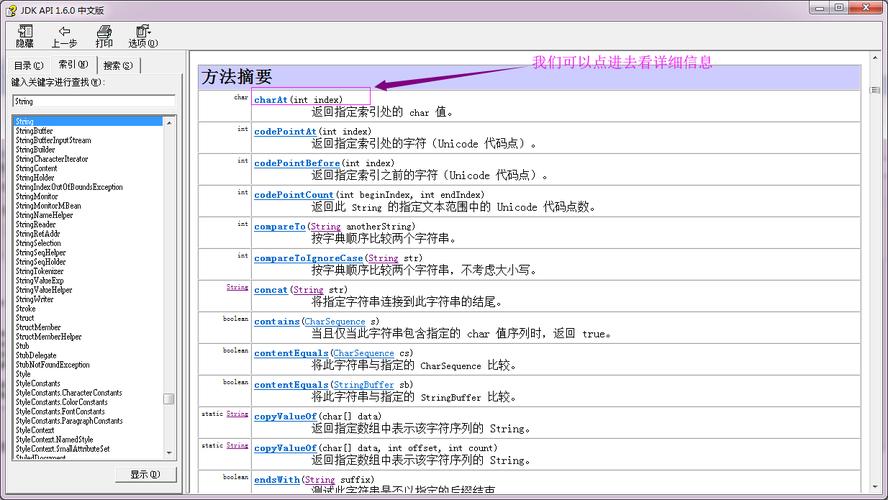
This method also parses the string but returns a Double object (a wrapper class) instead of a primitive double. It's useful when you need an object, for example, to store it in a collection that doesn't accept primitives.
String str = "98.6";
Double doubleObject = Double.valueOf(str); // Returns a Double object
double primitiveDouble = doubleObject;    // Unboxing
System.out.println("Object: " + doubleObject);
System.out.println("Primitive: " + primitiveDouble);
Formatting a double or float into a String
This is the reverse operation: you have a number and you want to display it as a formatted String.
The Standard Method: String.format()
This is the most powerful and flexible way to format numbers. It uses the same formatting specifiers as printf.
Common Formatting Specifiers:
%f: Formats as a decimal floating-point number.%.2f: Formats to 2 decimal places. This is very common for currency.%,.2f: Formats with a comma as a thousands separator and 2 decimal places.
Example:
public class DoubleToStringExample {
    public static void main(String[] args) {
        double price = 12345.6789;
        double pi = Math.PI;
        // Basic formatting
        String str1 = String.format("%.2f", price);
        System.out.println("Price to 2 decimal places: " + str1); // 12345.68
        // Formatting with thousands separator
        String str2 = String.format("%,.2f", price);
        System.out.println("Price with thousands separator: " + str2); // 12,345.68
        // Formatting a different number
        String str3 = String.format("Pi is approximately %.4f", pi);
        System.out.println(str3); // Pi is approximately 3.1416
    }
}
Output:
Price to 2 decimal places: 12345.68
Price with thousands separator: 12,345.68
Pi is approximately 3.1416
The Classic Method: DecimalFormat
This is an older class but is still very useful, especially for complex, repeating number patterns.
Example:
import java.text.DecimalFormat;
public class DecimalFormatExample {
    public static void main(String[] args) {
        double number = 1234567.8912;
        // Create a pattern: # for digits, , for thousands separator, . for decimal
        DecimalFormat df1 = new DecimalFormat("#,##0.00");
        String formatted1 = df1.format(number);
        System.out.println("Formatted with pattern: " + formatted1); // 1,234,567.89
        // Another pattern for currency
        DecimalFormat df2 = new DecimalFormat("$#,##0.00");
        String formatted2 = df2.format(number);
        System.out.println("Formatted as currency: " + formatted2); // $1,234,567.89
    }
}
Validating a String for Decimal Format
Before parsing, you might want to check if a String is a valid decimal number. This prevents a NumberFormatException.
Using Regular Expressions (Regex)
This is a very common and robust way to validate strings. Here are a few examples:
Example 1: A simple positive or negative decimal number
import java.util.regex.Pattern;
public class DecimalValidator {
    public static boolean isDecimal(String str) {
        // Regex explanation:
        // ^          : Start of the string
        // [-+]?      : Optional sign (+ or -)
        // \\d*       : Zero or more digits
        // \\.?       : Optional decimal point
        // \\d+       : One or more digits (ensures there are digits after the decimal point if it exists)
        // $          : End of the string
        String regex = "[-+]?\\d*\\.?\\d+";
        return Pattern.matches(regex, str);
    }
    public static void main(String[] args) {
        System.out.println("123.45: " + isDecimal("123.45"));   // true
        System.out.println("-99: " + isDecimal("-99"));       // true
        System.out.println("+0.5: " + isDecimal("+0.5"));     // true
        System.out.println(".5: " + isDecimal(".5"));         // true
        System.out.println("5.: " + isDecimal("5."));         // false (no digits after .)
        System.out.println("abc: " + isDecimal("abc"));       // false
        System.out.println("123a: " + isDecimal("123a"));     // false
    }
}
Using a try-catch Block
This is a simple, pragmatic approach. You just try to parse it and see if it succeeds.
public class TryCatchValidator {
    public static boolean isValidDecimal(String str) {
        try {
            Double.parseDouble(str);
            return true; // If parsing succeeds, it's valid
        } catch (NumberFormatException e) {
            return false; // If it fails, it's not a valid number
        }
    }
    public static void main(String[] args) {
        System.out.println("123.45: " + isValidDecimal("123.45")); // true
        System.out.println("abc: " + isValidDecimal("abc"));     // false
    }
}
Advanced: High-Precision Decimal Arithmetic (BigDecimal)
For financial or scientific calculations where floating-point inaccuracies are unacceptable, use java.math.BigDecimal.
Key Differences from double:
BigDecimalrepresents numbers with arbitrary precision.- It does not suffer from the rounding errors of
doubleandfloat. - It's slower and uses more memory.
Example:
import java.math.BigDecimal;
import java.math.RoundingMode;
public class BigDecimalExample {
    public static void main(String[] args) {
        // Use String constructor to avoid precision issues from double literals
        BigDecimal bd1 = new BigDecimal("0.1");
        BigDecimal bd2 = new BigDecimal("0.2");
        // Addition
        BigDecimal sum = bd1.add(bd2);
        System.out.println("Sum: " + sum); // Correctly prints 0.3
        // Subtraction
        BigDecimal difference = bd2.subtract(bd1);
System.out.println("Difference: