Of course! The phrase "python importunicode" likely refers to how to handle Unicode text in Python, which is a fundamental concept. Since Python 3, the default string type is Unicode, making this much easier than in Python 2.
Here’s a comprehensive guide covering the essentials.
The Core Concept: Unicode in Python 3
In Python 3, the str type is a sequence of Unicode characters. This is the most important thing to remember.
# This is a Unicode string
my_string = "Hello, 世界! 🌎"
# Check its type
print(type(my_string))  # <class 'str'>
# You can access individual Unicode characters
print(my_string[0])     # H
print(my_string[7])     # 世
print(my_string[9])     # 🌎 (This is a single Unicode character)
The str type is an abstract representation of text. To store it in a file or send it over a network, you need to encode it into a specific byte representation (like UTF-8). When you read it back, you need to decode it from bytes back into a str.
The Key Functions: encode() and decode()
encode(): From str to bytes
This method converts a Unicode string (str) into a sequence of bytes (bytes).
text = "café"
# Encode the string to bytes using UTF-8 encoding
utf8_bytes = text.encode('utf-8')
print(f"Original string: {text}")
print(f"Type: {type(text)}")
print(f"Encoded bytes: {utf8_bytes}")
print(f"Type: {type(utf8_bytes)}")
Output:
Original string: café
Type: <class 'str'>
Encoded bytes: b'caf\xc3\xa9'
Type: <class 'bytes'>
Notice how the is represented by the two bytes \xc3\xa9. This is the UTF-8 encoding for that character.
decode(): From bytes to str
This method converts a sequence of bytes (bytes) back into a Unicode string (str).
# We have the bytes from the previous example
utf8_bytes = b'caf\xc3\xa9'
# Decode the bytes back into a string
original_text = utf8_bytes.decode('utf-8')
print(f"Bytes object: {utf8_bytes}")
print(f"Decoded string: {original_text}")
print(f"Type: {type(original_text)}")
Output:
Bytes object: b'caf\xc3\xa9'
Decoded string: café
Type: <class 'str'>
Reading and Writing Files with Unicode
This is where encoding becomes critical. When you open a file, you must specify its encoding. The modern, recommended standard is UTF-8.
Writing to a File (open with encoding)
# List of strings with different scripts
lines_to_write = [
    "Hello from English!",
    "Hola desde español!",
    "مرحبا من العربية!", # Arabic
    "こんにちはから日本語!" # Japanese
]
# Use a 'with' statement for safe file handling
# The 'encoding="utf-8"' argument is the key part here
with open('my_unicode_file.txt', 'w', encoding='utf-8') as f:
    for line in lines_to_write:
        f.write(line + '\n')
print("File 'my_unicode_file.txt' written successfully.")
If you don't specify encoding='utf-8', Python will use your system's default encoding, which might not be what you expect and can lead to errors or data corruption, especially on Windows.
Reading from a File (open with encoding)
# Read the file we just created
# Again, specify the encoding to read it correctly
with open('my_unicode_file.txt', 'r', encoding='utf-8') as f:
    content = f.read()
print("\n--- File Contents ---")
print(content)
print("---------------------")
Output:
--- File Contents ---
Hello from English!
Hola desde español!
مرحبا من العربية!
こんにちはから日本語!
---------------------
Common Errors and How to Fix Them
UnicodeDecodeError
This happens when you try to read a file that is not encoded in the format you specified.
Scenario: You have a file saved with latin-1 encoding, but you try to read it as utf-8.
# Let's create a file with latin-1 encoding
# The euro symbol '€' is encoded as 0xA4 in latin-1
euro_bytes = b'The price is \xa420.' # This is a bytes object
with open('price_latin1.txt', 'wb') as f:
    f.write(euro_bytes)
# Now, let's try to read it incorrectly as UTF-8
try:
    with open('price_latin1.txt', 'r', encoding='utf-8') as f:
        content = f.read()
except UnicodeDecodeError as e:
    print(f"Error caught: {e}")
Output:
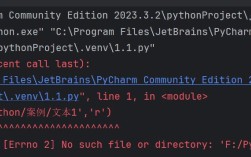
Error caught: 'utf-8' codec can't decode byte 0xa4 in position 12: invalid start byteSolution: You must know (or guess) the correct encoding of the source file and use it when reading.
# Correct way to read the latin-1 file
with open('price_latin1.txt', 'r', encoding='latin-1') as f:
    content = f.read()
print(content) # Output: The price is €20.
UnicodeEncodeError
This happens when you try to write a string to a file or stream that cannot support all the characters in your string, and you haven't specified an encoding that can handle them.
Scenario: You try to print a string with an emoji to a console that doesn't support UTF-8 (rare these days, but possible).
text_with_emoji = "This has an emoji: 🚀"
# This will usually work on modern terminals, but might fail in an old one
# or when redirecting output to a file that expects a different encoding.
try:
    # If the terminal's encoding is, for example, 'cp1252' (a common Windows encoding)
    # and you don't handle it, you'll get an error.
    sys.stdout.reconfigure(encoding='cp1252') # Simulate an old terminal
    print(text_with_emoji)
except UnicodeEncodeError as e:
    print(f"Error caught: {e}")
Solution: Ensure the output stream (file, console, etc.) is configured to use a capable encoding like UTF-8. When writing to files, always specify encoding='utf-8'.
Practical Example: Scraping a Web Page
Web pages almost always declare their encoding. You should respect this. The requests library and BeautifulSoup make this easy.
import requests
from bs4 import BeautifulSoup
# A URL that uses non-ASCII characters
url = 'https://zh.wikipedia.org/wiki/中华人民共和国'
try:
    # 1. Fetch the page content. Requests uses the encoding from the HTTP header.
    response = requests.get(url)
    response.raise_for_status()  # Raise an exception for bad status codes (4xx or 5xx)
    # The encoding is often detected automatically from the HTTP headers
    print(f"Detected encoding by requests: {response.encoding}")
    # The .text property gives you a decoded Unicode string
    html_content = response.text
    # 2. Parse the HTML
    soup = BeautifulSoup(html_content, 'html.parser')
    # 3. Extract and print some text= soup.find('title').text
    print(f"\nPage Title: {title}")
    first_paragraph = soup.find('p').text
    print(f"\nFirst Paragraph (first 100 chars): {first_paragraph[:100]}...")
except requests.exceptions.RequestException as e:
    print(f"Error fetching URL: {e}")
Summary
| Task | Python 3 Method / Concept | Key Takeaway |
|---|---|---|
| Default Text Type | str is Unicode by default. |
You don't need to do anything special to create a Unicode string. |
| Convert String to Bytes | my_string.encode('utf-8') |
Use .encode() when saving to a file or sending over a network. |
| Convert Bytes to String | my_bytes.decode('utf-8') |
Use .decode() when reading from a file or receiving data. |
| Reading/Writing Files | open('file.txt', 'r', encoding='utf-8') |
Always specify encoding='utf-8' when opening files for text. |
| Common Error | UnicodeDecodeError / UnicodeEncodeError |
This almost always means you have a mismatch between your data and encoding. |