
Of course! "Python, Apache, MySQL" is a classic and powerful web development stack. It's often referred to as the LAMP stack, where the "L" stands for Linux (the operating system), "A" for Apache, "M" for MySQL, and "P" for Python.
Let's break down what each component does and how they work together, with practical examples.
The Big Picture: How They Work Together
Think of it like a restaurant:
- Python (The Chef): This is the brain. It contains the recipes (your application logic) and cooks the food (processes data, makes decisions). It's the one who actually does the work.
- MySQL (The Pantry & Fridge): This is where all the raw ingredients are stored. It's a structured, organized place for your data (recipes, customer info, inventory). The Chef (Python) knows exactly where to go to find what it needs.
- Apache (The Maître d'): This is the front door and the waiter. It receives all incoming customer orders (web requests from a browser). It doesn't cook itself, but it knows exactly which Chef (Python script) to hand the order to. It then takes the finished dish (the response from Python) and serves it back to the customer (the browser).
Python (The Application Logic)
Python is the programming language where you write your application. It will handle tasks like:
- User authentication (logging in, registering).
- Processing form submissions (e.g., a contact form).
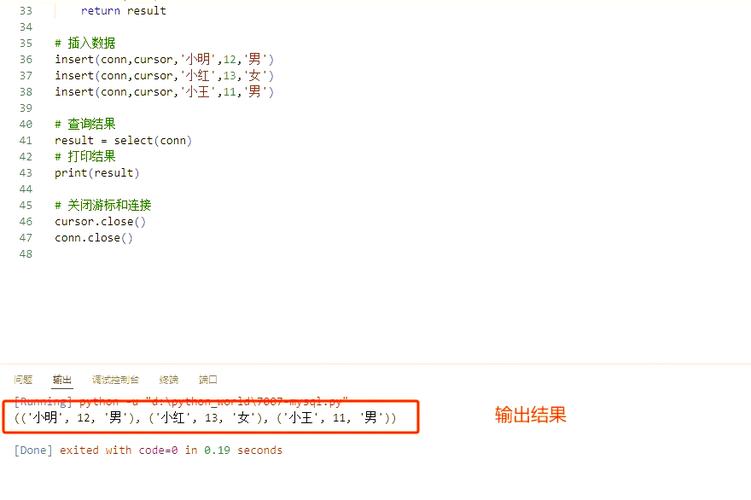
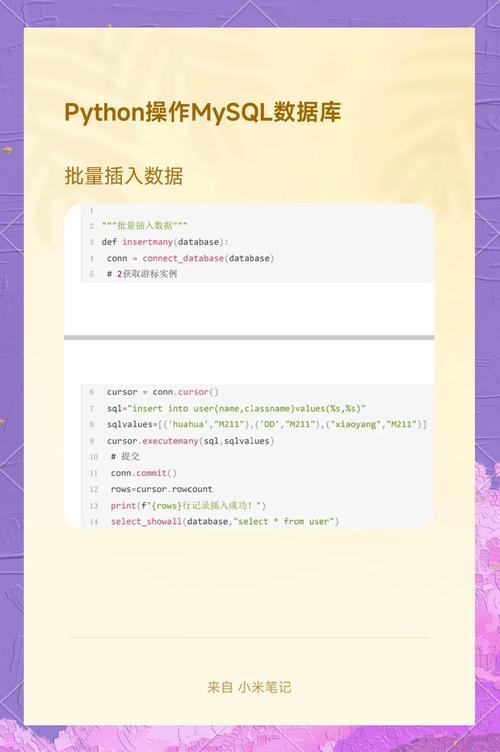
- Fetching and storing data in the MySQL database.
- Generating HTML pages dynamically.
Key Python Libraries for this Stack:
- Web Framework: You don't interact with Apache directly from Python. You use a web framework that handles the communication for you.
- Django: A high-level, "batteries-included" framework. It's great for complex applications and has its own ORM (Object-Relational Mapper) for database interaction.
- Flask: A lightweight, "micro-framework". It's more flexible and gives you more control. It's perfect for smaller projects or APIs.
- Database Connector: To talk to MySQL, you need a library that acts as a translator.
mysql-connector-python: The official driver from Oracle. It's reliable and well-documented.PyMySQL: A pure Python implementation. A popular alternative.
- ORM (Object-Relational Mapper): An ORM lets you interact with your database using Python objects and classes instead of writing raw SQL queries. This makes your code cleaner and more secure.
- SQLAlchemy: A very popular and powerful ORM that works with many databases, including MySQL. It's the default choice for many Flask and Django projects.
- Django ORM: Built-in to Django and specific to its ecosystem.
MySQL (The Database)
MySQL is a Relational Database Management System (RDBMS). It's where your application's persistent data lives. This includes:
- User accounts (username, password, email)
- Product catalogs
- Blog posts and comments
- Order history
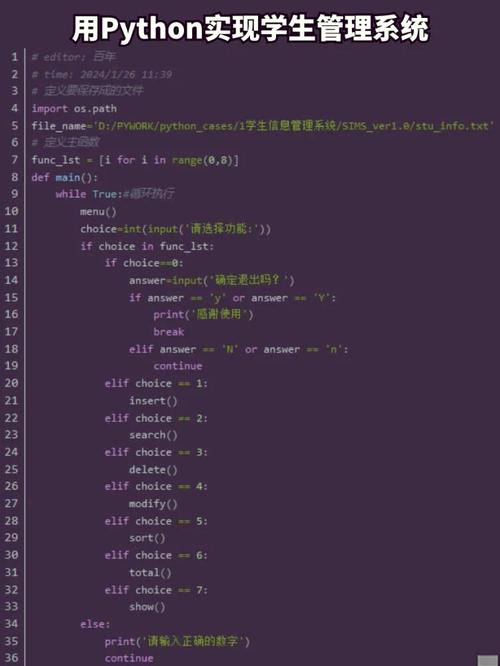
You define the structure of your data using tables with columns and rows.
Example MySQL Table (users):
CREATE TABLE users (
    id INT AUTO_INCREMENT PRIMARY KEY,
    username VARCHAR(50) NOT NULL UNIQUE,
    email VARCHAR(100) NOT NULL UNIQUE,
    password_hash VARCHAR(255) NOT NULL,
    created_at TIMESTAMP DEFAULT CURRENT_TIMESTAMP
);
Apache (The Web Server)
Apache is the software that listens for incoming web traffic (requests) on your server. When it receives a request for a Python web application, it doesn't try to run the Python code itself. Instead, it uses a special module to hand the request off to the Python environment.
The crucial link is a module called mod_wsgi.
mod_wsgiis an Apache module that hosts Python applications. It embeds a Python interpreter directly into the Apache process, allowing Apache to communicate efficiently with your Python web framework (like Django or Flask).
Putting It All Together: A Step-by-Step Guide
Let's build a minimal "Hello, World!" application that connects to a MySQL database using the Flask framework.
Step 1: Install the Software
You'll need Python, Apache, and MySQL installed on your system (e.g., Ubuntu/Debian).
# Update package lists
sudo apt update
# Install Apache
sudo apt install apache2
# Install MySQL Server
sudo apt install mysql-server
# Install Python and pip (the Python package installer)
sudo apt install python3 python3-pip
Step 2: Set Up the MySQL Database and User
-
Log in to MySQL:
sudo mysql
-
Create a database, a user, and grant permissions.
-- Create a new database
CREATE DATABASE myapp_db;
-- Create a new user and set a password
CREATE USER 'myapp_user'@'localhost' IDENTIFIED BY 'a_strong_password';
-- Grant the user all privileges on the new database
GRANT ALL PRIVILEGES ON myapp_db.* TO 'myapp_user'@'localhost';
-- Apply the changes
FLUSH PRIVILEGES;
-- Exit the MySQL shell
EXIT;
Step 3: Create the Python Application
-
Create a project directory.
mkdir flask_project
cd flask_project
-
Create a virtual environment (highly recommended).
python3 -m venv venv
source venv/bin/activate
-
Install the necessary Python packages.
pip install Flask pymysql
(Note: We use
PyMySQLas the connector, and Flask-WTF for forms in a later step.) -
Create the main application file,
app.py.import pymysql from flask import Flask, render_template # --- MySQL Configuration --- db_config = { 'host': 'localhost', 'user': 'myapp_user', 'password': 'a_strong_password', 'database': 'myapp_db', 'cursorclass': pymysql.cursors.DictCursor # Returns results as dictionaries } # --- Flask Application --- app = Flask(__name__) app.secret_key = 'a_very_secret_key' # Needed for session management # --- Database Connection Function --- def get_db_connection(): """Establishes a connection to the MySQL database.""" try: connection = pymysql.connect(**db_config) print("Database connection successful!") return connection except pymysql.MySQLError as e: print(f"Error connecting to MySQL: {e}") return None # --- Routes --- @app.route('/') def index(): # Connect to the database conn = get_db_connection() if conn is None: return "Could not connect to the database.", 500 # Fetch data from the database users = [] try: with conn.cursor() as cursor: # Create a table if it doesn't exist cursor.execute(""" CREATE TABLE IF NOT EXISTS users ( id INT AUTO_INCREMENT PRIMARY KEY, username VARCHAR(50) NOT NULL ) """) # Insert a sample user if the table is empty cursor.execute("SELECT COUNT(*) FROM users") if cursor.fetchone()['COUNT(*)'] == 0: cursor.execute("INSERT INTO users (username) VALUES ('Alice')") conn.commit() # Fetch all users cursor.execute("SELECT * FROM users") users = cursor.fetchall() finally: conn.close() # Render the HTML template, passing the users data return render_template('index.html', users=users) # --- Run the app --- if __name__ == '__main__': # This is for development only app.run(debug=True) -
Create the HTML template. Flask looks for templates in a
templatesfolder.mkdir templates
Create
templates/index.html:<!DOCTYPE html> <html lang="en"> <head> <meta charset="UTF-8"> <title>Python, Apache, MySQL Demo</title> <style> body { font-family: sans-serif; margin: 2em; } h1 { color: #333; } ul { list-style-type: none; padding: 0; } li { background: #f4f4f4; margin: 5px 0; padding: 10px; border-radius: 5px; } </style> </head> <body> <h1>Hello from Python, Apache, and MySQL!</h1> <p>Here are the users from our database:</p> <ul> {% for user in users %} <li>{{ user.username }} (ID: {{ user.id }})</li> {% else %} <li>No users found.</li> {% endfor %} </ul> </body> </html>
Step 4: Configure Apache with mod_wsgi
-
Install
mod_wsgi.sudo apt install libapache2-mod-wsgi-py3
-
Enable the module.
sudo a2enmod wsgi
-
Create an Apache configuration file for your project.
sudo nano /etc/apache2/sites-available/flask_project.conf
-
Add the following configuration. This tells Apache how to serve your Flask app.
<VirtualHost *:80> ServerName your_server_ip_or_domain.com # Replace with your server's IP # Set the project directory DocumentRoot /home/your_username/flask_project WSGIDaemonProcess flask_app python-home=/home/your_username/flask_project/venv WSGIScriptAlias / /home/your_username/flask_project/flaskapp.wsgi <Directory /home/your_username/flask_project> WSGIProcessGroup flask_app WSGIApplicationGroup %{GLOBAL} Require all granted </Directory> </VirtualHost>- Replace
your_usernamewith your actual Linux username. - Replace
your_server_ip_or_domain.comwith your server's IP address or domain name.
- Replace
-
Create the
flaskapp.wsgifile that Apache will execute.nano /home/your_username/flask_project/flaskapp.wsgi
Add this content:
activate_this = '/home/your_username/flask_project/venv/bin/activate_this.py' with open(activate_this) as f: exec(f.read(), {'__file__': activate_this}) import sys sys.path.append('/home/your_username/flask_project/') from app import app as application -
Enable your new site and disable the default one.
sudo a2ensite flask_project.conf
sudo a2dissite 000-default.conf
-
Test the Apache configuration and restart the service.
sudo apache2ctl configtest
sudo systemctl restart apache2
Step 5: See the Result
Now, open a web browser and navigate to your server's IP address. You should see the page generated by your Python script, displaying the user fetched from your MySQL database!
Modern Alternatives
While this stack is robust, the landscape has evolved:
- Nginx + Gunicorn/uWSGI: A very common alternative to Apache. Nginx is often seen as a more performant and lightweight web server. It handles static files (CSS, JS, images) very quickly and passes dynamic requests (for Python) to an application server like Gunicorn or uWSGI, which then runs your Flask/Django app.
- Serverless & Containers: For many new projects, developers use Docker to containerize their Python application and MySQL database. This makes the setup portable and consistent across different machines. Serverless platforms (like AWS Lambda) can also run Python functions in response to events, often connecting to a cloud database like Amazon RDS (which can run MySQL).


