Of course! Let's take a deep dive into Java's Map interface and its common implementations. This is a fundamental topic in Java collections.
What is a Map?
A Map is a collection that stores data as key-value pairs. It's like a real-world dictionary:
- Key: The word you look up (e.g., "Apple"). It must be unique.
- Value: The definition of the word (e.g., "A fruit"). It can be a duplicate of another value.
Core Characteristics:
- Unique Keys: Each key in a
Mapmust be unique. If you try to add a key that already exists, the old value associated with that key will be replaced by the new value. - Key-Value Association: Values are retrieved based on their associated keys, not by their position (like in a
List). - Can have Null Values: Most
Mapimplementations allownullvalues. - Can have at most one Null Key: Most
Mapimplementations allow only onenullkey.
The Map Interface Hierarchy
The Map interface is part of the Java Collections Framework. Here's a simplified view of its hierarchy:
java.lang.Object
  └── java.util.Map
       ├── java.util.SortedMap
       │    └── java.util.NavigableMap
       │         └── java.util.TreeMap
       ├── java.util.concurrent.ConcurrentMap
       │    └── java.util.concurrent.ConcurrentHashMap
       └── java.util.AbstractMap
            ├── java.util.EnumMap
            ├── java.util.HashMap
            └── java.util.IdentityHashMap
                 └── java.util.LinkedHashMap
The most common and important implementations are HashMap, TreeMap, and LinkedHashMap.
Common Map Implementations
Let's break down the most frequently used Map types.
HashMap
This is the most common, general-purpose Map implementation.
- Internal Structure: Uses a hash table (an array of buckets) to store data. It calculates an index (hash code) for the key and places the key-value pair in the corresponding bucket.
- Order of Elements: Does not guarantee any order. The elements are not stored in the order of insertion or any other predictable order.
- Performance:
- Get (
get(key)): Average O(1) - Very fast. - Put (
put(key, value)): Average O(1) - Very fast. - Contains (
containsKey(key)): Average O(1) - Very fast. - Worst-case performance can be O(n) if there are many hash collisions, but this is rare with a good hash function and proper initial capacity.
- Get (
- Nulls: Allows one
nullkey and multiplenullvalues. - When to use: When you need fast key-value lookups and the order of elements is not important. This is the default choice for most use cases.
Example:
import java.util.HashMap;
import java.util.Map;
public class HashMapExample {
    public static void main(String[] args) {
        Map<String, Integer> ages = new HashMap<>();
        // Add key-value pairs
        ages.put("Alice", 30);
        ages.put("Bob", 25);
        ages.put("Charlie", 35);
        ages.put(null, 0); // Allowed: one null key
        ages.put("David", null); // Allowed: multiple null values
        // Inserting a duplicate key replaces the old value
        ages.put("Alice", 31);
        System.out.println("Map: " + ages);
        // Output might be: {null=0, Alice=31, Bob=25, Charlie=35, David=null} (Order is not guaranteed)
        // Get a value by key
        Integer aliceAge = ages.get("Alice");
        System.out.println("Alice's age: " + aliceAge); // Output: Alice's age: 31
        // Check if a key exists
        boolean hasBob = ages.containsKey("Bob");
        System.out.println("Is Bob in the map? " + hasBob); // Output: Is Bob in the map? true
        // Remove an entry
        ages.remove("Charlie");
        System.out.println("Map after removal: " + ages);
    }
}
LinkedHashMap
This implementation extends HashMap and maintains a doubly-linked list running through all its entries.
- Internal Structure: A hash table combined with a linked list.
- Order of Elements: Guarantees insertion order. When you iterate over the map, the elements will be returned in the order they were added.
- Performance: Slightly slower than
HashMapforputandgetoperations because it has to maintain the linked list. Still O(1) on average. - Nulls: Same as
HashMap: allows onenullkey and multiplenullvalues. - When to use: When you need fast key-value lookups and you need to preserve the insertion order of elements.
Example:
import java.util.LinkedHashMap;
import java.util.Map;
public class LinkedHashMapExample {
    public static void main(String[] args) {
        Map<String, Integer> ages = new LinkedHashMap<>();
        ages.put("Alice", 30);
        ages.put("Bob", 25);
        ages.put("Charlie", 35);
        // The order is preserved
        System.out.println("Map: " + ages);
        // Output is guaranteed: {Alice=30, Bob=25, Charlie=35}
        ages.put("Alice", 31); // Updating a value doesn't change its position in the order
        System.out.println("Map after update: " + ages);
        // Output: {Alice=31, Bob=25, Charlie=35}
    }
}
TreeMap
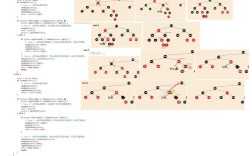
This implementation is based on a Red-Black Tree (a self-balancing binary search tree).
- Internal Structure: A tree structure.
- Order of Elements: Guaranteed to be sorted according to the natural ordering of the keys, or by a
Comparatorprovided at map creation. - Performance:
- Get (
get(key)): O(log n) - Slower thanHashMap. - Put (
put(key, value)): O(log n) - Slower thanHashMap. - Contains (
containsKey(key)): O(log n).
- Get (
- Nulls: Does not allow
nullkeys (because it can't compare anullkey with other keys to place it in the tree). It allowsnullvalues. - When to use: When you need the map to be sorted by its keys. The trade-off is slower performance compared to
HashMap.
Example:
import java.util.Map;
import java.util.TreeMap;
public class TreeMapExample {
    public static void main(String[] args) {
        // The keys (String) will be sorted alphabetically
        Map<String, Integer> ages = new TreeMap<>();
        ages.put("Charlie", 35);
        ages.put("Alice", 30);
        ages.put("Bob", 25);
        // The map is automatically sorted by key
        System.out.println("Map: " + ages);
        // Output is guaranteed: {Alice=30, Bob=25, Charlie=35}
        // ages.put(null, 0); // This would throw a NullPointerException!
    }
}
Map vs. Collection
It's a common point of confusion. They are related but serve different purposes.
| Feature | Map Interface |
Collection Interface |
|---|---|---|
| Purpose | Stores key-value pairs. | Stores a group of individual elements. |
| Core Methods | put(key, value), get(key), containsKey(key) |
add(element), remove(element), contains(element) |
| Sub-Interfaces | SortedMap, ConcurrentMap |
List, Set, Queue |
| Common Implementations | HashMap, TreeMap, LinkedHashMap |
ArrayList, LinkedList, HashSet, TreeSet |
| Relationship | Map is not a Collection. However, the values() method of a Map returns a Collection. |
Essential Map Methods
Here are the most frequently used methods you'll encounter:
| Method | Description |
|---|---|
V put(K key, V value) |
Associates the specified value with the specified key. If the key already exists, its value is overwritten. Returns the previous value, or null if there was no mapping. |
V get(Object key) |
Returns the value to which the specified key is mapped, or null if the map contains no mapping for the key. |
V remove(Object key) |
Removes the mapping for the specified key from the map if present. Returns |