Of course. Converting text from GBK to UTF-8 in Java is a common task, especially when dealing with data from legacy systems or applications in mainland China. The core of this process involves using Java's character encoding and decoding mechanisms.
Here’s a comprehensive guide, from the basic concept to complete, runnable code examples.
The Core Concept: Reader & Writer vs. String
The most important thing to understand is that a String in Java is always stored in UTF-16 internally. It doesn't have an "encoding" itself. The encoding comes into play when you need to:
- Decode a sequence of bytes (e.g., from a file or network) into a
String. - Encode a
Stringinto a sequence of bytes (e.g., to write to a file or send over a network).
So, when you "convert GBK to UTF-8", you are actually:
- Reading bytes that are encoded in GBK and creating a
String(UTF-16). - Writing that
Stringto a new location using the UTF-8 encoding.
Method 1: The Correct & Recommended Way (Using InputStreamReader and OutputStreamWriter)
This is the standard, most robust way to handle character encoding when reading from or writing to streams (files, network connections, etc.). It avoids loading the entire file into memory, making it suitable for large files.
Scenario: Converting a File from GBK to UTF-8
Let's say you have a file named input_gbk.txt encoded in GBK.
import java.io.*;
import java.nio.charset.StandardCharsets;
public class GbkToUtf8Converter {
    public static void main(String[] args) {
        // 1. Define source and file paths
        String sourceFilePath = "path/to/your/input_gbk.txt"; // Your GBK encoded file
        String targetFilePath = "path/to/your/output_utf8.txt"; // The new UTF-8 file to be created
        // 2. Use try-with-resources to automatically close streams
        try (
            // Create an InputStream to read the raw bytes from the source file
            FileInputStream fis = new FileInputStream(sourceFilePath);
            // Wrap it in an InputStreamReader that decodes the bytes using the GBK charset
            InputStreamReader isr = new InputStreamReader(fis, "GBK");
            // Wrap the Reader in a BufferedReader for efficient line-by-line reading
            BufferedReader br = new BufferedReader(isr);
            // Create an OutputStream to write raw bytes to the target file
            FileOutputStream fos = new FileOutputStream(targetFilePath);
            // Wrap it in an OutputStreamWriter that encodes characters to UTF-8 bytes
            OutputStreamWriter osw = new OutputStreamWriter(fos, StandardCharsets.UTF_8);
            // Wrap the Writer in a BufferedWriter for efficient writing
            BufferedWriter bw = new BufferedWriter(osw)
        ) {
            String line;
            // 3. Read line by line from the GBK file
            while ((line = br.readLine()) != null) {
                // 4. Write each line to the UTF-8 file
                bw.write(line);
                // Add the newline character back, as readLine() strips it
                bw.newLine();
            }
            System.out.println("File converted successfully from GBK to UTF-8.");
        } catch (UnsupportedEncodingException e) {
            System.err.println("Error: The GBK encoding is not supported by this JVM.");
            e.printStackTrace();
        } catch (FileNotFoundException e) {
            System.err.println("Error: One of the files was not found.");
            e.printStackTrace();
        } catch (IOException e) {
            System.err.println("An I/O error occurred during the conversion.");
            e.printStackTrace();
        }
    }
}
Explanation of the Code:
FileInputStream/FileOutputStream: These read and write raw bytes.InputStreamReader(fis, "GBK"): This is the key part for reading. It takes the raw byte stream (fis) and uses the"GBK"character set to correctly interpret those bytes as characters, creating aReader.BufferedReader: A wrapper for efficiency, allowing us to read the file line by line withreadLine().OutputStreamWriter(fos, StandardCharsets.UTF_8): This is the key part for writing. It takes aWriterand a character set. It takes the characters we write and encodes them into bytes using the specifiedUTF-8charset before writing them to the raw byte stream (fos).StandardCharsets.UTF_8: It's best practice to use theStandardCharsetsenum for common encodings like UTF-8, as it's guaranteed to be supported and is more type-safe than using a string literal.
Method 2: The In-Memory Way (Using String Constructors)
This method is simpler but consumes more memory because it loads the entire file content into a String object. It's only suitable for small files.
import java.io.*;
import java.nio.charset.StandardCharsets;
public class GbkToUtf8StringConverter {
    public static void main(String[] args) {
        String sourceFilePath = "path/to/your/input_gbk.txt";
        String targetFilePath = "path/to/your/output_utf8_inmemory.txt";
        try {
            // 1. Read all bytes from the GBK file into a byte array
            byte[] gbkBytes = readAllBytesOrExit(new File(sourceFilePath));
            // 2. Create a String from the byte array, specifying the source encoding (GBK)
            // This decodes the GBK bytes into a UTF-16 String.
            String content = new String(gbkBytes, "GBK");
            // 3. Get the UTF-8 bytes from the String, specifying the target encoding (UTF-8)
            // This encodes the UTF-16 String into UTF-8 bytes.
            byte[] utf8Bytes = content.getBytes(StandardCharsets.UTF_8);
            // 4. Write the UTF-8 bytes to the new file
            Files.write(Files.createFile(Paths.get(targetFilePath)), utf8Bytes);
            System.out.println("File converted successfully from GBK to UTF-8 (in-memory).");
        } catch (UnsupportedEncodingException e) {
            System.err.println("Error: The GBK encoding is not supported by this JVM.");
            e.printStackTrace();
        } catch (IOException e) {
            System.err.println("An I/O error occurred during the conversion.");
            e.printStackTrace();
        }
    }
    // Helper method to read all bytes from a file
    private static byte[] readAllBytesOrExit(File file) throws IOException {
        return Files.readAllBytes(file.toPath());
    }
}
Note: This example uses java.nio.file.Files, which is available in Java 7 and later. It's a very convenient utility for file operations.
Explanation of the Code:
new String(gbkBytes, "GBK"): This constructor takes a byte array and a charset name. It interprets the bytes using the "GBK" encoding and constructs aString.content.getBytes(StandardCharsets.UTF_8): This method on theStringobject takes a charset and returns a byte array representing the string's characters encoded in that charset (in this case, UTF-8).
Important Prerequisite: JVM Support for GBK
For the code to work, your Java Virtual Machine (JVM) must have a font or library that supports the GBK character set. Most modern JVMs do include GBK support by default, especially those distributed for Windows or Chinese-speaking regions.
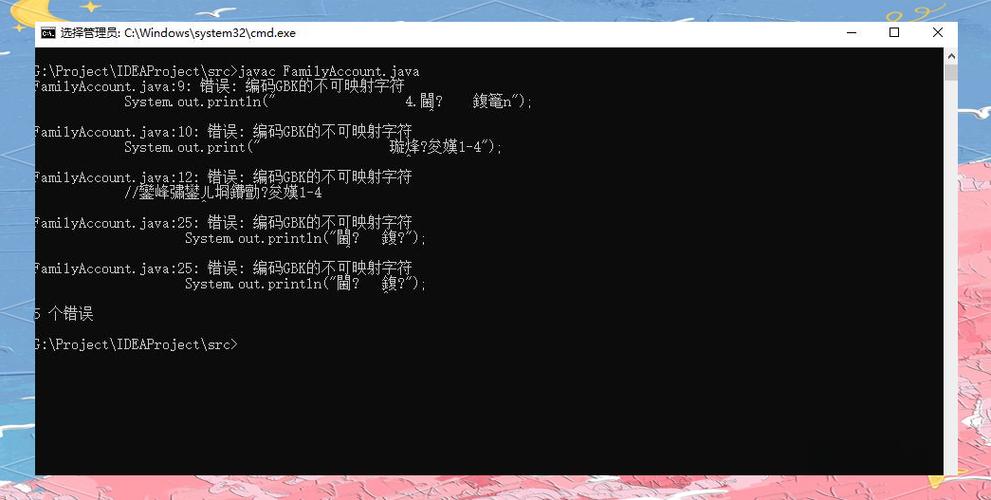
If you get an UnsupportedEncodingException, it means your JVM doesn't know what "GBK" is. You might need to:
- Ensure you are using a standard JVM distribution (like Oracle's or OpenJDK's).
- On Linux, you might need to install a package like
libcharset1or ensure thesun.ioconverters are available.
Summary: Which Method to Use?
| Feature | Method 1: InputStreamReader / OutputStreamWriter |
Method 2: String Constructors |
|---|---|---|
| Memory Usage | Low. Processes data in chunks (line by line or buffer by buffer). | High. Loads the entire file into memory. |
| Performance | Good for large files. | Good for small files. Can be faster for tiny files due to less overhead. |
| Complexity | Slightly more verbose due to wrapping streams. | Very concise and easy to read. |
| Recommendation | Highly Recommended. The standard, production-ready way. | Use only for small files or quick scripts where memory is not a concern. |