Of course! Using Redis with Java and Spring is a very common and powerful combination. This guide will walk you through everything you need to know, from the basics to advanced use cases, using modern Spring Boot.
We'll cover:
- Why use Redis with Spring? (The "Why")
- Core Spring Projects for Redis (The "What")
- A Step-by-Step Tutorial (The "How")
- Setting up the project
- Configuration
- Using
StringRedisTemplate - Using Spring Cache Abstraction
- Using Spring Session for Session Management
- Best Practices (Pro-tips)
Why Use Redis with Spring?
Redis (REmote DIctionary Server) is an in-memory data store. When combined with Spring, it provides high-performance solutions for common problems:
- Caching: Store the results of expensive method calls or database queries in memory to speed up your application.
- Session Management: Store user sessions in Redis instead of the local memory of a single server. This is crucial for stateless applications and horizontal scaling.
- Pub/Sub: Build real-time features like chat applications, notifications, or live dashboards.
- Distributed Locking: Coordinate actions across multiple instances of your application to prevent race conditions.
- Message Broker: A lightweight alternative to systems like RabbitMQ or Kafka for simple queuing needs.
Spring makes using Redis incredibly easy through its powerful abstractions.
Core Spring Projects for Redis
Spring provides two main libraries for interacting with Redis:
a) spring-data-redis
This is the foundational library. It provides:
- High-Level Abstractions:
RedisTemplateandStringRedisTemplatefor easy serialization and data manipulation. - Spring Cache Abstraction: A consistent programming model for adding caching to any Spring method with simple annotations (
@Cacheable,@CachePut,@CacheEvict). - Spring Session Integration: Seamlessly replaces the
HttpSessionwith a backend store (Redis).
b) spring-boot-starter-data-redis
This is the starter you'll actually add to your pom.xml or build.gradle. It automatically configures spring-data-redis with sensible defaults for a Spring Boot application.
Step-by-Step Tutorial: Spring Boot + Redis
Let's build a simple application that demonstrates caching and basic key-value operations.
Prerequisites
- Java 17+
- Maven or Gradle
- A running Redis server. The easiest way is with Docker:
docker run -d -p 6379:6379 redis:latest
Step 1: Create a Spring Boot Project
Use the Spring Initializr (start.spring.io) with the following settings:
- Project: Maven Project
- Language: Java
- Spring Boot: 3.x.x (latest stable)
- Project Metadata:
- Group:
com.example - Artifact:
redis-demo - Name:
redis-demo - Packaging: Jar
- Java: 17
- Group:
- Dependencies:
Spring Web: For creating a REST controller.Spring Data Redis: The core dependency for Redis integration.Lombok(optional): To reduce boilerplate code.
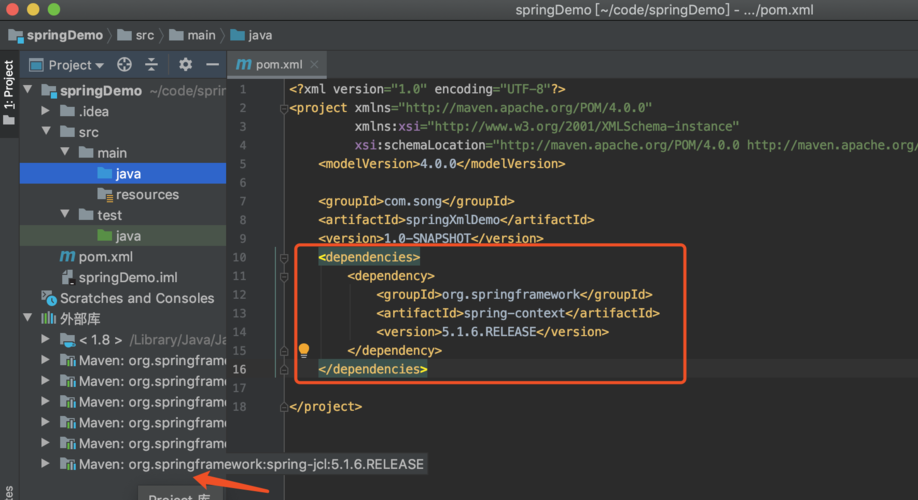
Your pom.xml will look something like this:
<?xml version="1.0" encoding="UTF-8"?>
<project xmlns="http://maven.apache.org/POM/4.0.0" ...>
    ...
    <dependencies>
        <dependency>
            <groupId>org.springframework.boot</groupId>
            <artifactId>spring-boot-starter-data-redis</artifactId>
        </dependency>
        <dependency>
            <groupId>org.springframework.boot</groupId>
            <artifactId>spring-boot-starter-web</artifactId>
        </dependency>
        <dependency>
            <groupId>org.projectlombok</groupId>
            <artifactId>lombok</artifactId>
            <optional>true</optional>
        </dependency>
        ...
    </dependencies>
</project>
Step 2: Configure Redis Connection
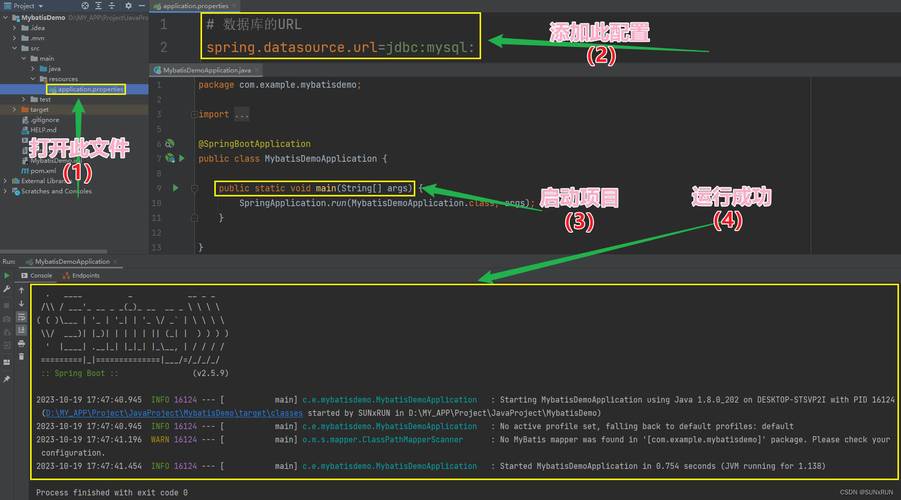
Open src/main/resources/application.properties and add your Redis connection details. Since we're running Redis locally on the default port, the configuration is simple.
# Redis server host
spring.data.redis.host=localhost
# Redis server port
spring.data.redis.port=6379
# Optional: Password if your Redis server is protected
# spring.data.redis.password=yourpassword
Spring Boot will automatically detect these properties and configure a RedisConnectionFactory.
Step 3: Use StringRedisTemplate for Basic Operations
This is the most direct way to interact with Redis. It handles serialization and connection management for you.
Let's create a service to demonstrate this.
// src/main/java/com/example/redisdemo/service/RedisService.java
package com.example.redisdemo.service;
import org.springframework.beans.factory.annotation.Autowired;
import org.springframework.data.redis.core.StringRedisTemplate;
import org.springframework.stereotype.Service;
import java.util.concurrent.TimeUnit;
@Service
public class RedisService {
    @Autowired
    private StringRedisTemplate stringRedisTemplate;
    public void setValue(String key, String value) {
        // opsForValue() provides access to Redis string operations
        stringRedisTemplate.opsForValue().set(key, value);
    }
    public String getValue(String key) {
        return stringRedisTemplate.opsForValue().get(key);
    }
    public void setWithExpiry(String key, String value, long timeout, TimeUnit unit) {
        stringRedisTemplate.opsForValue().set(key, value, timeout, unit);
    }
    public void deleteKey(String key) {
        stringRedisTemplate.delete(key);
    }
}
Step 4: Use Spring Cache Abstraction
This is one of the most powerful features. You can add caching to any method with annotations.
a) Enable Caching
Add the @EnableCaching annotation to your main application class.
// src/main/java/com/example/redisdemo/RedisDemoApplication.java
package com.example.redisdemo;
import org.springframework.boot.SpringApplication;
import org.springframework.boot.autoconfigure.SpringBootApplication;
import org.springframework.cache.annotation.EnableCaching;
@SpringBootApplication
@EnableCaching // This is the magic annotation!
public class RedisDemoApplication {
    public static void main(String[] args) {
        SpringApplication.run(RedisDemoApplication.class, args);
    }
}
b) Create a Service with Cached Methods
Let's create a service that simulates a slow database query.
// src/main/java/com/example/redisdemo/service/UserService.java
package com.example.redisdemo.service;
import org.springframework.cache.annotation.CacheEvict;
import org.springframework.cache.annotation.CachePut;
import org.springframework.cache.annotation.Cacheable;
import org.springframework.stereotype.Service;
import java.util.HashMap;
import java.util.Map;
@Service
public class UserService {
    // A mock database
    private final Map<Long, String> userDatabase = new HashMap<>();
    public UserService() {
        userDatabase.put(1L, "Alice");
        userDatabase.put(2L, "Bob");
    }
    /**
     * This method's result will be cached.
     * The cache key will be generated from the method arguments (in this case, 'id').
     * On subsequent calls with the same 'id', the result will be returned from the cache
     * without executing the method body.
     */
    @Cacheable(value = "users", key = "#id")
    public String getUserName(Long id) {
        System.out.println("Fetching user from database for id: " + id);
        // Simulate a slow database query
        try {
            Thread.sleep(2000);
        } catch (InterruptedException e) {
            throw new RuntimeException(e);
        }
        return userDatabase.get(id);
    }
    /**
     * This method will always execute and update the cache.
     * It's useful for update operations.
     */
    @CachePut(value = "users", key = "#id")
    public String updateUserName(Long id, String newName) {
        System.out.println("Updating user in database and cache for id: " + id);
        userDatabase.put(id, newName);
        return newName;
    }
    /**
     * This method will evict (remove) an entry from the cache.
     * It's useful for delete operations.
     */
    @CacheEvict(value = "users", key = "#id")
    public void deleteUser(Long id) {
        System.out.println("Deleting user from database and cache for id: " + id);
        userDatabase.remove(id);
    }
}
c) Create a REST Controller to Test It
// src/main/java/com/example/redisdemo/controller/UserController.java
package com.example.redisdemo.controller;
import com.example.redisdemo.service.UserService;
import org.springframework.beans.factory.annotation.Autowired;
import org.springframework.web.bind.annotation.*;
@RestController
@RequestMapping("/api/users")
public class UserController {
    @Autowired
    private UserService userService;
    @GetMapping("/{id}")
    public String getUserName(@PathVariable Long id) {
        return userService.getUserName(id);
    }
    @PutMapping("/{id}")
    public String updateUserName(@PathVariable Long id, @RequestBody String name) {
        return userService.updateUserName(id, name);
    }
    @DeleteMapping("/{id}")
    public void deleteUser(@PathVariable Long id) {
        userService.deleteUser(id);
    }
}
d) Test the Caching
- Run your application.
- Open your browser or API client (like Postman/Insomnia) and make a request:
GET http://localhost:8080/api/users/1. - Observe the console. You will see "Fetching user from database...". The request will take about 2 seconds.
- Immediately make the same request again.
GET http://localhost:8080/api/users/1. - Observe the console again. You will NOT see the "Fetching user..." message. The response will be almost instantaneous because it's being served from the Redis cache!
Step 5: Use Spring Session for Session Management
This is incredibly useful for scaling stateless web applications.
a) Add the Spring Session Dependency
Add spring-boot-starter-data-redis-reactive (or ...-reactive is not strictly necessary, but it's good practice). It includes Spring Session.
<dependency>
    <groupId>org.springframework.session</groupId>
    <artifactId>spring-session-data-redis</artifactId>
</dependency>
b) Enable Spring Session
Add @EnableRedisHttpSession to your main application class. This will automatically replace the default HttpSession with a Redis-backed one.
// src/main/java/com/example/redisdemo/RedisDemoApplication.java
package com.example.redisdemo;
import org.springframework.boot.SpringApplication;
import org.springframework.boot.autoconfigure.SpringBootApplication;
import org.springframework.cache.annotation.EnableCaching;
import org.springframework.session.data.redis.config.annotation.web.http.EnableRedisHttpSession;
@SpringBootApplication
@EnableCaching
@EnableRedisHttpSession(maxInactiveIntervalInSeconds = 1800) // Session expires after 30 minutes
public class RedisDemoApplication {
    // ...
}
c) Create a Controller to Use the Session
// src/main/java/com/example/redisdemo/controller/SessionController.java
package com.example.redisdemo.controller;
import jakarta.servlet.http.HttpSession;
import org.springframework.web.bind.annotation.GetMapping;
import org.springframework.web.bind.annotation.RequestMapping;
import org.springframework.web.bind.annotation.RestController;
@RestController
@RequestMapping("/api/session")
public class SessionController {
    @GetMapping("/set")
    public String setAttribute(HttpSession session) {
        session.setAttribute("userMessage", "Hello from Redis Session!");
        return "Attribute set in session.";
    }
    @GetMapping("/get")
    public String getAttribute(HttpSession session) {
        String message = (String) session.getAttribute("userMessage");
        return "Session attribute: " + (message != null ? message : "Not found");
    }
}
d) Test Session Management
-
Run your application.
-
Use Postman or
curlto make two requests in the same browser session (or same Postman workspace which shares cookies).# Request 1: Set the attribute curl -i -X GET http://localhost:8080/api/session/set # Request 2: Get the attribute back curl -i -X GET http://localhost:8080/api/session/get
-
The second request will return
Session attribute: Hello from Redis Session!. -
If you inspect your Redis instance (e.g., with
redis-cli), you will see a new key likespring:session:sessions:xxxxxxxxthat contains the session data. Your application is now stateless and scalable!
Best Practices
-
Choose the Right Template:
- Use
StringRedisTemplatefor simple String-based data (JSON, XML, plain text). - Use
RedisTemplate<Object, Object>for complex Java objects. Crucially, you must configure a serializer. The defaultJdkSerializationRedisSerializeris not recommended as it's not human-readable. Use JSON instead (e.g.,Jackson2JsonRedisSerializer).
- Use
-
Configure Serialization: Override the default serializers in your configuration class for better performance and readability.
@Configuration public class RedisConfig { @Bean public RedisTemplate<String, Object> redisTemplate(RedisConnectionFactory connectionFactory) { RedisTemplate<String, Object> template = new RedisTemplate<>(); template.setConnectionFactory(connectionFactory); // Use Jackson2JsonRedisSerializer for values Jackson2JsonRedisSerializer<Object> jackson2JsonRedisSerializer = new Jackson2JsonRedisSerializer<>(Object.class); ObjectMapper om = new ObjectMapper(); om.setVisibility(PropertyAccessor.ALL, JsonAutoDetect.Visibility.ANY); om.enableDefaultTyping(ObjectMapper.DefaultTyping.NON_FINAL); jackson2JsonRedisSerializer.setObjectMapper(om); template.setValueSerializer(jackson2JsonRedisSerializer); // Use StringRedisSerializer for keys template.setKeySerializer(new StringRedisSerializer()); template.setHashKeySerializer(new StringRedisSerializer()); template.setHashValueSerializer(jackson2JsonRedisSerializer); template.afterPropertiesSet(); return template; } } -
Use Connection Pools:
spring-boot-starter-data-redisautomatically uses a connection pool (Lettuce by default), which is essential for performance. Don't disable it. -
Use Meaningful Cache Keys: For
@Cacheable, thekeyattribute is powerful. Use SpEL (Spring Expression Language) to create unique and meaningful keys.key = "#id": Uses the method parameterid.key = "'users_' + #id": Creates a key likeusers_1.key = "#user.name": If the parameter is an object, use its property.
-
Consider Cache Eviction Strategy: For your caches, think about when data should be invalidated. Use
@CacheEvictfor updates/deletes and setallEntries = trueif the cache should be cleared entirely when a method is called.