Of course! "Java project" is a broad topic, so I'll provide a comprehensive guide that covers everything from simple console applications to modern, multi-module enterprise projects.
This guide is structured in parts:
- A Simple "Hello, World" Project: The absolute basics.
- A More Realistic Project (Command-Line Todo App): Introducing structure, logic, and data persistence.
- Modern Java Project Structure: How projects are organized today with Maven/Gradle.
- Key Concepts in a Java Project: A glossary of essential terms.
- Popular Project Ideas: To get you started building.
Part 1: The Absolute Basics - A "Hello, World" Project
This is the simplest possible Java project. It demonstrates the core components.
Project Structure
A basic project needs a place to store your source code and the compiled output (bytecode).
hello-world-project/
├── src/
│   └── main/
│       └── java/
│           └── com/
│               └── example/
│                   └── HelloWorld.java
└── out/
    └── production/
        └── classes/
            └── com/
                └── example/
                    └── HelloWorld.class
The Code (HelloWorld.java)
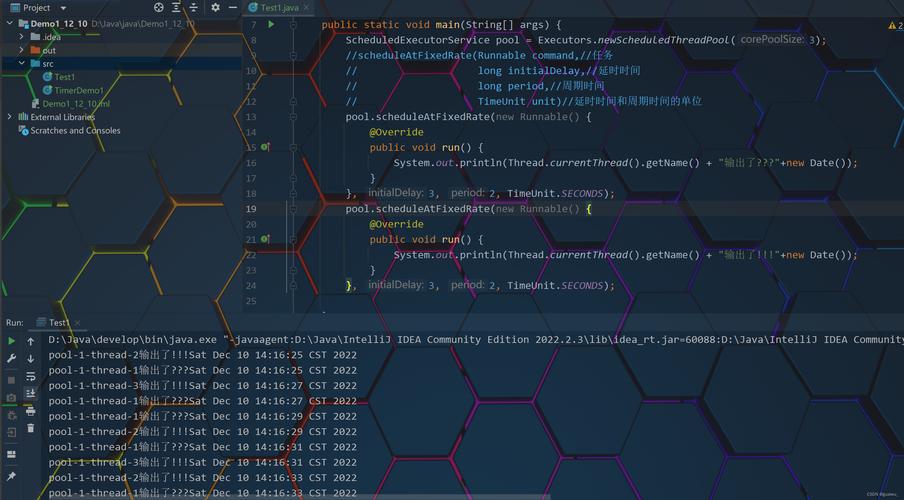
This code defines a class with a main method, which is the entry point for any Java application.
// File: src/main/java/com/example/HelloWorld.java
package com.example; // A package is a namespace to organize classes.
/**
 * This is a simple class that prints "Hello, World!" to the console.
 */
public class HelloWorld {
    /**
     * The main method is the entry point of the application.
     * The Java Virtual Machine (JVM) looks for this method to start the program.
     *
     * @param args Command-line arguments (an array of strings).
     */
    public static void main(String[] args) {
        // System.out.println() prints a line of text to the console.
        System.out.println("Hello, World!");
    }
}
How to Compile and Run (Without a Build Tool)
You can do this directly from the command line if you have the Java Development Kit (JDK) installed.
- Navigate to the root directory of your project (
hello-world-project/). - Compile the code: This command finds all
.javafiles insrc/main/javaand compiles them into.classfiles in theout/production/classesdirectory.# -d specifies the destination directory for the compiled .class files javac -d out/production/classes src/main/java/com/example/HelloWorld.java
- Run the compiled code: This command tells the JVM to execute the
mainmethod in theHelloWorldclass.# -cp specifies the "classpath" where the compiled .class files are located java -cp out/production/classes com.example.HelloWorld
Expected Output:
Hello, World!Part 2: A More Realistic Project - A Command-Line Todo App
This project introduces more structure, a separate class for logic, and file I/O for data persistence.
Project Structure
We'll separate our code into logical packages.
todo-app/
├── src/
│   └── main/
│       └── java/
│           └── com/
│               └── example/
│                   ├── model/
│                   │   └── Todo.java
│                   ├── service/
│                   │   └── TodoService.java
│                   └── Main.java
└── todos.txt  (This file will be created by the application)
The Code
model/Todo.java (The Data Model)
This class represents a single todo item.
package com.example.model;
public class Todo {
    private int id;
    private String task;
    private boolean completed;
    // Constructor, Getters, and Setters
    public Todo(int id, String task) {
        this.id = id;
        this.task = task;
        this.completed = false;
    }
    // ... Getters and Setters for id, task, and completed ...
    @Override
    public String toString() {
        return String.format("[%d] %s - %s", id, task, (completed ? "Done" : "Not Done"));
    }
}
service/TodoService.java (The Business Logic)
This class handles adding, listing, and saving todos.
package com.example.service;
import com.example.model.Todo;
import java.io.*;
import java.util.ArrayList;
import java.util.List;
public class TodoService {
    private List<Todo> todos;
    private final String FILE_PATH = "todos.txt";
    public TodoService() {
        this.todos = loadTodos();
    }
    public void addTodo(String task) {
        int newId = todos.isEmpty() ? 1 : todos.get(todos.size() - 1).getId() + 1;
        todos.add(new Todo(newId, task));
        saveTodos();
    }
    public void listTodos() {
        if (todos.isEmpty()) {
            System.out.println("No todos found.");
        } else {
            for (Todo todo : todos) {
                System.out.println(todo);
            }
        }
    }
    private List<Todo> loadTodos() {
        List<Todo> loadedTodos = new ArrayList<>();
        try (BufferedReader reader = new BufferedReader(new FileReader(FILE_PATH))) {
            String line;
            while ((line = reader.readLine()) != null) {
                String[] parts = line.split(";");
                if (parts.length == 3) {
                    Todo todo = new Todo(Integer.parseInt(parts[0]), parts[1]);
                    todo.setCompleted(Boolean.parseBoolean(parts[2]));
                    loadedTodos.add(todo);
                }
            }
        } catch (FileNotFoundException e) {
            // File doesn't exist yet, which is fine for a new app.
        } catch (IOException e) {
            System.err.println("Error loading todos: " + e.getMessage());
        }
        return loadedTodos;
    }
    private void saveTodos() {
        try (BufferedWriter writer = new BufferedWriter(new FileWriter(FILE_PATH))) {
            for (Todo todo : todos) {
                writer.write(String.format("%d;%s;%b", todo.getId(), todo.getTask(), todo.isCompleted()));
                writer.newLine();
            }
        } catch (IOException e) {
            System.err.println("Error saving todos: " + e.getMessage());
        }
    }
}
Main.java (The User Interface & Entry Point)
This class handles user input and calls the TodoService.
package com.example;
import com.example.service.TodoService;
import java.util.Scanner;
public class Main {
    public static void main(String[] args) {
        TodoService todoService = new TodoService();
        Scanner scanner = new Scanner(System.in);
        while (true) {
            System.out.println("\n--- Todo App ---");
            System.out.println("1. Add Todo");
            System.out.println("2. List Todos");
            System.out.println("3. Exit");
            System.out.print("Enter your choice: ");
            int choice;
            try {
                choice = Integer.parseInt(scanner.nextLine());
            } catch (NumberFormatException e) {
                System.out.println("Invalid input. Please enter a number.");
                continue;
            }
            switch (choice) {
                case 1:
                    System.out.print("Enter a new task: ");
                    String task = scanner.nextLine();
                    todoService.addTodo(task);
                    System.out.println("Todo added!");
                    break;
                case 2:
                    System.out.println("\n--- Your Todos ---");
                    todoService.listTodos();
                    break;
                case 3:
                    System.out.println("Exiting...");
                    scanner.close();
                    return;
                default:
                    System.out.println("Invalid choice. Please try again.");
            }
        }
    }
}
Part 3: Modern Java Project Structure (Using Maven)
Manually compiling and managing libraries (JAR files) is tedious. Maven or Gradle are build tools that automate this. They define project structure, dependencies, and build lifecycle.
The Maven Project Structure
Maven enforces a standard directory layout.
my-maven-project/
├── pom.xml                 // Maven Project Object Model (build configuration)
├── src/
│   ├── main/
│   │   ├── java/          // Your application's source code
│   │   └── resources/     // Configuration files, images, etc.
│   └── test/
│       ├── java/          // Test source code
│       └── resources/     // Test resources
└── target/                // All build output goes here (JARs, classes, etc.)
The pom.xml file
This is the heart of the Maven project. It defines project metadata, dependencies, and plugins.
<?xml version="1.0" encoding="UTF-8"?>
<project xmlns="http://maven.apache.org/POM/4.0.0"
         xmlns:xsi="http://www.w3.org/2001/XMLSchema-instance"
xsi:schemaLocation="http://m