Of course! Here’s a comprehensive guide to using Memcached with Java, covering the most popular client, key concepts, code examples, and best practices.

What is Memcached?
Memcached is a high-performance, distributed in-memory key-value store. It's designed to speed up dynamic web applications by alleviating database load. It works by caching data and objects in RAM (memory) across a cluster of servers, making it extremely fast for read and write operations.
- Use Cases: Caching database query results, API responses, session data, and frequently accessed objects.
- Key Characteristics: Simple, fast, distributed, and not persistent (data is lost on restart).
The Java Client: Spymemcached
The most widely used and recommended Java client for Memcached is Spymemcached. It's a robust, feature-rich, and well-maintained library.
Setup (Maven)
First, you need to add the Spymemcached dependency to your pom.xml file.
<dependency>
    <groupId>net.spy</groupId>
    <artifactId>spymemcached</artifactId>
    <version>2.12.3</version> <!-- Use the latest stable version -->
</dependency>
Basic Connection
To connect to Memcached, you need to provide one or more server addresses.
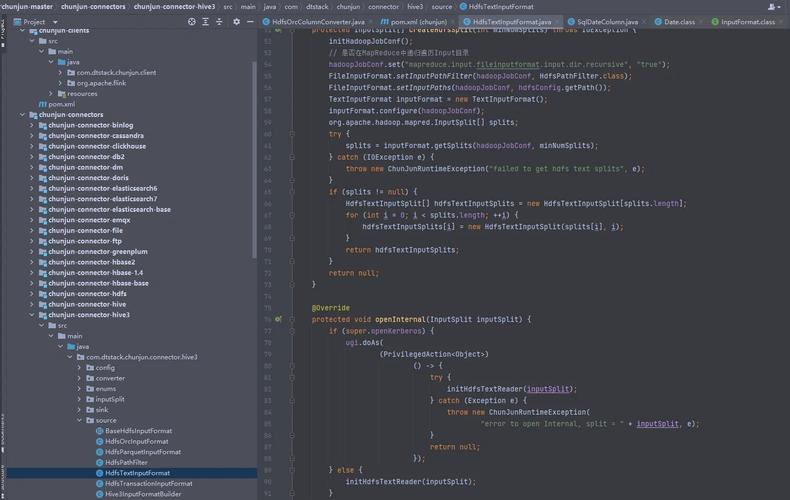
import net.spy.memcached.MemcachedClient;
public class MemcachedConnectionExample {
    public static void main(String[] args) {
        try {
            // Connect to Memcached server on localhost:11211
            // For a cluster, provide multiple addresses: new AddrUtil.getAddresses("host1:11211 host2:11211")
            MemcachedClient memcachedClient = new MemcachedClient(new InetSocketAddress("localhost", 11211));
            System.out.println("Successfully connected to Memcached!");
            // Don't forget to shut down the client when you're done
            memcachedClient.shutdown();
        } catch (IOException e) {
            System.err.println("Error connecting to Memcached: " + e.getMessage());
            e.printStackTrace();
        }
    }
}
Core Operations (CRUD)
Spymemcached provides an asynchronous API. Operations return a Future object, allowing your application to continue doing other work while waiting for the result.
Set (Store Data)
The set operation stores a key-value pair with an expiration time.
import net.spy.memcached.MemcachedClient;
import java.io.IOException;
import java.net.InetSocketAddress;
import java.util.concurrent.TimeUnit;
public class MemcachedSetExample {
    public static void main(String[] args) throws IOException {
        MemcachedClient memcachedClient = new MemcachedClient(new InetSocketAddress("localhost", 11211));
        // Key: "user:1001", Value: "John Doe", Expiration: 1 hour (3600 seconds)
        Future<Boolean> future = memcachedClient.set("user:1001", 3600, "John Doe");
        try {
            // The get() method blocks until the operation completes
            boolean success = future.get();
            if (success) {
                System.out.println("Value set successfully.");
            } else {
                System.out.println("Failed to set value.");
            }
        } catch (Exception e) {
            System.err.println("Error during set operation: " + e.getMessage());
        }
        memcachedClient.shutdown();
    }
}
Expiration Time:
- 0: Never expire.
- > 0: Expiration time in seconds.
- < 0: Treat the value as a Unix timestamp (seconds since January 1, 1970).
Get (Retrieve Data)
The get operation retrieves a value by its key.
import net.spy.memcached.MemcachedClient;
import java.io.IOException;
import java.net.InetSocketAddress;
import java.util.concurrent.Future;
public class MemcachedGetExample {
    public static void main(String[] args) throws IOException {
        MemcachedClient memcachedClient = new MemcachedClient(new InetSocketAddress("localhost", 11211));
        // First, let's make sure the value is there
        memcachedClient.set("user:1001", 3600, "John Doe");
        // Get the value
        Future<Object> future = memcachedClient.get("user:1001");
        try {
            Object value = future.get();
            if (value != null) {
                System.out.println("Retrieved value: " + value);
            } else {
                System.out.println("Key not found or value is null.");
            }
        } catch (Exception e) {
            System.err.println("Error during get operation: " + e.getMessage());
        }
        memcachedClient.shutdown();
    }
}
Delete (Remove Data)
The delete operation removes a key-value pair from the cache.
import net.spy.memcached.MemcachedClient;
import java.io.IOException;
import java.net.InetSocketAddress;
import java.util.concurrent.Future;
public class MemcachedDeleteExample {
    public static void main(String[] args) throws IOException {
        MemcachedClient memcachedClient = new MemcachedClient(new InetSocketAddress("localhost", 11211));
        // Set a value to delete
        memcachedClient.set("temp:data", 3600, "This is temporary");
        // Delete the value
        Future<Boolean> future = memcachedClient.delete("temp:data");
        try {
            boolean deleted = future.get();
            if (deleted) {
                System.out.println("Key deleted successfully.");
            } else {
                System.out.println("Key not found, could not delete.");
            }
        } catch (Exception e) {
            System.err.println("Error during delete operation: " + e.getMessage());
        }
        memcachedClient.shutdown();
    }
}
Add (Store if Not Exists)
The add operation stores a key-value pair only if the key does not already exist. It's atomic.
// First add
memcachedClient.add("new:key", 3600, "Initial Value"); // Succeeds
// Second add (will fail)
memcachedClient.add("new:key", 3600, "New Value"); // Fails, key already exists
Replace (Replace if Exists)
The replace operation replaces a key's value only if the key already exists.
// First set
memcachedClient.set("existing:key", 3600, "Old Value");
// Replace
memcachedClient.replace("existing:key", 3600, "Updated Value"); // Succeeds
// Try to replace a non-existent key
memcachedClient.replace("nonexistent:key", 3600, "Value"); // Fails
Advanced Features
Working with Java Objects (Serialization)
Spymmemcached can automatically serialize and deserialize Java objects. By default, it uses Java's built-in serialization. For better performance, you can use a more efficient serializer like Kryo or Protostuff.
Here's an example with a custom User object using the default serializer:
import java.io.Serializable;
public class User implements Serializable {
    private String name;
    private int age;
    public User(String name, int age) {
        this.name = name;
        this.age = age;
    }
    @Override
    public String toString() {
        return "User{name='" + name + "', age=" + age + "}";
    }
}
// In your main application
MemcachedClient memcachedClient = new MemcachedClient(new InetSocketAddress("localhost", 11211));
User user = new User("Alice", 30);
// Store the object
memcachedClient.set("user:object", 3600, user);
// Retrieve the object
Future<Object> future = memcachedClient.get("user:object");
User retrievedUser = (User) future.get();
System.out.println("Retrieved object: " + retrievedUser); // Output: User{name='Alice', age=30}
memcachedClient.shutdown();
CAS (Check-And-Set) - Atomic Operations
CAS is a powerful feature for atomic updates. It prevents race conditions by ensuring that a value is only updated if it hasn't been changed by another process since you last read it.
- Gets:
gets()returns the value and a unique CAS identifier. - Cas:
cas()attempts to set a new value only if the CAS identifier matches the one in the cache.
import net.spy.memcached.CASValue;
import net.spy.memcached.CASResponse;
public class MemcachedCASExample {
    public static void main(String[] args) throws IOException {
        MemcachedClient memcachedClient = new MemcachedClient(new InetSocketAddress("localhost", 11211));
        // Initialize a counter
        memcachedClient.set("counter", 3600, 10);
        // Atomic increment using CAS
        for (int i = 0; i < 5; i++) {
            boolean success = false;
            while (!success) {
                // 1. Get the value and its CAS token
                CASValue<Object> casValue = memcachedClient.gets("counter");
                long currentCounter = (Long) casValue.getValue();
                long casId = casValue.getCas();
                System.out.println("Current counter: " + currentCounter + ", CAS ID: " + casId);
                // 2. Increment the value
                long newCounter = currentCounter + 1;
                // 3. Attempt to set the new value with the CAS ID
                CASResponse response = memcachedClient.cas("counter", casId, newCounter);
                if (response == CASResponse.OK) {
                    System.out.println("Counter successfully incremented to " + newCounter);
                    success = true;
                } else {
                    System.out.println("CAS failed, retrying... (Another thread updated the counter)");
                }
            }
        }
        memcachedClient.shutdown();
    }
}
Best Practices
- Use a Connection Pool: Creating a new
MemcachedClientfor every request is very inefficient. Use a connection pool library like XMemcached (which has a built-in pool) or manage a singleton client instance in your application. - Choose the Right Expiration Time: Don't set expiration times too high, as this can lead to stale data. Don't set them too low, or you'll constantly be re-generating data. A common pattern is a medium expiration time (e.g., 30-60 minutes) combined with a cache-aside strategy.
- Cache-Aside Pattern: This is the most common caching pattern.
- Read: Try to get data from the cache. If it's a cache miss, get the data from the database, store it in the cache, and then return it.
- Write: Update the database. Then, invalidate or update the corresponding item in the cache.
- Use Meaningful Keys: Use a consistent and structured key naming scheme (e.g.,
user:123:profile,product:456:details). This helps with management and avoids key collisions. - Handle Nulls: Be aware that
get()can returnnull. Check fornullbefore trying to use the returned value to avoidNullPointerException. - Monitor Your Cache: Monitor cache hit/miss ratios, memory usage, and connection counts. This helps you understand if your caching strategy is effective and if you need to scale your Memcached cluster. Tools like
memcached-toolare useful for this.