Of course! The List interface in Java is one of the most fundamental and widely used data structures. It's part of the Java Collections Framework and resides in the java.util package.
Here's a comprehensive breakdown of Java List, covering its definition, key features, common implementations, and usage examples.
What is a List?
A List is an ordered collection (also known as a sequence). It allows you to store elements where duplicates are allowed. The two most important characteristics of a List are:
- Order of Insertion: The elements are stored in the order they are added. You can retrieve them in that same order.
- Positional Access: You can access elements by their integer index (position), much like an array.
Think of it as a dynamic, resizable array that can grow or shrink as you add or remove elements.
Key Interfaces and Hierarchy
List is an interface in the java.util package. You cannot create an instance of List directly. Instead, you use one of its concrete implementations.
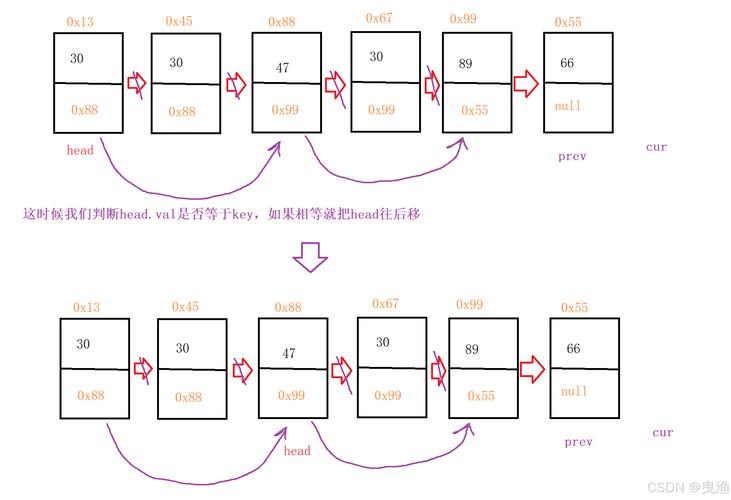
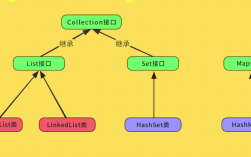
Here is the hierarchy of the most common List implementations:
java.lang.Object
  └── java.util.AbstractCollection<E>
       └── java.util.AbstractList<E>
            └── java.util.ArrayList<E>
            └── java.util.Vector<E> (legacy)
       └── java.util.AbstractSequentialList<E>
            └── java.util.LinkedList<E>
The three most important implementations are:
| Implementation | Description | Key Characteristics |
|---|---|---|
ArrayList |
A resizable-array implementation of the List interface. |
Fast for random access (getting an element by index). Slow for adding/removing elements from the middle of the list. |
LinkedList |
Doubly-linked list implementation of the List and Deque interfaces. |
Fast for adding/removing elements from any position. Slow for random access. Also implements Deque, so it can be used as a queue. |
Vector |
A legacy class from Java 1.0. Similar to ArrayList but is synchronized. |
Generally avoided in new code in favor of ArrayList and the Collections.synchronizedList() wrapper for thread safety. |
How to Create a List
You typically use the List.of() method (for immutable lists) or instantiate one of the concrete classes.
Example 1: Using ArrayList (Most Common)
import java.util.ArrayList;
import java.util.List;
// Create an ArrayList of Strings
List<String> names = new ArrayList<>();
// You can also provide an initial capacity
List<Integer> numbers = new ArrayList<>(20);
Example 2: Using LinkedList
import java.util.LinkedList;
import java.util.List;
List<String> tasks = new LinkedList<>();
Example 3: Creating an Immutable List (Java 9+)
Using List.of() creates a list that cannot be modified (no adding, removing, or changing elements).
import java.util.List;
// This list is immutable
List<String> colors = List.of("Red", "Green", "Blue");
// The following line would cause an UnsupportedOperationException:
// colors.add("Yellow");
Common Methods
Here are the most frequently used methods defined by the List interface.
| Method | Description | Example |
|---|---|---|
add(E element) |
Appends the specified element to the end of the list. | list.add("Apple"); |
add(int index, E element) |
Inserts the element at the specified position. | list.add(0, "Banana"); |
get(int index) |
Returns the element at the specified position. | String fruit = list.get(0); |
set(int index, E element) |
Replaces the element at the specified position. | list.set(0, "Cherry"); |
remove(int index) |
Removes the element at the specified position. | list.remove(0); |
remove(Object o) |
Removes the first occurrence of the specified element. | list.remove("Apple"); |
size() |
Returns the number of elements in the list. | int count = list.size(); |
contains(Object o) |
Returns true if the list contains the specified element. |
boolean hasApple = list.contains("Apple"); |
isEmpty() |
Returns true if the list contains no elements. |
boolean empty = list.isEmpty(); |
clear() |
Removes all elements from the list. | list.clear(); |
indexOf(Object o) |
Returns the index of the first occurrence of the element. | int pos = list.indexOf("Apple"); |
lastIndexOf(Object o) |
Returns the index of the last occurrence of the element. | int lastPos = list.lastIndexOf("Apple"); |
Complete Usage Example
This example demonstrates the most common operations on an ArrayList.
import java.util.ArrayList;
import java.util.List;
public class ListExample {
    public static void main(String[] args) {
        // 1. Create a new ArrayList
        List<String> fruits = new ArrayList<>();
        // 2. Add elements to the list
        fruits.add("Apple");
        fruits.add("Banana");
        fruits.add("Orange");
        System.out.println("Initial list: " + fruits); // [Apple, Banana, Orange]
        // 3. Add an element at a specific position
        fruits.add(1, "Mango");
        System.out.println("After adding at index 1: " + fruits); // [Apple, Mango, Banana, Orange]
        // 4. Get an element by its index
        String myFruit = fruits.get(2);
        System.out.println("Fruit at index 2: " + myFruit); // Banana
        // 5. Replace an element
        fruits.set(0, "Grape");
        System.out.println("After replacing index 0: " + fruits); // [Grape, Mango, Banana, Orange]
        // 6. Check if the list contains an element
        boolean hasBanana = fruits.contains("Banana");
        System.out.println("Does the list contain 'Banana'? " + hasBanana); // true
        // 7. Get the size of the list
        System.out.println("Size of the list: " + fruits.size()); // 4
        // 8. Remove an element by value
        fruits.remove("Mango");
        System.out.println("After removing 'Mango': " + fruits); // [Grape, Banana, Orange]
        // 9. Remove an element by index
        fruits.remove(0);
        System.out.println("After removing index 0: " + fruits); // [Banana, Orange]
        // 10. Iterate over the list using a for-each loop
        System.out.println("\n--- Iterating with for-each ---");
        for (String fruit : fruits) {
            System.out.println(fruit);
        }
        // 11. Iterate using a traditional for loop (good when you need the index)
        System.out.println("\n--- Iterating with for loop ---");
        for (int i = 0; i < fruits.size(); i++) {
            System.out.println("Index " + i + ": " + fruits.get(i));
        }
        // 12. Check if the list is empty
        System.out.println("\nIs the list empty? " + fruits.isEmpty()); // false
        // 13. Clear the list
        fruits.clear();
        System.out.println("After clearing the list: " + fruits); // []
        System.out.println("Is the list empty now? " + fruits.isEmpty()); // true
    }
}
ArrayList vs. LinkedList: When to Use Which?
This is a classic interview question and a crucial decision for performance.
| Scenario | Recommended Implementation | Why? |
|---|---|---|
You need fast random access (e.g., get(i)) and will be adding/removing elements mostly at the end. |
ArrayList |
ArrayList is backed by an array. Accessing an element by index (O(1)) is extremely fast. Adding to the end is also fast (O(1) amortized). |
| You will be frequently adding and removing elements from the middle or beginning of the list. | LinkedList |
LinkedList uses nodes. Adding or removing an element only requires updating the links of the surrounding nodes (O(1)), which is much faster than shifting all subsequent elements in an array (O(n)). |
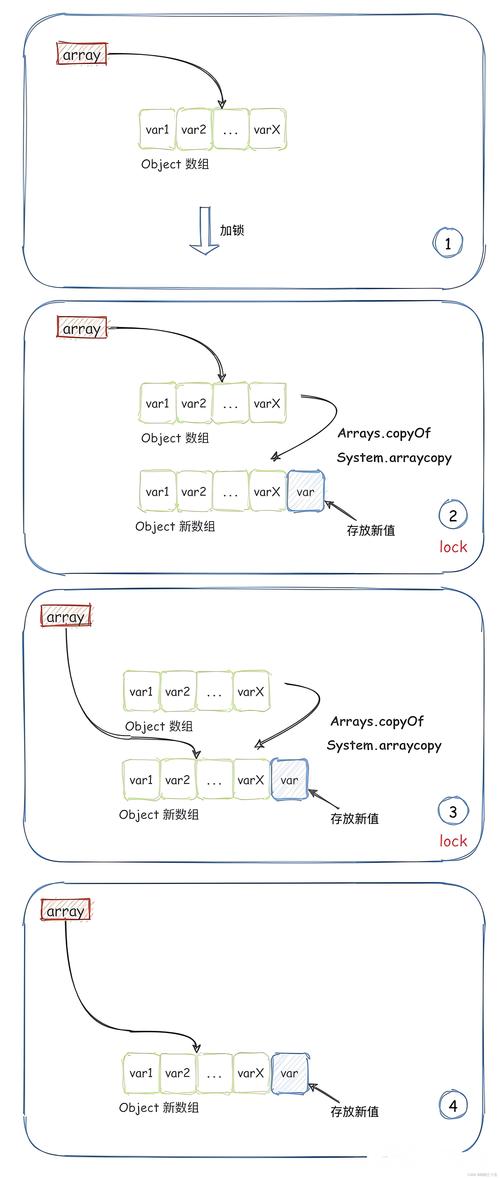
| You need thread safety. | CopyOnWriteArrayList or Collections.synchronizedList(new ArrayList<>()) |
ArrayList and LinkedList are not thread-safe. If multiple threads will modify the list concurrently, you need a synchronized version. CopyOnWriteArrayList is great for read-heavy, write-rare scenarios. |
Summary
- A
Listis an ordered, indexed collection that allows duplicates. - Use
ArrayListfor general-purpose use when you need fast access by index. - Use
LinkedListwhen you need frequent insertions and deletions from anywhere in the list. - Remember that
Listis an interface, so you must instantiate one of its concrete classes.