
Of course! The requests.get() method is the cornerstone of the requests library in Python, used for making HTTP GET requests. It's the primary way to fetch data from a web server.
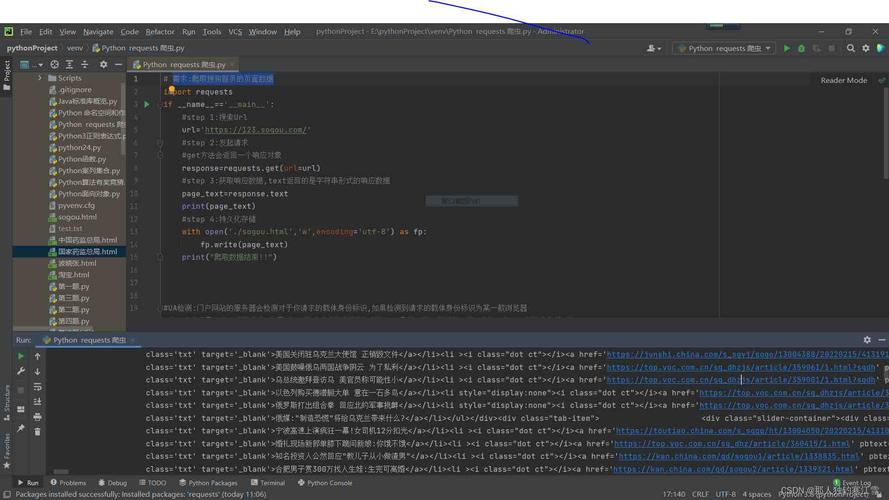
Here’s a comprehensive guide, from the basics to more advanced usage.
The Basics: Making a Simple GET Request
First, you need to install the requests library if you haven't already:
pip install requests
Now, let's make a simple GET request to httpbin.org, a fantastic service for testing HTTP requests.
import requests
# The URL you want to send a GET request to
url = 'https://httpbin.org/get'
# Make the GET request
response = requests.get(url)
# The response object contains all the information returned by the server
print(f"Status Code: {response.status_code}")
print(f"URL: {response.url}")
print(f"Headers: {response.headers}")
What you'll see:

- Status Code:
200. This means the request was successful. - URL: The URL you requested.
- Headers: The headers sent back by the server.
Accessing the Response Content
The most common reason for a GET request is to get the data from the response. The requests library provides several ways to access it, depending on the content type.
response.text
This returns the content as a string. It's great for HTML, plain text, or JSON that you want to parse manually.
import requests
url = 'https://httpbin.org/html'
response = requests.get(url)
# The response content as a string
html_content = response.text
print(html_content[:100] + "...") # Print the first 100 characters
response.content
This returns the content as bytes. It's more efficient for binary data like images, PDFs, or when you need to handle encoding yourself.
import requests
url = 'https://httpbin.org/image/png'
response = requests.get(url)
# The response content as bytes
image_data = response.content
# You can save it to a file
with open('downloaded_image.png', 'wb') as f:
    f.write(image_data)
print(f"Downloaded image with size: {len(image_data)} bytes")
response.json()
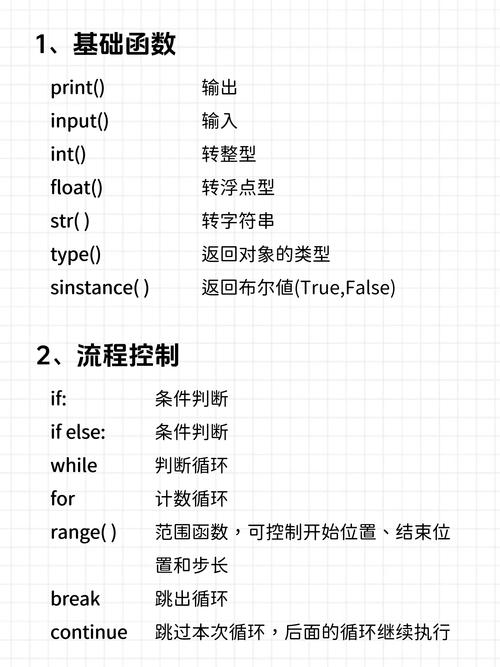
This is the most convenient method for APIs that return JSON data. It automatically decodes the response content and parses it into a Python dictionary or list.
import requests
url = 'https://httpbin.org/get'
response = requests.get(url)
# The response content parsed as a Python dictionary
json_data = response.json()
# Now you can access data like a regular Python dictionary
print(json_data['url'])
print(json_data['headers']['User-Agent'])
Note: response.json() will raise a JSONDecodeError if the response body does not contain valid JSON.
Adding URL Parameters
Often, you need to pass parameters to a URL (e.g., ?key=value&key2=value2). You should never manually build these into the string, as it can lead to errors. Instead, use the params argument.
The params argument takes a dictionary of key-value pairs.
import requests
# The base URL
url = 'https://httpbin.org/get'
# The parameters you want to send
params = {
    'name': 'Alice',
    'age': 30,
    'is_student': False
}
# Make the GET request with parameters
response = requests.get(url, params=params)
# The final URL will be automatically constructed
print(f"Final URL: {response.url}")
# The server echoes back the parameters it received
print("Parameters received by server:")
print(response.json()['args'])
Output:
Final URL: https://httpbin.org/get?age=30&is_student=False&name=Alice
Parameters received by server:
{'age': '30', 'is_student': 'False', 'name': 'Alice'}
Setting Custom Headers
Some websites or APIs require specific headers, such as a User-Agent to identify your client or an Authorization token for access.
import requests
url = 'https://httpbin.org/headers'
headers = {
    'User-Agent': 'My Cool Web Scraper 1.0',
    'Accept-Language': 'en-US,en;q=0.9'
}
response = requests.get(url, headers=headers)
# The server echoes back the headers it received
print("Headers sent to server:")
print(response.json()['headers'])
Handling Query Parameters and Authentication
This combines the concepts from the previous sections. A very common use case is authenticating with an API using an API key.
import requests
# A fictional API endpoint
url = 'https://api.example.com/v1/data'
# API key and other parameters
api_key = 'YOUR_SECRET_API_KEY'
params = {
    'limit': 10,
    'offset': 20
}
# Headers for authentication
headers = {
    'Authorization': f'Bearer {api_key}' # Common Bearer token pattern
}
try:
    response = requests.get(url, params=params, headers=headers)
    # Check if the request was successful
    response.raise_for_status()  # This will raise an HTTPError for bad responses (4xx or 5xx)
    data = response.json()
    print("Successfully fetched data:")
    print(data)
except requests.exceptions.HTTPError as errh:
    print(f"Http Error: {errh}")
except requests.exceptions.ConnectionError as errc:
    print(f"Error Connecting: {errc}")
except requests.exceptions.Timeout as errt:
    print(f"Timeout Error: {errt}")
except requests.exceptions.RequestException as err:
    print(f"Oops: Something Else: {err}")
Handling Timeouts and Errors
Real-world requests can fail. You should always handle potential errors.
-
Timeouts: Specify a timeout (in seconds) to prevent your script from hanging indefinitely if the server is unresponsive.
timeout=5: 5 seconds for the server to send any data (a response).timeout=(3.05, 27): 3.05 seconds to establish the connection, and 27 seconds to wait for the rest of the data.
-
Error Codes:
response.okis a convenient boolean property that isTrueif the status code is less than 400 (i.e., 2xx or 3xx). For more detailed error checking, useresponse.raise_for_status().
import requests
url = 'https://httpbin.org/status/404' # This URL returns a 404 Not Found error
try:
    response = requests.get(url, timeout=5)
    # Check if the request was successful
    if response.ok:
        print("Success!")
        print(response.json())
    else:
        print(f"Request failed with status code: {response.status_code}")
    # A more robust way to check for errors
    # response.raise_for_status() # This line would raise an HTTPError for 404
except requests.exceptions.Timeout:
    print("The request timed out!")
except requests.exceptions.RequestException as e:
    print(f"An error occurred: {e}")
Summary of Key requests.get() Arguments
| Argument | Description | Example |
|---|---|---|
url |
The URL to send the request to. (Required) | requests.get('https://api.github.com') |
params |
A dictionary of URL parameters to append. | requests.get(url, params={'key': 'value'}) |
headers |
A dictionary of HTTP headers to send. | requests.get(url, headers={'User-Agent': '...'}) |
timeout |
How many seconds to wait for the server to send data. | requests.get(url, timeout=10) |
auth |
An authentication tuple to enable Basic/Digest Auth. | requests.get(url, auth=('user', 'pass')) |
cookies |
A dictionary of cookies to send to the server. | requests.get(url, cookies={'session_id': '...'}) |











