Of course! Let's break down raise and except in Python. These two keywords are fundamental to exception handling, which is how your program deals with errors that occur during execution.
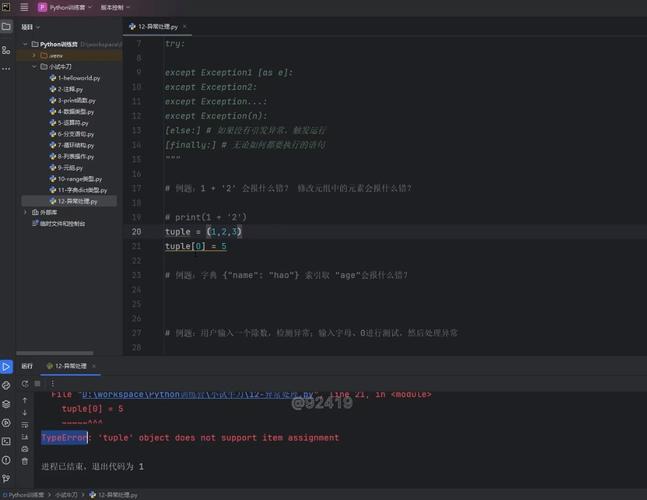
The core idea is to anticipate that things might go wrong (like a file not existing or a user entering text instead of a number) and handle those situations gracefully instead of crashing.
Part 1: raise - Throwing an Exception
The raise statement is used to force an exception to occur. You use it when you've detected an error condition in your code that you want to handle somewhere else in the program.
Think of it like shouting, "Houston, we have a problem!" You're not handling the problem yourself, but you're signaling that something has gone wrong and needs attention.
Syntax
raise ExceptionType("Error message goes here")
ExceptionType: The type of error (e.g.,ValueError,TypeError,FileNotFoundError, or a custom one you create)."Error message": An optional, but highly recommended, string that describes the problem.
Why use raise?
- To enforce preconditions: You can check if an input to a function is valid and raise an error if it's not.
- To signal an error in your logic: If a piece of code reaches a state that should never happen, you can raise an exception to catch it during development.
- To re-raise an exception: After catching an exception, you might want to do some cleanup and then re-raise it to be handled by a higher-level part of the program.
Examples of raise
Example 1: Basic raise

def check_positive(number):
    """Checks if a number is positive. Raises ValueError if not."""
    if number <= 0:
        # We've found an error condition, so we raise an exception.
        raise ValueError("The number must be positive.")
    print(f"The number {number} is positive.")
# This works fine
try:
    check_positive(10)
except ValueError as e:
    print(f"Caught an error: {e}")
# This will trigger the raise statement
try:
    check_positive(-5)
except ValueError as e:
    print(f"Caught an error: {e}")
# Output:
# The number 10 is positive.
# Caught an error: The number must be positive.
Example 2: Raising a TypeError
This is useful when a function receives the wrong type of argument.
def add(a, b):
    if not isinstance(a, (int, float)) or not isinstance(b, (int, float)):
        raise TypeError("Both arguments must be numbers.")
    return a + b
try:
    result = add("hello", 5)
except TypeError as e:
    print(f"Error: {e}")
# Output:
# Error: Both arguments must be numbers.
Part 2: except - Catching an Exception
The except block is used to handle an exception that has been raised. It's part of a try...except structure. The code inside the try block is executed first. If an error occurs, Python immediately jumps to the corresponding except block.
Think of it like the "Houston, we have a problem!" call. The try block is where the mission is happening, and the except block is Mission Control, ready to fix the problem.

The try...except Structure
try:
    # Code that might cause an error
    risky_operation()
except SpecificError as e:
    # This code runs ONLY if a SpecificError occurs in the try block
    # 'e' is a variable holding the exception object (including the message)
    handle_the_error()
try: You put the "risky" code here.except: You define one or moreexceptblocks to catch specific types of errors.as e: This is optional but very useful. It assigns the exception object to the variablee, allowing you to print or log the error message.
Examples of except
Let's use the check_positive function from before.
def check_positive(number):
    if number <= 0:
        raise ValueError("The number must be positive.")
    return f"{number} is a valid positive number."
# --- Example 1: Catching a specific exception ---
print("--- Handling a specific error ---")
try:
    # This line will raise a ValueError
    result = check_positive(-8)
    print(result) # This line will not be reached
except ValueError as e:
    # This block catches the ValueError and prints a friendly message
    print(f"Oops! That didn't work. Reason: {e}")
# --- Example 2: Catching any exception ---
print("\n--- Handling any error ---")
try:
    # Let's cause a different kind of error (TypeError)
    result = check_positive("ten")
except Exception as e: # A broad, "catch-all" exception handler
    print(f"An unexpected error occurred: {e}")
# --- Example 3: Multiple `except` blocks ---
print("\n--- Handling multiple specific errors ---")
try:
    # This will cause a ZeroDivisionError
    result = 10 / 0
except ValueError as e:
    print(f"Caught a ValueError: {e}")
except ZeroDivisionError as e:
    print(f"Caught a ZeroDivisionError: {e}")
except Exception as e:
    print(f"Caught some other error: {e}")
# Output:
# --- Handling a specific error ---
# Oops! That didn't work. Reason: The number must be positive.
#
# --- Handling any error ---
# An unexpected error occurred: '>' not supported between instances of 'str' and 'int'
#
# --- Handling multiple specific errors ---
# Caught a ZeroDivisionError: division by zero
Putting It All Together: raise and except in Harmony
This is where the real power lies. A function can raise an exception to signal a problem, and the calling code can use try...except to handle it. This separates the "what went wrong" from the "what to do about it."
Scenario: A program that processes user ages.
def set_age(age):
    """Sets a person's age, but only if it's a reasonable value."""
    print(f"Attempting to set age to {age}...")
    if not isinstance(age, int):
        raise TypeError("Age must be an integer.")
    if age < 0 or age > 120:
        raise ValueError("Age must be between 0 and 120.")
    print(f"Success! Age is set to {age}.")
# --- The main part of our program ---
user_inputs = [25, "fifty", -5, 150, 99]
for input_age in user_inputs:
    print(f"\nProcessing input: '{input_age}'")
    try:
        set_age(input_age)
    except TypeError as e:
        print(f"Input Error: {e}. Please enter a whole number.")
    except ValueError as e:
        print(f"Input Error: {e}. Please enter a realistic age.")
    # A final 'except' can catch anything unexpected
    except Exception as e:
        print(f"An unknown error occurred: {e}")
print("\nProgram finished successfully.")
Output of the combined example:
Processing input: '25'
Attempting to set age to 25...
Success! Age is set to 25.
Processing input: 'fifty'
Attempting to set age to fifty...
Input Error: Age must be an integer. Please enter a whole number.
Processing input: '-5'
Attempting to set age to -5...
Input Error: Age must be between 0 and 120. Please enter a realistic age.
Processing input: '150'
Attempting to set age to 150...
Input Error: Age must be between 0 and 120. Please enter a realistic age.
Processing input: '99'
Attempting to set age to 99...
Success! Age is set to 99.
Program finished successfully.
Key Takeaways
| Keyword | Purpose | Analogy |
|---|---|---|
raise |
Creates an exception. Signals that an error has occurred. | Shouting "Houston, we have a problem!" |
except |
Handles an exception. Catches an error and defines a recovery path. | Mission Control receiving the call and fixing the problem. |
By using raise and except together, you can write robust, reliable, and user-friendly Python applications that don't crash at the first sign of trouble.