Of course! Converting a byte to a double in Java is a straightforward process because Java handles widening primitive conversions automatically. A double has a much larger range and precision than a byte, so it can easily hold any value a byte can.
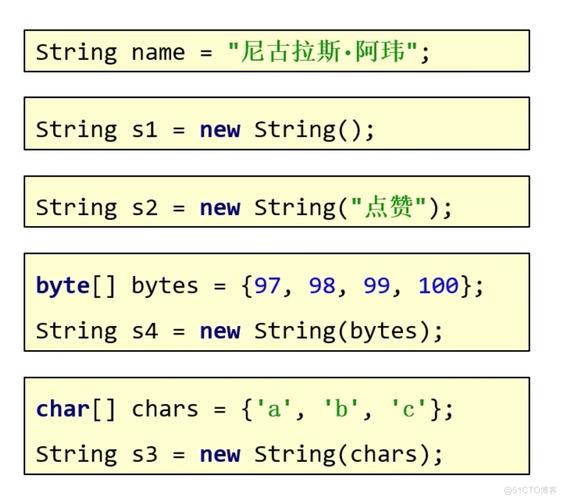
Here’s a complete guide covering the simple case, more complex scenarios (like byte arrays), and best practices.
Simple Conversion: byte to double
This is the most common scenario. You have a single byte value and want to treat it as a double. Java performs an implicit widening primitive conversion, meaning you don't need to do anything special.
The Concept
A byte is an 8-bit signed integer (-128 to 127).
A double is a 64-bit floating-point number with a huge range and precision.
Any byte value fits perfectly within the range of a double, so the conversion is automatic and safe.
Code Example
public class ByteToDouble {
    public static void main(String[] args) {
        // A byte value
        byte myByte = 100;
        // --- Method 1: Implicit Widening (Most Common) ---
        // The Java compiler automatically converts the byte to a double.
        double myDouble1 = myByte;
        System.out.println("Implicit Conversion: " + myDouble1);
        System.out.println("Type of myDouble1: " + ((Object) myDouble1).getClass().getSimpleName()); // Prints "Double"
        // --- Method 2: Explicit Casting (Not necessary but possible) ---
        // You can cast the byte to a double. It has the same effect.
        double myDouble2 = (double) myByte;
        System.out.println("Explicit Conversion: " + myDouble2);
        // --- Example with a negative byte ---
        byte negativeByte = -50;
        double negativeDouble = negativeByte; // Implicit conversion
        System.out.println("Negative Byte Conversion: " + negativeDouble);
    }
}
Output:
Implicit Conversion: 100.0
Type of myDouble1: Double
Explicit Conversion: 100.0
Negative Byte Conversion: -50.0
Key Takeaway: For a single byte, just assign it to a double variable. No extra code is needed.
Advanced Scenario: Converting a byte[] (Byte Array) to double
Often, you'll have a sequence of bytes (e.g., from a file, network, or low-level hardware) that you need to interpret as a single double value. This is more complex because the double's 64 bits are spread across multiple bytes.
The standard way to do this is by using java.nio.ByteBuffer, which is designed for this kind of low-level data manipulation.
The Concept
A double is 8 bytes (64 bits). You need to take 8 bytes from your array and combine them according to the IEEE 754 floating-point standard, which Java uses. ByteBuffer handles this byte order (endianness) for you.
Code Example
Let's create a double value, convert it to a byte[], and then convert it back to a double to demonstrate the full process.
import java.nio.ByteBuffer;
import java.nio.ByteOrder;
public class ByteArrayToDouble {
    public static void main(String[] args) {
        // 1. Start with a double value
        double originalDouble = 12345.6789;
        // 2. Convert the double to a byte array
        // We need a ByteBuffer of at least 8 bytes (since a double is 8 bytes).
        ByteBuffer buffer = ByteBuffer.allocate(8);
        // IMPORTANT: Specify the byte order (BIG_ENDIAN or LITTLE_ENDIAN)
        // Both the sender and receiver must use the same order.
        buffer.order(ByteOrder.BIG_ENDIAN);
        buffer.putDouble(originalDouble);
        byte[] byteArray = buffer.array();
        System.out.println("Original double: " + originalDouble);
        System.out.println("Byte array representation: " + java.util.Arrays.toString(byteArray));
        // 3. Convert the byte array back to a double
        // Create a new ByteBuffer and wrap the byte array.
        ByteBuffer inputBuffer = ByteBuffer.wrap(byteArray);
        // Set the byte order to match the original!
        inputBuffer.order(ByteOrder.BIG_ENDIAN);
        double convertedDouble = inputBuffer.getDouble();
        System.out.println("Converted double: " + convertedDouble);
        System.out.println("Are they equal? " + (originalDouble == convertedDouble)); // Should be true
    }
}
Output:
Original double: 12345.6789
Byte array representation: [64, 93, 61, 251, 91, -93, -122, 64]
Converted double: 12345.6789
Are they equal? true
Key Points for byte[] to double:
- Use
java.nio.ByteBuffer: It's the standard, safest, and most efficient tool. - Allocate Correct Size: A
doubleis always 8 bytes, soByteBuffer.allocate(8)is correct. - Handle Byte Order (Endianness): This is critical.
BIG_ENDIAN(most significant byte first) is the network standard. If the bytes were created on a different type of machine (e.g., an x86 processor which is often little-endian), you must useByteOrder.LITTLE_ENDIANto read them correctly.
Other Scenarios
Byte Object to double
If you have a Byte wrapper object instead of a primitive byte, the process is similar. The byteValue() method unboxes the primitive, which is then automatically widened to double.
Byte myByteObject = new Byte((byte) 75);
// Method 1: Unbox then widen (explicit steps)
double d1 = (double) myByteObject.byteValue();
// Method 2: Direct assignment (autoboxing and widening)
double d2 = myByteObject; // The compiler does the work for you
System.out.println(d1); // 75.0
System.out.println(d2); // 75.0
byte to Double (Wrapper Object)
If you need the Double wrapper object instead of the primitive double, you can use the constructor or pass the primitive to the valueOf method.
byte myByte = 10;
// Method 1: Using the constructor
Double doubleObject1 = new Double(myByte);
// Method 2: Using the static valueOf() method (preferred)
Double doubleObject2 = Double.valueOf(myByte);
System.out.println(doubleObject1); // 10.0
System.out.println(doubleObject2); // 10.0
Summary
| Conversion Goal | Method | Example Code |
|---|---|---|
Primitive byte to primitive double |
Implicit Widening (Assign directly) | double d = myByte; |
Primitive byte to Double object |
Use Double.valueOf() or constructor |
Double dObj = Double.valueOf(myByte); |
Byte object to primitive double |
Assign directly (autoboxing + widening) or unbox first | double d = myByteObject; |
byte[] to primitive double |
Use java.nio.ByteBuffer.wrap().getDouble() |
double d = ByteBuffer.wrap(bytes).getDouble(); |
Primitive double to byte[] |
Use ByteBuffer.allocate(8).putDouble().array() |
byte[] bytes = ByteBuffer.allocate(8).putDouble(d).array(); |