Of course! Converting an int to a float in Java is a common task. The key thing to understand is that this is a widening primitive conversion.

The Short Answer
You can directly assign an int value to a float variable. Java will automatically handle the conversion.
int myInt = 100;
float myFloat = myInt; // Automatic conversion
System.out.println(myInt);      // Output: 100
System.out.println(myFloat);    // Output: 100.0
Detailed Explanation
Why Does This Work? (Widening Primitive Conversion)
In Java, primitive types have a defined order, from smallest to largest in terms of the memory they occupy and the range of values they can store:
byte -> short -> char -> int -> long -> float -> double
When you convert a type to another type that is higher in this list (e.g., int to float), it's called a widening conversion.

Because a float can represent every possible value of an int (and much more, including fractional numbers), Java allows this conversion to happen implicitly (without you doing anything special). The compiler knows it's a safe operation.
What About Precision? The Important Caveat
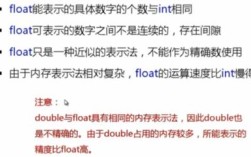
This is the most critical part to understand. While float can hold all int values, it does so with a trade-off: precision.
int: A 32-bit integer. It stores whole numbers exactly.float: A 32-bit floating-point number, following the IEEE 754 standard. It stores numbers in a "significand" and an "exponent". This format allows it to represent very large or very small numbers, but it can lose precision for values that are not "simple" powers of two.
Example: Precision Loss
Let's see a case where the int value is so large that it cannot be represented exactly by a float.

// A large integer
int largeInt = 123_456_789;
// Convert to float
float largeFloat = largeInt;
// Print both
System.out.println("Original int: " + largeInt);
System.out.println("Converted float: " + largeFloat);
// Check if they are exactly equal
System.out.println("Are they equal? " + (largeInt == largeFloat)); // false
Output:
Original int: 123456789
Converted float: 1.23456792E8
Are they equal? false
As you can see, the float representation 23456792E8 (which is 123,456,792) is not the same as the original int 123,456,789. The conversion caused a loss of precision.
Rule of Thumb: Use float when you need to save memory and the loss of precision is acceptable (e.g., for graphics, scientific calculations where exact integer counts aren't critical). For financial data or any situation where precision is paramount, use double or BigDecimal.
Conversion Methods
While the direct assignment is the most common, here are other ways to perform the conversion.
Using the float Constructor
You can wrap the int in a Float object. The constructor will perform the conversion.
int myInt = 50;
Float myFloatObject = new Float(myInt);
// To get the primitive float value, use .floatValue()
float myPrimitiveFloat = myFloatObject.floatValue();
System.out.println(myPrimitiveFloat); // Output: 50.0
Note: This method is less common and less efficient than direct assignment because it creates an unnecessary object. It's generally not recommended unless you specifically need a
Floatobject.
Using Float.valueOf()
This is a better way to get a Float object. It can also leverage caching for performance.
int myInt = 75;
Float myFloatObject = Float.valueOf(myInt);
// To get the primitive float value
float myPrimitiveFloat = myFloatObject;
// Java has auto-unboxing, so this also works directly
float anotherFloat = Float.valueOf(myInt);
System.out.println(anotherFloat); // Output: 75.0
Casting (Explicit Conversion)
You don't need to cast for int to float because it's a widening conversion. However, you can use an explicit cast (float) if you want to make the conversion very clear in your code.
int myInt = 200;
float myFloat = (float) myInt; // Explicit cast, though not necessary
System.out.println(myFloat); // Output: 200.0
Explicit casting is required for narrowing conversions (e.g., double to int), where data loss is possible and you must acknowledge it.
Summary Table
| Method | Example | When to Use | Notes |
|---|---|---|---|
| Direct Assignment | float f = 10; |
Most of the time. This is the standard, most readable, and most efficient way. | Widening conversion, implicit. |
| Explicit Cast | float f = (float) 10; |
When you want to be very explicit about the conversion in your code. | Not necessary for int to float, but harmless. |
Float.valueOf() |
float f = Float.valueOf(10); |
When you need a Float object. |
Uses autoboxing. More efficient than new Float(). |
new Float() |
float f = new Float(10).floatValue(); |
Rarely. | Creates an unnecessary object. Not recommended. |
Best Practice
For converting an int to a primitive float, always use direct assignment. It's clean, efficient, and idiomatic Java.
// Best Practice
int score = 95;
float averageScore = score; // Perfect