Of course! The relationship between double and int in Java is a fundamental concept, especially when it comes to type conversion. Here’s a detailed breakdown covering the key aspects.
The Core Difference: What They Are
-
int(Integer): A primitive data type used to store whole numbers (integers). It uses 32 bits of memory.- Examples:
10,-150,0,999999 - Range: -2,147,483,648 to 2,147,483,647
- Examples:
-
double(Double Precision Floating-Point): A primitive data type used to store numbers with decimal points. It uses 64 bits of memory and is the default choice for decimal values in Java.- Examples:
5,-3.14,001,99
- Examples:
Key Takeaway: int is for whole numbers, double is for numbers with fractional parts.
Type Conversion (Casting)
This is the most common operation you'll perform between the two types. Java is a statically-typed language, meaning it enforces strict rules about mixing types.

A. Converting double to int (Narrowing Primitive Conversion)
This is an explicit conversion, meaning you must tell the compiler you intend to do it. You do this with a cast (int).
The Rule: Java truncates the decimal part. It doesn't round; it simply cuts off everything after the decimal point.
Example:
double myDouble = 9.8;
int myInt = (int) myDouble; // You MUST use the cast (int)
System.out.println("Original double: " + myDouble); // Output: 9.8
System.out.println("Converted int: " + myInt);     // Output: 9  (The .8 is gone!)
Why is this explicit? Because you are losing information (the decimal part). The compiler forces you to acknowledge this potential data loss with the cast.
Important Note: Rounding vs. Truncating
If you want to round a double to the nearest int, you should use the Math.round() method first.
double myDouble = 9.8;
// 1. Truncating (casting)
int truncatedInt = (int) myDouble; // Becomes 9
// 2. Rounding (the correct way for rounding)
long roundedLong = Math.round(myDouble); // Math.round() returns a long
int roundedInt = (int) roundedLong;      // Cast the long back to an int
System.out.println("Truncated: " + truncatedInt); // Output: 9
System.out.println("Rounded: " + roundedInt);     // Output: 10
B. Converting int to double (Widening Primitive Conversion)
This is an implicit conversion, meaning Java does it for you automatically. You don't need a cast.
The Rule: The int value is simply placed inside the double container. Since a double can hold all int values and more, no information is lost.
Example:
int myInt = 100;
double myDouble = myInt; // No cast needed, Java does this automatically
System.out.println("Original int: " + myInt);     // Output: 100
System.out.println("Converted double: " + myDouble); // Output: 100.0
Notice how Java adds .0 to show it's now a double.
Common Pitfalls and Best Practices
Pitfall 1: Integer Division
This is a classic mistake for beginners. If you divide two integers, the result is an integer. The decimal part is truncated.
int a = 5;
int b = 2;
double result = a / b; // What is this?
// Java calculates 5 / 2 first. Since both are ints, the result is an int: 2.
// Then, it assigns the int 2 to the double variable 'result'.
// The final value of 'result' is 2.0, not 2.5!
System.out.println(result); // Output: 2.0
Solution: To get a correct decimal result, make sure at least one of the numbers is a double.
// Solution 1: Use a double literal
double result1 = 5.0 / 2; // Java sees 5.0 (a double) and performs double division
System.out.println(result1); // Output: 2.5
// Solution 2: Cast one of the ints to a double
double result2 = (double) a / b; // a is temporarily treated as a double
System.out.println(result2); // Output: 2.5
Pitfall 2: Precision Issues with double
double is a binary floating-point type, which cannot accurately represent some decimal fractions (like 0.1 or 0.2) that we use in base-10. This can lead to tiny rounding errors.
System.out.println(0.1 + 0.2); // Output: 0.30000000000000004
For applications requiring high precision (like financial calculations), you should use java.math.BigDecimal instead of double.
The Wrapper Classes: int vs. Integer and double vs. Double
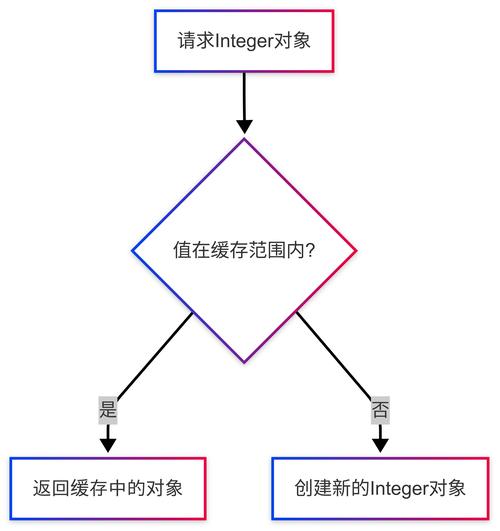
Every primitive type has a corresponding wrapper class. These are used when you need an object representation of a primitive, for example, in collections (like ArrayList<Integer>) or for using null.
| Primitive | Wrapper Class | Can be null? |
|---|---|---|
int |
java.lang.Integer |
Yes |
double |
java.lang.Double |
Yes |
Example: Using Integer
// You can store a null value, which is not possible with a primitive int
Integer myIntegerWrapper = null;
// int myPrimitiveInt = null; // This will cause a compilation error!
// Autoboxing: Java automatically converts int to Integer
Integer anotherWrapper = 10;
// Unboxing: Java automatically converts Integer to int
int myPrimitiveInt = anotherWrapper;
Summary Table
| Operation | Example Code | Rule / Behavior |
|---|---|---|
double to int (Explicit Casting) |
(int) 9.8 |
Truncates the decimal part. Result: 9. |
int to double (Implicit Conversion) |
double d = 10; |
No information loss. Result: 0. |
| Integer Division | int i = 5 / 2; |
Truncates result. Result: 2. |
| Correct Division (for decimal result) | double d = 5.0 / 2; |
Performs floating-point division. Result: 5. |
| Primitive vs. Wrapper | int i = null; |
Compilation Error. Primitives cannot be null. |