Of course! JsonSerializer is a core component in Java for customizing how your objects are converted to JSON. It's part of the Jackson library, which is the de-facto standard for JSON processing in the Java ecosystem.
Here’s a comprehensive guide covering everything you need to know about JsonSerializer.
What is JsonSerializer?
JsonSerializer<T> is an interface in Jackson that allows you to define custom logic for serializing (converting) a Java object of type T into its JSON representation.
You would use a custom serializer when:
- The default serialization behavior isn't what you want.
- You need to transform the data (e.g., format a date, calculate a derived value).
- You want to omit certain fields under specific conditions.
- You need to represent a complex object as a simple string, number, or array.
How to Create a Custom JsonSerializer
Creating a custom serializer involves a few simple steps:
Step 1: Create a Class that Implements JsonSerializer<T>
Your class must implement the serialize(T value, JsonGenerator gen, SerializerProvider serializers) method.
value: The Java object instance you want to serialize.gen: TheJsonGenerator. This is the most important object. You use it to write the actual JSON content (fields, values, arrays, objects).serializers: ASerializerProviderthat can be used to access other serializers and contextual information (less commonly used in simple custom serializers).
Step 2: Write the Serialization Logic Inside serialize()
Use the JsonGenerator (gen) to write the desired JSON. Common methods include:
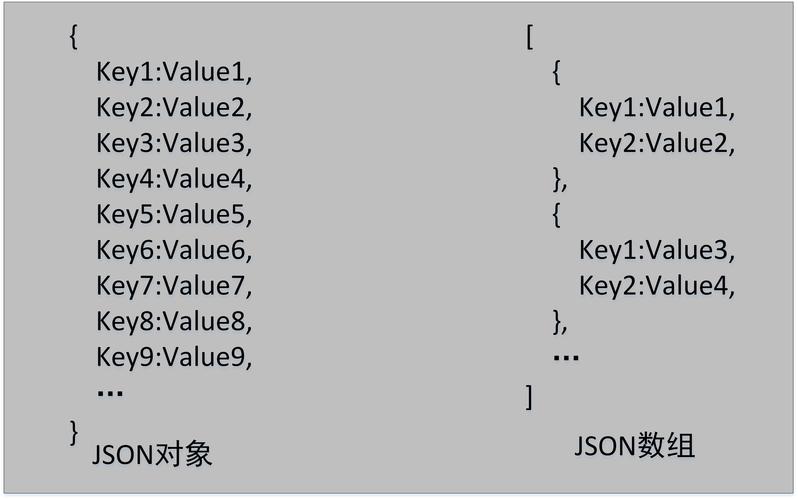
gen.writeFieldName("fieldName"): Writes a JSON key.gen.writeString("value"): Writes a JSON string.gen.writeNumber(123): Writes a JSON number.gen.writeBoolean(true): Writes a JSON boolean.gen.writeObject(object): Writes a complex object (delegates to other serializers).gen.writeStartObject()/gen.writeEndObject(): Starts and ends a JSON object.gen.writeStartArray()/gen.writeEndArray(): Starts and ends a JSON array.
Step 3: Register the Serializer with Your POJO
You need to tell Jackson to use your custom serializer for a specific field or class. The standard way to do this is with annotations.
Complete Example: Formatting a Date Field
Let's imagine we have a User object with a registrationDate of type java.util.Date. By default, Jackson serializes this to a timestamp (e.g., 1678886400000). We want to format it as a more readable ISO-8601 string (e.g., 2025-03-15T12:00:00Z).
Step 1: The POJO (Plain Old Java Object)
import com.fasterxml.jackson.annotation.JsonProperty;
import java.util.Date;
public class User {
    private String name;
    private String email;
    // We will apply our custom serializer to this field
    @JsonProperty("registrationDate")
    private Date registrationDate;
    public User(String name, String email, Date registrationDate) {
        this.name = name;
        this.email = email;
        this.registrationDate = registrationDate;
    }
    // Getters are required for Jackson to access the fields
    public String getName() { return name; }
    public String getEmail() { return email; }
    public Date getRegistrationDate() { return registrationDate; }
}
Step 2: The Custom JsonSerializer
We'll create a serializer that formats the Date object.
import com.fasterxml.jackson.core.JsonGenerator;
import com.fasterxml.jackson.databind.JsonSerializer;
import com.fasterxml.jackson.databind.SerializerProvider;
import java.io.IOException;
import java.text.SimpleDateFormat;
import java.util.Date;
public class CustomDateSerializer extends JsonSerializer<Date> {
    // Define the date format we want
    private static final SimpleDateFormat dateFormat = new SimpleDateFormat("yyyy-MM-dd'T'HH:mm:ssZ");
    @Override
    public void serialize(Date date, JsonGenerator gen, SerializerProvider provider) throws IOException {
        // 1. Check for null values to avoid NullPointerException
        if (date == null) {
            // You can choose to write 'null' or skip the field entirely
            gen.writeNull();
            return;
        }
        // 2. Format the date as a string
        String formattedDate = dateFormat.format(date);
        // 3. Write the formatted string to the JSON output
        gen.writeString(formattedDate);
    }
}
Step 3: Register the Serializer Using @JsonSerialize
Now, we annotate the registrationDate field in our User class to use our new serializer.
import com.fasterxml.jackson.annotation.JsonProperty;
import com.fasterxml.jackson.databind.annotation.JsonSerialize; // Import this
import java.util.Date;
public class User {
    private String name;
    private String email;
    // Annotate the field to use our custom serializer
    @JsonProperty("registrationDate")
    @JsonSerialize(using = CustomDateSerializer.class)
    private Date registrationDate;
    // ... constructor and getters ...
}
Step 4: Putting It All Together
Let's write a main class to see the result in action.
import com.fasterxml.jackson.core.JsonProcessingException;
import com.fasterxml.jackson.databind.ObjectMapper;
import java.util.Date;
public class Main {
    public static void main(String[] args) {
        // 1. Create an instance of our User
        User user = new User("Alice", "alice@example.com", new Date());
        // 2. Create an ObjectMapper
        ObjectMapper mapper = new ObjectMapper();
        try {
            // 3. Serialize the User object to a JSON string
            String jsonString = mapper.writeValueAsString(user);
            // 4. Print the result
            System.out.println(jsonString);
            // Expected Output (will vary slightly based on the current date and timezone):
            // {"name":"Alice","email":"alice@example.com","registrationDate":"2025-11-20T15:30:00-0500"}
        } catch (JsonProcessingException e) {
            e.printStackTrace();
        }
    }
}
Advanced Use Cases and Features
Serializing Based on a Property (Contextual Serialization)
Sometimes you want the serialization format to be dynamic, based on a field in the object itself. For this, you can create a custom annotator and use the @JsonFormat annotation.
Example: A Payment object that can be serialized as a simple string or a detailed object, controlled by a view field.
import com.fasterxml.jackson.annotation.JsonFormat;
import com.fasterxml.jackson.annotation.JsonProperty;
import com.fasterxml.jackson.databind.annotation.JsonSerialize;
import com.fasterxml.jackson.databind.ser.std.ToStringSerializer;
// --- The POJO ---
public class Payment {
    private String id;
    private String type; // e.g., "CREDIT_CARD", "PAYPAL"
    // We want to serialize this as a string if view is "simple"
    @JsonSerialize(using = ToStringSerializer.class)
    @JsonFormat(shape = JsonFormat.Shape.STRING) // Annotator tells Jackson to use ToStringSerializer
    private String cardNumber;
    // ... constructor and getters ...
}
// --- How to control it ---
// You don't need to write a new JsonSerializer for this, but you can create
// a custom annotator if the built-in ones aren't enough.
// The key is the @JsonFormat(shape = JsonFormat.Shape.STRING) annotation.
Serializing Inner Classes
If you try to serialize an inner class (non-static), Jackson will fail because it needs a no-arg constructor, which inner classes don't have. The solution is to make the inner class static.
public class OuterClass {
    private String name;
    // This WILL cause a serialization error
    // public class Inner { ... }
    // This WILL work
    public static class Inner {
        private int value;
        // ...
    }
}
Best Practices
- Handle Nulls: Always check if the
valueparameter isnullinside yourserializemethod. Decide whether to writenullor skip the field entirely. - Immutability is Good: Custom serializers can be complex. If your logic is simple, consider making the POJO field
finalto prevent accidental changes during serialization. - Keep it Focused: A
JsonSerializershould do one thing well. If you find yourself writing complex logic that involves multiple fields, it might be a sign that you should refactor your POJO or use a different approach. - Use Annotations:
@JsonSerialize(using = ...)is the cleanest and most common way to associate a serializer with a field. It keeps the serialization logic separate from the POJO's business logic.
Summary: JsonSerializer vs. JsonConverter
You might also hear about JsonConverter. In the Jackson ecosystem, the terms are often used interchangeably, but there's a subtle difference:
JsonSerializer<T>: Focuses on how a single typeTis serialized. It's the most common and direct tool for the job.JsonConverter<S, D>(