Of course! Let's dive deep into the break statement with labels in Java.
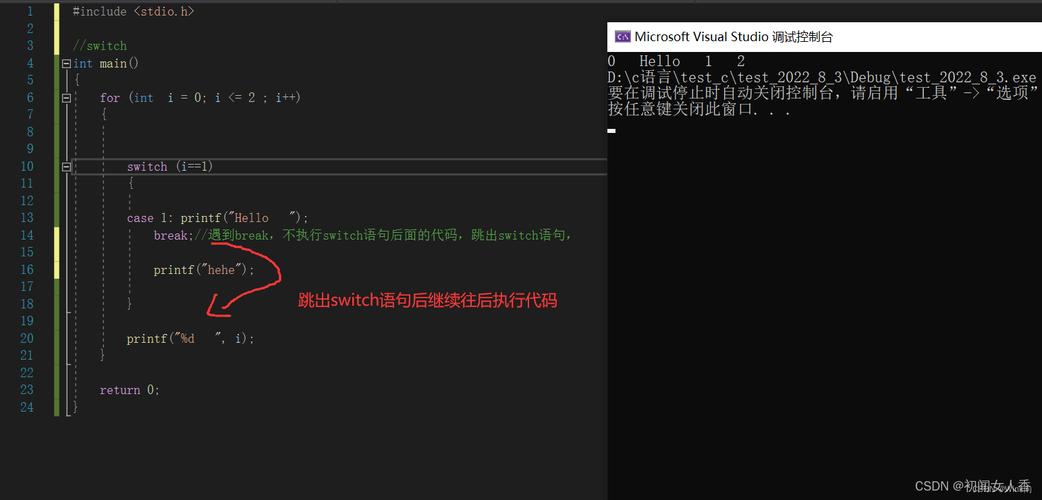
The Core Idea: Labeled break
In Java, the break statement has two primary uses:
- Unlabeled
break: Exits the innermostswitch,for,while, ordo-whileloop. - Labeled
break: Exits an outer loop, not just the innermost one. This is useful when you have nested loops and want to terminate both loops from within the inner one based on a certain condition.
The Problem: Nested Loops
Imagine you have a scenario with nested loops. You want to search for a specific item, and once you find it, you're done and don't need to continue searching the rest of the grid or matrix.
Here's a common problem: finding the coordinate of the first 'P' in a 2D array of characters.
char[][] grid = {
    { 'A', 'B', 'C' },
    { 'D', 'P', 'F' },
    { 'G', 'H', 'I' }
};
boolean found = false;
int x = -1, y = -1;
// Outer loop for rows
for (int i = 0; i < grid.length; i++) {
    // Inner loop for columns
    for (int j = 0; j < grid[i].length; j++) {
        if (grid[i][j] == 'P') {
            found = true;
            x = i;
            y = j;
            // How do we break out of BOTH loops here?
            // A simple 'break;' will only exit the inner loop.
        }
    }
    // If we found it, we still need to break the outer loop.
    // We could use a flag, but it's not very elegant.
    if (found) {
        break;
    }
}
System.out.println("Found 'P' at: (" + x + ", " + y + ")");
// Output: Found 'P' at: (1, 1)
This code works, but it's a bit clunky. We have to declare a found flag and check it after every iteration of the outer loop. This is where a labeled break provides a much cleaner solution.
The Solution: Labeled break
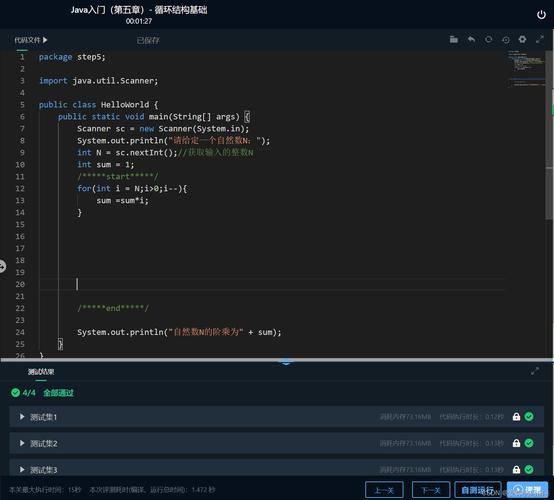
A labeled break allows you to specify which loop to break out of. The syntax is:
break labelName;
The labelName must be placed just before the statement you want to break out of (a loop or a switch block).
Applying Labeled break to the Example
Let's refactor the previous code using a labeled break.
char[][] grid = {
    { 'A', 'B', 'C' },
    { 'D', 'P', 'F' },
    { 'G', 'H', 'I' }
};
// 1. Define a label for the outer loop
searchLoop:
for (int i = 0; i < grid.length; i++) {
    for (int j = 0; j < grid[i].length; j++) {
        if (grid[i][j] == 'P') {
            // 2. Use the label to break out of the outer loop
            break searchLoop;
        }
    }
}
// How do we get the coordinates? The loop is broken, but the variables are out of scope.
// This version is cleaner but less useful because we lose the coordinates.
// Let's fix that.
This is cleaner, but it has a drawback: the variables i and j are no longer accessible after the loop. Let's write a complete, practical example that captures the values.
Complete Practical Example
Here is the recommended way to use a labeled break when you need the loop variables.
public class LabeledBreakExample {
    public static void main(String[] args) {
        char[][] grid = {
            { 'A', 'B', 'C' },
            { 'D', 'P', 'F' },
            { 'G', 'H', 'I' }
        };
        int x = -1, y = -1;
        // Label the outer loop
        outerLoop:
        for (int i = 0; i < grid.length; i++) {
            for (int j = 0; j < grid[i].length; j++) {
                if (grid[i][j] == 'P') {
                    // When 'P' is found, assign coordinates and break the outer loop
                    x = i;
                    y = j;
                    break outerLoop; // This exits the 'outerLoop' immediately
                }
            }
        }
        if (x != -1 && y != -1) {
            System.out.println("Found 'P' at: (" + x + ", " + y + ")");
        } else {
            System.out.println("Could not find 'P'.");
        }
        // Output: Found 'P' at: (1, 1)
    }
}
How it Works:
outerLoop:: This is a label. It's an identifier followed by a colon () placed directly before the loop statement.break outerLoop;: When this line is executed, the JVM immediately terminates the loop that is associated with the labelouterLoop. It does not execute any more iterations of that loop, nor does it execute any code that comes after the loop in that block.
Rules and Best Practices
Where can you put a label?
You can place a label on any for, while, do-while, or switch statement.
mySwitch:
switch (day) {
    case MONDAY:
        // ...
        break mySwitch; // Valid
}
myWhile:
while (condition) {
    // ...
    break myWhile; // Valid
}
Can you break a label that is not a loop?
No. A labeled break can only be used to break out of a labeled statement. A simple block of code cannot be labeled and broken from.
// THIS WILL COMPILE BUT WILL NOT WORK AS EXPECTED
public class BadExample {
    public static void main(String[] args) {
        int i = 0;
        myBlock:
        {
            System.out.println("Inside the block");
            if (i == 0) {
                // This does NOT break out of the block. It's a syntax error in some contexts,
                // or at best, a no-op. You cannot use break to exit an arbitrary block.
                // break myBlock; // This will cause a compilation error.
            }
        }
        System.out.println("After the block"); // This will always be printed
    }
}
Correct Usage: Labels for break should only be used with loops or switch statements.
When to Use Labeled break?
- Good for: Breaking out of deeply nested loops when a specific condition is met. It can make the code's intent clearer than using multiple boolean flags.
- Use with caution: Overusing labeled
breakcan sometimes lead to "spaghetti code" where control flow is hard to follow. If your logic becomes too complex with nested loops, consider refactoring the logic into a separate method.
Alternative: Extracting to a Method
A very common and often cleaner alternative to a labeled break is to put the nested loops into their own method and use return to exit.
public class MethodReturnExample {
    public static void main(String[] args) {
        char[][] grid = {
            { 'A', 'B', 'C' },
            { 'D', 'P', 'F' },
            { 'G', 'H', 'I' }
        };
        // The logic is encapsulated in a method
        int[] coordinates = findChar(grid, 'P');
        if (coordinates != null) {
            System.out.println("Found 'P' at: (" + coordinates[0] + ", " + coordinates[1] + ")");
        } else {
            System.out.println("Could not find 'P'.");
        }
    }
    public static int[] findChar(char[][] grid, char target) {
        for (int i = 0; i < grid.length; i++) {
            for (int j = 0; j < grid[i].length; j++) {
                if (grid[i][j] == target) {
                    // Found it, return the coordinates and exit the method completely
                    return new int[]{i, j};
                }
            }
        }
        // If the loop finishes, the character was not found
        return null;
    }
}
This approach is often preferred because it's more modular and easier to read and test. The return statement's behavior is very well understood by all Java developers.
Summary
| Feature | Unlabeled break |
Labeled break |
|---|---|---|
| Purpose | Exits the innermost switch, for, while, or do-while loop. |
Exits a specific, outer loop (or switch) that has been labeled. |
| Syntax | break; |