Of course. Here is a comprehensive guide on using PyQt5 with Python 2.7.

Important Disclaimer: This is an outdated and unsupported combination.
Before you proceed, you must understand the following critical points:
- End of Life (EOL): Python 2.7 reached its official end-of-life on January 1, 2025. It no longer receives security updates, bug fixes, or improvements.
- PyQt5 EOL for Python 2.7: The official PyQt5 wheel (
.whl) packages on PyPI stopped supporting Python 2.7 around version 5.10. The latest versions of PyQt5 (5.15+) are not compatible with Python 2.7. - Security Risks: Using Python 2.7 in any application, especially one with a GUI that may handle files or network data, is a significant security risk due to unpatched vulnerabilities.
- No Modern Features: You will be missing out on nearly a decade of Python language improvements (f-strings,
async/await, type hints, etc.) and PyQt5 features.
Recommendation: The best course of action is to migrate your project to Python 3. The process is often easier than expected, and the long-term benefits are immense. However, if you absolutely must use this combination for legacy reasons, here is how to do it.
How to Install PyQt5 for Python 2.7
Since you can't use pip to install the latest PyQt5, you need to find and install an older version that is compatible.
Step 1: Install Python 2.7
Ensure you have Python 2.7 installed and that python or python2.7 is in your system's PATH.

Step 2: Install PyQt5 v5.10
This is the last version of PyQt5 that officially supported Python 2.7.
# Use pip to install the specific version
pip install PyQt5==5.10.1
This command will also install the required dependencies, like sip (which is also an older version compatible with Python 2.7).
Step 3: Install Qt for Python 2.7
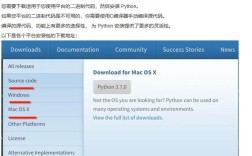
The PyQt5 package requires the underlying Qt libraries to be present on your system. On Windows, the installer from the Riverbank Computing website is the easiest way, as it bundles both PyQt5 and the Qt libraries. On Linux, you would typically install it via your package manager (e.g., sudo apt-get install python-qt5 on Ubuntu).
A Simple PyQt5 Example for Python 2.7
Here is a basic "Hello, World!" application written for Python 2.7. Notice the print statement syntax and the string formatting.

# -*- coding: utf-8 -*-
import sys
from PyQt5.QtWidgets import QApplication, QWidget, QLabel, QVBoxLayout
from PyQt5.QtCore import Qt
# In Python 2.7, we use 'print' as a statement, not a function.
# We use string formatting with % or .format().
print "Starting PyQt5 application for Python 2.7..."
class MyWindow(QWidget):
    def __init__(self):
        super(MyWindow, self).__init__()
        self.setWindowTitle(u"PyQt5 on Python 2.7")
        self.setGeometry(300, 300, 350, 200)
        # Create widgets
        self.label = QLabel(u"Hello, World! This is a PyQt5 window.")
        # Center the text in the label
        self.label.setAlignment(Qt.AlignCenter)
        # Create a vertical layout and add the widget
        layout = QVBoxLayout()
        layout.addWidget(self.label)
        # Set the window's main layout
        self.setLayout(layout)
if __name__ == "__main__":
    # The QApplication manages the GUI application's control flow and main settings.
    app = QApplication(sys.argv)
    # Create an instance of our window class
    window = MyWindow()
    window.show()
    # The sys.exit() method ensures that the program can be properly closed.
    # It takes the exit status from the exec_() method, which starts the event loop.
    sys.exit(app.exec_())
Key Differences from Python 3:
printStatement:print "Hello, World"instead ofprint("Hello, World").- String Formatting: The example uses
u"..."for Unicode strings (good practice in Python 2.7) and formatting for printing. You could also use.format(). super()Call: Thesuper(MyWindow, self).__init__()syntax is the standard Python 2 way of calling the parent class's constructor. In Python 3, you can usesuper().__init__().exec_()Method: TheQApplicationmethod to start the event loop isexec_()(with an underscore) in PyQt5 for Python 2. This is becauseexecwas a keyword in Python 2. In Python 3, it's simplyexec().
Key Challenges and Differences
| Feature | Python 2.7 with PyQt5 | Python 3 with PyQt5 |
|---|---|---|
| String Handling | Use u"..." for Unicode. Mixing byte strings and Unicode can cause UnicodeDecodeError. |
All strings are Unicode by default. u"..." is optional. |
print |
print "statement" |
print("function call") |
| Integer Division | 5 / 2 results in 2 (integer division). Use 5 / 2.0 or from __future__ import division. |
5 / 2 results in 5 (true division). |
super() |
super(MyClass, self).method() |
super().method() |
exec |
app.exec_() |
app.exec() |
| Dictionary Methods | .keys(), .values(), .items() return lists. |
.keys(), .values(), .items() return dictionary views (iterators). Use list() to convert to a list. |
| Exception Handling | except Exception, e: |
except Exception as e: |
| Imports | from . import module (relative import) can be tricky. |
Relative imports are standard and more robust. |
Final Recommendation: Migrate to Python 3
While the information above will get you running, it's a temporary solution. The Python ecosystem has moved on, and you will face increasing difficulties with libraries, security, and language features.
Migration Steps:
- Use a Tool: Run the
2to3tool on your codebase. It automatically handles many of the syntax differences.2to3 your_script.py -w
- Update Dependencies: Reinstall all your libraries with
pipfor Python 3. - Manual Refactoring: Address issues
2to3might miss, likeprintstatements, dictionary iteration, andsuper()calls. - Test Thoroughly: Ensure your application works as expected in the new Python 3 environment.
Migrating is an investment that will save you from future headaches and make your codebase maintainable for years to come.