Of course. This is a very specific and important question, as it touches on a common challenge: using older software with newer dependencies.

Let's break this down into three parts:
- The Short Answer: The recommended and easiest way.
- The Detailed Explanation: Why it's tricky and what the official support timeline means.
- The "Last Resort" Method: How to install it if you absolutely must use Python 3.5.
The Short Answer: The Recommended Solution
Stop using Python 3.5.
Seriously. Python 3.5 reached its official "end of life" on September 13, 2025. This means it no longer receives security updates, bug fixes, or improvements. Using it in any production or even serious personal project is a significant security and stability risk.
The best course of action is to upgrade your Python environment to a modern, supported version.
- Recommended Python Version: Python 3.8, 3.9, 3.10, or 3.11.
- Recommended PyQt5 Version: For modern Python versions, you should use a version of PyQt5 that is compatible. For example,
PyQt5==5.15.xorPyQt6(the next major version).
How to install with a modern Python version:
-
Install a modern Python from python.org.
-
Use
pipto install PyQt5:# This will install the latest stable version of PyQt5 pip install PyQt5 # Or, to install a specific version (e.g., the last one for Python 3.11) pip install "PyQt5==5.15.9"
This is the simplest, safest, and most future-proof approach.

The Detailed Explanation: The "Why"
PyQt5 is a large, complex library that is tightly coupled to the C++ Qt framework and the Python interpreter. When a new version of Python is released, the PyQt5 developers must recompile and test their library against it.
The Official Support Timeline
The commercial company behind PyQt, Riverbank Computing, provides clear support timelines. They typically support a PyQt5 version for as long as the underlying Python version it's built for is supported by the Python core team.
Since Python 3.5 is EOL, there are no official, stable, and supported builds of PyQt5 available for Python 3.5 from the primary sources (PyPI or the Riverbank website). You will not be able to simply run pip install PyQt5 and have it work on Python 3.5.
What happens if you try?
If you try to install a modern PyQt5 wheel on Python 3.5, you will almost certainly get an error like this:
ERROR: PyQt5-5.15.10-cp35.cp35m-win_amd64.whl is not a supported wheel on this platform.This is because the wheel file was compiled for a different version of Python (e.g., cp36, cp37, etc.) and is not compatible with your cp35 installation.
The "Last Resort" Method: Compiling from Source
If you are absolutely, positively required to use Python 3.5 and PyQt5 (for example, maintaining a legacy system), your only option is to compile PyQt5 from source code on your machine. This is an advanced process and can be difficult.
This is not recommended for beginners due to the complexity and the need for specific development tools.
Prerequisites
You need to install the C++ build tools for your platform. PyQt5 is not pure Python; it has C++ components that must be compiled.
- On Windows: Install the "C++ build tools" from the Visual Studio installer. You can download the "Build Tools for Visual Studio" from Microsoft's website. You need the C++ compiler and tools like
nmake. - On macOS: Install Xcode from the App Store. This includes the Clang compiler and all necessary build tools.
- On Linux: Install the
build-essentialpackage. For Debian/Ubuntu:sudo apt-get update sudo apt-get install build-essential
You will also need the Qt development libraries (not just the runtime ones). This package is often called qtbase5-dev on Debian/Ubuntu.
Steps to Compile and Install
-
Install SIP: PyQt5 depends on another tool called SIP, which is used to create the Python bindings. You must install a version of SIP that is compatible with the PyQt5 version you want to build.
# First, install a compatible version of SIP (check PyQt5's docs for the exact version)
# For PyQt5 5.12, you might need SIP 4.19.21
pip install "sip==4.19.21"
-
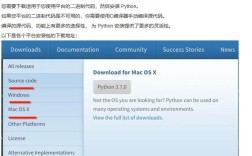
Download PyQt5 Source Code: Go to the Riverbank Computing PyQt5 Downloads page and download the source code (
.tar.gzor.zipfile). Let's assume you downloadPyQt5_gpl-5.12.3.tar.gz. -
Unpack and Build: Open a terminal/command prompt, navigate to the directory where you unpacked the source, and run the configuration script.
# Navigate to the source directory
cd PyQt5_gpl-5.12.3
# Configure the build. The --qmake flag points to the qmake executable
# from your Qt installation. You may need to find its location.
# On Linux, it's often /usr/bin/qmake
# On Windows, it might be in C:\Qt\5.12.3\mingw73_64\bin\qmake.exe
python configure.py --qmake /path/to/your/qmake
# Compile the source code
# On Windows, you might use 'nmake' instead of 'make'
make
# Install it into your Python 3.5 environment
make install
This process is highly dependent on your system's configuration, and you are very likely to encounter errors related to missing libraries, incorrect paths, or compiler incompatibilities. You will need to be comfortable debugging C++ build issues.
Summary and Final Recommendation
| Method | Pros | Cons | Recommendation |
|---|---|---|---|
| Upgrade Python | Easy, safe, secure, future-proof. Access to latest features and fixes. | Requires changing your Python environment. | Highly Recommended. This is the correct path for any new or maintained project. |
| Compile from Source | Works on unsupported Python versions like 3.5. | Extremely difficult. Requires C++ tools, time, and advanced knowledge. Prone to errors. | Last Resort Only. Only for maintaining legacy systems where an upgrade is impossible. |
Final advice: Please take the time to upgrade your Python installation. The effort will save you countless hours of frustration and security headaches in the long run.