Of course! The term "Python activecode" is most commonly associated with the interactive textbook platform Runestone Academy. It's a powerful tool for learning to program by allowing you to write, run, and test Python code directly within a webpage.
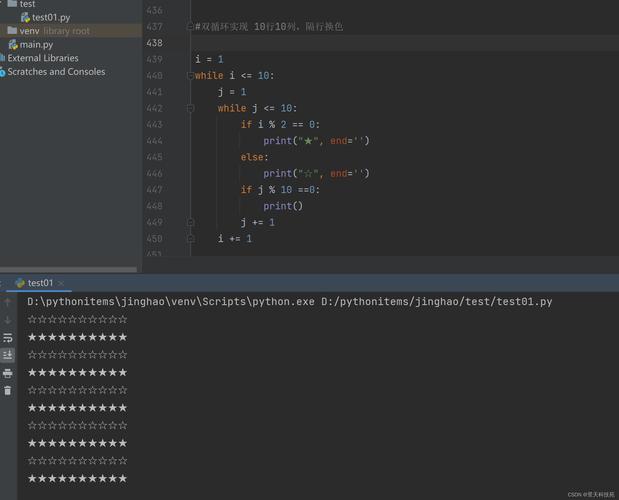
Let's break down what it is, how it works, and how you can use it.
What is Python ActiveCode?
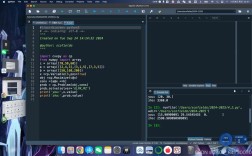
In simple terms, ActiveCode is an interactive code editor and console built into a web browser.
Instead of just reading about Python concepts in a textbook, you can:
- Read an explanation of a topic (like loops or functions).
- See a pre-written code example in the ActiveCode editor.
- Modify that code to see what happens.
- Click a "Run" button to execute your code and see the output instantly in the console below the editor.
This immediate feedback loop is what makes it such an effective learning tool.
Key Features of ActiveCode
- Live Editor: A text area where you can write or edit Python code.
- Run Button: Executes the code in the editor.
- Output Console: Displays the results of your program (prints, errors, etc.).
- Auto-Complete: Often provides suggestions as you type.
- Inline Exercises: Many tutorials have exercises where you are asked to complete a piece of code, and the system automatically checks if your solution is correct.
- Easy Sharing: You can often share links to your code or exercises.
A Simple Example in an ActiveCode Environment
Imagine you are reading a chapter on functions. The textbook might present this code in an ActiveCode box:
# This is a simple function definition
def greet(name):
    """This function greets the person passed in as a parameter."""
    print("Hello, " + name + "! Welcome to Python.")
# Now let's call the function
greet("Alice")
greet("Bob")
How you would interact with it:
-
Read: You read the code and understand that
def greet(name):defines a function that takes one argument,name. -
Predict: You predict the output will be "Hello, Alice! Welcome to Python." followed by "Hello, Bob! Welcome to Python."
-
Run: You click the "Run" button.
-
Verify: The output console below immediately shows:
Hello, Alice! Welcome to Python. Hello, Bob! Welcome to Python. -
Experiment (The Learning Part!): Now, you change the code to see what happens. For example, you could change the greeting message:
# This is a simple function definition def greet(name): """This function greets the person passed in as a parameter.""" print("Howdy, " + name + "! It's great to see you.") # Now let's call the function greet("Charlie") -
Run Again: You click "Run" and see the new output:
Howdy, Charlie! It's great to see you.This ability to experiment safely and see immediate results is the core of the "activecode" learning philosophy.
How to Use ActiveCode (The Runestone Academy Way)
The best way to experience ActiveCode is through Runestone Academy. It's free and used by many universities and individuals for self-study.
Step-by-Step Guide:
- Go to Runestone Academy: Navigate to https://runestone.academy/.
- Browse the Books: On the homepage, you'll see a list of books (courses). A great one for beginners is "How to Think Like a Computer Scientist: Learning with Python" by Brad Miller and David Ranum.
- Select a Book: Click on a book that interests you.
- Start a Chapter: Navigate through the chapters. You'll find sections with ActiveCode boxes.
- Interact with the Code: Find a code snippet, click in the editor, make changes, and hit the "Run" button to see the results.
Example Screenshot (Conceptual):
+-----------------------------------------------------+
| [ How to Think Like a Computer Scientist ]           |
|                                                     |
| Chapter 1: The Way of the Program                   |
| Chapter 2: Variables, Expressions, and Statements   |
| Chapter 3: Functions                                 |
| << Chapter 4: Conditionals >>                        |
+-----------------------------------------------------+
+-----------------------------------------------------+
| 4.1 The Modulus Operator                           |
|                                                     |
| The modulus operator (%) might be new to you. It    |
| gives the remainder of a division.                 |
|                                                     |
| >>> 10 % 3                                          |
| 1                                                   |
|                                                     |
| Try it yourself in the ActiveCode box below!        |
+-----------------------------------------------------+
| [ ActiveCode Editor ]                               |
| # Try changing the numbers below                    |
| print(10 % 3)                                       |
| print(20 % 7)                                       |
|                                                     |
| [ Run Button ]                                      |
+-----------------------------------------------------+
| [ Output Console ]                                  |
| 1                                                   |
| 6                                                   |
|                                                     |
+-----------------------------------------------------+
Alternatives to Runestone's ActiveCode
While Runestone is the originator of the term "activecode," the concept is now widespread. Here are other excellent platforms that offer a similar interactive experience:
| Platform | Best For | Key Feature |
|---|---|---|
| Runestone Academy | Structured courses, textbooks, and university classes. | Tight integration with learning materials and auto-graded exercises. |
| Replit | General-purpose coding, collaboration, and project building. | Full-featured online IDE with a massive template library. |
| Google Colab | Data science, machine learning, and using free GPUs. | Seamless integration with Google Drive and pre-installed libraries like TensorFlow. |
| Jupyter Notebook | Data analysis, visualization, and exploratory programming. | Cell-based execution that mixes code, text, and output. (Can be run locally or online). |
| LeetCode / HackerRank | Preparing for technical job interviews. | Focus on solving specific coding challenges under time constraints. |
Summary
| Feature | Description |
|---|---|
| What is it? | An interactive, in-browser Python code editor and console. |
| Who uses it? | Primarily students and educators on platforms like Runestone Academy. |
| Why is it great? | Provides immediate feedback, encourages experimentation, and makes learning hands-on. |
| How to start? | Visit Runestone Academy, pick a book, and start coding! |
If you want to learn Python by doing, not just by reading, platforms with "activecode" functionality are the perfect place to start. Happy coding