Of course! Let's dive deep into python-redisqueue, a popular and robust library for creating background task queues using Redis.
This guide will cover:
- What is a Task Queue? (The "Why")
- Why Redis? (The "Why Redis?")
- What is
python-redisqueue? (The "What") - Installation
- Core Concepts: Producer, Queue, Worker
- Code Examples (from simple to advanced)
- Key Features
- Comparison with Alternatives (Celery, RQ)
- When to Use
redisqueue
What is a Task Queue?
A task queue is a mechanism for distributing work across multiple workers. Instead of performing a long-running, blocking operation (like sending an email, processing a video, or making an API call) directly in your web request, you "enqueue" the task to be handled by a separate worker process.
The Classic Web Request Problem:
- User clicks "Submit" on your website.
- Your web server receives the request.
- Your code starts a long process (e.g., sending a welcome email).
- The user has to wait... and wait... until the email is sent.
- The web request is blocked, and the server can't handle other users until it's done.
The Task Queue Solution:
- User clicks "Submit".
- Your web server receives the request.
- Your code quickly adds a "send_email" task to the queue and returns an immediate response to the user (e.g., "Email sent!").
- A separate worker process, running in the background, picks up the task from the queue and executes the email-sending logic.
- The user gets a fast response, and your web server remains free to handle other requests.
Why Redis?
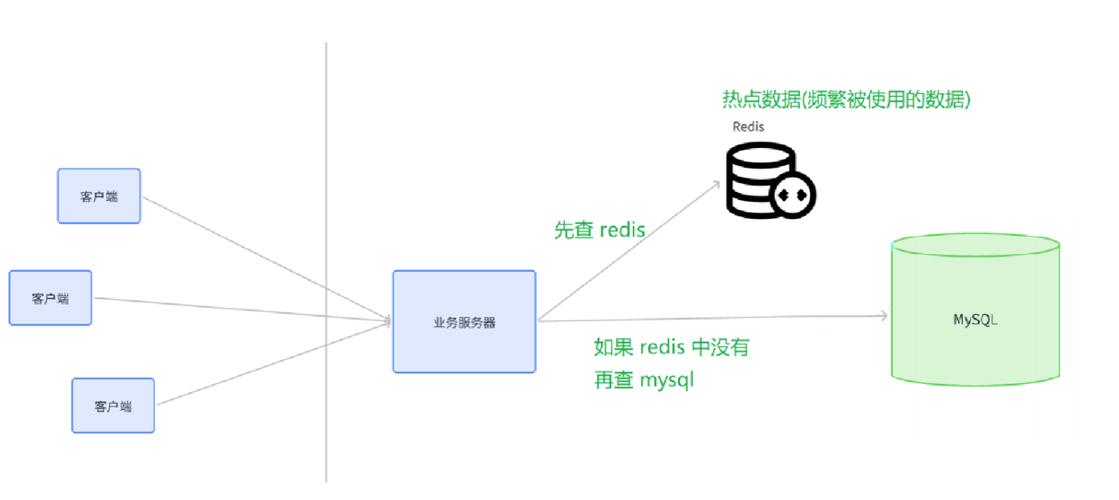
Redis is an in-memory data store, often used as a database, cache, or message broker. It's an excellent choice for task queues because:
- Blazing Fast: Being in-memory, it's incredibly fast for enqueueing and dequeuing tasks.
- Data Structures: It has native support for data structures like Lists, which are perfect for implementing a First-In, First-Out (FIFO) queue.
- Persistence: It can optionally save data to disk, so your tasks won't be lost if a server restarts.
- Atomic Operations: Redis commands are atomic, which is crucial for ensuring that a task is only picked up by one worker at a time.
What is python-redisqueue?
python-redisqueue is a simple, powerful, and dependency-light Python library for building task queues with Redis. It's built on top of the excellent redis-py library.
Key characteristics:
- Simplicity: It has a very straightforward API. You just define a function, register it, and push jobs to a queue.
- No Broker/Backend Separation: Unlike Celery, it uses the same Redis connection for both the queue (where jobs are stored) and the result backend (where job status is stored). This simplifies setup.
- Pure Python: No external dependencies besides
redis-py. - Good for Beginners: It's an excellent way to understand the fundamentals of task queues without the complexity of a larger framework.
Installation
It's as simple as using pip:
pip install redisqueue
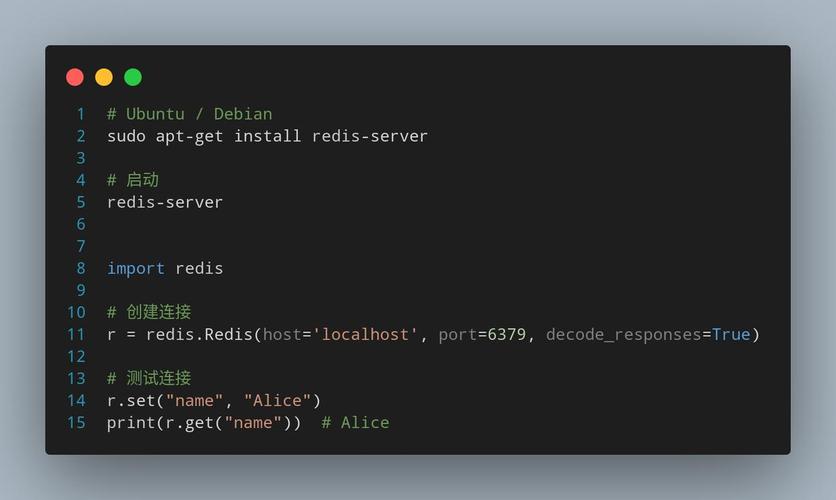
You'll also need a running Redis server. You can easily run one with Docker:
docker run -d -p 6379:6379 redis
Core Concepts: Producer, Queue, Worker
To use redisqueue, you'll interact with three main components:
- Producer: The part of your application that creates and enqueues tasks. This is typically your web server or a script.
- Queue: The
RedisQueueobject that connects to your Redis instance and manages the list of pending tasks. - Worker: A separate, long-running process that listens to a queue for new tasks and executes them.
Code Examples
Let's build a complete example. We'll create a simple task that adds two numbers with a delay.
Step 1: Define the Task (The "Worker" Logic)
Create a file named tasks.py. This file contains the function that will be executed by the worker.
# tasks.py
import time
import redisqueue
# Create a Redis connection
# By default, it connects to localhost on port 6379
redis = redisqueue.get_redis()
# Create a queue instance
# The name 'math_queue' is the key in Redis where our tasks will be stored.
queue = redisqueue.RedisQueue('math_queue', redis=redis)
# The 'register_task' decorator registers a function to be called by the worker.
# The worker needs to know about this function to execute it.
@redisqueue.register_task
def add_numbers(a, b):
    """A simple task that adds two numbers."""
    print(f"Worker received task: add_numbers({a}, {b})")
    time.sleep(2) # Simulate a long-running task
    result = a + b
    print(f"Worker finished. Result: {result}")
    return result
# This 'if __name__ == "__main__"' block is what the worker process will run.
if __name__ == "__main__":
    print("Worker is starting and listening for jobs...")
    # The worker() method will block, continuously checking the queue for new jobs.
    queue.worker()
Step 2: Create the Producer (The "Client")
This is the part of your application that pushes jobs to the queue. It could be in a Flask/Django view or a standalone script.
Create a file named producer.py.
# producer.py
import redisqueue
import time
# Use the same Redis connection and queue name as the worker
redis = redisqueue.get_redis()
queue = redisqueue.RedisQueue('math_queue', redis=redis)
def main():
    print("Producer is running. Enqueuing jobs...")
    # Enqueue the 'add_numbers' task with arguments.
    # The task name ('add_numbers') and its arguments are serialized and sent to Redis.
    job = queue.enqueue('add_numbers', 5, 7)
    print(f"Enqueued job with ID: {job.id}")
    job2 = queue.enqueue('add_numbers', 10, 15)
    print(f"Enqueued job with ID: {job2.id}")
    # You can also enqueue a task and get its result later
    job3 = queue.enqueue('add_numbers', 100, 200)
    print(f"Enqueued job with ID: {job3.id} (will wait for result)")
    # The worker is running in another process, so we wait a bit to see the output
    time.sleep(5)
    # Get the result of a job
    result = job3.result(timeout=5) # Wait up to 5 seconds for the result
    print(f"Result of job {job3.id} is: {result}")
if __name__ == "__main__":
    main()
Step 3: Run Everything
Open two separate terminal windows.
Terminal 1: Start the Worker
Run the worker script. It will now be active and listening for jobs on the math_queue.
python tasks.py
Output:
Worker is starting and listening for jobs...Terminal 2: Run the Producer Run the producer script. It will add jobs to the queue.
python producer.py
Output:
Producer is running. Enqueuing jobs...
Enqueued job with ID: 1
Enqueued job with ID: 2
Enqueued job with ID: 3 (will wait for result)
Result of job 3 is: 300
Now, look back at Terminal 1 (the worker). You will see the output from the tasks being executed:
Worker is starting and listening for jobs...
Worker received task: add_numbers(5, 7)
Worker received task: add_numbers(10, 15)
Worker finished. Result: 12
Worker finished. Result: 25
Worker received task: add_numbers(100, 200)
Worker finished. Result: 300
You have successfully run a distributed task queue!
Key Features
- Simple API:
queue.enqueue(function, *args, **kwargs)is all you need to start. - Job Result Handling: Jobs can return results, which are stored in Redis. You can fetch them later using the
job.result()method. - Job Status: You can check the status of a job (e.g.,
job.status()). - Timeouts: You can set timeouts for job execution and for fetching results.
- Error Handling: If a task raises an exception, the job is marked as failed, and the exception is stored. You can inspect the failure.
- Multiple Queues: You can create as many queues as you want by using different names.
- Multiple Workers: You can run multiple worker processes listening to the same queue to handle tasks in parallel.
Comparison with Alternatives
| Feature | redisqueue |
RQ (Redis Queue) | Celery |
|---|---|---|---|
| Simplicity | Excellent. Minimal setup, easy to understand. | Excellent. Very similar to redisqueue in philosophy. |
Complex. Has many concepts (Brokers, Backends, Beat, etc.). |
| Dependencies | redis-py only. |
redis-py only. |
redis-py, billiard, kombu, etc. |
| Features | Basic job enqueue, result fetching, status. | Similar to redisqueue, plus a nice CLI tool (rq worker). |
Batteries-included. Retries, schedules, groups, chords, monitoring, etc. |
| Scalability | Good for most applications. | Good for most applications. | Excellent, battle-tested for massive, distributed systems. |
| Best For | Simple to medium complexity projects, learning, microservices. | Simple to medium complexity projects, great for Django/Flask. | Large, complex systems with advanced needs like scheduling and monitoring. |
In short: If Celery is a heavy-duty truck and redisqueue is a simple bicycle, RQ is a very nice, reliable scooter. All are good, but for different jobs.
When to Use redisqueue?
Choose python-redisqueue when:
- You need a simple, no-fuss task queue.
- You are new to background task processing and want to understand the core concepts.
- Your project is small to medium-sized and doesn't require the advanced features of Celery.
- You want to minimize dependencies in your project.
- You are building a microservice and need a lightweight way to offload work.
For most web applications that just need to send emails, process images, or make API calls in the background, redisqueue is more than enough and much easier to set up than Celery.