下面我将从监控原理、核心监控指标、多种实现方案(从简单到复杂)以及一个完整示例等多个维度,为你详细讲解如何使用 Python 监控 WebLogic。
监控原理
要监控 WebLogic,Python 程序需要能够获取到 WebLogic 服务器运行时的数据,主要有以下几种方式:
- HTTP/HTTPS API (推荐):WebLogic 提供了一个管理 HTTP 服务(默认端口 7001 或配置的端口),可以通过发送 HTTP 请求来获取服务器状态、JVM 内存、应用部署情况等信息,这是最常用、最灵活的方式。
- JMX (Java Management Extensions):这是 Java 应用最标准的监控方式,WebLogic 服务器暴露了大量的 MBean (Managed Bean) 接口,Python 可以通过
jmxconnector等库连接到 WebLogic 的 JMX 服务,获取几乎所有的底层运行指标,这种方式功能最强大,但配置相对复杂。 - 日志文件解析:通过读取和分析 WebLogic 的
access.log或server logs,可以统计请求量、错误率等信息,这种方式适合对日志进行二次分析,不适合获取实时性能指标。 - SNMP (Simple Network Management Protocol):WebLogic 服务器配置了 SNMP Agent,可以使用 Python 的
pysnmp库进行监控,这种方式在企业网络环境中比较常见,但 WebLogic 默认不开启 SNMP。
推荐方案:对于大多数场景,HTTP API + JMX 的组合是最佳选择,HTTP API 用于获取高层次的、易于理解的指标(如服务器状态、应用状态),而 JMX 用于获取深度的、底层的性能指标(如 JVM 堆内存、线程池状态)。
核心监控指标
在编写监控脚本之前,首先要明确需要监控哪些关键指标,以下是一些核心指标:
| 指标类别 | 具体指标 | 说明 | 重要性 |
|---|---|---|---|
| 服务器状态 | Admin Server / Managed Server 状态 |
服务器是否运行(RUNNING, ADMIN, FAILED, SHUTTING_DOWN) |
极高 |
| 应用状态 | 部署的应用数量 | 应用是否成功部署(ACTIVE, FAILED, ADMIN) |
高 |
| JVM 性能 | 堆内存使用率 | Used Heap / Max Heap,防止内存溢出 |
极高 |
| 非堆内存使用率 | PermGen (JDK 8及以前) / Metaspace (JDK 8+) 使用率 |
高 | |
| GC 次数与耗时 | Young GC 和 Full GC 的次数和时间,频繁或耗时长是问题信号 | 高 | |
| 线程数量 | 活动线程数、峰值线程数 | 中 | |
| 连接池 | 数据库连接池 | 活动连接数、空闲连接数、等待连接数、总连接数 | 高 |
| JMS 队列 | JMS 队列深度 | 队列中的消息积压数量,过高可能意味着下游处理缓慢 | 中 |
| 请求处理 | HTTP 请求数/秒 | 衡量应用负载 | 中 |
| 平均请求响应时间 | 衡量应用性能 | 中 |
实现方案
使用 requests 库通过 HTTP API 监控
这是最简单直接的方式,WebLogic 的管理控制台在后台就是通过这些 API 来获取数据的。
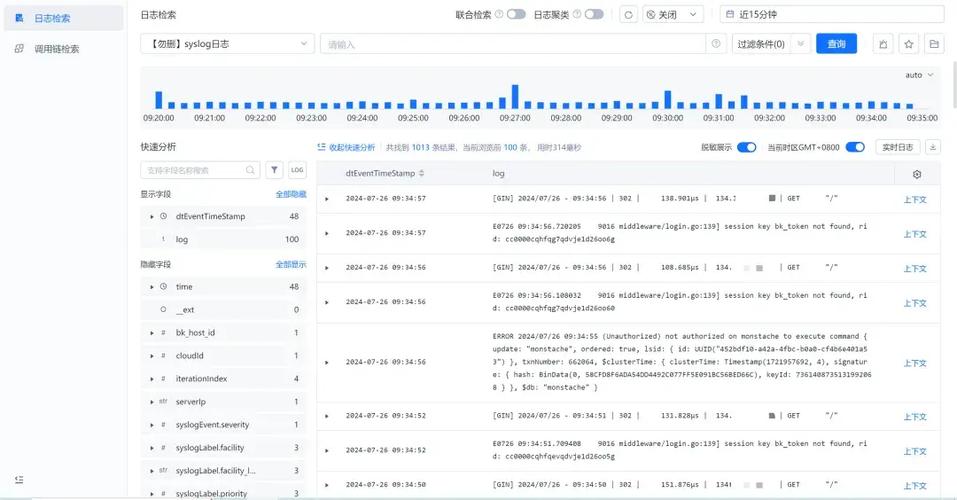
步骤:
- 获取监控数据:WebLogic 提供了一个
/domain-runtime的上下文路径,可以获取运行时信息,你需要构造一个带有用户名和密码的请求。 - 解析响应:响应通常是 JSON 格式,使用 Python 的
json库解析即可。
示例代码:
import requests
import json
from urllib.parse import urljoin
# --- 配置 ---
WLS_HOST = 'your-weblogic-server.com'
WLS_PORT = '7001'
WLS_USER = 'weblogic'
WLS_PASSWORD = 'your_password'
WLS_DOMAIN = 'your_domain_name'
# WebLogic MBean Server 的 JNDI 名称
MBEAN_SERVER_JNDI = 'weblogic.mbeanservers.runtime'
# 构造 URL
base_url = f'http://{WLS_HOST}:{WLS_PORT}'
login_url = urljoin(base_url, f'/console/j_security_check')
mbean_url = urljoin(base_url, f'/management/wls/latest/server_runtimes/{WLS_DOMAIN}/server1')
# --- 登录并获取会话 ---
session = requests.Session()
login_data = {
    'j_username': WLS_USER,
    'j_password': WLS_PASSWORD,
    'j_character_encoding': 'UTF-8'
}
try:
    # 发送登录请求
    response = session.post(login_url, data=login_data, allow_redirects=False)
    if response.status_code != 302:
        print("登录失败,请检查用户名、密码或URL")
        print(f"Response: {response.text}")
        exit(1)
    print("登录成功")
    # --- 获取 MBean 数据 ---
    # 注意:这里直接访问 /server_runtimes 是一个简化的例子,实际中可能需要查询特定的 MBean 树
    # 更通用的方法是使用 WebLogic RESTful Management API (WLST REST)
    # 这里我们用一个更真实的 URL 来获取 Server 的运行时属性
    server_runtime_url = urljoin(base_url, f'/management/wls/latest/server-runtimes/{WLS_DOMAIN}/ServerRuntime/server1')
    headers = {
        'Accept': 'application/json',
        'Content-Type': 'application/json'
    }
    response = session.get(server_runtime_url, headers=headers)
    response.raise_for_status() # 如果请求失败则抛出异常
    data = response.json()
    # --- 解析和打印关键指标 ---
    print("\n--- WebLogic Server 监控信息 ---")
    # 1. 服务器状态
    state = data.get('state', 'UNKNOWN')
    print(f"服务器状态: {state}")
    # 2. JVM 堆内存
    heap = data.get('jvmRuntime', {}).get('heapUsage')
    if heap:
        used_heap_mb = heap.get('used') / (1024 * 1024)
        max_heap_mb = heap.get('max') / (1024 * 1024)
        heap_usage_percent = (heap.get('used') / heap.get('max')) * 100
        print(f"JVM 堆内存: {used_heap_mb:.2f} MB / {max_heap_mb:.2f} MB ({heap_usage_percent:.2f}%)")
    # 3. GC 信息
    gc = data.get('jvmRuntime', {}).get('garbageCollector', {})
    if gc:
        young_gc_count = gc.get('collectionCount', {}).get('young')
        young_gc_time = gc.get('collectionTime', {}).get('young')
        full_gc_count = gc.get('collectionCount', {}).get('full')
        full_gc_time = gc.get('collectionTime', {}).get('full')
        print(f"GC - Young: {young_gc_count} 次, 耗时 {young_gc_time} ms")
        print(f"GC - Full: {full_gc_count} 次, 耗时 {full_gc_time} ms")
    # 4. 应用部署信息
    applications = data.get('applicationRuntimes', [])
    print(f"已部署应用数量: {len(applications)}")
    for app in applications:
        app_name = app.get('name')
        app_state = app.get('state')
        print(f"  - 应用: {app_name}, 状态: {app_state}")
    # 5. JDBC 连接池
    jdbc_pools = data.get('jdbcRuntime', {}).get('jdbcDataSourceRuntimePool', {}).get('JDBCDataSourceRuntime')
    print(f"\nJDBC 连接池信息:")
    for pool_name, pool_data in jdbc_pools.items():
        print(f"  - 连接池: {pool_name}")
        print(f"    活动连接数: {pool_data.get('ActiveConnectionsCurrentCount')}")
        print(f"    空闲连接数: {pool_data.get('AvailableCount')}")
        print(f"    等待连接数: {pool_data.get('WaitersCurrentCount')}")
except requests.exceptions.RequestException as e:
    print(f"请求发生错误: {e}")
except json.JSONDecodeError as e:
    print(f"JSON 解析错误: {e}")
except KeyError as e:
    print(f"数据结构中缺少预期的键: {e}")
注意:上面的 server_runtime_url 是一个简化的路径,在实际生产环境中,你可能需要根据 WebLogic 的版本和具体 MBean 结构来构建更复杂的 URL,更推荐使用 WebLogic 的 WLST REST API,它提供了更稳定和强大的查询能力。
使用 pyjmx 库通过 JMX 监控
JMX 可以获取更底层、更全面的数据,不受 WebLogic 控制台 API 变化的影响。
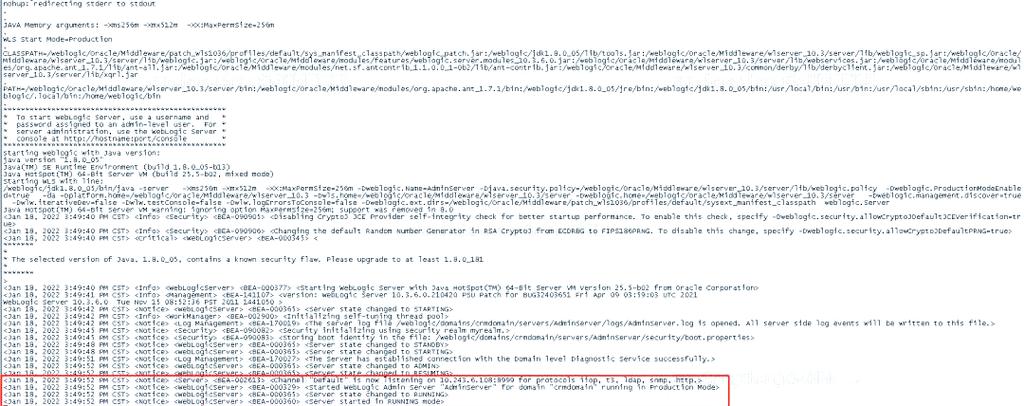
步骤:
- 启用 WebLogic JMX:确保 WebLogic 服务器启用了 JMX 服务,在启动脚本中会设置
JAVA_OPTIONS包含-Dcom.sun.management.jmxremote等参数,并配置好访问权限。 - 安装
pyjmx库:pip install pyjmx - 连接 JMX 服务:使用
JMXConnector连接到 WebLogic 的 JMX RMI 服务。 - 查询 MBean:通过 MBean 的 ObjectName 来获取和调用其属性和方法。
示例代码:
from pyjmx import connect
# --- 配置 ---
JMX_HOST = 'your-weblogic-server.com'
JMX_PORT = '8001' # WebLogic JMX 默认端口通常是 8001 或自定义
JMX_USER = 'weblogic'
JMX_PASSWORD = 'your_password'
# MBean ObjectName
# 这是一个典型的 ServerRuntime MBean 的 ObjectName
SERVER_RUNTIME_MBEAN = 'com.bea:Name=ServerRuntime,Type=weblogic.management.runtime.ServerRuntimeRuntime'
try:
    # --- 连接到 JMX 服务 ---
    jmx = connect(url=f'service:jmx:rmi:///jndi/rmi://{JMX_HOST}:{JMX_PORT}/jmxrmi', user=JMX_USER, password=JMX_PASSWORD)
    print("JMX 连接成功")
    # --- 获取 MBean ---
    server_runtime = jmx.get_mbean(SERVER_RUNTIME_MBEAN)
    # --- 读取 MBean 属性 ---
    # 属性名可以通过 JConsole 或 JVisualVM 查看
    state = server_runtime.State
    print(f"\n--- JMX 监控信息 ---")
    print(f"服务器状态: {state}")
    # JVM 堆内存
    heap_used = server_runtime.JVMRuntime.HeapUsage.Used
    heap_max = server_runtime.JVMRuntime.HeapUsage.Max
    heap_usage_percent = (heap_used / heap_max) * 100
    print(f"JVM 堆内存: {heap_used / (1024*1024):.2f} MB / {heap_max / (1024*1024):.2f} MB ({heap_usage_percent:.2f}%)")
    # GC 信息
    young_gc_count = server_runtime.JVMRuntime.GarbageCollector.YoungCollectionCount
    young_gc_time = server_runtime.JVMRuntime.GarbageCollector.YoungCollectionTime
    full_gc_count = server_runtime.JVMRuntime.GarbageCollector.FullCollectionCount
    full_gc_time = server_runtime.JVMRuntime.GarbageCollector.FullCollectionTime
    print(f"GC - Young: {young_gc_count} 次, 耗时 {young_gc_time} ms")
    print(f"GC - Full: {full_gc_count} 次, 耗时 {full_gc_time} ms")
    # 线程信息
    thread_count = server_runtime.JVMRuntime.ThreadCount
    print(f"当前线程数: {thread_count}")
except Exception as e:
    print(f"JMX 监控出错: {e}")
finally:
    if 'jmx' in locals():
        jmx.close()
        print("JMX 连接已关闭")
完整实践:将监控数据发送到 Prometheus + Grafana
这是一个企业级的监控解决方案,可以实现数据持久化、告警和可视化。
架构:
Python 监控脚本 -> Prometheus Pushgateway -> Prometheus Server -> Grafana
步骤:
-
安装 Prometheus Pushgateway:
docker run -d -p 9091:9091 prom/pushgateway
-
安装 Prometheus:
prometheus.yml配置文件中需要添加对 Pushgateway 的抓取任务。scrape_configs: - job_name: 'weblogic-pushgateway' honor_labels: true # 保留推送时打的标签 static_configs: - targets: ['pushgateway:9091'] # 如果在同一网络,或使用 'localhost:9091' -
安装 Grafana 并配置数据源为 Prometheus。
-
编写 Python 监控脚本: 我们使用
prometheus_client库来将指标暴露给 Pushgateway。from prometheus_client import CollectorRegistry, Gauge, push_to_gateway import time import requests import json from urllib.parse import urljoin # --- 配置 --- WLS_CONFIG = { 'host': 'your-weblogic-server.com', 'port': '7001', 'user': 'weblogic', 'password': 'your_password', 'domain': 'your_domain_name' } PUSHGATEWAY_URL = 'http://localhost:9091' # Pushgateway 地址 JOB_NAME = 'weblogic_monitor' # 任务名称 def get_weblogic_metrics(): """从 WebLogic 获取指标""" metrics = { 'weblogic_server_up': 0, 'weblogic_server_state': 'UNKNOWN', 'jvm_heap_usage_bytes': 0, 'jvm_heap_max_bytes': 0, 'young_gc_count_total': 0, 'young_gc_time_seconds_total': 0, 'full_gc_count_total': 0, 'full_gc_time_seconds_total': 0, } # ... (这里复用方案一中的 requests 代码来获取数据) ... # 以下为伪代码,假设已经从 WebLogic 获取了原始数据 'data' try: session = requests.Session() login_data = {'j_username': WLS_CONFIG['user'], 'j_password': WLS_CONFIG['password']} session.post(urljoin(f"http://{WLS_CONFIG['host']}:{WLS_CONFIG['port']}", '/console/j_security_check'), data=login_data) server_runtime_url = urljoin(f"http://{WLS_CONFIG['host']}:{WLS_CONFIG['port']}", f'/management/wls/latest/server-runtimes/{WLS_CONFIG["domain"]}/ServerRuntime/server1') response = session.get(server_runtime_url, headers={'Accept': 'application/json'}) data = response.json() metrics['weblogic_server_up'] = 1 # 如果能成功获取数据,则认为服务正常 metrics['weblogic_server_state'] = data.get('state', 'UNKNOWN') heap = data.get('jvmRuntime', {}).get('heapUsage') if heap: metrics['jvm_heap_usage_bytes'] = int(heap.get('used', 0)) metrics['jvm_heap_max_bytes'] = int(heap.get('max', 0)) gc = data.get('jvmRuntime', {}).get('garbageCollector', {}) if gc: metrics['young_gc_count_total'] = int(gc.get('collectionCount', {}).get('young', 0)) metrics['young_gc_time_seconds_total'] = int(gc.get('collectionTime', {}).get('young', 0)) / 1000.0 metrics['full_gc_count_total'] = int(gc.get('collectionCount', {}).get('full', 0)) metrics['full_gc_time_seconds_total'] = int(gc.get('collectionTime', {}).get('full', 0)) / 1000.0 except Exception as e: print(f"获取 WebLogic 指标失败: {e}") metrics['weblogic_server_up'] = 0 # 获取失败,服务异常 return metrics if __name__ == '__main__': print("开始采集 WebLogic 指标...") weblogic_metrics = get_weblogic_metrics() # 创建 Prometheus 指标 registry = CollectorRegistry() g_server_up = Gauge('weblogic_server_up', 'Is the WebLogic server up (1 for up, 0 for down)', registry=registry) g_server_state = Gauge('weblogic_server_state', 'The state of the WebLogic server', registry=registry) g_heap_usage = Gauge('jvm_heap_usage_bytes', 'Current JVM heap usage in bytes', registry=registry) g_heap_max = Gauge('jvm_heap_max_bytes', 'Maximum JVM heap size in bytes', registry=registry) g_young_gc_count = Gauge('young_gc_count_total', 'Total number of young GC collections', registry=registry) g_young_gc_time = Gauge('young_gc_time_seconds_total', 'Total time spent in young GC in seconds', registry=registry) g_full_gc_count = Gauge('full_gc_count_total', 'Total number of full GC collections', registry=registry) g_full_gc_time = Gauge('full_gc_time_seconds_total', 'Total time spent in full GC in seconds', registry=registry) # 设置指标值 g_server_up.set(weblogic_metrics['weblogic_server_up']) g_server_state.set(weblogic_metrics['weblogic_server_state']) g_heap_usage.set(weblogic_metrics['jvm_heap_usage_bytes']) g_heap_max.set(weblogic_metrics['jvm_heap_max_bytes']) g_young_gc_count.set(weblogic_metrics['young_gc_count_total']) g_young_gc_time.set(weblogic_metrics['young_gc_time_seconds_total']) g_full_gc_count.set(weblogic_metrics['full_gc_count_total']) g_full_gc_time.set(weblogic_metrics['full_gc_time_seconds_total']) # 推送到 Pushgateway try: push_to_gateway(PUSHGATEWAY_URL, job=JOB_NAME, registry=registry) print("成功推送指标到 Pushgateway") except Exception as e: print(f"推送指标失败: {e}") -
配置 Grafana Dashboard: 在 Grafana 中创建一个新的 Dashboard,添加 Panel,使用 PromQL 查询语句来展示数据。
- 服务器状态:
weblogic_server_up - JVM 堆内存使用率:
(jvm_heap_usage_bytes / jvm_heap_max_bytes) * 100 - Full GC 次数:
increase(full_gc_count_total[5m]) - Full GC 总耗时:
rate(full_gc_time_seconds_total[5m])
- 服务器状态:
将此脚本设置为定时任务(如使用 cron 或 systemd timer),例如每 30 秒运行一次,即可实现持续监控。
总结与建议
| 方案 | 优点 | 缺点 | 适用场景 |
|---|---|---|---|
| HTTP API | 简单易用,无需额外依赖,与控制台逻辑一致 | 功能有限,依赖 WebLogic 版本,可能不稳定 | 快速检查、简单监控、脚本自动化 |
| JMX | 功能强大全面,数据底层,稳定可靠 | 配置复杂(需开启JMX),依赖 pyjmx 等库 |
深度性能分析、全面监控、集成监控系统 |
| Prometheus+Grafana | 标准化、可视化、告警、持久化 | 架构复杂,需要额外部署组件 | 企业级、长期、自动化的监控体系 |
给你的建议:
- 入门/快速上手:从 方案一 (HTTP API) 开始,用
requests写一个简单的脚本,先能跑通,把核心指标取出来。 - 生产环境/深度监控:强烈建议采用 方案二 (JMX) 或 方案三 (Prometheus+Grafana),JMX 更直接,而 Prometheus+Grafana 是业界事实标准,能提供更完善的监控生态。
- 安全性:在生产环境中,务必使用 HTTPS 和强密码,并考虑将监控用户(如
weblogic)的权限限制在最小范围,或创建一个专门的只读监控用户。 - 错误处理:你的监控脚本必须健壮,能够处理网络中断、认证失败、数据格式变化等各种异常情况,并具备重试机制。