Of course! The term "freeli" is not a standard term in Python or ctypes. It's highly likely you're thinking of free, the fundamental C function for releasing dynamically allocated memory.
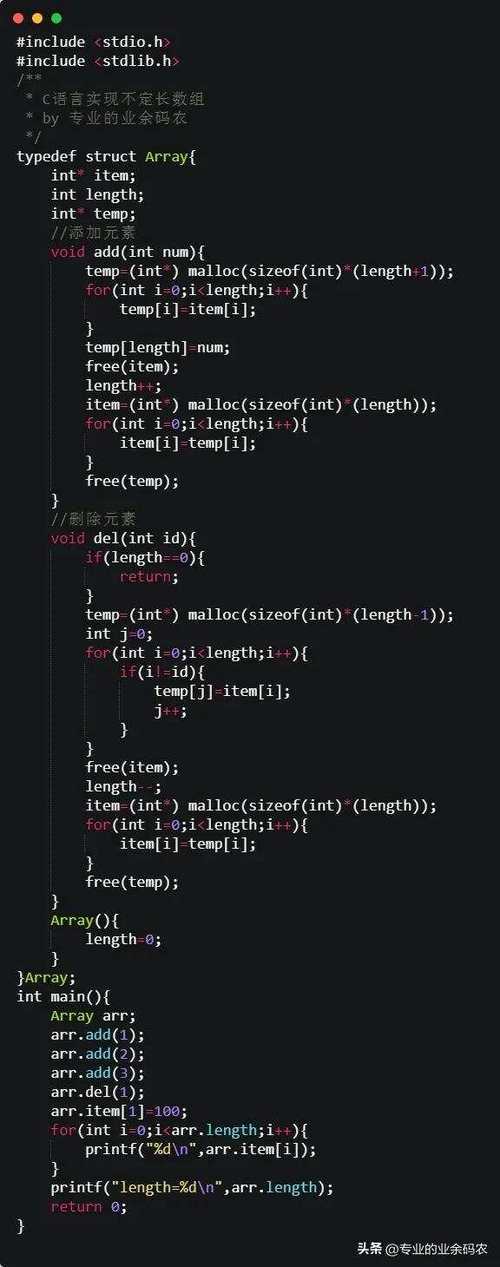
In C, when you use functions like malloc(), calloc(), or realloc(), you are given a pointer to a block of memory on the heap. This memory remains allocated until you explicitly release it using the free() function. If you don't, you have a memory leak.
ctypes allows you to call C functions directly from Python, including free(). This is essential when you work with C libraries that allocate memory that you are then responsible for freeing.
Here’s a complete guide on how to use ctypes to call free().
The Problem: A C Library That Allocates Memory
Imagine you have a C library that does some work and gives you a pointer to a string. It's your job to remember to free that memory.
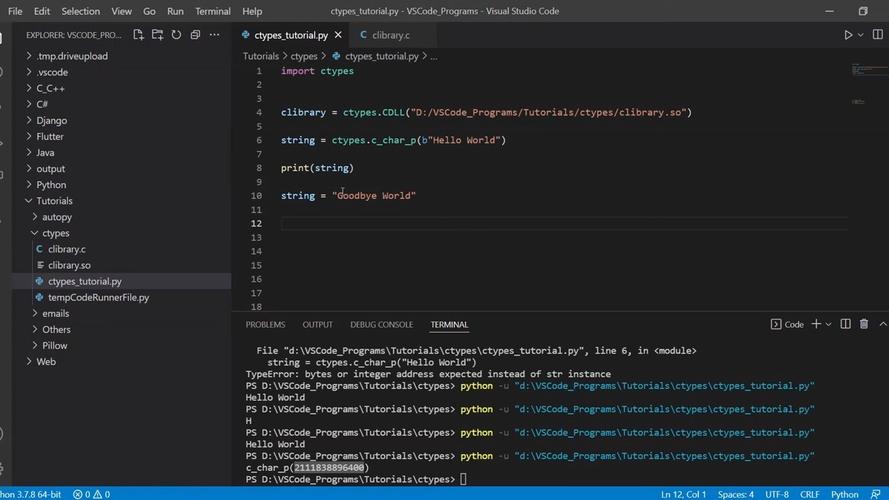
File: mylib.c
#include <stdlib.h>
#include <string.h>
// A function that allocates memory on the heap and returns a pointer to it.
// The user of this function is responsible for freeing the memory.
char* get_message() {
    // Allocate memory for a string (including the null terminator)
    char* message = (char*)malloc(50 * sizeof(char));
    if (message == NULL) {
        return NULL; // Allocation failed
    }
    // Copy a string into the allocated memory
    strcpy(message, "Hello from C! This memory was allocated by C.");
    return message;
}
Compile this into a shared library:
# On Linux/macOS
gcc -shared -o mylib.so -fPIC mylib.c
# On Windows (using MinGW)
gcc -shared -o mylib.dll -O2 mylib.c
The Python Solution: Using ctypes to Call free()
Now, let's write a Python script that uses ctypes to load and call the functions from our mylib.
Key Concepts:
ctypes.CDLL/ctypes.WinDLL: To load the shared library (.soor.dll).ctypes.c_void_p: The C language has a generic pointer typevoid *.ctypesrepresents this withc_void_p. This is whatmallocandfreeuse.ctypes.c_char_p: For C-style null-terminated strings.argtypesandrestype: You must tellctypeswhat data types your C function expects as arguments (argtypes) and what it returns (restype). This is crucial for correct memory handling and avoiding crashes.
File: main.py
import ctypes
import os
# --- 1. Load the C Library ---
# Use the correct library name for your OS.
# On Linux, it's 'mylib.so'. On Windows, it's 'mylib.dll'.
try:
    lib = ctypes.CDLL('./mylib.so')
except OSError:
    print("Could not load mylib.so. Make sure it's in the same directory.")
    exit()
# --- 2. Define the C Functions we want to use ---
# Define get_message()
# It returns a pointer (c_char_p), which is a char* in C.
lib.get_message.restype = ctypes.c_char_p
# Define free()
# It takes a void* pointer as its only argument and returns nothing (void).
# We use c_void_p because free() can take any pointer type.
lib.free.argtypes = [ctypes.c_void_p]
lib.free.restype = None # Explicitly state it returns nothing
# --- 3. Call the C function and get the pointer ---
print("Calling C function 'get_message'...")
# The function returns a pointer to a C string.
c_string_ptr = lib.get_message()
if c_string_ptr:
    # --- 4. Use the data ---
    # c_string_ptr is a c_char_p object. We can access its value.
    message_from_c = c_string_ptr.value.decode('utf-8')
    print(f"Received message: '{message_from_c}'")
    # The pointer itself (the memory address)
    memory_address = c_string_ptr.value
    print(f"Memory address of the string: {memory_address}")
    # --- 5. FREE THE MEMORY (The most important step!) ---
    print("\nCalling C function 'free' to release the memory...")
    # We pass the POINTER ITSELF (c_string_ptr) to free().
    # ctypes will automatically convert it to a c_void_p.
    lib.free(c_string_ptr)
    print("Memory has been freed.")
    # --- 6. Verify the memory is freed (optional but good practice) ---
    # Accessing .value again after free might cause a segmentation fault,
    # but it can sometimes show a garbage value or an empty string.
    # This demonstrates why you shouldn't use freed memory.
    try:
        print(f"Attempting to access the freed pointer's value: {c_string_ptr.value}")
    except Exception as e:
        print(f"Error accessing freed pointer: {e}")
else:
    print("get_message() returned NULL. Memory allocation failed.")
How to Run the Code
- Make sure
mylib.so(ormylib.dll) is in the same directory asmain.py. - Run the Python script:
python main.py
Expected Output:
Calling C function 'get_message'...
Received message: 'Hello from C! This memory was allocated by C.'
Memory address of the string: 0x55e8a5d4b2a0
Calling C function 'free' to release the memory...
Memory has been freed.
Attempting to access the freed pointer's value: b''
(The memory address will be different each time you run the script).
Why is this so important?
If you skip the lib.free(c_string_ptr) call, the Python script will finish, and the operating system will reclaim all the memory associated with the Python process. In this simple script, you might not notice a problem.
However, in a long-running application (like a web server or a GUI application), forgetting to call free() on every allocated pointer will lead to a memory leak. Over time, the application will consume more and more RAM, eventually slowing down the entire system or crashing.
Common Pitfalls and Best Practices
argtypesandrestypeare Mandatory: Forgetting to set them is a common source of crashes.ctypesneeds to know how to convert Python objects to C types and vice-versa.- Use
c_void_pforfree():free()acceptsvoid*. Usingc_char_pas the argument type forfree()would be technically incorrect, asfreecan also free memory allocated forint*,struct*, etc.c_void_pis the correct, generic choice. - Don't Use Memory After It's Freed: Once you call
free(), the pointer becomes a dangling pointer. Using it leads to undefined behavior (crashes, data corruption, etc.). - The Python
withStatement: For more advanced scenarios, you can create a context manager (__enter__and__exit__) that automatically callsfree()when you're done with the C object. This makes the code safer and cleaner.