Of course! The term "common tools" in the Python ecosystem refers to a collection of widely-used, essential libraries that solve recurring problems. Every Python developer, from beginner to expert, uses these tools daily.
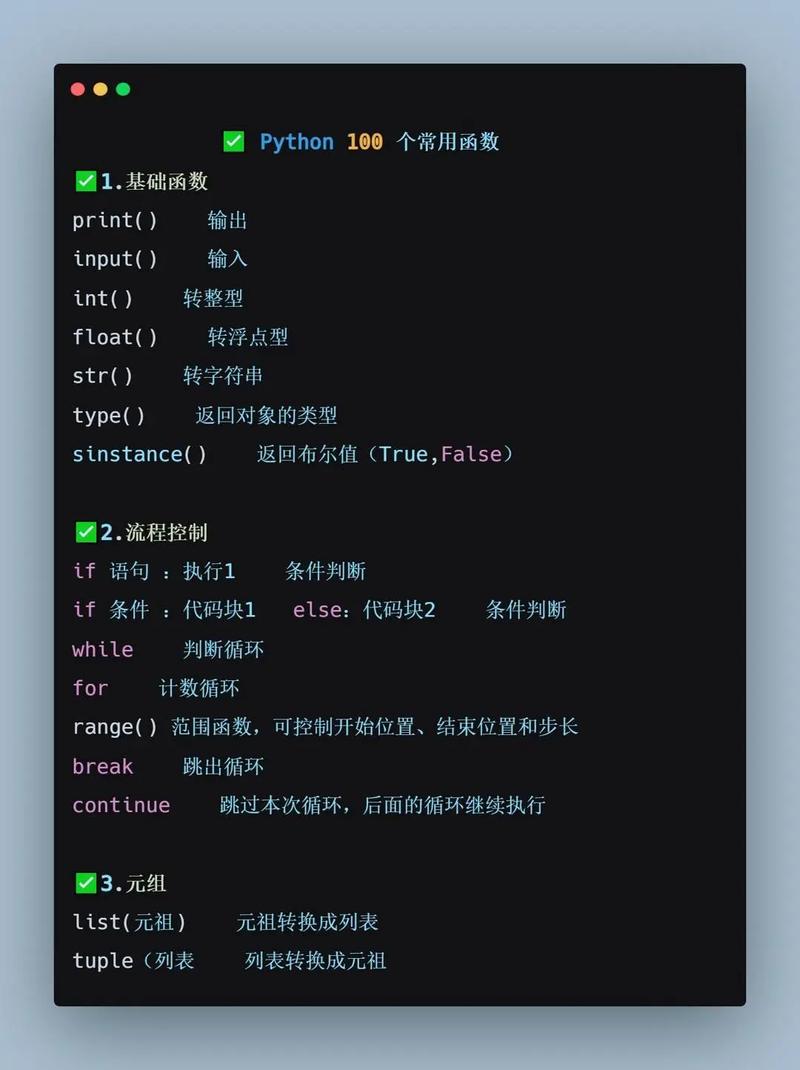
Here’s a breakdown of the most common Python tools, categorized by their purpose.
Data Manipulation and Analysis
This is the core of data science in Python. If you're working with data, you'll use these.
Pandas
The undisputed king of data manipulation in Python. It provides fast, flexible, and expressive data structures designed to make working with "relational" or "labeled" data easy.
- What it does: Provides the
DataFrameobject, which is like a powerful, in-memory spreadsheet or SQL table. It excels at cleaning, transforming, filtering, and aggregating data. - Key Features:
- Reading data from CSVs, Excel, SQL databases, and more.
- Handling missing data.
- Grouping and summarizing data (e.g., "find the average sales per region").
- Merging and joining datasets.
- Common Use Case: Loading a CSV file of sales data, calculating the total revenue per product, and finding the top 10 best-selling products.
import pandas as pd
# Load data from a CSV
df = pd.read_csv('sales_data.csv')
# Calculate total revenue per product
df['revenue'] = df['quantity'] * df['price']
product_revenue = df.groupby('product_name')['revenue'].sum()
# Find the top 10 products
top_10_products = product_revenue.sort_values(ascending=False).head(10)
print(top_10_products)
NumPy
The fundamental package for numerical computation in Python. Pandas is actually built on top of NumPy.
- What it does: Provides the
ndarray(N-dimensional array) object, a high-performance container for large datasets. It's all about fast, vectorized mathematical operations. - Key Features:
- Multi-dimensional arrays.
- Mathematical functions (linear algebra, Fourier transforms, etc.).
- Random number generation.
- Common Use Case: Performing complex mathematical operations on large arrays of numbers much faster than using Python loops.
import numpy as np
# Create an array
a = np.array([1, 2, 3, 4])
# Perform a vectorized operation (fast!)
b = a * 2
print(b) # Output: [2 4 6 8]
Scientific Computing and Visualization
For plotting data and running advanced scientific simulations.
Matplotlib
The foundational plotting library in Python. It's highly customizable and can create almost any static 2D plot you can imagine.
- What it does: Creates static, publication-quality plots. Think of it as the "base layer" for all other plotting libraries.
- Common Use Case: Creating a line chart to show the trend of a stock's price over time.
import matplotlib.pyplot as plt
# Data
months = ['Jan', 'Feb', 'Mar', 'Apr']
sales = [100, 150, 120, 180]
# Create a plot
plt.plot(months, sales, marker='o')
# Add labels and title
plt.xlabel('Month')
plt.ylabel('Sales')'Monthly Sales Trend')
# Show the plot
plt.show()
Seaborn
A high-level interface for Matplotlib. It's designed to work beautifully with Pandas DataFrames and makes creating complex statistical plots incredibly simple.
- What it does: Provides a more abstract, "statistical" approach to plotting. It defaults to aesthetically pleasing styles and color palettes.
- Common Use Case: Creating a
heatmapto visualize the correlation between different columns in a DataFrame.
import seaborn as sns
import pandas as pd
# Create a sample DataFrame
data = {'A': [1, 2, 3, 4], 'B': [4, 3, 2, 1], 'C': [1, 3, 2, 4]}
df = pd.DataFrame(data)
# Create a correlation matrix
corr = df.corr()
# Create a heatmap using Seaborn
sns.heatmap(corr, annot=True, cmap='coolwarm')
plt.show()
Machine Learning and Artificial Intelligence
The go-to libraries for building and training models.

Scikit-learn
The essential library for classical machine learning. It provides simple and efficient tools for data mining and data analysis.
- What it does: Offers a consistent API for almost every common ML task: classification, regression, clustering, dimensionality reduction, and model selection.
- Key Features:
- Includes hundreds of built-in datasets (e.g.,
iris,digits). - Implements all major algorithms (SVM, Random Forest, Logistic Regression, K-Means, etc.).
- Tools for data preprocessing (scaling, encoding) and model evaluation (cross-validation, metrics).
- Includes hundreds of built-in datasets (e.g.,
- Common Use Case: Training a model to classify emails as "spam" or "not spam".
from sklearn.model_selection import train_test_split
from sklearn.svm import SVC
from sklearn.datasets import load_iris
# Load data
iris = load_iris()
X, y = iris.data, iris.target
# Split data into training and testing sets
X_train, X_test, y_train, y_test = train_test_split(X, y, test_size=0.2)
# Create and train a model
model = SVC()
model.fit(X_train, y_train)
# Evaluate the model
accuracy = model.score(X_test, y_test)
print(f"Model accuracy: {accuracy:.2f}")
TensorFlow / PyTorch
The two dominant frameworks for deep learning and neural networks. They are used for building complex models like those for image recognition, natural language processing, and generative AI.
- TensorFlow: Developed by Google. Known for its production-ready capabilities (like TensorFlow Serving) and a high-level API called Keras.
- PyTorch: Developed by Meta. Known for its flexibility and "Pythonic" feel, making it very popular in research.
- Common Use Case: Building a neural network to recognize handwritten digits (the classic MNIST problem).
Web Development
For building websites and web applications.
Flask
A "micro-framework." It's lightweight and gives you the essentials to get a web app running quickly without a lot of boilerplate code.
- What it does: Provides a simple way to handle web requests, render HTML templates, and manage routes (URLs).
- Common Use Case: Building a simple REST API or a small personal blog.
from flask import Flask
app = Flask(__name__)
@app.route('/')
def hello_world():
    return 'Hello, World!'
if __name__ == '__main__':
    app.run(debug=True)
Django
A "batteries-included" full-stack framework. It's more opinionated and provides a complete structure for building large, complex, and database-driven web applications.
- What it does: Comes with an admin panel, an ORM (Object-Relational Mapper) for database interaction, user authentication, and much more out of the box.
- Common Use Case: Building a large e-commerce site or a social media platform.
Task Automation and Scripting
For automating repetitive tasks.
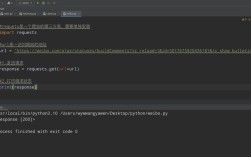
Requests
The de facto standard for making HTTP requests in Python. It's much more user-friendly than the built-in urllib library.
- What it does: Allows you to send HTTP/1.1 requests extremely easily. You can get data from APIs, download files, and interact with web services.
- Common Use Case: Fetching data from a public REST API like OpenWeatherMap.
import requests
# Make a GET request to an API
response = requests.get('https://api.github.com/events')
# Check if the request was successful
if response.status_code == 200:
    # Print the JSON data from the response
    print(response.json())
else:
    print(f"Error: {response.status_code}")
Beautiful Soup
A library for pulling data out of HTML and XML files. It's perfect for web scraping.
- What it does: Parses HTML documents and provides a simple, Pythonic way to navigate, search, and modify the parse tree.
- Common Use Case: Scraping all the headlines from a news website's homepage.
from bs4 import BeautifulSoup
import requests
url = 'http://example.com'
response = requests.get(url)
soup = BeautifulSoup(response.text, 'html.parser')
# Find all the <h1> tags
for heading in soup.find_all('h1'):
    print(heading.text)
Testing and Code Quality
Ensuring your code is reliable, bug-free, and follows best practices.
Pytest
A powerful and popular testing framework. It makes writing simple tests easy and scales to support complex functional testing.
- What it does: Allows you to write test functions (e.g.,
test_my_function()) that can check for expected outcomes. It automatically discovers and runs your tests. - Common Use Case: Writing a test for a function that adds two numbers to ensure it returns the correct result.
# In a file named test_calculator.py
def add(a, b):
    return a + b
def test_add_positive_numbers():
    assert add(2, 3) == 5
def test_add_negative_numbers():
    assert add(-1, -1) == -2
Black
An opinionated code formatter. It automatically reformats your Python code to conform to a single, standardized style.
- What it does: It removes all arguments about code style. Just run
black my_file.pyand it will be perfectly formatted. - Common Use Case: Ensuring your entire codebase follows the same style, making it easier to read and review.
# Before Black
def add(a,b):return a+b
# After running `black my_file.py`
def add(a, b):
    return a + b
Flake8
A tool for enforcing style guide compliance and detecting logical errors in Python code. It combines pycodestyle, PyFlakes, and the McCabe complexity checker.
- What it does: Scans your code for style violations (like unused imports) and potential bugs.
- Common Use Case: Running
flake8in your CI/CD pipeline to prevent "dirty" code from being merged.
Summary Table
| Category | Tool | Primary Purpose |
|---|---|---|
| Data Analysis | Pandas | Data manipulation and analysis (DataFrames) |
| NumPy | Numerical computing (N-dimensional arrays) | |
| Visualization | Matplotlib | Static, customizable 2D plots |
| Seaborn | High-level statistical plots (works with Pandas) | |
| Machine Learning | Scikit-learn | Classical ML algorithms and data preprocessing |
| TensorFlow | Building and deploying production-grade deep learning models | |
| PyTorch | Flexible deep learning framework, popular in research | |
| Web Dev | Flask | Lightweight web framework for APIs and simple apps |
| Django | Full-stack web framework for complex applications | |
| Automation | Requests | Making HTTP requests (e.g., for APIs) |
| Beautiful Soup | Parsing HTML/XML for web scraping | |
| Code Quality | Pytest | Writing and running automated tests |
| Black | Automatically formatting code | |
| Flake8 | Checking for style errors and potential bugs |