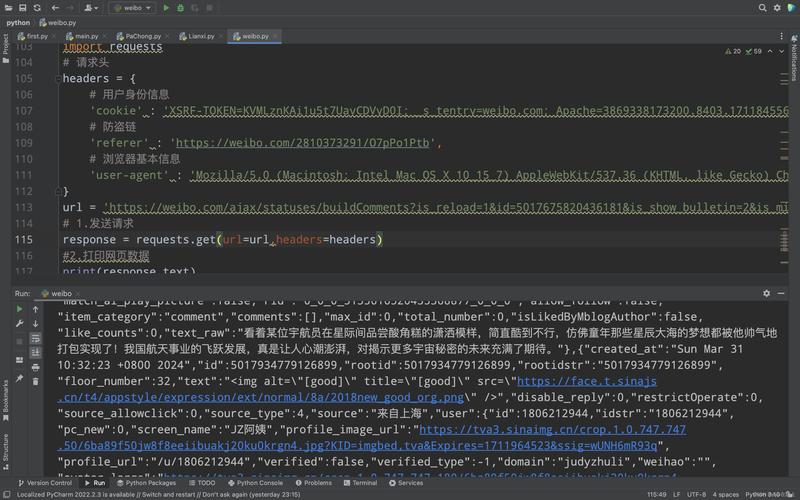
Of course! The phrase "Python response read" can mean a few different things depending on the context. The most common interpretation is reading the body (content) of an HTTP response after making a web request.
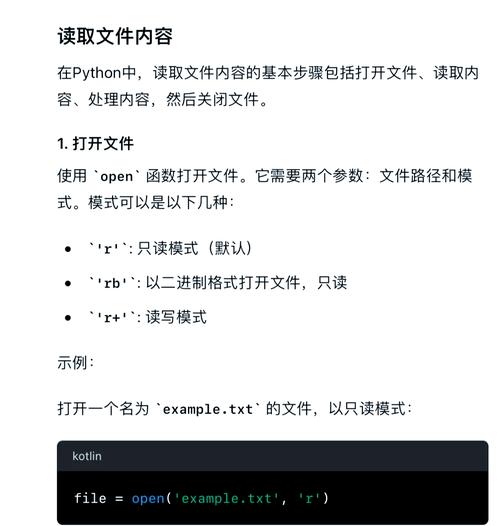
I'll cover this in detail, starting with the most popular library, requests, and then showing how to do it with Python's built-in libraries (http.client and urllib).
The Most Common Case: Reading an HTTP Response with the requests Library
The requests library is the de facto standard for making HTTP requests in Python because of its simplicity. When you get a response object, reading its content is straightforward.
Step 1: Install the requests library
If you don't have it installed, open your terminal or command prompt and run:
pip install requests
Step 2: Make a Request and Read the Response
Here’s a complete example showing the different ways to read the response body.
import requests
# The URL we want to get data from
url = "https://jsonplaceholder.typicode.com/todos/1"
try:
    # Make a GET request to the URL
    response = requests.get(url)
    # This is a crucial step: it will raise an exception for bad status codes (4xx or 5xx)
    response.raise_for_status()
    print("--- Response Details ---")
    print(f"Status Code: {response.status_code}")
    print(f"Headers: {response.headers}")
    print("-" * 25)
    # --- HOW TO READ THE RESPONSE BODY ---
    # Option 1: Read the entire response content as bytes
    # This is useful for images, videos, or any non-text data.
    # print("\n--- Reading as Bytes ---")
    # content_bytes = response.content
    # print(f"Type: {type(content_bytes)}")
    # print(f"First 50 bytes: {content_bytes[:50]}")
    # Option 2: Read the response content as text (decoded from bytes)
    # This is the most common method for text-based content like HTML, JSON, or plain text.
    # Requests automatically guesses the encoding from the headers.
    print("\n--- Reading as Text (Recommended) ---")
    content_text = response.text
    print(f"Type: {type(content_text)}")
    print("Content (first 200 chars):")
    print(content_text[:200])
    # Option 3: Read the response as JSON (if you expect JSON)
    # This is the most convenient and safe way to handle JSON data.
    # It will parse the text into a Python dictionary or list.
    # It will raise an error if the response is not valid JSON.
    print("\n--- Reading as JSON (Best for APIs) ---")
    try:
        json_data = response.json()
        print(f"Type: {type(json_data)}")
        print("Parsed JSON data:")
        print(json_data)
        print(f"User ID: {json_data['userId']}")
        print(f"Title: {json_data['title']}")
    except requests.exceptions.JSONDecodeError:
        print("Response was not valid JSON.")
    # Option 4: Read the response in chunks (for large files)
    # This is memory-efficient for large files because it doesn't load the whole file into memory.
    # print("\n--- Reading in Chunks (for large files) ---")
    # response_chunked = requests.get("https://www.python.org/static/community_logos/python-logo-master-v3-TM.png", stream=True)
    # with open('python_logo.png', 'wb') as f:
    #     for chunk in response_chunked.iter_content(chunk_size=8192):
    #         f.write(chunk)
    # print("Image downloaded successfully.")
except requests.exceptions.HTTPError as errh:
    print(f"Http Error: {errh}")
except requests.exceptions.ConnectionError as errc:
    print(f"Error Connecting: {errc}")
except requests.exceptions.Timeout as errt:
    print(f"Timeout Error: {errt}")
except requests.exceptions.RequestException as err:
    print(f"Oops: Something Else: {err}")
Key Takeaways for requests:
response.text: Reads the response body as a string. Best for HTML, plain text, etc.response.content: Reads the response body as raw bytes. Best for images, files, or when you need to handle encoding yourself.response.json(): Parses the response body as JSON and returns a Python object (dict/list). This is the best practice for working with REST APIs.response.iter_content(): Streams the response in chunks. Essential for downloading large files without crashing your program due to memory issues.
Reading an HTTP Response with Python's Built-in http.client
This method is more verbose but doesn't require installing any external libraries. It's useful for simple scripts or environments where you can't install packages.
import http.client
import json
# The host and the path of the resource
host = "jsonplaceholder.typicode.com"
path = "/todos/1"
# Create an HTTPS connection (use HTTPConnection for 'http')
conn = http.client.HTTPSConnection(host)
try:
    # Make a GET request
    conn.request("GET", path)
    # Get the response object
    response = conn.getresponse()
    print(f"Status Code: {response.status}")
    print(f"Reason: {response.reason}")
    print(f"Headers: {response.headers}")
    # --- HOW TO READ THE RESPONSE BODY ---
    # Option 1: Read the entire body as bytes
    # body_bytes = response.read()
    # print(f"\nBody (bytes): {body_bytes[:50]}...")
    # Option 2: Read the body as a decoded string
    # You need to specify the encoding, which is often in the 'Content-Type' header
    content_type = response.getheader('Content-Type')
    encoding = 'utf-8' # Default
    if 'charset=' in content_type:
        encoding = content_type.split('charset=')[-1]
    body_text = response.read().decode(encoding)
    print(f"\nBody (text): {body_text[:200]}...")
    # Option 3: Parse the JSON text manually
    try:
        json_data = json.loads(body_text)
        print("\nParsed JSON data:")
        print(json_data)
    except json.JSONDecodeError:
        print("\nResponse was not valid JSON.")
finally:
    # It's very important to close the connection
    conn.close()
Key Takeaways for http.client:
- More manual process: create a connection, make a request, get the response, then read the body.
response.read(): Reads the entire response body as bytes.- You have to decode the bytes to a string yourself using
.decode('charset'). - You have to parse the JSON yourself using the
jsonlibrary. - Always close the connection in a
finallyblock to prevent resource leaks.
Reading a File-like Response (e.g., from urllib)
Sometimes, especially with urllib.request, the response object behaves like a file. You can read it line by line or all at once.
from urllib.request import urlopen
import json
url = "https://jsonplaceholder.typicode.com/todos/1"
try:
    # urlopen returns a file-like object
    with urlopen(url) as response:
        # --- HOW TO READ THE RESPONSE BODY ---
        # Option 1: Read the entire content as bytes
        # body_bytes = response.read()
        # print(f"Body (bytes): {body_bytes[:50]}...")
        # Option 2: Read the entire content as a decoded string
        # The .decode() method is often convenient
        body_text = response.read().decode('utf-8')
        print(f"Body (text): {body_text[:200]}...")
        # Option 3: Parse the JSON text manually
        try:
            json_data = json.loads(body_text)
            print("\nParsed JSON data:")
            print(json_data)
        except json.JSONDecodeError:
            print("\nResponse was not valid JSON.")
        # Option 4: Read line by line (less common for APIs, more for text files)
        # response.seek(0) # Go back to the start of the response
        # for line in response:
        #     print(line.decode('utf-8').strip())
except Exception as e:
    print(f"An error occurred: {e}")
Key Takeaways for urllib:
- The
withstatement is highly recommended as it automatically handles closing the response. response.read(): Reads all content as bytes.- Like
http.client, you must decode the bytes and parse the JSON manually.
Summary: Which One Should I Use?
| Method | Best For | Pros | Cons |
|---|---|---|---|
requests |
Almost all web scraping and API interaction. | Extremely easy to use, automatic decoding, built-in JSON parsing, handles sessions, proxies, etc. | Requires an external library (pip install requests). |
http.client |
Simple scripts, environments where you can't install packages. | Built-in, no external dependencies |