Of course! The if-else if-else statement is a fundamental control flow structure in Java (and many other programming languages). It allows your program to execute different blocks of code based on multiple conditions.

Let's break it down, starting from the basics and building up to the full if-else if-else structure.
The Basic if Statement
This is the simplest form. It checks a single condition. If the condition is true, the code inside the if block is executed. If it's false, the code is skipped.
Syntax:
if (condition) {
    // code to execute if the condition is true
}
Example:
int age = 20;
if (age >= 18) {
    System.out.println("You are an adult.");
}
// Output: You are an adult.
The if-else Statement
This adds an alternative. If the if condition is false, the code inside the else block is executed.
Syntax:
if (condition) {
    // code to execute if the condition is true
} else {
    // code to execute if the condition is false
}
Example:
int age = 15;
if (age >= 18) {
    System.out.println("You are an adult.");
} else {
    System.out.println("You are a minor.");
}
// Output: You are a minor.
The if-else if-else Statement (The Main Topic)
This is an extension of the if-else statement. It allows you to check a series of conditions in order. As soon as one condition evaluates to true, its corresponding block of code is executed, and the entire if-else if-else structure is exited. If none of the if or else if conditions are true, the final else block (if it exists) is executed.
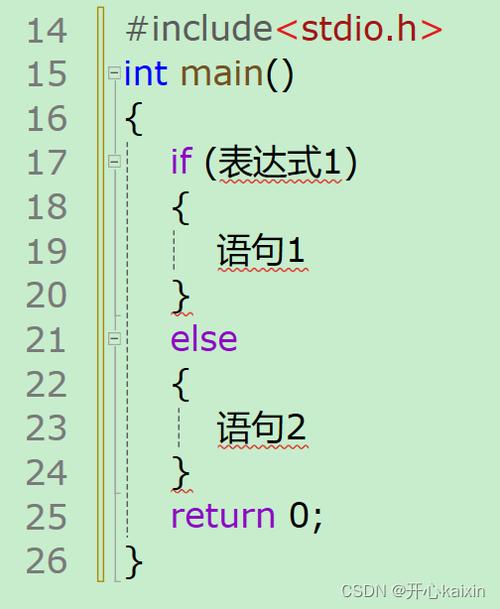
Think of it like a chain of decisions. You check the first one, if it's not right, you move to the next, and so on.
Syntax
if (condition1) {
    // Executes if condition1 is true
} else if (condition2) {
    // Executes if condition1 is false AND condition2 is true
} else if (condition3) {
    // Executes if condition1 and condition2 are false AND condition3 is true
} else {
    // Executes if ALL the above conditions (condition1, condition2, condition3...) are false
}
Key Points to Remember:
- Order Matters: The conditions are checked from top to bottom. The first one that is
true"wins." - Only One Block Executes: Once a condition is met, its code block runs, and the rest of the
else ifandelseparts are completely ignored. - The Final
elseis Optional: You can have aniffollowed by one or moreelse ifs without a finalelse. If none of the conditions are met, nothing happens.
Detailed Example with if-else if-else
Let's categorize a person's age group.
int age = 25;
System.out.println("Checking age category for: " + age);
if (age < 0) {
    System.out.println("Invalid age.");
} else if (age < 13) {
    // This condition is only checked if age >= 0
    System.out.println("You are a child.");
} else if (age < 18) {
    // This condition is only checked if age >= 13 AND age < 18
    System.out.println("You are a teenager.");
} else if (age < 65) {
    // This condition is only checked if age >= 18 AND age < 65
    System.out.println("You are an adult.");
} else {
    // This block runs if all the above conditions were false.
    // This means age must be 65 or greater.
    System.out.println("You are a senior.");
}
// Output:
// Checking age category for: 25
// You are an adult.
How it works with age = 25:
age < 0? (25 < 0) ->false. Move on.age < 13? (25 < 13) ->false. Move on.age < 18? (25 < 18) ->false. Move on.age < 65? (25 < 65) ->true.- The code inside this block (
System.out.println("You are an adult.");) is executed. - The entire
if-else if-elsestatement is now finished. The finalelseis never reached.
- The code inside this block (
Common Pitfalls and Best Practices
a) Using if instead of else if
This is a very common mistake. Look at the difference.
Incorrect Logic:
int score = 85;
if (score > 90) {
    System.out.println("Grade: A");
}
if (score > 80) { // This is a separate 'if', not an 'else if'
    System.out.println("Grade: B");
}
if (score > 70) {
    System.out.println("Grade: C");
}
Output for score = 85:
Grade: B
Grade: C
This is wrong because the program checks every single if condition independently. Since 85 is greater than 80 and also greater than 70, both blocks are executed.
Correct Logic with else if:
int score = 85;
if (score > 90) {
    System.out.println("Grade: A");
} else if (score > 80) { // This is only checked if the first 'if' was false
    System.out.println("Grade: B");
} else if (score > 70) { // This is only checked if the first 'else if' was false
    System.out.println("Grade: C");
}
Output for score = 85:
Grade: BThis is correct. The program finds the first true condition (score > 80) and executes that block, then stops.
b) Using Braces for Single Lines
While Java allows you to omit the curly braces for a single statement after an if or else, it is highly discouraged. It makes your code less readable and much more prone to bugs when you later add more statements to the block.
Bad Practice (Omitting Braces):
int x = 10;
if (x > 5)
    System.out.println("x is greater than 5");
    System.out.println("This line will ALWAYS print, even if x is not > 5!");
Output:
x is greater than 5
This line will ALWAYS print, even if x is not > 5!
The second println is not part of the if block. It's a separate statement that always runs.
Good Practice (Always Use Braces):
int x = 10;
if (x > 5) {
    System.out.println("x is greater than 5");
    // If you need to add more code here, it's already correctly grouped.
}
System.out.println("This line is correctly outside the if block.");
Summary Table
| Statement Type | When to Use | How Many Blocks Can Run? |
|---|---|---|
if |
Check one condition. | 0 or 1 |
if-else |
Check one condition with a single alternative. | Exactly 1 |
if-else if-else |
Check multiple, mutually exclusive conditions in order. | Exactly 1 (or 0 if no else and all ifs are false) |