Of course! In Python, the standard and most reliable way to split a filename from its extension is by using the os.path.splitext() function.
This is the recommended approach because it correctly handles different operating systems (Windows, macOS, Linux) and various edge cases that a simple string rfind or split might miss.
The Best Method: os.path.splitext()
This function is part of Python's built-in os.path module, which is designed for this exact purpose.
How it Works
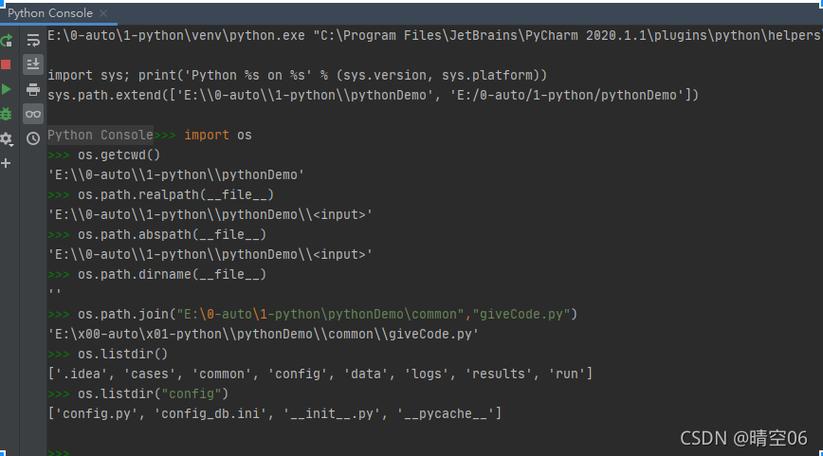
os.path.splitext(path) splits the path into a pair (root, ext) such that root + ext == path, and ext is empty or begins with a period () and contains at most one period.
Key characteristics:
- It only splits the last extension.
- The extension (
.txt,.zip,.tar.gz) is returned, including the leading dot. - The root (everything before the last extension) is returned.
Examples
Let's see it in action with a common filename.
import os.path
filename = "my_document_v2.1_final.txt"
# Split the path into root and extension
root, ext = os.path.splitext(filename)
print(f"Original filename: '{filename}'")
print(f"Root: '{root}'")
print(f"Extension: '{ext}'")
Output:
Original filename: 'my_document_v2.1_final.txt'
Root: 'my_document_v2.1_final'
Extension: '.txt'
Handling Different Scenarios
os.path.splitext() is robust and handles many common cases correctly.
Filenames with Multiple Dots
It only splits on the last dot, which is usually the correct behavior for extensions.
import os.path
# A common case for compressed files
path = "archive.tar.gz"
root, ext = os.path.splitext(path)
print(f"Path: '{path}'")
print(f"Root: '{root}'") # Becomes 'archive.tar'
print(f"Extension: '{ext}'") # Becomes '.gz'
Filenames with No Extension
If there's no extension, the ext part will be an empty string.
import os.path
path = "README"
root, ext = os.path.splitext(path)
print(f"Path: '{path}'")
print(f"Root: '{root}'") # Becomes 'README'
print(f"Extension: '{ext}'") # Becomes ''
Filenames Starting with a Dot (Hidden Files)
Hidden files on Unix-like systems (e.g., .bashrc) are handled correctly. The leading dot is not considered the start of an extension.
import os.path
path = ".bashrc"
root, ext = os.path.splitext(path)
print(f"Path: '{path}'")
print(f"Root: '{root}'") # Becomes '.bashrc'
print(f"Extension: '{ext}'") # Becomes ''
Paths with Directories
The function works on full paths, not just filenames. It correctly isolates the filename part and then splits its extension.
import os.path
# A full path on a Unix-like system
path = "/home/user/documents/report_final.docx"
root, ext = os.path.splitext(path)
print(f"Path: '{path}'")
print(f"Root: '{root}'") # Becomes '/home/user/documents/report_final'
print(f"Extension: '{ext}'") # Becomes '.docx'
# A full path on Windows
win_path = "C:\\Users\\Public\\Pictures\\vacation.jpg"
win_root, win_ext = os.path.splitext(win_path)
print(f"\nPath: '{win_path}'")
print(f"Root: '{win_root}'") # Becomes 'C:\\Users\\Public\\Pictures\\vacation'
print(f"Extension: '{win_ext}'") # Becomes '.jpg'
Common Pitfalls: Why Not str.rsplit() or str.rfind()?
While you might see people use other methods, they are often less reliable.
Pitfall 1: Using rsplit('.', 1)
This splits the string from the right by one occurrence of the dot.
filename = "my_document_v2.1_final.txt"
# Using rsplit
parts = filename.rsplit('.', 1)
# parts is now ['my_document_v2.1_final', 'txt']
if len(parts) > 1:
    root = parts[0]
    ext = '.' + parts[1]
else:
    root = parts[0]
    ext = ''
print(f"Root from rsplit: '{root}'")
print(f"Extension from rsplit: '{ext}'")
Why it's problematic:
- Fails with no extension:
filename = "README"would result inparts = ['README'], and your logic would have to handle this special case. - Fails with hidden files:
filename = ".bashrc"would result inparts = ['', 'bashrc'], incorrectly giving you a root of and an extension of.bashrc.
Pitfall 2: Using rfind('.')
This finds the last occurrence of a dot and slices the string.
filename = "my_document_v2.1_final.txt"
dot_index = filename.rfind('.')
if dot_index != -1:
    root = filename[:dot_index]
    ext = filename[dot_index:]
else:
    root = filename
    ext = ''
print(f"Root from rfind: '{root}'")
print(f"Extension from rfind: '{ext}'")
Why it's problematic:
- Fails with no extension:
filename = "README"would correctly result inroot = 'README'andext = ''. - Fails with hidden files:
filename = ".bashrc"would incorrectly give youroot = ''andext = '.bashrc'.
Summary: os.path.splitext() is the Winner
| Method | Pros | Cons | Recommendation |
|---|---|---|---|
os.path.splitext() |
Robust, correct, handles OS differences, hidden files, no extension, multiple dots. | Requires an import. | Highly Recommended. This is the standard, correct way. |
str.rsplit('.', 1) |
Simple logic, no import. | Fails on hidden files (.bashrc) and requires manual checks for no extension. |
Not recommended. Error-prone. |
str.rfind('.') |
Simple logic, no import. | Fails on hidden files (.bashrc). |
Not recommended. Error-prone. |
Final takeaway: Always use os.path.splitext() for splitting file extensions in Python. It's the tool designed for this job and will save you from subtle bugs.