
Of course! Let's break down how to start a thread in Python, from the basic concept to practical examples and best practices.
The Core Concept: threading.Thread
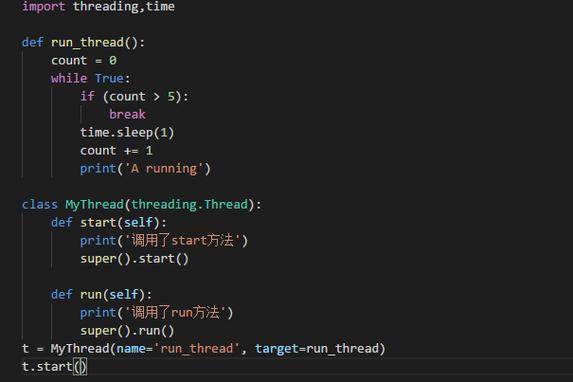
In Python, the threading module is the primary way to work with threads. The key object is the Thread class.
To start a thread, you follow these two simple steps:
- Create a
Threadobject: You tell it which function (or method) it should run. - Call the
.start()method: This is the crucial step. It tells the Python interpreter to actually begin executing the function in a new, separate thread of control.
Basic Example: A Simple Function
Let's start with the most straightforward case: running a simple function in a new thread.
import threading
import time
def my_function(seconds):
    """A simple function that waits for a given number of seconds."""
    thread_id = threading.get_ident()
    print(f"Thread {thread_id}: Started. Will sleep for {seconds} seconds.")
    time.sleep(seconds)
    print(f"Thread {thread_id}: Finished sleeping.")
# --- Main part of the script ---
if __name__ == "__main__":
    print("Main script: Starting a new thread.")
    # 1. Create a Thread object.
    #    - `target`: The function the thread will execute.
    #    - `args`: A tuple of arguments to pass to the target function.
    my_thread = threading.Thread(target=my_function, args=(5,))
    # 2. Start the thread.
    #    This tells the OS to create a new thread and begin running my_function in it.
    my_thread.start()
    print("Main script: The new thread has been started.")
    print("Main script: I can do other work here while the other thread is running.")
    # 3. Wait for the thread to complete (optional but highly recommended).
    #    The main script will pause at this line until my_thread has finished.
    my_thread.join()
    print("Main script: The new thread has finished. Exiting.")
Output (will be slightly different each time due to timing):
Main script: Starting a new thread.
Main script: The new thread has been started.
Thread 140123456789120: Started. Will sleep for 5 seconds.
Main script: I can do other work here while the other thread is running.
Thread 140123456789120: Finished sleeping.
Main script: The new thread has finished. Exiting.
Key Points:
target=my_function: This specifies the "worker" function.args=(5,): We pass arguments to the target function as a tuple. Notice the comma:(5,)is a tuple with one element, while(5)is just the number5..start(): This is the magic method. It doesn't run the function immediately; it schedules it to run in a new thread..join(): This is essential for synchronization. It makes the main thread wait until the thread youjoin()has completed. Without it, the main script might exit before your new thread has a chance to finish.
Example: Using a Class Method as the Target
It's very common to encapsulate thread logic in a class.
import threading
import time
class TaskRunner:
    def __init__(self, duration):
        self.duration = duration
    def run_task(self):
        """This method will be executed by the thread."""
        thread_id = threading.get_ident()
        print(f"Class Thread {thread_id}: Running task for {self.duration} seconds.")
        time.sleep(self.duration)
        print(f"Class Thread {thread_id}: Task complete.")
if __name__ == "__main__":
    runner = TaskRunner(3)
    # Create the thread, targeting the instance method
    class_thread = threading.Thread(target=runner.run_task)
    print("Main script: Starting the class-based thread.")
    class_thread.start()
    print("Main script: Doing other things...")
    class_thread.join()
    print("Main script: Class-based thread finished.")
Sharing Data Between Threads (The Challenge)
Threads share the same memory space. This is powerful but dangerous. If multiple threads try to read and write the same variable at the same time, you can get race conditions, leading to corrupted or unpredictable data.
Example of a Race Condition:

import threading
# A shared variable
shared_counter = 0
def increment_counter():
    global shared_counter
    for _ in range(1_000_000):
        shared_counter += 1 # This is NOT an atomic operation
if __name__ == "__main__":
    threads = []
    for _ in range(5):
        thread = threading.Thread(target=increment_counter)
        threads.append(thread)
        thread.start()
    for thread in threads:
        thread.join()
    print(f"Final counter value: {shared_counter}")
    # Expected: 5,000,000
    # Actual: Almost always a number much lower than that!
Why does this happen?
The line shared_counter += 1 involves three steps:
- Read
shared_counterfrom memory. - Add 1 to it.
- Write the new value back to memory.
If two threads interleave these steps, they can read the same old value, both add 1, and both write back the same new value, effectively losing one increment.
The Solution: Locks
To fix this, we use a Lock (also called a mutex). A lock ensures that only one thread can execute a specific piece of code at a time.
import threading
shared_counter = 0
# Create a lock object
lock = threading.Lock()
def increment_counter_safe():
    global shared_counter
    for _ in range(1_000_000):
        with lock: # Acquire the lock, execute block, then release it automatically
            shared_counter += 1
if __name__ == "__main__":
    threads = []
    for _ in range(5):
        thread = threading.Thread(target=increment_counter_safe)
        threads.append(thread)
        thread.start()
    for thread in threads:
        thread.join()
    print(f"Final counter value: {shared_counter}")
    # Output: Final counter value: 5000000 (Correct!)
The with lock: statement:
- When a thread enters the
withblock, it tries to acquire the lock. - If the lock is available, it gets it and executes the code inside the block.
- If another thread already holds the lock, the first thread will wait (block) until the lock is released.
- When the
withblock is exited (even if an error occurs), the lock is automatically released. This prevents deadlocks from forgetting to release a lock.
Summary: Key Steps to Start a Thread
- Import the module:
import threading - Define a target function: This is the code your thread will execute.
- Create the
Threadobject:my_thread = threading.Thread(target=your_function, args=(arg1, arg2))
- Start the thread:
my_thread.start() - (Recommended) Wait for completion:
my_thread.join() - (If sharing data) Use a Lock:
lock = threading.Lock()and wrap critical code inwith lock:.











