Of course! The Pandas Index is a fundamental concept that is crucial for effectively using the library. Let's break it down from a simple analogy to the technical details and common operations.
The Simple Analogy: A Library's Card Catalog
Imagine a DataFrame is a giant library of books (your data rows).
- The data (columns like
Title,Author,Page Count) are the books themselves. - The Index is the library's card catalog. It doesn't contain the book's content, but it provides a unique, labeled identifier for each book.
Without the card catalog (index), finding a specific book would be incredibly slow—you'd have to look through every single book one by one. With the card catalog, you can instantly find the location of any book by its unique ID.
In Pandas, the index serves the same purpose:
- Identification: It provides a label for each row.
- Efficiency: It allows for extremely fast lookups, selection, and alignment of data.
- Alignment: It's the magic behind why operations between DataFrames "just work" by matching on index labels.
What is an Index?
An Index is an immutable, ordered sequence of labels used to identify rows in a Pandas Series or DataFrame.
- Immutable: You generally can't change the labels of an index in place. Instead, you create a new one.
- Ordered: The labels have a specific order.
- Not Part of the Data: It's a separate object from the data columns. This is a key difference from NumPy arrays.
By default, Pandas creates an integer-based index starting from 0 (0, 1, 2, ...). This is called a default index or RangeIndex.
import pandas as pd
import numpy as np
# Create a DataFrame with the default integer index
df_default = pd.DataFrame({'A': [1, 2, 3], 'B': [4, 5, 6]})
print("DataFrame with Default Index:")
print(df_default)
print("\nType of the index:", type(df_default.index))
Output:
DataFrame with Default Index:
   A  B
0  1  4
1  2  5
2  3  6
Type of the index: <class 'pandas.core.indexes.range.RangeIndex'>
Setting a Meaningful Index
The real power of the index comes when you set it to something meaningful from your data, like a unique ID, a timestamp, or a name.
You can set the index when creating a DataFrame or after using the .set_index() method.
Method 1: During DataFrame Creation
Use the index= parameter.
# Create a DataFrame with a custom string index
data = {'Product': ['A', 'B', 'C'], 'Sales': [100, 150, 120]}
df_custom = pd.DataFrame(data, index=['North', 'South', 'West'])
print("DataFrame with Custom Index:")
print(df_custom)
Output:
DataFrame with Custom Index:
       Product  Sales
North        A    100
South        B    150
West         C    120
Method 2: Using .set_index()
This is the most common way. It takes the name of a column to use as the new index.
# Create a DataFrame with a column that will become the index
df = pd.DataFrame({
    'employee_id': ['E001', 'E002', 'E003', 'E004'],
    'name': ['Alice', 'Bob', 'Charlie', 'David'],
    'department': ['HR', 'IT', 'IT', 'Finance']
})
print("Original DataFrame:")
print(df)
# Set 'employee_id' as the index
df_indexed = df.set_index('employee_id')
print("\nDataFrame after setting index:")
print(df_indexed)
Output:
Original DataFrame:
  employee_id     name department
0        E001    Alice         HR
1        E002      Bob         IT
2        E003  Charlie         IT
3        E004    David    Finance
DataFrame after setting index:
            name department
employee_id
E001        Alice         HR
E002          Bob         IT
E003      Charlie         IT
E004        David    Finance
Common Index Operations
Here are the most frequent things you'll do with an index.
a) Selecting Data by Index Label
Use .loc[] for label-based selection. This is the primary way to leverage your custom index.
# Using the DataFrame from the previous example
df_indexed = df.set_index('employee_id')
# Select a single row by its index label
print("Selecting employee 'E002':")
print(df_indexed.loc['E002'])
# Select multiple rows using a list of labels
print("\nSelecting employees 'E001' and 'E003':")
print(df_indexed.loc[['E001', 'E003']])
Output:
Selecting employee 'E002':
name          Bob
department     IT
Name: E002, dtype: object
Selecting employees 'E001' and 'E003':
            name department
employee_id
E001        Alice         HR
E003      Charlie         IT
b) Resetting the Index
If you want to turn the current index back into a regular column, use .reset_index().
inplace=True: Modifies the DataFrame directly.inplace=False(default): Returns a new DataFrame.
print("DataFrame with a custom index:")
print(df_indexed)
# Reset the index
df_reset = df_indexed.reset_index()
print("\nDataFrame after resetting index:")
print(df_reset)
Output:
DataFrame with a custom index:
            name department
employee_id
E001        Alice         HR
E002          Bob         IT
E003      Charlie         IT
E004        David    Finance
DataFrame after resetting index:
  employee_id     name department
0        E001    Alice         HR
1        E002      Bob         IT
2        E003  Charlie         IT
3        E004    David    Finance
A useful parameter is drop=True. If you don't need the old index as a column, this prevents it from being added back into the DataFrame.
c) Sorting by Index
You can sort your DataFrame by the index using .sort_index().
# Create an unsorted index
df_unsorted = pd.DataFrame({'value': [10, 20, 30]}, index=['C', 'A', 'B'])
print("Unsorted DataFrame:")
print(df_unsorted)
# Sort the index
df_sorted = df_unsorted.sort_index()
print("\nDataFrame sorted by index:")
print(df_sorted)
Output:
Unsorted DataFrame:
   value
C     10
A     20
B     30
DataFrame sorted by index:
   value
A     20
B     30
C     10
d) Index Hierarchy (MultiIndex)
For complex data, you can have a hierarchical index, or MultiIndex. This is extremely powerful for representing higher-dimensional data in a 2D table.
# Create a MultiIndex from tuples
index = pd.MultiIndex.from_tuples([('East', 'Q1'), ('East', 'Q2'), ('West', 'Q1'), ('West', 'Q2')])
# Create a DataFrame with the MultiIndex
df_multi = pd.DataFrame({'Sales': [100, 110, 90, 95]}, index=index)
df_multi.index.names = ['Region', 'Quarter'] # Name the levels
print("DataFrame with MultiIndex:")
print(df_multi)
Output:
DataFrame with MultiIndex:
             Sales
Region Quarter
East   Q1       100
       Q2       110
West   Q1        90
       Q2        95
You can select data from a MultiIndex by passing a tuple to .loc[].
# Select all data for the 'East' region
print("\nSelecting 'East' region:")
print(df_multi.loc['East'])
# Select a specific cell
print("\nSelecting 'West', 'Q2':")
print(df_multi.loc[('West', 'Q2')])
Index vs. Columns
| Feature | Index | Columns |
|---|---|---|
| Purpose | Identifies rows. | Represents variables/features of the data. |
| Selection | Accessed with .loc[]. |
Accessed with [] (dot notation for simple names). |
| Uniqueness | Labels do not have to be unique (but it's highly recommended for performance). | Column names must be unique. |
| Default | RangeIndex (0, 1, 2, ...). |
No default; you must define them or Pandas uses numbers (0, 1, 2, ...). |
| Analogy | Card Catalog ID for a book. | The book's attributes (Title, Author, etc.). |
Performance and Why It Matters
Using a well-chosen index (especially a unique one) can dramatically speed up your data operations.
- Fast Lookups: Finding a row by its index label is like looking up a word in a dictionary—it's very fast (O(log n) complexity). Searching without an index is like reading a book from cover to cover (O(n) complexity).
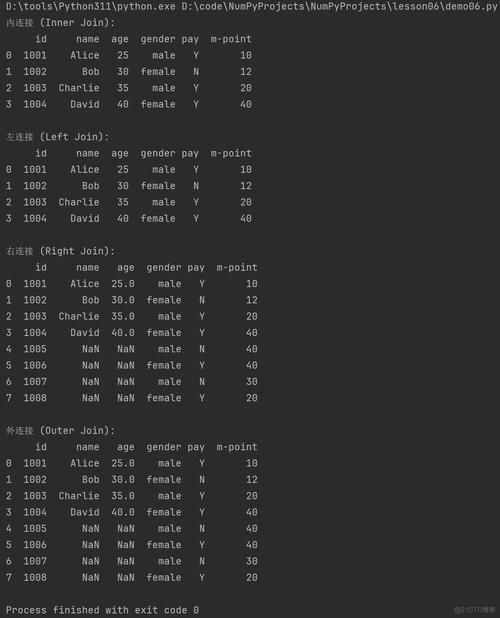
- Efficient Merging and Joining: When you join two DataFrames, Pandas uses the indexes to align rows, which is much faster than searching column values.
- Alignment in Arithmetic: Pandas aligns data based on index labels before performing operations.
# Create two Series with different indexes
s1 = pd.Series([1, 2, 3], index=['a', 'b', 'c'])
s2 = pd.Series([4, 5, 6], index=['b', 'c', 'd'])
# Pandas aligns them on the common index labels ('b', 'c')
# and fills non-matching labels with NaN (Not a Number)
result = s1 + s2
print(result)
Output:
a    NaN
b    6.0  # 2 + 4
c    8.0  # 3 + 5
d    NaN
dtype: float64
Summary
| Task | Method / Code |
|---|---|
| Create with Index | pd.DataFrame(data, index=['lab1', 'lab2']) |
| Set Existing Column as Index | df.set_index('column_name') |
| Reset Index to Default | df.reset_index() |
| Select by Index Label | df.loc['label'] or df.loc[['lab1', 'lab2']] |
| Sort by Index | df.sort_index() |
| Get Index Object | df.index |
| Get Index Name | df.index.name |
| Set Index Name | df.index.name = 'new_name' |
Mastering the Index is a key step in moving from basic Pandas usage to more advanced, efficient, and "Pythonic" data analysis. Always think about what makes the most sense to identify your rows uniquely and meaningfully.