Of course! Let's dive deep into java.sql.Statement, a fundamental interface in Java for interacting with a database.
What is java.sql.Statement?
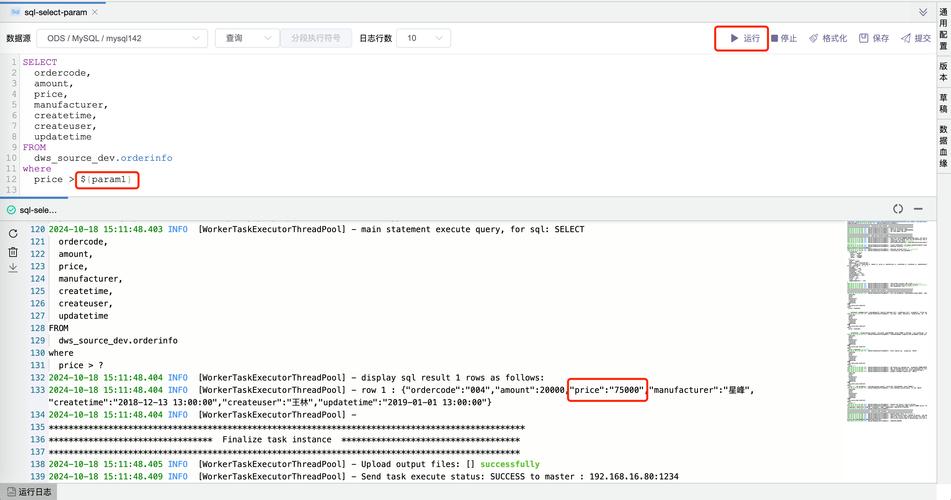
In JDBC (Java Database Connectivity), Statement is an interface that represents a pre-compiled SQL statement. It's the most basic way to send SQL commands to your database. Think of it as a simple messenger that takes your SQL string and delivers it to the database for execution.
When you use a Statement object, the database has to parse, compile, and optimize the SQL query every single time you execute it. This makes it less efficient for repeated queries.
The Hierarchy of JDBC Statement Objects
It's crucial to understand that Statement is part of a hierarchy. The modern and recommended approach is to use its sub-interfaces:
Statement: The basic interface. Used for executing simple SQL statements with no parameters.PreparedStatement: (Highly Recommended). An extension ofStatement. It pre-compiles the SQL statement with placeholders (). This is more efficient and secures against SQL Injection.CallableStatement: An extension ofPreparedStatement. Used to execute stored procedures in the database.
For most use cases, you should almost always prefer PreparedStatement.
Key Methods of java.sql.Statement
Here are the most important methods you'll use:
| Method | Description |
|---|---|
executeQuery(String sql) |
Executes a SQL query (e.g., SELECT) and returns a ResultSet containing the data. |
executeUpdate(String sql) |
Executes an SQL statement that doesn't return a result set (e.g., INSERT, UPDATE, DELETE). Returns an int representing the number of rows affected. |
execute(String sql) |
A general-purpose method that can execute any kind of SQL statement. Returns true if the first result is a ResultSet, false if it's an update count or there are no results. |
addBatch(String sql) |
Adds a SQL command to a batch of commands to be executed later. |
executeBatch() |
Executes all the commands added to the batch. Returns an array of int (update counts for each command). |
clearBatch() |
Empties the current batch of commands. |
close() |
Releases the Statement object's database and JDBC resources immediately. This is very important to prevent resource leaks! |
How to Use java.sql.Statement (Code Example)
Here’s a complete, step-by-step example of how to use a Statement to insert data into a table.
Prerequisites
-
JDBC Driver: You need the JDBC driver for your specific database (e.g.,
mysql-connector-java.jarfor MySQL,postgresql.jarfor PostgreSQL). -
Database Table: Let's assume you have a table named
employees. (图片来源网络,侵删)
CREATE TABLE employees ( id INT PRIMARY KEY AUTO_INCREMENT, name VARCHAR(100), position VARCHAR(100), salary DECIMAL(10, 2) );
Java Code using Statement
import java.sql.Connection;
import java.sql.DriverManager;
import java.sql.Statement;
import java.sql.SQLException;
public class StatementExample {
    // Replace with your database connection details
    private static final String DB_URL = "jdbc:mysql://localhost:3306/your_database";
    private static final String USER = "your_username";
    private static final String PASS = "your_password";
    public static void main(String[] args) {
        // The try-with-resources statement ensures that the connection is closed automatically.
        try (Connection conn = DriverManager.getConnection(DB_URL, USER, PASS)) {
            if (conn != null) {
                System.out.println("Connected to the database successfully!");
                // 1. Create a Statement object
                // Note: Using Statement.RETURN_GENERATED_KEYS is good practice if you need the auto-generated ID.
                Statement stmt = conn.createStatement();
                // 2. Define the SQL INSERT statement
                String sql = "INSERT INTO employees (name, position, salary) VALUES ('Alice Smith', 'Software Engineer', 85000.00)";
                // 3. Execute the update
                int rowsAffected = stmt.executeUpdate(sql);
                // 4. Check the result
                if (rowsAffected > 0) {
                    System.out.println(rowsAffected + " row(s) inserted successfully.");
                }
                // 5. Close the Statement (done automatically by try-with-resources if stmt is created inside the try block)
                // stmt.close(); // Not needed if stmt is created inside the try block
            }
        } catch (SQLException e) {
            System.err.println("Database error: " + e.getMessage());
            e.printStackTrace();
        }
    }
}
Statement vs. PreparedStatement (The Critical Comparison)
This is the most important concept to grasp. You should almost always choose PreparedStatement.
| Feature | Statement |
PreparedStatement |
|---|---|---|
| SQL Injection | Vulnerable. If you build the SQL string from user input, malicious users can inject harmful SQL code. | Secure. Input is treated as data, not as part of the SQL command, preventing injection. |
| Performance | Slower for repeated queries. The database re-parses and re-compiles the query every time it's executed. | Faster for repeated queries. The query is pre-compiled once, and only parameters are changed on subsequent executions. |
| Syntax | Simple. SQL is a single string. | Uses placeholders () for parameters. Parameters are set separately using setString(), setInt(), etc. |
| Readability | Can be messy when many variables are concatenated into the SQL string. | Cleaner and more readable, separating the SQL logic from the data. |
| Use Case | Good for one-off, static SQL commands where you are 100% sure there is no user input. | The standard for all other cases. Especially for queries that run in loops or take user input. |
Example of SQL Injection Vulnerability with Statement
// DANGEROUS CODE - DO NOT USE!
String username = "admin";
String password = "' OR '1'='1"; // Malicious input
String sql = "SELECT * FROM users WHERE username = '" + username + "' AND password = '" + password + "'";
// The final SQL becomes:
// SELECT * FROM users WHERE username = 'admin' AND password = '' OR '1'='1'
// This condition is always true, allowing the attacker to log in as any user.
Best Practices and Important Considerations
-
Always Use
try-with-resources: This is the modern, safe way to handle resources likeConnection,Statement, andResultSet. It automatically calls theclose()method for you, even if an exception occurs, preventing resource leaks.try (Connection conn = DriverManager.getConnection(...); Statement stmt = conn.createStatement(); ResultSet rs = stmt.executeQuery("...")) { // work with the result set } catch (SQLException e) { // handle exception } // conn, stmt, and rs are all closed automatically here -
Prefer
PreparedStatement: As emphasized, usePreparedStatementunless you have a very specific reason not to. It is safer, more readable, and more performant. -
Batch Updates: For inserting or updating a large number of rows, using
addBatch()andexecuteBatch()is significantly more efficient than executing statements one by one.try (Connection conn = ...; Statement stmt = ...) { conn.setAutoCommit(false); // Important for batch operations stmt.addBatch("INSERT INTO ..."); stmt.addBatch("UPDATE ..."); int[] results = stmt.executeBatch(); conn.commit(); // Commit the transaction } catch (SQLException e) { // conn.rollback(); // Rollback on error }
Summary
| Concept | Key Takeaway |
|---|---|
| What it is | A basic JDBC interface for sending SQL commands to a database. |
| How it works | Sends a raw SQL string to the database to be parsed and compiled on each execution. |
| Security | Vulnerable to SQL Injection if user input is not properly sanitized. |
| Performance | Inefficient for repeated queries. |
| Recommendation | Avoid using Statement for dynamic queries. Always prefer PreparedStatement for its security, performance, and readability benefits. Use Statement only for simple, static, one-off commands. |