Of course. Here is "Python in a Nutshell," a comprehensive yet concise overview covering its core philosophy, key features, and common use cases.
The Big Picture: What is Python?
Python is a high-level, interpreted, general-purpose programming language. Think of it as a powerful, versatile tool that excels at being readable and getting things done quickly.
Its most famous feature is its emphasis on readability. Python code often looks like plain English, making it one of the easiest languages for beginners to learn and one of the most productive for experts to use.
The Zen of Python
This is the guiding philosophy of the language. You can see it by typing import this in a Python interpreter. The key takeaways are:
- Readability counts.
- Simple is better than complex.
- There should be one-- and preferably only one --obvious way to do it.
- Now is better than never.
Core Features & Characteristics
Interpreted, Not Compiled
You don't need to compile your Python code into a machine-readable file first. An interpreter reads your code line by line and executes it. This makes the development cycle incredibly fast—you write a little code, test it, and see the result immediately.
Dynamically Typed
You don't need to declare the type of a variable (e.g., int, string). The type is inferred at runtime.
# Python
x = 10        # x is an integer
x = "hello"   # Now x is a string
This is flexible but can lead to runtime errors that a statically-typed language (like Java or C++) would catch at compile time.
Indentation is Syntax
Unlike other languages that use curly braces to define code blocks (like functions, loops, and conditionals), Python uses whitespace and indentation. This enforces clean, readable code by removing the debate over where to put braces.
# Correct indentation
def greet(name):
    if name: # The block starts here
        print(f"Hello, {name}!")
    else:    # Another block
        print("Hello, World!")
# Incorrect indentation (will cause an error)
def bad_greet(name):
    if name:
    print(f"Hello, {name}!") # Error: expected an indented block
Batteries Included
This phrase refers to Python's rich standard library. It comes with a huge collection of pre-built modules and functions for handling common tasks like:
- File I/O (
os,shutil) - Web requests (
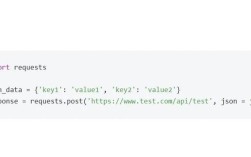
urllib,requests- a popular third-party library) - Data structures (
collections) - Regular expressions (
re) - And much more.
Object-Oriented and Procedural
Python supports multiple programming paradigms. You can write simple procedural scripts or create complex, reusable object-oriented classes.
Key Data Structures
Python has four essential built-in data structures that you'll use constantly.
Lists (Ordered & Mutable)
A collection of items, enclosed in square brackets []. You can change, add, or remove items after creation.
fruits = ["apple", "banana", "cherry"]
fruits.append("orange")      # Add to the end
fruits[0] = "avocado"        # Change an item
print(fruits) # Output: ['avocado', 'banana', 'cherry', 'orange']
Tuples (Ordered & Immutable)
A collection of items, enclosed in parentheses . Once created, you cannot change, add, or remove items. They are used for data that should not be modified.
coordinates = (10.0, 20.0)
# coordinates[0] = 5.0  # This would cause an error!
Dictionaries (Unordered Key-Value Pairs)
A collection of key-value pairs, enclosed in curly braces . Extremely fast for looking up values by their key.
person = {
    "name": "Alice",
    "age": 30,
    "city": "New York"
}
print(person["name"]) # Output: Alice
Sets (Unordered & Unique)
A collection of unique items, enclosed in curly braces or created with the set() function. Useful for mathematical operations like union, intersection, and difference.
unique_numbers = {1, 2, 2, 3, 4, 4, 4}
print(unique_numbers) # Output: {1, 2, 3, 4}
Essential Syntax at a Glance
# --- Variables ---
name = "Python"
version = 3.10
is_awesome = True
# --- Conditionals ---
if version > 3.8:
    print("You're using a modern version!")
elif version == 3.8:
    print("It's 3.8.")
else:
    print("You might want to upgrade.")
# --- Loops ---
# Loop through a list
fruits = ["apple", "banana", "cherry"]
for fruit in fruits:
    print(fruit)
# Loop with a counter
for i in range(5):
    print(i)
# --- Functions ---
def greet(greeting, name="World"):
    """This is a docstring. It explains the function."""
    return f"{greeting}, {name}!"
message = greet("Hello", "Bob")
print(message) # Output: Hello, Bob!
# --- Classes ---
class Dog:
    def __init__(self, name, age):
        self.name = name
        self.age = age
    def bark(self):
        return f"{self.name} says: Woof!"
my_dog = Dog("Rex", 5)
print(my_dog.bark()) # Output: Rex says: Woof!
Why is Python So Popular? (Use Cases)
Python's versatility is a huge part of its success.
-
Data Science & Machine Learning: This is Python's killer app.
- Libraries:
NumPy(numerical computing),Pandas(data manipulation),Matplotlib&Seaborn(data visualization),TensorFlow&PyTorch(machine learning).
- Libraries:
-
Web Development:
- Frameworks:
Django(batteries-included, for large applications) andFlask(lightweight and flexible, for smaller apps).
- Frameworks:
-
Automation & Scripting:
Automate boring tasks like renaming files, sending emails, scraping websites, or managing system administration. It's the "glue language" of the programming world.
-
Scientific Computing & Finance:
Used in engineering, physics, finance, and quantitative analysis for modeling, simulation, and data analysis.
-
Game Development & APIs:
- Libraries like
Pygameare great for 2D game prototyping. Python is also excellent for building the backend of web APIs.
- Libraries like
Pros and Cons
| Pros | Cons |
|---|---|
| Easy to Learn & Read | Slower Performance (than compiled languages) |
| Massive Standard Library & Ecosystem | High Memory Consumption |
| Cross-Platform (Windows, macOS, Linux) | Global Interpreter Lock (GIL) can limit multi-threading performance |
| Huge Community & Support | Not Ideal for Mobile App Development |
| Versatile (Web, Data, AI, etc.) |
How to Get Started
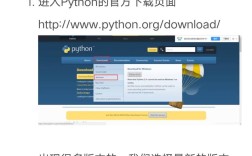
- Install Python: Go to python.org and download the latest version.
- Choose an Editor: Use a simple one like VS Code (highly recommended) or IDLE (comes with Python).
- Write Your First Script: Create a file named
hello.pyand addprint("Hello, World!"). - Run It: Open your terminal or command prompt, navigate to the file's directory, and type
python hello.py.
In a nutshell, Python is the ultimate "get it done" language. Its simplicity and power have made it a dominant force in the modern tech landscape.