Of course! Here is a comprehensive guide on how to perform UPDATE operations in MySQL using Python, covering the best practices, security, and common scenarios.
We will use the mysql-connector-python library, which is the official driver from Oracle. The same principles apply to other libraries like PyMySQL.
Prerequisites: Installation and Setup
First, ensure you have the MySQL connector installed. If not, open your terminal or command prompt and run:
pip install mysql-connector-python
You'll also need a running MySQL server and a database to work with. For this example, let's assume you have a database named mydb and a table named employees.
Sample Table employees:
CREATE TABLE employees (
    id INT AUTO_INCREMENT PRIMARY KEY,
    name VARCHAR(100) NOT NULL,
    position VARCHAR(100),
    salary DECIMAL(10, 2),
    last_updated TIMESTAMP DEFAULT CURRENT_TIMESTAMP ON UPDATE CURRENT_TIMESTAMP
);
-- Insert some sample data
INSERT INTO employees (name, position, salary) VALUES
('Alice', 'Software Engineer', 90000.00),
('Bob', 'Project Manager', 85000.00),
('Charlie', 'Data Analyst', 70000.00);
The Basic UPDATE Query
The fundamental SQL UPDATE statement looks like this:
UPDATE table_name
SET column1 = value1, column2 = value2, ...
WHERE condition;
The most critical part is the WHERE clause. If you forget it, you will update every single row in the table!
Connecting to MySQL in Python
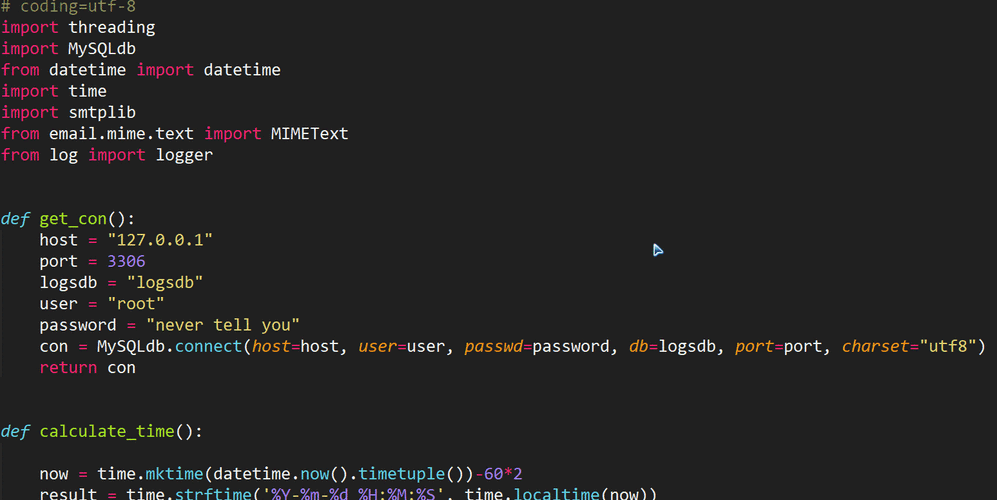
First, let's create a reusable function to establish a database connection. This is good practice for managing resources.
import mysql.connector
from mysql.connector import Error
def create_db_connection(host_name, user_name, user_password, db_name=None):
    """Creates a database connection to a MySQL server."""
    connection = None
    try:
        if db_name:
            connection = mysql.connector.connect(
                host=host_name,
                user=user_name,
                passwd=user_password,
                database=db_name
            )
        else:
            connection = mysql.connector.connect(
                host=host_name,
                user=user_name,
                passwd=user_password
            )
        print("MySQL connection successful")
    except Error as e:
        print(f"Error while connecting to MySQL: {e}")
    return connection
# --- Usage Example ---
# Replace with your own credentials
db_connection = create_db_connection("localhost", "your_username", "your_password", "mydb")
The Core Update Function (with Security)
We will create a function that takes a connection, the table name, a dictionary of columns to update, and the WHERE clause parameters. This approach is secure and flexible.
The Secure Way: Using Parameterized Queries
This is the most important security practice. It prevents SQL Injection attacks by separating the SQL query logic from the data.
We will use %s as a placeholder in our query and pass the values as a separate tuple to the execute() method.
def update_record(connection, table_name, set_values, where_conditions):
    """
    Updates a record in the specified table.
    :param connection: MySQLConnection object
    :param table_name: Name of the table to update
    :param set_values: A dictionary of {'column': 'new_value'}
    :param where_conditions: A dictionary of {'column': 'value'} for the WHERE clause
    """
    cursor = connection.cursor()
    # Build the SET part of the query
    set_clause = ", ".join([f"{key} = %s" for key in set_values.keys()])
    # Build the WHERE part of the query
    where_clause = " AND ".join([f"{key} = %s" for key in where_conditions.keys()])
    # Combine into the full query
    query = f"UPDATE {table_name} SET {set_clause} WHERE {where_clause}"
    # Combine values for execute
    values = tuple(set_values.values()) + tuple(where_conditions.values())
    try:
        cursor.execute(query, values)
        connection.commit() # Commit the changes to the database
        print(f"{cursor.rowcount} record(s) updated successfully.")
    except Error as e:
        print(f"Error executing update: {e}")
        connection.rollback() # Rollback in case of error
    finally:
        cursor.close()
# --- Usage Example ---
# 1. Update Bob's salary to 88000
update_query_set = {'salary': 88000.00}
update_query_where = {'name': 'Bob'}
update_record(db_connection, 'employees', update_query_set, update_query_where)
# 2. Update Charlie's position and salary
update_query_set = {'position': 'Senior Data Analyst', 'salary': 75000.00}
update_query_where = {'name': 'Charlie'}
update_record(db_connection, 'employees', update_query_set, update_query_where)
Why is this secure?
The mysql-connector library is smart enough to treat the values in the values tuple as literal data, not as part of the SQL command. An attacker cannot inject malicious SQL this way.
Complete Runnable Example
Here is a full script you can save and run to see the entire process in action.
import mysql.connector
from mysql.connector import Error
# --- Connection Function (from above) ---
def create_db_connection(host_name, user_name, user_password, db_name=None):
    connection = None
    try:
        if db_name:
            connection = mysql.connector.connect(
                host=host_name,
                user=user_name,
                passwd=user_password,
                database=db_name
            )
        else:
            connection = mysql.connector.connect(
                host=host_name,
                user=user_name,
                passwd=user_password
            )
        print("MySQL connection successful")
    except Error as e:
        print(f"Error while connecting to MySQL: {e}")
    return connection
# --- Update Function (from above) ---
def update_record(connection, table_name, set_values, where_conditions):
    cursor = connection.cursor()
    set_clause = ", ".join([f"{key} = %s" for key in set_values.keys()])
    where_clause = " AND ".join([f"{key} = %s" for key in where_conditions.keys()])
    query = f"UPDATE {table_name} SET {set_clause} WHERE {where_clause}"
    values = tuple(set_values.values()) + tuple(where_conditions.values())
    try:
        cursor.execute(query, values)
        connection.commit()
        print(f"{cursor.rowcount} record(s) updated successfully.")
    except Error as e:
        print(f"Error executing update: {e}")
        connection.rollback()
    finally:
        cursor.close()
# --- Helper function to display data ---
def display_employees(connection):
    cursor = connection.cursor()
    try:
        cursor.execute("SELECT id, name, position, salary FROM employees")
        results = cursor.fetchall()
        print("\n--- Current Employee Data ---")
        for row in results:
            print(f"ID: {row[0]}, Name: {row[1]}, Position: {row[2]}, Salary: {row[3]}")
        print("------------------------------\n")
    except Error as e:
        print(f"Error fetching data: {e}")
    finally:
        cursor.close()
# --- Main Execution ---
if __name__ == "__main__":
    # IMPORTANT: Replace with your actual MySQL credentials
    DB_HOST = "localhost"
    DB_USER = "your_username"
    DB_PASS = "your_password"
    DB_NAME = "mydb"
    # 1. Connect to the database
    conn = create_db_connection(DB_HOST, DB_USER, DB_PASS, DB_NAME)
    if conn is not None:
        # 2. Display initial data
        display_employees(conn)
        # 3. Perform an update
        print("Updating Bob's salary...")
        update_record(conn, 'employees', {'salary': 88000.00}, {'name': 'Bob'})
        # 4. Display data after update
        display_employees(conn)
        # 5. Close the connection
        conn.close()
        print("MySQL connection is closed.")
Advanced: Updating from User Input
A common use case is updating a record based on user input. Never format strings with user input directly into the query. Always use the parameterized query method shown above.
# --- Example: Interactive Update ---
def interactive_update(conn):
    if conn is None:
        print("Database connection not established.")
        return
    # 1. Get user input
    employee_name = input("Enter the name of the employee to update: ")
    new_salary = input("Enter the new salary: ")
    # 2. Prepare data for the function
    # Convert salary to a float
    try:
        new_salary_float = float(new_salary)
    except ValueError:
        print("Invalid salary entered.")
        return
    set_values = {'salary': new_salary_float}
    where_conditions = {'name': employee_name}
    # 3. Call the secure update function
    update_record(conn, 'employees', set_values, where_conditions)
# To run this, you would call it after establishing a connection:
# interactive_update(conn)
Summary of Best Practices
- Always Use Parameterized Queries: Use
%splaceholders and pass values as a tuple tocursor.execute(). This is non-negotiable for security. - Commit Your Changes: After an
UPDATE,INSERT, orDELETE, you must callconnection.commit()to save the changes to the database. - Handle Errors: Wrap your database logic in a
try...exceptblock to catch potentialErrors from the MySQL server. - Rollback on Failure: If an error occurs, call
connection.rollback()to undo any changes made during the current transaction. - Close Cursors and Connections: Use a
finallyblock to ensure yourcursorandconnectionare always closed, preventing resource leaks. - Use Context Managers (
withstatement): For modern Python, you can usewithstatements to automatically handle closing the cursor and connection.
# Modern 'with' statement example for a cursor
with db_connection.cursor() as cursor:
    cursor.execute("UPDATE employees SET salary = %s WHERE name = %s", (90000, 'Alice'))
db_connection.commit()