Of course! The term "readline" in Python can refer to two main things:
- Reading a file line by line: This is the most common and fundamental use. It's the standard way to process large files efficiently.
- Reading a line of user input from the console: This is a separate, built-in function for interactive programs.
Let's break down both, starting with the most common one.
Reading a File Line-by-Line (The Most Common "Readline")
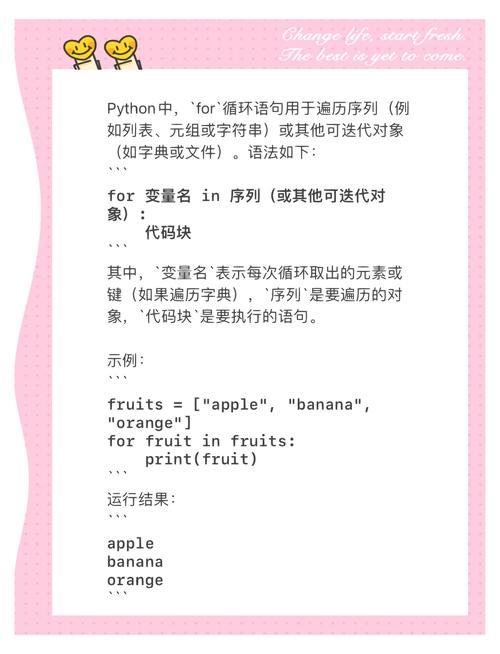
The best way to read a file line by line in modern Python (version 3+) is by using a for loop directly on the file object. This is highly efficient because it doesn't load the entire file into memory at once. Instead, it reads one line at a time.
The Best Practice: Using a for loop
This is the recommended, "Pythonic" way.
# The 'with' statement is best practice. It automatically closes the file for you.
try:
    with open('my_file.txt', 'r') as file:
        for line in file:
            # The 'line' variable will contain each line of the file,
            # including the trailing newline character '\n'.
            # You can process it here.
            print(line, end='') # Use end='' to avoid double newlines
except FileNotFoundError:
    print("Error: The file was not found.")
except IOError:
    print("Error: An I/O error occurred.")
Explanation:
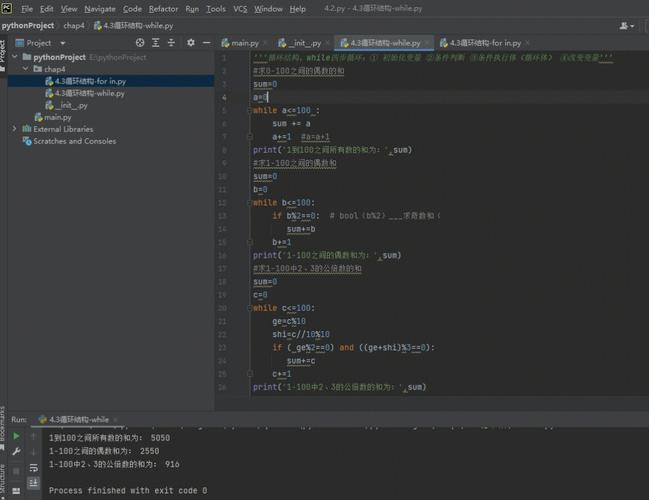
with open(...) as file:: This opens the file in read mode ('r'). Thewithstatement ensures that the file is automatically closed when you're done, even if errors occur.for line in file:: This is the magic part. The file object is an iterator. The loop iterates over it, yielding one line at a time.print(line, end=''): By default,print()adds a newline character (\n) at the end. Since the line we read from the file already has a newline, we useend=''to prevent a blank line from being printed after each line of content.
The readline() Method (Older, but Still Useful)
Before the for loop method became standard, the file.readline() method was the primary way to read lines one by one. It's still useful in specific scenarios, like when you need to read a specific number of lines or want more manual control over the reading process.
readline() reads from the current position in the file until it finds a newline character (\n) and returns that line as a string. If it reaches the end of the file, it returns an empty string ().
Example: Using readline() in a while loop
try:
    with open('my_file.txt', 'r') as file:
        while True:
            line = file.readline()
            # If readline() returns an empty string, we've reached the end of the file.
            if not line:
                break
            # Process the line
            print(line, end='')
except FileNotFoundError:
    print("Error: The file was not found.")
When to use readline() instead of a for loop?
- Reading a specific number of lines: You can easily stop after a certain number of iterations.
- Interactive input from a file: You can call
readline()and then decide what to do next based on the result, before reading the next line. - Backward compatibility: For very old Python codebases.
Reading User Input from the Console (The input() function)
This is a completely different function, but its name is often confused with file reading. The built-in input() function reads a single line from standard input (your keyboard) and returns it as a string (without the trailing newline).
Example: Using input()
# Prompt the user for their name
name = input("Please enter your name: ")
# The 'input()' function waits for the user to type something and press Enter.
# The value is stored in the 'name' variable.
print(f"Hello, {name}!")
Key characteristics of input():
- It's a blocking function. Your program will pause and wait for user input.
- It always returns a string. If you need a number, you must convert it using
int()orfloat().age_str = input("Enter your age: ") age_int = int(age_str) # Convert string to integer print(f"You will be {age_int + 1} next year.") - It reads from standard input (stdin), not a file.
Summary and Comparison
| Feature | for line in file: |
file.readline() |
input() |
|---|---|---|---|
| Purpose | Read a file line-by-line | Read a single line from a file | Read a single line from user input |
| Source | A file object | A file object | Standard Input (keyboard) |
| Return Value | The line (as part of the loop) | The line as a string, or at EOF | The user's input as a string |
| Memory Usage | Very low (efficient for large files) | Low (reads one line at a time) | Very low (reads one line) |
| Best For | Most cases. Simple, clean, Pythonic. | When you need manual control or to read a specific number of lines. | Interactive console applications. |
| Pythonic? | Yes, highly. | No, considered older style. | Yes, it's the standard way. |
Quick Reference: Choosing the Right Method
-
"I need to process every line in a text file."
- Use:
with open(...) as f: for line in f:
- Use:
-
"I need to read a file, but maybe stop after 10 lines or decide what to do next based on the content."
- Use:
with open(...) as f: while True: line = f.readline(); if not line: break
- Use:
-
"My script needs to ask the user for a filename or some other data."
- Use:
user_data = input("Please enter... ")
- Use: