
Of course! The phrase "python dict in keys" can mean a few different things. I'll cover the most common interpretations, from the most literal to the most practical.
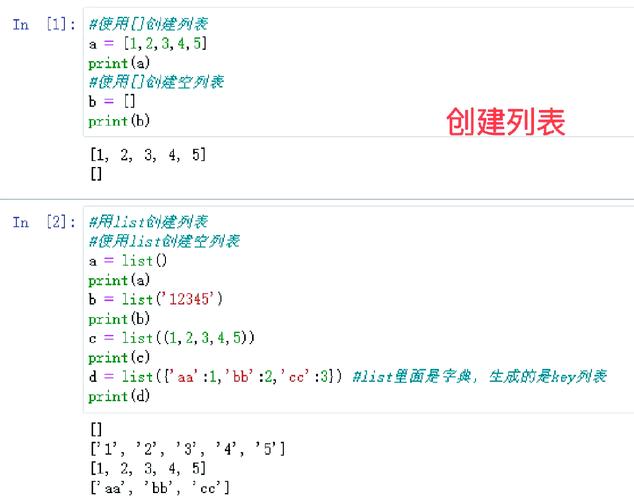
Let's assume we have a sample dictionary for our examples:
my_dict = {
    'a': 1,
    'b': 2,
    'c': 3,
    'd': 4
}
Checking if an Item is a Dictionary Key (Most Common)
This is the most frequent use case: you want to check if a specific value exists as a key in a dictionary.
Method 1: Using the in Operator (Recommended)
This is the most Pythonic, readable, and efficient way to check for the existence of a key. It checks the dictionary's keys.
# Check if 'b' is a key
print('b' in my_dict)  # Output: True
# Check if 'z' is a key
print('z' in my_dict)  # Output: False
Method 2: Using the .keys() Method
You can also use the .keys() method, which returns a view of all the keys. The in operator works on this view as well. While it works, it's slightly less direct than using in my_dict.

# Check if 'a' is a key using .keys()
print('a' in my_dict.keys())  # Output: True
# Check if 'x' is a key using .keys()
print('x' in my_dict.keys())  # Output: False
Method 3: Using the .get() Method (Safe for Values)
This method is more for safely checking for a key to avoid a KeyError. It's not typically used for a simple True/False check like the in operator, but it's good to know.
# .get() returns the value if the key exists, or a default (None) if it doesn't.
# We can use this to check if the result is not None.
if my_dict.get('b') is not None:
    print("Key 'b' exists and its value is:", my_dict.get('b'))
# Output: Key 'b' exists and its value is: 2
if my_dict.get('z') is not None:
    print("This will not print")
else:
    print("Key 'z' does not exist.")
# Output: Key 'z' does not exist.
Iterating Over the Keys of a Dictionary
Sometimes "in keys" refers to looping through the keys of a dictionary.
Method 1: The Direct Way (Most Pythonic)
By default, when you loop through a dictionary, you are looping through its keys.
for key in my_dict:
    print(key)
# Output:
# a
# b
# c
# d
Method 2: Explicitly Using .keys()
This is more verbose but makes your intent crystal clear. It's often preferred in codebases for readability.

for key in my_dict.keys():
    print(key)
# Output:
# a
# b
# c
# d
Creating a Dictionary from a List of Keys
This might be what you mean if you want to initialize a dictionary where the keys come from another data structure (like a list or a tuple), and all values are set to a default (usually None).
You can do this easily using a dictionary comprehension.
# A list of keys you want in your new dictionary
keys_from_list = ['name', 'age', 'city']
# Create the dictionary using a comprehension
new_dict = {key: None for key in keys_from_list}
print(new_dict)
# Output: {'name': None, 'age': None, 'city': None}
Common Pitfall: Confusing Keys with Values
A very common mistake for beginners is using the in operator to check if a value exists in a dictionary.
# Our sample dictionary
my_dict = {'a': 1, 'b': 2, 'c': 3}
# WRONG: This checks if 1 is a key, which it is not.
print(1 in my_dict)  # Output: False
# RIGHT: To check if a value exists, you must use `in dict.values()`
print(1 in my_dict.values())  # Output: True
Summary Table
| Your Goal | The Correct Pythonic Way | Example |
|---|---|---|
| Check if an item is a key | key in my_dict |
'b' in my_dict (returns True) |
| Loop through the keys | for key in my_dict: |
for key in my_dict: print(key) |
| Initialize a dict from a list of keys | {key: None for key in my_list} |
new_dict = {k: None for k in ['name', 'age']} |
| Check if an item is a value | value in my_dict.values() |
2 in my_dict.values() (returns True) |
| Get all keys as a list | list(my_dict.keys()) |
keys = list(my_dict.keys()) (gives ['a', 'b', 'c', 'd']) |
For most situations, the in operator is your best friend for checking keys.











