
Of course! The term "Python match search" can refer to a few different things, but it most commonly means using the match statement for pattern matching, which was introduced in Python 3.10.
Let's break it down into the most likely interpretations:
- The
matchstatement (Structural Pattern Matching) - The modern, powerful way to handle complex conditional logic. - Searching for a Substring or Pattern - The classic way to find text within a string using methods like
in,.find(), or regular expressions (remodule). - Searching for a Value in a Collection - Checking if an item exists in a list, tuple, set, or dictionary.
The match Statement (Structural Pattern Matching)
This is the most direct answer to "Python match search". It's a control flow structure that lets you check a variable's value against a series of "patterns" and execute code based on the first one that matches. It's like a more powerful version of a series of if/elif/else statements.
Basic Syntax
match subject:
    case pattern1:
        # code to run if pattern1 matches
    case pattern2:
        # code to run if pattern2 matches
    case _:
        # code to run if no other patterns match (like a default 'else')
Key Features & Examples
a) Literal Matching You can match against specific values like numbers or strings.
status_code = 200
match status_code:
    case 200:
        print("OK: Request successful")
    case 404:
        print("Not Found: The requested resource was not found")
    case 500:
        print("Internal Server Error")
    case _: # The wildcard case acts as a default
        print(f"Unknown status code: {status_code}")
b) Variable Capture You can capture parts of a match into a new variable.

user_input = "Hello, my name is Alex"
match user_input:
    case "Hello, my name is " + name: # Capture the name part
        print(f"Hello, {name}! Nice to meet you.")
    case "Goodbye, my name is " + name:
        print(f"Goodbye, {name}. See you later.")
    case _:
        print("Standard greeting or unknown input.")
c) Sequence Matching You can match the structure of sequences like lists or tuples.
def process_command(command):
    # command is expected to be a tuple like ('GET', '/home', 'HTTP/1.1')
    match command:
        case ('GET', path, 'HTTP/1.1'):
            print(f"Processing GET request for {path}")
        case ('POST', path, 'HTTP/1.1'):
            print(f"Processing POST request for {path}")
        case _:
            print("Invalid or unsupported command format")
process_command(('GET', '/users', 'HTTP/1.1')) # Output: Processing GET request for /users
process_command(('PUT', '/data', 'HTTP/1.1')) # Output: Invalid or unsupported command format
d) Class Matching (The Killer Feature)
This is where match truly shines. You can match against the type and attributes of an object.
class Point:
    def __init__(self, x, y):
        self.x = x
        self.y = y
    # Good practice for readability
    def __repr__(self):
        return f"Point(x={self.x}, y={self.y})"
def describe_point(point):
    match point:
        case Point(x=0, y=0):
            print("The point is at the origin.")
        case Point(x=0, y=y):
            print(f"The point is on the y-axis at {y}.")
        case Point(x=x, y=0):
            print(f"The point is on the x-axis at {x}.")
        case Point(x=x, y=y):
            print(f"The point is at ({x}, {y}).")
        case _:
            print("This is not a Point object.")
p_origin = Point(0, 0)
p_y_axis = Point(0, 10)
p_generic = Point(5, 8)
describe_point(p_origin)
describe_point(p_y_axis)
describe_point(p_generic)
Searching for a Substring or Pattern
This is the traditional way to search for text within a string.
a) Using the in keyword (Simple Check)
The most straightforward way to check for the existence of a substring. It returns True or False.
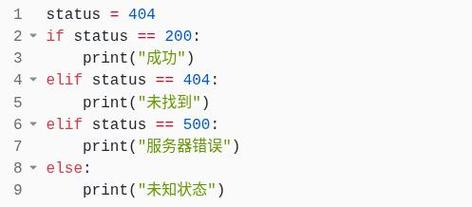
sentence = "The quick brown fox jumps over the lazy dog"
if "fox" in sentence:
    print("Found the fox!") # This will print
if "cat" in sentence:
    print("Found the cat!") # This will not print
b) Using the .find() method (Get the Index)
Returns the lowest index where the substring is found. If not found, it returns -1.
sentence = "The quick brown fox jumps over the lazy dog"
index = sentence.find("fox")
if index != -1:
    print(f"The word 'fox' starts at index: {index}") # Output: 16
else:
    print("The word 'fox' was not found.")
index_cat = sentence.find("cat")
print(f"The word 'cat' was found at index: {index_cat}") # Output: -1
c) Using the .index() method (Get the Index, but Raises an Error)
Similar to .find(), but it raises a ValueError if the substring is not found. Use this if you consider a "not found" result to be an error that should stop your program.
sentence = "The quick brown fox jumps over the lazy dog"
try:
    index = sentence.index("fox")
    print(f"The word 'fox' starts at index: {index}") # Output: 16
except ValueError:
    print("The word 'fox' was not found.")
# This would cause an error, so it's in a try/except block
# sentence.index("cat")
d) Using Regular Expressions (re module) (Advanced Pattern Search)
For complex pattern matching (e.g., finding email addresses, phone numbers, or variations of a word), the re module is the standard tool.
import re
text = "Contact me at support@example.com or sales@my-company.co.uk."
# Find all email addresses in the text
# The pattern r'[\w\.-]+@[\w\.-]+\.\w+' is a common regex for emails
emails = re.findall(r'[\w\.-]+@[\w\.-]+\.\w+', text)
print(f"Found emails: {emails}")
# Output: Found emails: ['support@example.com', 'sales@my-company.co.uk']
# Search for the first occurrence
match = re.search(r'[\w\.-]+@[\w\.-]+\.\w+', text)
if match:
    print(f"First email found: {match.group()}")
    # You can also get its position
    print(f"Starts at index: {match.start()}, Ends at index: {match.end()}")
Searching for a Value in a Collection
This is about checking for membership in data structures like lists, tuples, sets, and dictionaries.
a) Lists and Tuples
Use the in keyword. For large lists, this can be slow (O(n) complexity) because Python has to check every element.
primes = [2, 3, 5, 7, 11, 13, 17]
if 7 in primes:
    print("7 is a prime number.") # This will print
if 9 in primes:
    print("9 is a prime number.") # This will not print
b) Sets
Sets are optimized for fast membership testing. Using in with a set is extremely fast (O(1) complexity on average).
primes_set = {2, 3, 5, 7, 11, 13, 17}
if 7 in primes_set:
    print("7 is a prime number.") # This will print
if 9 in primes_set:
    print("9 is a prime number.") # This will not print
c) Dictionaries
By default, in checks for the existence of a key, not a value.
user = {"name": "Alice", "id": 101, "email": "alice@example.com"}
if "id" in user:
    print("The 'id' key exists in the dictionary.") # This will print
if "Alice" in user:
    print("The 'Alice' value exists in the dictionary.") # This will NOT print
# To check for a value, use .values()
if "Alice" in user.values():
    print("The 'Alice' value exists in the dictionary.") # This will print
Summary: Which One Should I Use?
| Your Goal | The Right Tool |
|---|---|
| Check a variable against multiple complex conditions | match statement (Python 3.10+). Best for control flow and object deconstruction. |
| Check if a simple substring exists in a string | in keyword or .find() method. |
| Find all complex patterns in a string (e.g., emails) | re module (Regular Expressions). |
| Check if a value exists in a list/tuple | in keyword. |
| Check if a value exists in a set (fastest way) | in keyword. |
| Check if a key exists in a dictionary | in keyword. |
| Check if a value exists in a dictionary | value in my_dict.values(). |











