Java Properties 文件的编码历史
在 Java 9 之前,.properties 文件一直存在一个“历史遗留问题”:
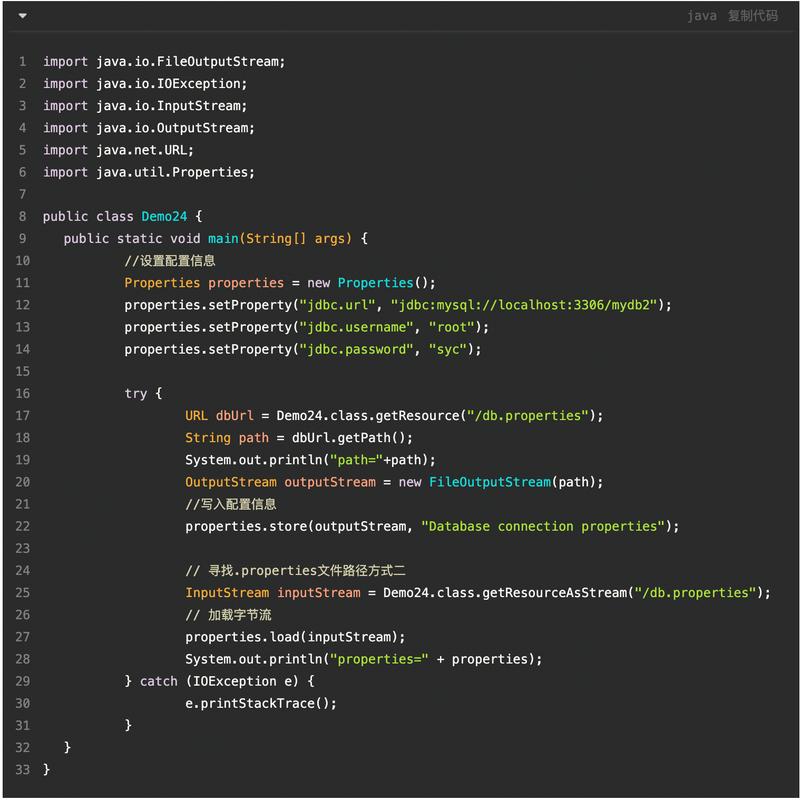
- 默认编码是 ISO-8859-1,而不是我们常用的 UTF-8 或 GBK。
- ISO-8859-1 是一个单字节编码,它无法直接表示中文字符,中文字符“中”在 UTF-8 中占3个字节,在 ISO-8859-1 中无法被识别。
在 Java 9 之前,处理中文 Properties 文件有几种主流方法,但都伴随着一些不便,从 Java 9 开始,这个问题得到了很好的解决。
Java 9 之前(经典乱码问题)
在 Java 9 之前,如果你直接在 .properties 文件中写入中文,然后在 Java 代码中读取,几乎一定会得到乱码。
问题复现
config.properties 文件内容 (使用 GBK 编码保存):
# 这是一个注释
welcome.message=欢迎使用我们的系统
user.name=张三
PropertiesReader.java 读取代码:
import java.io.FileInputStream;
import java.io.IOException;
import java.io.InputStream;
import java.util.Properties;
public class PropertiesReader {
    public static void main(String[] args) {
        Properties props = new Properties();
        // 使用 try-with-resources 确保 InputStream 被关闭
        try (InputStream input = new FileInputStream("config.properties")) {
            // 加载属性文件
            props.load(input);
            // 获取并打印属性值
            String welcome = props.getProperty("welcome.message");
            String username = props.getProperty("user.name");
            System.out.println("Welcome Message: " + welcome);
            System.out.println("User Name: " + username);
        } catch (IOException e) {
            e.printStackTrace();
        }
    }
}
可能出现的输出 (乱码):
Welcome Message: 欢连使用我们的系统
User Name: å¼ ä¸‰这是因为 props.load(input) 默认使用 ISO-8859-1 解码 GBK 编码的字节流,导致字符解析错误。
Java 9 之前的解决方案
使用 native2ascii 工具 (官方推荐)
native2ascii 是 JDK 自带的一个工具,它的作用就是将包含非 ASCII 字符(如中文)的文本转换为所有字符都用 \uXXXX Unicode 转义序列表示的形式。
步骤:
-
创建原始的
config.properties文件 (GBK 编码):welcome.message=欢迎使用我们的系统 user.name=张三
-
使用
native2ascii命令转换文件: 打开命令行,进入项目目录,执行以下命令:native2ascii -encoding GBK config.properties config_zh_CN.properties
-
查看转换后的
config_zh_CN.properties文件: 它的内容会变成这样:welcome.message=\u4F60\u597D\uff0C\u6B22\u8FCE\u4F7F\u7528\u6211\u4EEC\u7684\u7CFB\u7EDF user.name=\u5F20\u4E09
注意:
你好,欢迎使用我们的系统被转换成了\u4F60\u597D\uff0c\u6B22\u8FCE\u4F7F\u7528\u6211\u4EEC\u7684\u7CFB\u7EDF。 -
在 Java 代码中读取转换后的文件: 你的 Java 代码无需任何修改,直接读取
config_zh_CN.properties即可,因为Properties.load()能完美处理这种 Unicode 转义格式。
优点:官方标准,兼容性最好。 缺点:需要手动转换步骤,文件可读性差。
Java 9 及之后 (推荐做法)
从 Java 9 开始,Properties 类得到了重大改进,支持指定编码来加载和存储 .properties 文件,这从根本上解决了中文乱码问题,使得我们可以直接使用 UTF-8 编码的 .properties 文件。
新增的方法
load(Reader reader): 从字符流(Reader)中加载属性,Reader 可以指定编码(如InputStreamReader)。store(Writer writer, String comments): 将属性存储到字符流(Writer)中,Writer 可以指定编码(如OutputStreamWriter)。
解决方案:使用 InputStreamReader 指定编码
config.properties 文件内容 (直接使用 UTF-8 编码保存):
# 这是一个注释
welcome.message=欢迎使用我们的系统
user.name=张三
PropertiesReaderJava9.java 读取代码:
import java.io.FileInputStream;
import java.io.IOException;
import java.io.InputStreamReader;
import java.nio.charset.StandardCharsets;
import java.util.Properties;
public class PropertiesReaderJava9 {
    public static void main(String[] args) {
        Properties props = new Properties();
        // 使用 try-with-resources
        try (
            // 1. 创建字节输入流
            FileInputStream fis = new FileInputStream("config.properties");
            // 2. 创建 InputStreamReader,并明确指定编码为 UTF-8
            InputStreamReader isr = new InputStreamReader(fis, StandardCharsets.UTF_8)
        ) {
            // 3. 使用 load(Reader) 方法加载
            props.load(isr);
            // 获取并打印属性值
            String welcome = props.getProperty("welcome.message");
            String username = props.getProperty("user.name");
            System.out.println("Welcome Message: " + welcome);
            System.out.println("User Name: " + username);
        } catch (IOException e) {
            e.printStackTrace();
        }
    }
}
输出 (正确显示):
Welcome Message: 欢迎使用我们的系统
User Name: 张三优点:
- 可读性高,方便直接编辑。
- 无需额外的转换工具,流程更简单。
- 这是现代 Java 开发的标准做法。
国际化 (i18n) 中的 Properties 文件
在大型应用中,我们通常使用 .properties 文件来实现国际化,为不同语言创建不同的文件。
文件命名规范: basename_language_country.properties
basename:基础名称,messages。language:语言代码,zh(中文),en(英文)。country:国家/地区代码,CN(中国),TW(台湾),US(美国)。
示例:
-
messages_zh_CN.properties(简体中文)greeting=你好,世界!
-
messages_en_US.properties(美式英语)greeting=Hello, World!
ResourceBundle 使用示例:
ResourceBundle 会根据系统的默认 Locale 自动加载对应的 .properties 文件。
import java.util.Locale;
import java.util.ResourceBundle;
public class I18nExample {
    public static void main(String[] args) {
        // 获取系统默认的 Locale
        Locale defaultLocale = Locale.getDefault();
        System.out.println("Default Locale: " + defaultLocale);
        // 获取指定 basename 的 ResourceBundle
        // ResourceBundler 会自动寻找 messages_zh_CN.properties 或 messages_en_US.properties
        ResourceBundle messages = ResourceBundle.getBundle("messages", defaultLocale);
        // 根据键获取值
        String greeting = messages.getString("greeting");
        System.out.println("Greeting: " + greeting);
        // 手动切换 Locale 进行测试
        System.out.println("\n--- Testing with US Locale ---");
        Locale usLocale = new Locale("en", "US");
        ResourceBundle usMessages = ResourceBundle.getBundle("messages", usLocale);
        System.out.println("Greeting in US: " + usMessages.getString("greeting"));
    }
国际化文件的最佳实践:
- 统一使用 UTF-8 编码:所有语言的
.properties文件都应保存为 UTF-8 编码。 - Java 9+ 环境:确保你的应用在 Java 9 或更高版本上运行,
ResourceBundle会自动处理 UTF-8 编码。 - 旧版 Java 环境 (Java 8):如果必须在 Java 8 上运行,并且你的
.properties文件是 UTF-8 编码的,你需要进行一些配置,一种常见的方法是使用一个第三方库,如 ICU4J,它提供了对 UTF-8.properties文件的更好支持,或者,你仍然可以使用native2ascii工具将所有文件转换为 ASCII 格式。
总结与最佳实践
| 版本 | 推荐方法 | 优点 | 缺点 |
|---|---|---|---|
| Java 9+ | 直接使用 UTF-8 编码的 .properties 文件,并用 InputStreamReader 指定编码加载。 |
文件可读性好,易于维护。 无需转换工具,开发流程顺畅。 是未来的标准。 |
需要确保所有开发环境都在 Java 9+。 |
| Java 8 及之前 | 使用 native2ascii 工具将文件转换为 Unicode 转义格式。 |
兼容所有 Java 版本。 官方解决方案,稳定可靠。 |
文件可读性差,难以直接编辑。 增加了构建步骤。 |
最终建议:
- 优先升级到 Java 9 或更高版本,这是解决 Properties 中文问题的根本之道。
- 在 Java 9+ 环境下:
- 所有
.properties文件统一使用 UTF-8 编码保存。 - 在 Java 代码中,使用
new InputStreamReader(inputStream, StandardCharsets.UTF_8)来读取文件。 - 在国际化场景中,
ResourceBundle会自动处理。
- 所有
- 如果无法升级到 Java 9+:
- 将
native2ascii集成到你的构建脚本(如 Maven、Gradle)中,实现自动化转换。 - 或者,引入第三方库(如 ICU4J)来增强
ResourceBundle对 UTF-8 的支持。
- 将