Of course! The term "python sqlpluspopen" is not a standard library or a single, official command. It's a common way people refer to the problem of programmatically interacting with an Oracle database using the sqlplus command-line tool from a Python script.

The core idea is to use Python's subprocess module to popen (open a process) the sqlplus executable, send it SQL commands, and capture its output.
Here’s a complete guide covering the best practices, common pitfalls, and robust solutions.
The Core Concept: subprocess.Popen
The subprocess module in Python is the standard way to spawn new processes, connect to their input/output/error pipes, and obtain their return codes.
The general flow for using sqlplus with Popen is:
- Start the
sqlplusprocess. You'll typically run it in "non-interactive" mode using the-S(silent) flag and-L(logon) flag. - Send SQL commands. Write your SQL queries (terminated by semicolons) to the process's standard input (
stdin). - Capture the output. Read the results from the process's standard output (
stdout). - Handle errors. Check the standard error (
stderr) stream for any database or connection errors. - Clean up. Wait for the process to terminate.
Method 1: The Basic (and Fragile) Popen Approach
This method directly answers the "popen" part of your query. It's good for understanding the mechanics but is not recommended for production code because it's brittle and hard to manage.
Why is it fragile?
- Output Parsing: The output of
sqlplusis not clean. It includes headers, formatting lines like "----------", "N rows selected.", and timing information. You have to parse this text to get just your data. - Connection Handling: You have to manage the login/logout commands yourself.
- Error Handling: Database errors are mixed in with the output, making them hard to distinguish.
Example Code:
import subprocess
import sys
# --- Configuration ---
DB_USER = "your_username"
DB_PASSWORD = "your_password"
DB_DSN = "your_host:your_port/your_service_name"
SQL_QUERY = "SELECT table_name FROM user_tables WHERE rownum < 5;"
# --- The SQL Script to be sent to sqlplus ---
# The "set" commands are used to control sqlplus's output format.
sql_script = f"""
SET PAGESIZE 0
SET FEEDBACK OFF
SET HEADING OFF
SET TRIMSPOOL ON
SET TRIMOUT ON
SET ECHO OFF
SET LINESIZE 1000
-- Your actual query
{SQL_QUERY}
EXIT;
"""
def run_sqlplus_basic(user, password, dsn, sql):
    """
    Runs a sqlplus script using subprocess.Popen.
    WARNING: This is a basic example and not recommended for production.
    """
    try:
        # The command to run sqlplus in silent, non-interactive mode
        # -S: Silent mode (suppresses the SQL*Plus banner and prompts)
        # -L: Logon (connects without prompting for a password)
        # -M: HTML (can be useful for formatting, but we stick to text here)
        command = ["sqlplus", "-S", f"{user}/{password}@{dsn}"]
        # Start the process
        # We use 'stdin=subprocess.PIPE' to send data to the process
        # 'stdout=subprocess.PIPE' to capture its output
        # 'stderr=subprocess.PIPE' to capture errors
        # 'text=True' decodes stdout/stderr as text (Python 3.7+)
        process = subprocess.Popen(
            command,
            stdin=subprocess.PIPE,
            stdout=subprocess.PIPE,
            stderr=subprocess.PIPE,
            text=True,
            encoding='utf-8'
        )
        # Send the SQL script to the process's stdin and wait for it to finish
        stdout, stderr = process.communicate(input=sql_script)
        # Check the return code
        if process.returncode != 0:
            print(f"Error: sqlplus process failed with return code {process.returncode}", file=sys.stderr)
            print(f"STDERR: {stderr}", file=sys.stderr)
            return None
        # The output will be the raw data from the query
        # We might need to strip extra whitespace
        results = stdout.strip()
        return results
    except FileNotFoundError:
        print("Error: 'sqlplus' command not found. Is Oracle Instant Client installed and in your PATH?", file=sys.stderr)
        return None
    except Exception as e:
        print(f"An unexpected error occurred: {e}", file=sys.stderr)
        return None
# --- Execution ---
if __name__ == "__main__":
    print("--- Running Basic Popen Example ---")
    data = run_sqlplus_basic(DB_USER, DB_PASSWORD, DB_DSN, SQL_QUERY)
    if data:
        print("\nQuery Results:")
        # The result is a single string, so we split it into lines
        for line in data.splitlines():
            print(line)
Method 2: The Recommended Production Approach (Using a Proper Library)
For any real application, you should avoid sqlplus and use a dedicated Python database driver. The standard for Oracle is the Oracle Python Driver, often called oracledb.
This approach is superior because:
- No
sqlplusOverhead: It connects directly to the database, avoiding the slow startup of an external process. - Clean Data Handling: It returns data as Python-native data types (lists of tuples, or more usefully, lists of dictionaries), not formatted text.
- Robust Connection Management: The driver handles connection pooling, transactions, and errors cleanly.
- Standard API: It follows the Python Database API Specification (PEP 249), making your code more portable.
Step 1: Install the Driver
First, you need to install the oracledb package. You'll also need Oracle Instant Client on your system.
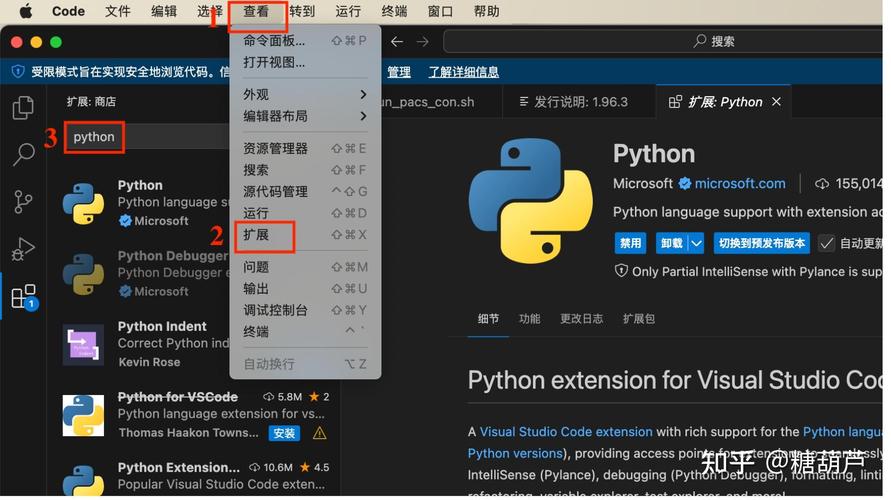
pip install oracledb
Step 2: Write the Python Code
import oracledb
import sys
# --- Configuration ---
DB_USER = "your_username"
DB_PASSWORD = "your_password"
DB_DSN = "your_host:your_port/your_service_name"
def query_oracle_with_driver(user, password, dsn, sql_query):
    """
    Connects to Oracle and runs a query using the oracledb driver.
    This is the RECOMMENDED method.
    """
    connection = None
    try:
        # Create a connection
        # For high-performance applications, use a connection pool
        connection = oracledb.connect(
            user=user,
            password=password,
            dsn=dsn
        )
        # Create a cursor
        cursor = connection.cursor()
        # Execute the query
        print(f"Executing: {sql_query}")
        cursor.execute(sql_query)
        # Fetch all the rows
        # rows will be a list of tuples, e.g., [('EMPLOYEES',), ('DEPARTMENTS',)]
        rows = cursor.fetchall()
        # Get the column descriptions to return a list of dictionaries
        # This is often more useful than a list of tuples
        columns = [col[0] for col in cursor.description]
        result = []
        for row in rows:
            result.append(dict(zip(columns, row)))
        return result
    except oracledb.DatabaseError as e:
        error, = e.args
        print(f"Oracle Error {error.code}: {error.message}", file=sys.stderr)
        return None
    except Exception as e:
        print(f"An unexpected error occurred: {e}", file=sys.stderr)
        return None
    finally:
        # Ensure the connection is always closed
        if connection:
            connection.close()
# --- Execution ---
if __name__ == "__main__":
    print("\n--- Running Recommended oracledb Driver Example ---")
    sql_to_run = "SELECT table_name FROM user_tables WHERE rownum < 5"
    data = query_oracle_with_driver(DB_USER, DB_PASSWORD, DB_DSN, sql_to_run)
    if data:
        print("\nQuery Results (as list of dicts):")
        for record in data:
            print(record)
Comparison: Popen vs. oracledb Driver
| Feature | subprocess.Popen with sqlplus |
oracledb Driver |
|---|---|---|
| Performance | Poor. High overhead from starting a new OS process for every query. | Excellent. Direct, high-performance connection to the database. |
| Data Handling | Poor. Returns formatted text that requires complex parsing. | Excellent. Returns clean Python data types (tuples, dicts). |
| Error Handling | Difficult. Errors are mixed in with stdout and require parsing. |
Robust. Provides structured exceptions with error codes and messages. |
| Security | Risky. Passwords can be exposed in the process list (ps). |
Secure. Credentials are handled securely by the driver. |
| Dependencies | Requires Oracle Instant Client AND sqlplus to be installed and in PATH. |
Requires only Oracle Instant Client and the oracledb Python package. |
| Use Case | Quick, one-off scripts where you cannot install a Python driver. | All production applications, serious scripts, and any reusable code. |
Conclusion
While you can use python sqlpluspopen with the subprocess module, it is an outdated and fragile approach.
For any new project or serious task, you should absolutely use the oracledb Python driver. It is the modern, standard, and professional way to interact with an Oracle database from Python. It will save you time, prevent bugs, and result in more maintainable and performant code.