Of course! The relationship between java.time (the modern date/time API) and int is a common point of confusion, especially for developers coming from older Java versions (like using java.util.Date or java.util.Calendar).
Here’s a complete breakdown of how to convert between java.time objects and int primitives.
The Core Idea
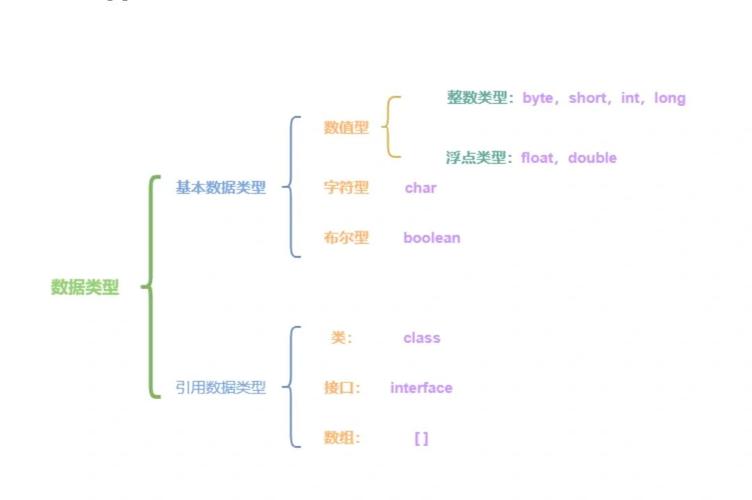
You don't convert a java.time object (like LocalDate or LocalDateTime) directly to a single int. Instead, you extract a specific component (like the year, month, or day of the month) and store that component in an int.
The java.time classes are rich objects representing a point or period in time. An int is a simple 32-bit integer. They represent different levels of information.
Key Scenarios: java.time to int
Here are the most common conversions from a java.time object to an int.
LocalDate to int
A LocalDate represents a date (year, month, day). You can extract any of these components as an int.
import java.time.LocalDate;
public class LocalDateToInt {
    public static void main(String[] args) {
        LocalDate today = LocalDate.now(); // e.g., 2025-10-27
        // Get individual components as ints
        int year = today.getYear();
        int monthValue = today.getMonthValue(); // 1-12
        int dayOfMonth = today.getDayOfMonth(); // 1-31
        System.out.println("Today is: " + today);
        System.out.println("Year (int): " + year);       // Output: 2025
        System.out.println("Month (int): " + monthValue); // Output: 10
        System.out.println("Day of Month (int): " + dayOfMonth); // Output: 27
        // Get the day of the week as an int (1=Monday, 7=Sunday)
        int dayOfWeekValue = today.getDayOfWeek().getValue();
        System.out.println("Day of Week (int, 1-7): " + dayOfWeekValue); // Output: 5 (Friday)
    }
}
LocalTime to int
A LocalTime represents a time (hour, minute, second, nanosecond).
import java.time.LocalTime;
public class LocalTimeToInt {
    public static void main(String[] args) {
        LocalTime now = LocalTime.now(); // e.g., 14:30:55.123456789
        // Get individual components as ints
        int hour = now.getHour();
        int minute = now.getMinute();
        int second = now.getSecond();
        int nano = now.getNano(); // Nanoseconds (0-999,999,999)
        System.out.println("Current time is: " + now);
        System.out.println("Hour (int): " + hour);     // Output: 14
        System.out.println("Minute (int): " + minute); // Output: 30
        System.out.println("Second (int): " + second); // Output: 55
        System.out.println("Nanosecond (int): " + nano); // Output: 123456789
    }
}
LocalDateTime to int
A LocalDateTime is a combination of LocalDate and LocalTime. You can extract any component from either part.
import java.time.LocalDateTime;
public class LocalDateTimeToInt {
    public static void main(String[] args) {
        LocalDateTime now = LocalDateTime.now(); // e.g., 2025-10-27T14:35:00
        // Extract date components
        int year = now.getYear();
        int month = now.getMonthValue();
        // Extract time components
        int hour = now.getHour();
        int minute = now.getMinute();
        System.out.println("Now is: " + now);
        System.out.println("Year (int): " + year);      // Output: 2025
        System.out.println("Month (int): " + month);    // Output: 10
        System.out.println("Hour (int): " + hour);      // Output: 14
        System.out.println("Minute (int): " + minute);  // Output: 35
    }
}
ZonedDateTime / Instant to int (Epoch Seconds)
This is a very common conversion. You can convert an instant in time to the number of seconds that have passed since the Unix Epoch (January 1, 1970, 00:00:00 UTC). This value is a long, but it can be cast to an int if you are sure it will fit.
⚠️ Important Warning: The Unix epoch time in seconds is a long type because it can exceed the maximum value of an int (around 2.1 billion seconds, which is the year 2038). Be very careful casting to int.
import java.time.Instant;
import java.time.ZonedDateTime;
import java.time.ZoneId;
public class EpochTimeToInt {
    public static void main(String[] args) {
        Instant now = Instant.now(); // Represents a point on the timeline
        // Get epoch seconds as a LONG. This is the safe way.
        long epochSecondsLong = now.getEpochSecond();
        System.out.println("Epoch Seconds (long): " + epochSecondsLong);
        // Get epoch seconds as an INT (DANGEROUS - may cause overflow)
        // This will work for dates before 2038, but will fail afterwards.
        int epochSecondsInt = (int) epochSecondsLong;
        System.out.println("Epoch Seconds (int): " + epochSecondsInt);
        // Example with ZonedDateTime
        ZonedDateTime zonedNow = ZonedDateTime.now(ZoneId.of("America/New_York"));
        long epochSecondsZoned = zonedNow.toEpochSecond();
        System.out.println("Epoch Seconds from ZonedDateTime (long): " + epochSecondsZoned);
    }
}
Key Scenarios: int to java.time
Going from int back to a java.time object is a two-step process:
- Use the
intvalue(s) to create a lower-level object like aYear,Month, orDayOfWeek. - Use that object to build the final
java.timeobject (likeLocalDate).
int to LocalDate
You need at least three ints: year, month, and day.
import java.time.LocalDate;
public class IntToLocalDate {
    public static void main(String[] args) {
        int year = 2025;
        int month = 2;
        int day = 29; // A leap year date
        // The most direct way is using the of() static method
        LocalDate date = LocalDate.of(year, month, day);
        System.out.println("Created date from ints: " + date); // Output: 2025-02-29
    }
}
int to LocalTime
You need at least two ints: hour and minute. You can optionally provide seconds and nanoseconds.
import java.time.LocalTime;
public class IntToLocalTime {
    public static void main(String[] args) {
        int hour = 16;
        int minute = 45;
        int second = 30;
        LocalTime time = LocalTime.of(hour, minute, second);
        System.out.println("Created time from ints: " + time); // Output: 16:45:30
    }
}
int (Epoch Seconds) to java.time
To convert epoch seconds back to a human-readable time, you use the Instant class as an intermediary.
import java.time.Instant;
import java.time.ZoneId;
import java.time.ZonedDateTime;
import java.time.format.DateTimeFormatter;
public class IntToEpochTime {
    public static void main(String[] args) {
        // This is the number of seconds since the Unix epoch
        long epochSeconds = 1701000000L; // Using a long is safer
        // Convert the epoch seconds to an Instant
        Instant instant = Instant.ofEpochSecond(epochSeconds);
        // Convert the Instant to a human-readable ZonedDateTime
        ZonedDateTime zonedDateTime = instant.atZone(ZoneId.of("UTC"));
        // Format it for nice printing
        DateTimeFormatter formatter = DateTimeFormatter.ofPattern("yyyy-MM-dd HH:mm:ss z");
        String formattedDate = zonedDateTime.format(formatter);
        System.out.println("Instant from epoch seconds: " + instant);
        System.out.println("Formatted ZonedDateTime: " + formattedDate);
        // Output:
        // Instant from epoch seconds: 2025-11-25T10:26:40Z
        // Formatted ZonedDateTime: 2025-11-25 10:26:40 UTC
    }
}
Summary Table
From java.time Object |
To int Component(s) |
Method(s) to Use |
|---|---|---|
LocalDate |
Year, Month, Day, Day-of-week | .getYear(), .getMonthValue(), .getDayOfMonth(), .getDayOfWeek().getValue() |
LocalTime |
Hour, Minute, Second, Nanosecond | .getHour(), .getMinute(), .getSecond(), .getNano() |
LocalDateTime |
Any of the above (date or time components) | Same as LocalDate or LocalTime methods |
Instant / ZonedDateTime |
Seconds since Unix Epoch | .getEpochSecond() (returns long, be careful with int cast) |
int |
java.time Object |
Use LocalDate.of(), LocalTime.of(), Instant.ofEpochSecond() etc. |