Of course! Let's break down HttpResponse in Java. The term can refer to a few different things depending on the context, but it most commonly relates to handling responses from web servers.
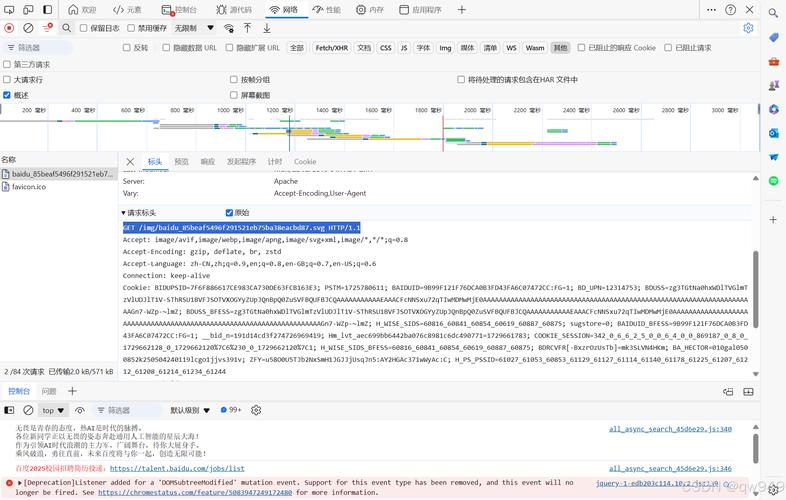
I'll cover the three main scenarios you'll encounter:
- The Modern Way (Java 11+):
java.net.http.HttpResponse - The Classic & Powerful Way (Java 8-10):
org.apache.http.HttpResponse - The Simplest Way (for testing):
org.springframework.http.ResponseEntity(from Spring Framework)
The Modern Way: java.net.http.HttpResponse (Java 11+)
This is the standard, built-in HTTP client introduced in Java 11. It's the recommended approach for new projects if you're on a modern Java version.
Key Concepts
The java.net.http.HttpClient sends a request and receives a HttpResponse. The response is generic, meaning you can specify the type of body you want to receive.
Common Response Body Types:
String: For plain text or HTML.byte[]: For binary data like images, PDFs, etc.InputStream: For streaming large responses without loading the whole thing into memory.JsonObject/JsonArray: (with aBodyHandlerlikeJsonBodyHandler) For parsing JSON directly into Java objects.
Example: Getting a Plain Text Response
This is the most common use case.
import java.net.URI;
import java.net.http.HttpClient;
import java.net.http.HttpRequest;
import java.net.http.HttpResponse;
import java.time.Duration;
public class Java11HttpClientExample {
    public static void main(String[] args) {
        // 1. Create an HttpClient
        HttpClient client = HttpClient.newBuilder()
                .version(HttpClient.Version.HTTP_2)
                .connectTimeout(Duration.ofSeconds(10))
                .build();
        // 2. Create an HttpRequest
        HttpRequest request = HttpRequest.newBuilder()
                .GET()
                .uri(URI.create("https://jsonplaceholder.typicode.com/todos/1"))
                .header("Accept", "application/json") // Good practice
                .build();
        try {
            // 3. Send the request and get the response
            // We specify the body handler as HttpResponse.BodyHandlers.ofString()
            HttpResponse<String> response = client.send(request, HttpResponse.BodyHandlers.ofString());
            // 4. Process the response
            System.out.println("Status Code: " + response.statusCode());
            System.out.println("Response Headers: " + response.headers());
            System.out.println("--- Response Body ---");
            System.out.println(response.body());
        } catch (Exception e) {
            e.printStackTrace();
        }
    }
}
Key Methods of HttpResponse<T>
int statusCode(): Returns the HTTP status code (e.g., 200, 404, 500).HttpResponseHeaders headers(): Returns the response headers.T body(): Returns the body of the response, of the type you specified (e.g.,String).HttpRequest request(): Returns the original request that was sent.
The Classic Way: org.apache.http.HttpResponse (Apache HttpClient)
This is the de-facto standard for years, especially in enterprise applications and older Java versions. It's extremely powerful and flexible. You need to add a dependency to your project.
Dependency (Maven)
<dependency>
    <groupId>org.apache.httpcomponents</groupId>
    <artifactId>httpclient</artifactId>
    <version>4.5.14</version> <!-- Use the latest version -->
</dependency>
Example: Getting a Plain Text Response
The workflow is slightly different: you get an HttpResponse object and then need to get an entity from it to read the content.
import org.apache.http.HttpResponse;
import org.apache.http.client.methods.HttpGet;
import org.apache.http.impl.client.CloseableHttpClient;
import org.apache.http.impl.client.HttpClients;
import org.apache.http.util.EntityUtils;
public class ApacheHttpClientExample {
    public static void main(String[] args) {
        // The HttpGet object represents the request
        HttpGet request = new HttpGet("https://jsonplaceholder.typicode.com/todos/1");
        // Use try-with-resources to ensure the client is closed
        try (CloseableHttpClient httpClient = HttpClients.createDefault()) {
            // Execute the request and get the response
            HttpResponse response = httpClient.execute(request);
            // 1. Check the status code
            System.out.println("Status Code: " + response.getStatusLine().getStatusCode());
            // 2. Get the response entity (the body)
            // You MUST check if the entity is not null before consuming it
            if (response.getEntity() != null) {
                // 3. Convert the entity to a String
                // EntityUtils.toString() consumes the content and returns it as a String
                String responseBody = EntityUtils.toString(response.getEntity());
                System.out.println("--- Response Body ---");
                System.out.println(responseBody);
                // VERY IMPORTANT: Ensure the content is fully consumed and the underlying stream is closed.
                // EntityUtils.toString() does this for you.
            }
        } catch (Exception e) {
            e.printStackTrace();
        }
    }
}
Key Components of org.apache.http.HttpResponse
StatusLine getStatusLine(): Returns the status line, which contains the protocol, status code, and reason phrase (e.g., "HTTP/1.1 200 OK").HttpEntity getEntity(): Returns the response body as anHttpEntityobject. This object contains the content and metadata.Header[] getAllHeaders(): Returns an array of all headers.
The Simplest Way: org.springframework.http.ResponseEntity (Spring Framework)
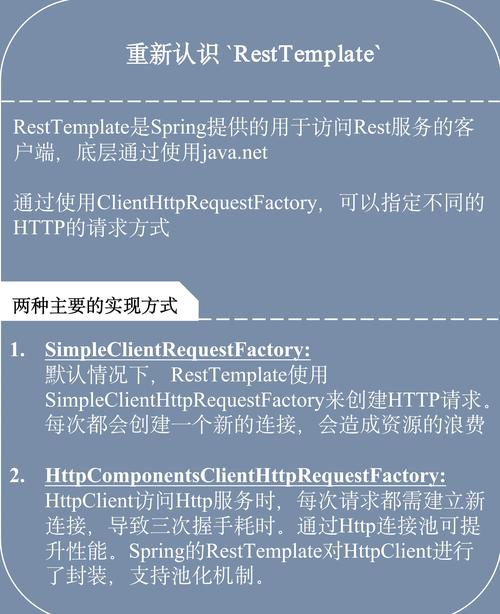
If you are working in a Spring Boot application, you will almost always use RestTemplate or WebClient. Both of these work with ResponseEntity, which is a wrapper around the HTTP response that provides convenient access to status code, headers, and body.
Example with RestTemplate
First, add the Spring Web dependency (if not already present).
Dependency (Maven)
<dependency>
    <groupId>org.springframework.boot</groupId>
    <artifactId>spring-boot-starter-web</artifactId>
</dependency>
Java Code
import org.springframework.http.*;
import org.springframework.web.client.RestTemplate;
public class SpringRestTemplateExample {
    public static void main(String[] args) {
        // RestTemplate is the classic synchronous HTTP client in Spring
        RestTemplate restTemplate = new RestTemplate();
        // The URL for the API
        String url = "https://jsonplaceholder.typicode.com/todos/1";
        // Make the GET request and get a ResponseEntity
        // Spring automatically deserializes the JSON response body into a Todo class
        ResponseEntity<Todo> response = restTemplate.getForEntity(url, Todo.class);
        // --- Process the ResponseEntity ---
        // 1. Get the status code
        HttpStatus statusCode = response.getStatusCode();
        System.out.println("Status Code: " + statusCode.value());
        // 2. Get the headers
        HttpHeaders headers = response.getHeaders();
        System.out.println("Response Headers: " + headers);
        // 3. Get the body (already parsed into our Todo object)
        Todo todo = response.getBody();
        if (todo != null) {
            System.out.println("--- Response Body (as Todo object) ---");
            System.out.println("User ID: " + todo.getUserId());
            System.out.println("Title: " + todo.getTitle());
            System.out.println("Completed: " + todo.isCompleted());
        }
    }
}
// A simple POJO (Plain Old Java Object) that matches the JSON structure
class Todo {
    private int userId;
    private int id;
    private String title;
    private boolean completed;
    // Getters and Setters (Lombok can generate these automatically)
    public int getUserId() { return userId; }
    public void setUserId(int userId) { this.userId = userId; }
    public int getId() { return id; }
    public void setId(int id) { this.id = id; }
    public String getTitle() { return title; }
    public void setTitle(String title) { this.title = title; }
    public boolean isCompleted() { return completed; }
    public void setCompleted(boolean completed) { this.completed = completed; }
}
Key Methods of ResponseEntity<T>
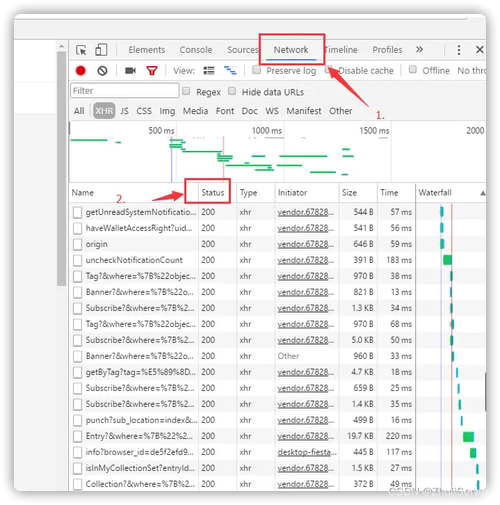
HttpStatus getStatusCode(): Returns the HTTP status as an enum (e.g.,HttpStatus.OK,HttpStatus.NOT_FOUND).int getStatusCodeValue(): Returns the raw status code (e.g., 200, 404).HttpHeaders getHeaders(): Returns the response headers.T getBody(): Returns the response body, which Spring has already parsed into the type you specified (Todo.classin the example).
Summary and Comparison
| Feature | java.net.http.HttpResponse (Java 11+) |
org.apache.http.HttpResponse |
org.springframework.http.ResponseEntity |
|---|---|---|---|
| Origin | Java Standard Library | Apache HttpClient Framework | Spring Framework |
| Ease of Use | Very Good. Modern, fluent API. | Good, but more verbose. Requires manual entity handling. | Excellent. Designed for productivity in Spring apps. |
| Flexibility | High. Supports async, reactive, and sync calls. | Very High. Extremely customizable and low-level. | High. Tightly integrated with Spring's ecosystem. |
| JSON Handling | Manual (e.g., with Jackson/Gson) or via custom BodyHandler. |
Manual (e.g., with Jackson/Gson). | Automatic. Deserializes JSON directly to POJOs. |
| Dependency | None. Built-in. | httpclient from Apache. |
spring-boot-starter-web. |
| Best For | New, modern Java applications (11+) without external dependencies. | Legacy systems or when you need maximum control over the HTTP layer. | Spring and Spring Boot applications. |