在Java中获取当前Java文件路径
在Java中获取当前Java文件的路径有几种方法,具体取决于你需要的路径类型(源文件路径、类文件路径或运行时路径)。
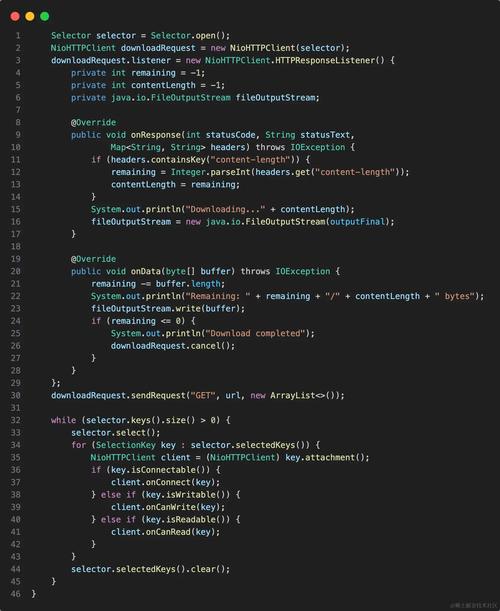
(图片来源网络,侵删)
获取当前类文件的路径(.class文件)
String classPath = YourClassName.class.getProtectionDomain().getCodeSource().getLocation().getPath();
System.out.println("类文件路径: " + classPath);
获取当前类的资源路径
String resourcePath = YourClassName.class.getResource("").getPath();
System.out.println("资源路径: " + resourcePath);
获取当前工作目录(运行时路径)
String workingDir = System.getProperty("user.dir");
System.out.println("当前工作目录: " + workingDir);
获取类加载器的根路径
String classLoaderPath = ClassLoader.getSystemResource("").getPath();
System.out.println("类加载器根路径: " + classLoaderPath);
获取源文件路径(编译前)
Java运行时无法直接获取源文件路径,因为源文件在编译后会被转换为字节码,但可以通过以下方式间接获取:
// 需要传递源文件路径作为参数
public static String getSourceFilePath(String fileName) {
    String path = YourClassName.class.getResource(fileName).getPath();
    return path.substring(0, path.lastIndexOf("!"));
}
注意事项
-
路径分隔符:不同操作系统使用不同的路径分隔符(Windows是
\,Linux/Mac是),可以使用File.separator来获取系统正确的分隔符。 -
空格处理:路径中包含空格时,URL编码可能会将空格转换为
%20,需要解码:
import java.net.URLDecoder;
String decodedPath = URLDecoder.decode(path, "UTF-8");
- JAR文件:如果程序被打包成JAR文件,路径会以
jar:file:/开头。
完整示例
import java.net.URLDecoder;
import java.nio.file.Path;
import java.nio.file.Paths;
public class PathExample {
    public static void main(String[] args) {
        // 获取类文件路径
        String classPath = PathExample.class.getProtectionDomain().getCodeSource().getLocation().getPath();
        System.out.println("类文件路径: " + classPath);
        // 获取资源路径
        String resourcePath = PathExample.class.getResource("").getPath();
        System.out.println("资源路径: " + resourcePath);
        // 获取当前工作目录
        String workingDir = System.getProperty("user.dir");
        System.out.println("当前工作目录: " + workingDir);
        // 处理路径中的空格
        try {
            String decodedPath = URLDecoder.decode(classPath, "UTF-8");
            System.out.println("解码后的类文件路径: " + decodedPath);
            // 转换为Path对象
            Path path = Paths.get(decodedPath);
            System.out.println("Path对象: " + path);
        } catch (Exception e) {
            e.printStackTrace();
        }
    }
}
根据你的具体需求,选择最适合的方法获取路径信息。

(图片来源网络,侵删)

(图片来源网络,侵删)