Of course! This is a great topic. In Python, "Unicode" is fundamental to how strings work. Let's break down what that means and how to work with it, including lists of Unicode characters.
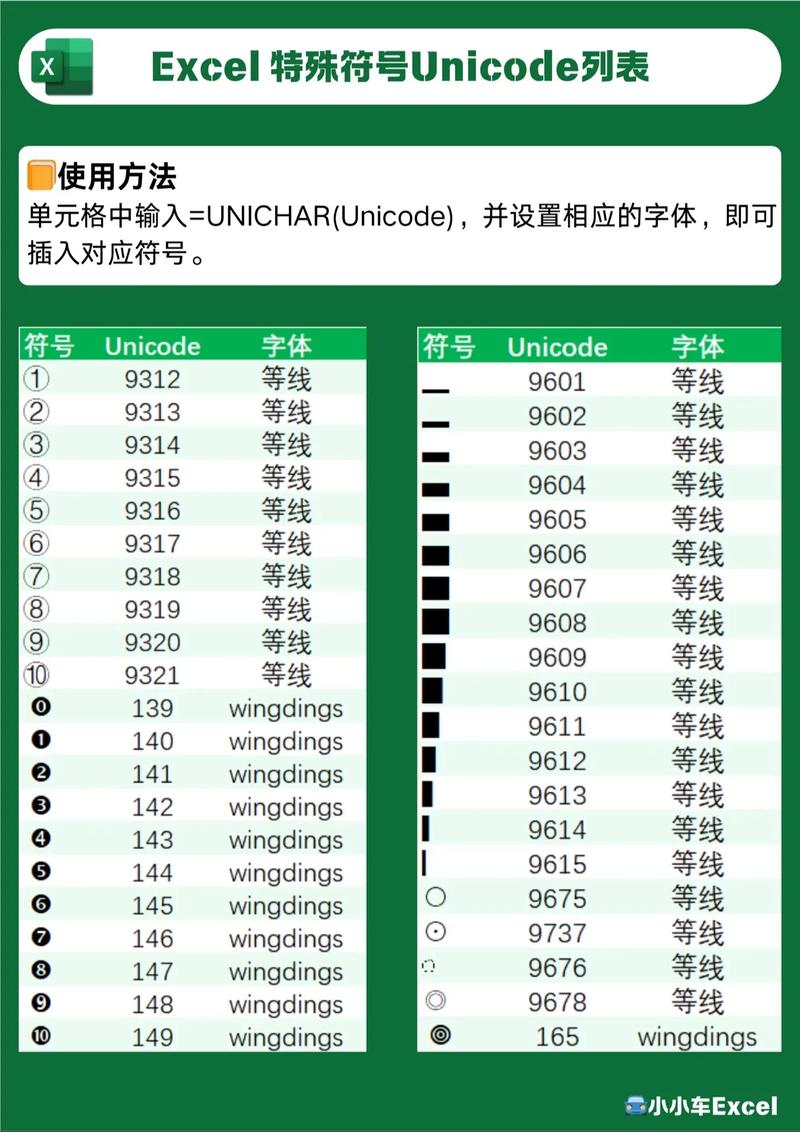
The Core Concept: Unicode in Python
In Python 3, all strings are sequences of Unicode characters by default. This is a massive improvement over Python 2, where strings were sequences of bytes (str) and you had a separate unicode type.
This means when you write hello = "hello", you're creating a string of Unicode characters. It also means you can easily include characters from all languages, symbols, and emojis directly in your strings.
# A string with English, Chinese, and an Emoji
greeting = "Hello 你好! 👋"
print(greeting)
# Output: Hello 你好! 👋
Representing Unicode Characters: Escape Sequences
You can represent any Unicode character in a string using its Unicode code point. The two most common ways to do this are:
\uXXXX: For 16-bit code points (e.g.,\u4F60for '你').\UXXXXXXXX: For 32-bit code points (e.g.,\U0001F44Bfor '👋').
Example: Creating a List of Unicode Characters
Let's create a Python list containing various characters represented by their Unicode escape sequences.
# A list of characters represented by their Unicode escape sequences
unicode_list = [
    'A',                   # Standard ASCII character
    '\u00E9',              # 'é' (Latin Small Letter E with Acute)
    '\u4F60',              # '你' (Chinese character for "you")
    '\u2603',              # '☃' (Snowman)
    '\U0001F600',          # '😀' (Grinning Face Emoji)
    '\U0001F4A9',          # '💩' (Pile of Poo Emoji)
    '\u20AC',              # '€' (Euro Sign)
    '\u00A9'               # '©' (Copyright Sign)
]
# Print the list
print(unicode_list)
# Output: ['A', 'é', '你', '☃', '😀', '💩', '€', '©']
# Iterate through the list and print each character with its details
for char in unicode_list:
    print(f"Character: '{char}', Code Point: U+{ord(char):04X}")
Output of the loop:
Character: 'A', Code Point: U+0041
Character: 'é', Code Point: U+00E9
Character: '你', Code Point: U+4F60
Character: '☃', Code Point: U+2603
Character: '😀', Code Point: U+1F600
Character: '💩', Code Point: U+1F4A9
Character: '€', Code Point: U+20AC
Character: '©', Code Point: U+00A9
Key Functions for Working with Unicode
Here are the most important built-in functions for handling Unicode characters.
ord(): Get the Integer Code Point
ord() takes a single Unicode character and returns its integer representation (the code point).
char = "你"
code_point = ord(char)
print(f"The character '{char}' has the code point: {code_point}")
# Output: The character '你' has the code point: 20320
chr(): Get the Character from a Code Point
chr() does the opposite of ord(). It takes an integer (a valid Unicode code point) and returns the corresponding character.
code_point = 20320
char = chr(code_point)
print(f"The code point {code_point} corresponds to the character: '{char}'")
# Output: The code point 20320 corresponds to the character: '你'
len(): Get the Number of Code Points
len() on a string returns the number of Unicode characters (code points), not the number of bytes.
s = "Hello 你好! 👋"
print(len(s))
# Output: 10
# Let's break it down:
# H e l l o   你 好 !   👋
# 1 2 3 4 5 6 7 8 9 10  <- 10 characters
Note: The '👋' emoji is often composed of multiple code points (a "grapheme cluster"), but len() will still count it as one character in modern Python versions that handle this correctly.
Creating a List of Unicode Ranges
A very common task is to generate a list of characters that fall within a specific Unicode range. For example, getting all lowercase letters from 'a' to 'z'.
The range() function is perfect for this. It can generate a sequence of integers, which you can then pass to chr().
Example: List of All Lowercase Letters
# The Unicode code points for 'a' to 'z' are 97 to 122
lowercase_letters = [chr(i) for i in range(97, 123)]
print(lowercase_letters)
# Output: ['a', 'b', 'c', 'd', 'e', 'f', 'g', 'h', 'i', 'j', 'k', 'l', 'm', 'n', 'o', 'p', 'q', 'r', 's', 't', 'u', 'v', 'w', 'x', 'y', 'z']
Example: List of All Greek Letters (U+0391 to U+03C9)
This is a more advanced example. Greek capital letters are in the U+0391 to U+03A9 range, and lowercase letters are in U+03B1 to U+03C9.
# Capital Greek letters (Alpha to Omega)
greek_capital = [chr(i) for i in range(0x0391, 0x03AA)] # 0x03AA is after Omega (0x03A9)
greek_capital = [c for c in greek_capital if c.isalpha()] # Filter out non-letter characters
# Lowercase Greek letters (alpha to omega)
greek_lowercase = [chr(i) for i in range(0x03B1, 0x03C9 + 1)] # +1 to include omega
print("Capital Greek:", greek_capital)
print("Lowercase Greek:", greek_lowercase)
Output:
Capital Greek: ['Α', 'Β', 'Γ', 'Δ', 'Ε', 'Ζ', 'Η', 'Θ', 'Ι', 'Κ', 'Λ', 'Μ', 'Ν', 'Ξ', 'Ο', 'Π', 'Ρ', 'Σ', 'Τ', 'Υ', 'Φ', 'Χ', 'Ψ', 'Ω']
Lowercase Greek: ['α', 'β', 'γ', 'δ', 'ε', 'ζ', 'η', 'θ', 'ι', 'κ', 'λ', 'μ', 'ν', 'ξ', 'ο', 'π', 'ρ', 'σ', 'τ', 'υ', 'φ', 'χ', 'ψ', 'ω']
Sorting a List of Unicode Strings
When you sort a list of strings, Python sorts them based on the Unicode code point of their characters. This is called "lexicographical order" and it's not always the same as alphabetical order in a specific human language.
# A list of words in different scripts
mixed_list = ["apple", "你", "banana", "zebra", "世界", "☃"]
# Sort the list
sorted_list = sorted(mixed_list)
print("Original list:", mixed_list)
print("Sorted list:  ", sorted_list)
Output:
Original list: ['apple', '你', 'banana', 'zebra', '世界', '☃']
Sorted list:   ['☃', 'apple', 'banana', 'world', '你', 'zebra']
Explanation of the sort order:
- (U+2603) has the lowest code point, so it comes first.
- The English words ('apple', 'banana', 'zebra') are sorted next based on their code points.
世界(U+4E16, U+754C) comes after 'zebra' because its first character '世' has a higher code point.你(U+4F60) comes after世界.
Summary
| Task | Python Code Example |
|---|---|
| Use a Unicode char | s = "café 你好 👋" |
| Get code point of a char | code_point = ord('é') |
| Get char from a code point | char = chr(0x00E9) |
| Count characters in a string | num_chars = len("hello 你好") |
| Create a list from a Unicode range | [chr(i) for i in range(97, 123)] (for 'a' to 'z') |
| Sort a list of strings | sorted_list = sorted(my_list) |
Understanding these basics gives you powerful tools for handling text from any language in your Python applications.