Of course! Converting a Java byte to its ASCII representation is a common task, but it has some important nuances to understand. Here’s a complete guide covering the basics, the pitfalls, and the best practices.
The Basic Concept: byte to char
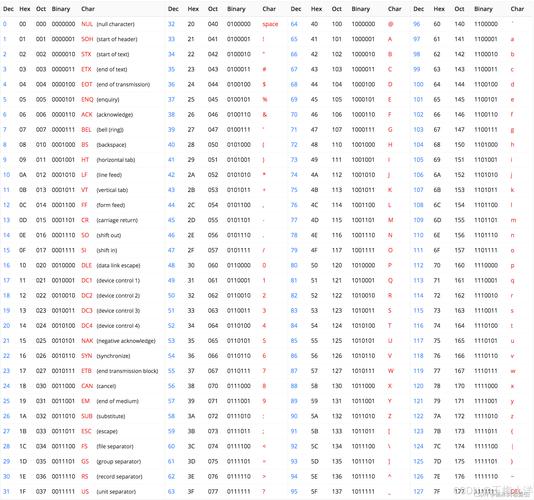
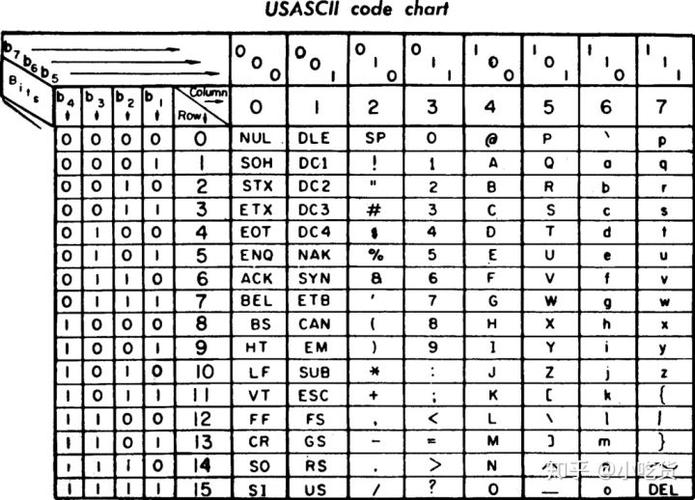
The core idea is that the ASCII character set is a 7-bit encoding scheme, meaning it defines characters for values from 0 to 127. A Java byte is an 8-bit signed value (-128 to 127).
To get the ASCII character corresponding to a byte's value, you need to:
- Treat the byte's value as an unsigned integer (0-255).
- Cast this unsigned integer to a
char.
The most direct way to do this in Java is by casting the byte directly to a char.
byte myByte = 65; // The ASCII value for 'A'
// Direct cast
char myChar = (char) myByte;
System.out.println(myChar); // Output: A
The Problem with Negative Bytes
This is the most common pitfall. Since Java byte is signed, if the most significant bit (the 8th bit) is 1, the number is negative. For example, the byte value -99 (in decimal) is the same bit pattern as the unsigned value 157.
When you cast a negative byte to a char, Java first sign-extends it to an int, resulting in a negative int. Casting a negative int to a char gives you a character, but it's not the intended ASCII character.
Incorrect Example (What NOT to do):
byte b = -99; // This is the bit pattern for unsigned 157
// This will not give you the ASCII character for 157!
char c = (char) b;
System.out.println((int) c); // Output: 65409 (This is wrong!)
System.out.println(c);       // Output: Ï (This is not ASCII character 157)
The Correct Solution: Handling Unsigned Conversion
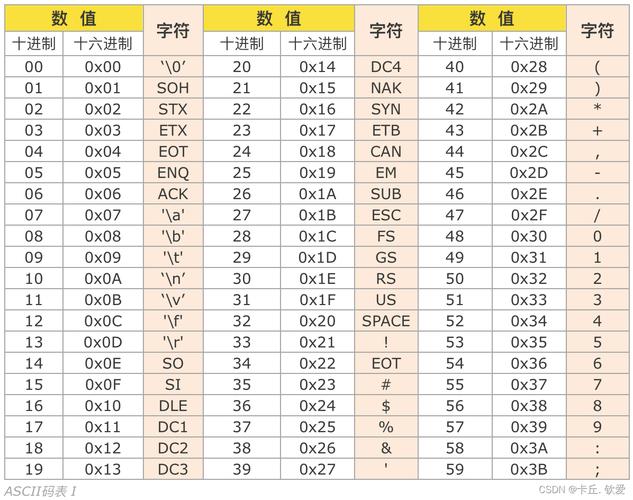
To correctly convert a byte to its intended ASCII character (especially for values 128-255), you must first convert it to an unsigned integer. The standard way to do this is by bitwise AND with 0xFF.
0xFF is 11111111 in binary. Performing a bitwise AND with a byte effectively masks off the sign-extended bits, leaving you with the original 8 bits as a positive number.
byte b = -99; // Bit pattern is the same as unsigned 157
// 1. Convert to an unsigned int (0-255)
int unsignedInt = b & 0xFF;
System.out.println("Unsigned int value: " + unsignedInt); // Output: 157
// 2. Cast the unsigned int to a char
char correctChar = (char) unsignedInt;
System.out.println("Correct char: " + correctChar); // Output: ¿
System.out.println("Correct char code: " + (int) correctChar); // Output: 157
Practical Example: Converting a Byte Array to a String
This is where you'll use this conversion most often. Let's say you have a byte array and you want to create a String from its ASCII values.
public class ByteToAscii {
    public static void main(String[] args) {
        // A byte array containing ASCII values for 'H', 'e', 'l', 'l', 'o', and a non-ASCII byte (value 169)
        byte[] byteArray = {72, 101, 108, 108, 111, -87}; // -87 is unsigned 169
        // --- Method 1: Using a String (Simple but has limitations) ---
        // This method will fail for bytes > 127 because String(byte[]) uses the platform's default charset,
        // which might not be ISO-8859-1 (the 8-bit extension of ASCII).
        // It will often throw an exception or replace the character with a '?'.
        try {
            String simpleString = new String(byteArray);
            System.out.println("Simple String creation: " + simpleString);
        } catch (Exception e) {
            System.out.println("Simple String creation failed: " + e.getMessage());
        }
        // --- Method 2: The Correct Way (Character by Character) ---
        // This is the most reliable method for pure ASCII conversion.
        StringBuilder asciiString = new StringBuilder();
        for (byte b : byteArray) {
            // Convert byte to unsigned int, then to char, then append to string
            asciiString.append((char) (b & 0xFF));
        }
        System.out.println("Correct ASCII String: " + asciiString); // Output: Hello¿
    }
}
When to Use Charset (For True Text)
The methods above are perfect if you are sure your data contains only ASCII characters (0-127) or if you specifically want to treat bytes 128-255 as their direct 8-bit code points (e.g., in ISO-8859-1).
However, if you are working with text files that might contain non-ASCII characters (like accented characters, Cyrillic, etc.), you should use Java's Charset API. It's designed to handle character encoding and decoding robustly.
Example with StandardCharsets.ISO_8859_1
ISO-8859-1 is a superset of ASCII and maps the first 256 byte values directly to the first 256 Unicode code points. This is often what people mean when they say "ASCII" for 8-bit data.
import java.nio.charset.StandardCharsets;
public class ByteToCharsetExample {
    public static void main(String[] args) {
        byte[] byteArray = {72, 101, 108, 108, 111, -87}; // -87 is unsigned 169
        // Use the Charset to decode the byte array into a String
        // This is the recommended way for handling 8-bit character data.
        String decodedString = new String(byteArray, StandardCharsets.ISO_8859_1);
        System.out.println("String decoded with ISO-8859-1: " + decodedString); // Output: Hello¿
    }
}
Summary
| Scenario | Method | Explanation |
|---|---|---|
| Single byte, value 0-127 | char c = (char) myByte; |
Safe and simple. |
| Single byte, any value 0-255 | char c = (char) (myByte & 0xFF); |
The correct, universal way. Handles negative bytes correctly. |
| Byte Array to String (ASCII) | Loop and append (char) (b & 0xFF) |
Best for full control and guaranteed ASCII conversion. |
| Byte Array to String (Text) | new String(bytes, StandardCharsets.ISO_8859_1); |
The best practice. Robust, handles encoding correctly, and is more readable. Use this for file I/O or network data. |