Of course! This is a very common and important topic in modern web development. Let's break down what Java Session Management with Redis is, why you'd use it, and how to implement it.
The Problem: Traditional In-Memory Sessions
By default, many Java web applications (like those built with Spring Boot or Jakarta EE) store user sessions in the server's memory.
How it works:
- A user logs in.
- The server creates a session object (e.g.,
HttpSession) and stores it in memory. - The server sends a unique
JSESSIONIDcookie back to the user's browser. - On subsequent requests, the browser sends the
JSESSIONIDcookie. - The server uses this ID to look up the session object in its memory.
The Big Problem: Scalability and Fault Tolerance
This approach works fine for a single server, but it fails in a distributed environment:
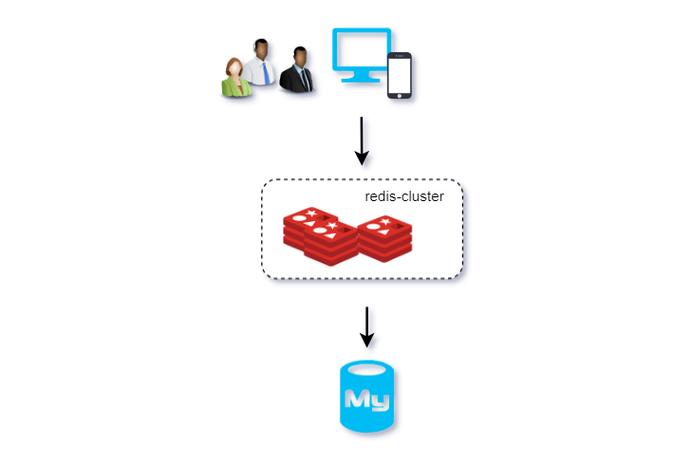
- Load Balancing: If you have multiple servers behind a load balancer, a user's first request might go to Server A, which creates their session. The next request might go to Server B, which has no knowledge of the session. The user is effectively logged out on every other server.
- Single Point of Failure: If Server A (which holds the user's session) crashes, all session data for users on that server is lost.
The Solution: Redis as an External Session Store
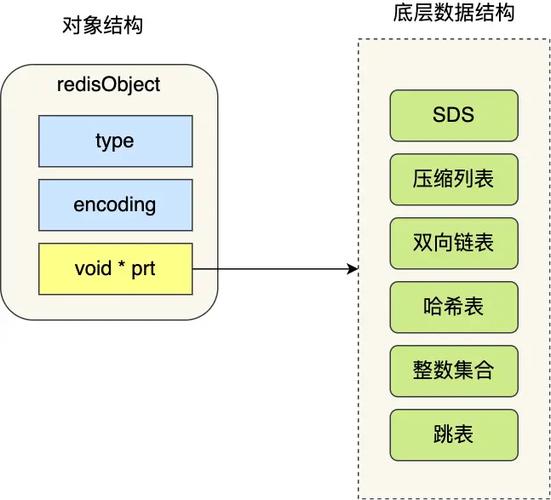
Redis (REmote DIctionary Server) is an in-memory data store, often used as a database, cache, or message broker. It's extremely fast and has built-in data structures like strings, lists, sets, and hashes.
Using Redis for session management solves the problems of in-memory sessions by providing a centralized, shared, and persistent session store.
How it works:
- A user logs in.
- The application (running on any server) creates a session object.
- Instead of storing it in local memory, the application serializes the session object and saves it to Redis, using the
JSESSIONIDas the key. - The server sends the
JSESSIONIDcookie to the user's browser. - On subsequent requests, any server can receive the
JSESSIONIDcookie. - The application uses the
JSESSIONIDto retrieve the serialized session data from Redis. - It deserializes the data to reconstruct the session object.
Benefits of using Redis for Sessions:
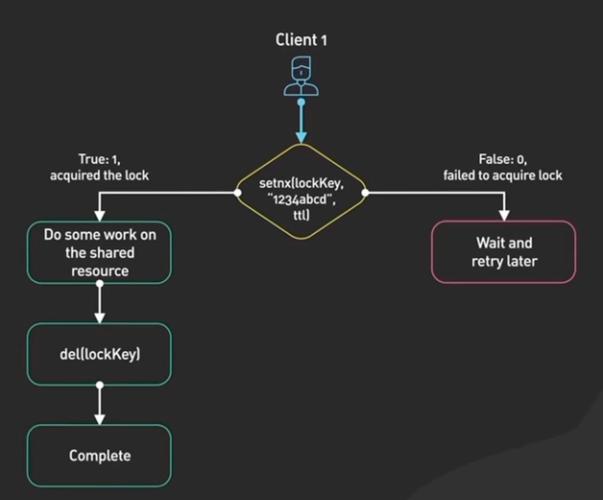
- Scalability: You can scale your application horizontally by adding more servers. All servers share the same session store.
- High Availability: Redis can be configured for high availability (e.g., with Redis Sentinel or Redis Cluster). If one Redis instance fails, another can take over without losing session data.
- Performance: Redis is an in-memory database, so read/write operations are extremely fast, often faster than disk-based databases.
- Simplicity: It's a dedicated key-value store, making it perfect for session data.
How to Implement it in Java (Spring Boot Example)
Spring Boot makes this incredibly easy with its spring-session-data-redis starter. This library automatically replaces the default HttpSession implementation with a custom one that backs all session operations to Redis.
Step-by-Step Guide
Prerequisites:
- A running Redis server. For local development, you can use Docker:
docker run -d -p 6379:6379 redis
Step 1: Add Dependencies
In your pom.xml, add the necessary Spring Boot starters:
<dependencies>
    <!-- For building a web application -->
    <dependency>
        <groupId>org.springframework.boot</groupId>
        <artifactId>spring-boot-starter-web</artifactId>
    </dependency>
    <!-- The magic starter for Redis-backed sessions -->
    <dependency>
        <groupId>org.springframework.session</groupId>
        <artifactId>spring-session-data-redis</artifactId>
    </dependency>
    <!-- The client to connect to Redis -->
    <dependency>
        <groupId>org.springframework.boot</groupId>
        <artifactId>spring-boot-starter-data-redis</artifactId>
    </dependency>
</dependencies>
Step 2: Configure Redis Connection
In your application.properties or application.yml, tell Spring Boot how to connect to your Redis server.
application.properties:
# Redis server connection
spring.redis.host=localhost
spring.redis.port=6379
# Optional: Set a database for sessions to keep things organized
spring.redis.database=0
Step 3: Enable Spring Session with Redis
This is the most crucial step. You need to add a @Configuration class with one @Bean that enables HTTP session support with Redis.
import org.springframework.context.annotation.Bean;
import org.springframework.context.annotation.Configuration;
import org.springframework.session.data.redis.config.annotation.web.http.EnableRedisHttpSession;
@Configuration
@EnableRedisHttpSession // This single annotation does all the magic!
public class SessionConfig {
    // No other beans are required by default.
    // Spring Boot will automatically configure the necessary components.
}
That's it for the configuration! Spring Session will now automatically:
- Serialize your session objects and store them in Redis.
- Manage the
JSESSIONIDcookie. - Ensure session data is retrieved correctly on subsequent requests.
Step 4: Use the Session in Your Controller
Your controllers can now use the standard HttpSession object exactly as they would before. Spring's magic will ensure all operations are delegated to Redis.
import jakarta.servlet.http.HttpSession;
import org.springframework.web.bind.annotation.GetMapping;
import org.springframework.web.bind.annotation.RestController;
import java.util.UUID;
@RestController
public class SessionController {
    @GetMapping("/set-session")
    public String setSession(HttpSession session) {
        // This value will be stored in Redis, not in the server's memory.
        session.setAttribute("userId", UUID.randomUUID().toString());
        session.setAttribute("message", "Hello from Redis Session!");
        return "Session attributes have been set. Your session ID is: " + session.getId();
    }
    @GetMapping("/get-session")
    public String getSession(HttpSession session) {
        String userId = (String) session.getAttribute("userId");
        String message = (String) session.getAttribute("message");
        if (userId == null) {
            return "No session attributes found. Please visit /set-session first.";
        }
        return "Retrieved from Redis Session: userId=" + userId + ", message=" + message;
    }
    @GetMapping("/invalidate")
    public String invalidateSession(HttpSession session) {
        session.invalidate(); // This will remove the session from Redis
        return "Session has been invalidated.";
    }
}
Step 5: Verify in Redis
Run your Spring Boot application and hit the /set-session endpoint once. Then, connect to your Redis CLI (redis-cli) and inspect the keys.
# Connect to redis-cli
redis-cli
# List all keys. You should see a key starting with "spring:session:sessions:"
# followed by your JSESSIONID.
keys *
# Get the full session data. The value will be a serialized byte array.
# The key will look something like: spring:session:sessions:xxxxxxxxxxxx
GET spring:session:sessions:xxxxxxxxxxxx
You will see a complex binary structure. This is the serialized session data. Spring Session provides a default serializer, but you can configure a custom one (like JSON) for better readability if needed.
Important Configuration Options
You can customize the behavior in your SessionConfig class.
-
Session Timeout: The default is 30 minutes. You can change it.
@EnableRedisHttpSession(maxInactiveInSeconds = 1800) // 30 minutes in seconds public class SessionConfig { ... } -
Redis Namespace: To avoid key collisions, you can set a custom prefix for your session keys.
@EnableRedisHttpSession(redisNamespace = "myapp:sessions") public class SessionConfig { ... } -
Session Serializer: By default, Java's
JdkSerializationRedisSerializeris used, which is not human-readable. You can switch to JSON for easier debugging.import org.springframework.data.redis.serializer.GenericJackson2JsonRedisSerializer; import org.springframework.session.data.redis.config.annotation.web.http.EnableRedisHttpSession; @EnableRedisHttpSession public class SessionConfig { // You can configure other beans here if needed @Bean public GenericJackson2JsonRedisSerializer springSessionDefaultRedisSerializer() { return new GenericJackson2JsonRedisSerializer(); } }With this change, the
GETcommand in Redis will return a readable JSON string instead of binary data.
Summary: Java Session with Redis
| Feature | Traditional In-Memory Session | Redis Session Store |
|---|---|---|
| Location | Server's Heap Memory | Centralized Redis Server |
| Scalability | Poor (fails with load balancers) | Excellent (works with any number of servers) |
| Fault Tolerance | Poor (sessions lost on server crash) | High (Redis can be clustered for HA) |
| Performance | Very Fast (local memory) | Very Fast (in-memory data store) |
| Implementation | Default in most servers | Requires configuration (e.g., Spring Session) |
| Use Case | Simple, single-server apps | Production, distributed, scalable web apps |
Using Redis for session management is a standard, robust, and highly recommended practice for building modern, scalable Java web applications.