Of course. Here is a comprehensive guide to using NumPy with Python 2.7.
Summary
Official Support: NumPy 1.16.5 was the last version to officially support Python 2.7. All newer versions (1.17 and above) require Python 3.5+.
Recommendation: If you are starting a new project, you should strongly consider using Python 3. However, if you are maintaining legacy code on Python 2.7, you can and should continue using NumPy.
Installation
The easiest and most reliable way to install a compatible version of NumPy for Python 2.7 is using pip.
# This will install the latest version compatible with Python 2.7
pip install "numpy<1.17"
Or, to be more specific and install the last officially supported version:
pip install numpy==1.16.5
If you are using conda, the process is similar:
conda install "numpy<1.17"
Key Differences and "Python 2.7 Gotchas" with NumPy
While NumPy works on Python 2.7, you need to be aware of the quirks and deprecations of Python 2 itself. Here are the most important ones.
a) Integer Division
This is the most famous "gotcha" in Python 2. When you divide two integers, Python 2 performs floor division, discarding the remainder.
import numpy as np
# Python 2 behavior
a = 5
b = 2
print a / b  # Output: 2
# NumPy array behavior is the same
arr_a = np.array(5)
arr_b = np.array(2)
print arr_a / arr_b # Output: 2
How to Fix: To get true division (like Python 3), you can either:
- Import the
divisionfeature from the__future__module (highly recommended for all Python 2 code). - Ensure at least one of the numbers is a float.
# Recommended: Enable Python 3 division behavior in Python 2
from __future__ import division
print 5 / 2      # Output: 2.5
print np.array(5) / np.array(2) # Output: 2.5
# Alternative: Use floats
print 5.0 / 2    # Output: 2.5
b) Print Statement vs. Print Function
In Python 2, print is a statement, not a function. This works, but it's not flexible.
# Python 2 statement
my_array = np.array([1, 2, 3])
print my_array
# Output: [1 2 3]
# To print to a file or with specific options, you need to use a workaround
import sys
print >> sys.stderr, "An error occurred"
How to Fix: Use the print() function from the __future__ module.
# Recommended: Enable Python 3 print function in Python 2
from __future__ import print_function
my_array = np.array([1, 2, 3])
print(my_array)
# Output: [1 2 3]
# Now you can use it like a function
print("The array is:", my_array, file=sys.stderr)
c) dtype Considerations
NumPy has specific integer types that map to C types. In Python 2, this can lead to unexpected behavior if you're not careful, especially with division and large numbers.
np.intp: An integer type sufficient to hold a pointer. On 64-bit systems, this isnp.int64.np.int: An alias fornp.intp(deprecated in favor ofnp.int_in Python 3).np.int32,np.int64: Fixed-size integers.
# Be explicit about your data types to avoid surprises
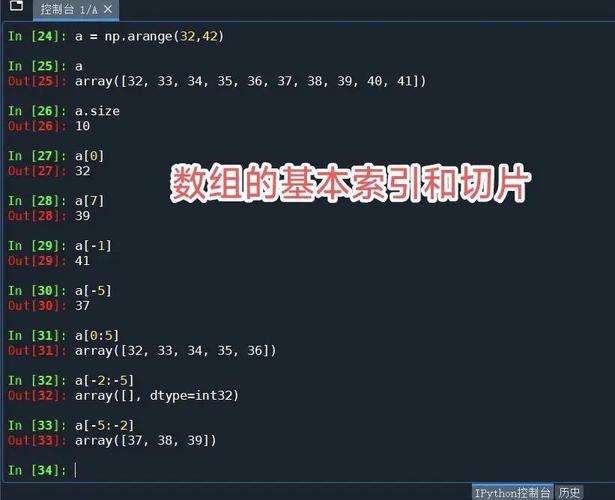
arr = np.array([1, 2, 3], dtype=np.int64)
print arr.dtype  # Output: int64
# Operations can change the dtype
# Division of int64 by int64 produces a float64
result = arr / 2
print result.dtype # Output: float64
Code Example (Python 2.7 Style)
Here is a complete, well-behaved script for Python 2.7 that incorporates the best practices mentioned above.
# -*- coding: utf-8 -*-
"""
A NumPy example script for Python 2.7.
This script demonstrates best practices to avoid common Python 2 pitfalls.
"""
# 1. Import necessary modules, including future features
from __future__ import print_function
from __future__ import division
import numpy as np
# 2. Create some sample data
# Use explicit dtypes for clarity and consistency
data = [10, 20, 30, 40, 50]
my_array = np.array(data, dtype=np.float64)
print("--- Basic Array Info ---")
print("Array:", my_array)
print("Data type:", my_array.dtype)
print("Shape:", my_array.shape)
print("Number of dimensions:", my_array.ndim)
# 3. Perform operations (using Python 3 division behavior)
print("\n--- Operations ---")
# Division
print("my_array / 2:", my_array / 2)
# Broadcasting
print("my_array + 5:", my_array + 5)
# 4. Use NumPy's mathematical functions
print("\n--- Mathematical Functions ---")
print("Square root:", np.sqrt(my_array))
print("Mean:", np.mean(my_array))
print("Standard deviation:", np.std(my_array))
# 5. Create a 2D array (matrix)
matrix_a = np.array([[1, 2, 3], [4, 5, 6]], dtype=np.int32)
matrix_b = np.array([[6, 5, 4], [3, 2, 1]], dtype=np.int32)
print("\n--- Matrix Operations ---")
print("Matrix A:\n", matrix_a)
print("Matrix B:\n", matrix_b)
print("Matrix Addition (A + B):\n", matrix_a + matrix_b)
print("Matrix Multiplication (dot product A @ B):\n", np.dot(matrix_a, matrix_b.T))
# 6. Slicing (works just like in Python 3)
print("\n--- Slicing ---")
print("First element:", my_array[0])
print("Elements from index 1 to 3:", my_array[1:3])
print("Last element:", my_array[-1])
The Long-Term Solution: Migrating to Python 3
While you can use NumPy with Python 2.7 indefinitely, it is not a sustainable long-term strategy.
Why you should migrate:
- No Security Updates: Python 2.7 has been end-of-life since January 1, 2025. It no longer receives security patches, making it a potential liability.
- No New Features: You miss out on all the performance improvements, new language features, and library updates in Python 3.
- Ecosystem Abandonment: The entire scientific Python ecosystem (including SciPy, Pandas, Matplotlib, and scikit-learn) has fully moved to Python 3. New versions of these libraries will not support Python 2.7.
Migration Strategy:
-
Use a Tool: Use a tool like
modernizeor2to3to automatically convert a lot of the basic syntax.# Install the tool pip install modernize # Run it on your codebase modernize --write your_python2_script.py
-
Manual Refactoring: After running an automated tool, you will need to manually review and fix things like:
- Changing
iteritems()toitems()for dictionaries. - Changing
xrange()torange(). - Updating library imports if any APIs have changed.
- Changing
-
Gradual Rollout: You can use a tool like
python-futureto write code that is compatible with both Python 2 and 3, allowing for a gradual transition.
Conclusion: For legacy systems, stick with numpy==1.16.5 on Python 2.7. For any new development, start with Python 3 and the latest version of NumPy.