Of course! In Python, the relationship between strings and numbers is fundamental. You'll often need to convert between them for tasks like user input, reading data from files, or formatting output.
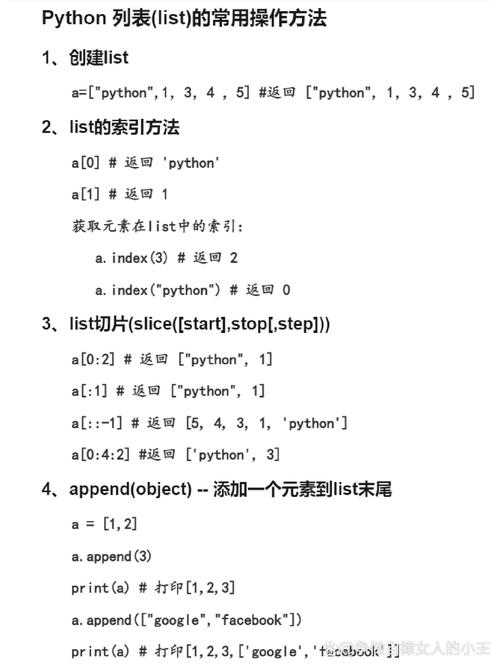
Here’s a comprehensive guide covering the key operations and common scenarios.
Converting Numbers to Strings
This is the most straightforward conversion. You use the built-in str() function.
Why convert a number to a string?
- To concatenate it with other strings.
- To format it for display (e.g., adding currency symbols or decimal places).
- To write it to a text file.
Example:

# Integer to String
age = 30
age_str = str(age)
print(age_str)          # Output: '30'
print(type(age_str))    # Output: <class 'str'>
# Float to String
price = 99.95
price_str = str(price)
print(price_str)        # Output: '99.95'
print(type(price_str))  # Output: <class 'str'>
# Boolean to String (True/False are also numbers in a sense)
is_active = True
status_str = str(is_active)
print(status_str)       # Output: 'True'
print(type(status_str)) # Output: <class 'str'>
Converting Strings to Numbers
This is a more common and nuanced task. You must ensure the string actually represents a valid number.
A. Converting to Integers
Use the int() function. The string must contain only digits, optionally with a leading or .
Example:
# Successful conversion
num_str = "123"
num_int = int(num_str)
print(num_int)          # Output: 123
print(type(num_int))    # Output: <class 'int'>
# With a sign
negative_str = "-45"
negative_int = int(negative_str)
print(negative_int)     # Output: -45
Common Errors:
# Error: Contains a decimal point
float_str = "123.45"
# int(float_str)  # This will raise a ValueError: invalid literal for int() with base 10: '123.45'
# Error: Contains non-numeric characters
letter_str = "hello"
# int(letter_str) # This will raise a ValueError: invalid literal for int() with base 10: 'hello'
Special Case: Converting from other Bases
The int() function can also convert strings representing numbers in other bases (like binary or hexadecimal) to base-10 integers. You specify the base as the second argument.
# Binary (base 2)
binary_str = "1010"
decimal_from_binary = int(binary_str, 2)
print(decimal_from_binary) # Output: 10
# Hexadecimal (base 16)
hex_str = "FF"
decimal_from_hex = int(hex_str, 16)
print(decimal_from_hex)   # Output: 255
B. Converting to Floating-Point Numbers
Use the float() function. The string can contain digits, a decimal point, and an optional leading or .
Example:
# Successful conversion
pi_str = "3.14159"
pi_float = float(pi_str)
print(pi_float)         # Output: 3.14159
print(type(pi_float))   # Output: <class 'float'>
# Integer string also works
int_str_float = float("100")
print(int_str_float)    # Output: 100.0
Common Errors:
# Error: Contains non-numeric characters
bad_float_str = "12.34.56"
# float(bad_float_str) # This will raise a ValueError: could not convert string to float: '12.34.56'
# Error: Contains letters
letter_float_str = "3.14 is pi"
# float(letter_float_str) # This will raise a ValueError: could not convert string to float: '3.14 is pi'
Checking if a String Represents a Number
Before converting, it's good practice to check if the conversion will be successful. You can do this with a try...except block or by using string methods.
Method 1: try...except (Recommended)
This is the most robust and Pythonic way. It handles all edge cases (like signs, decimals, and scientific notation) gracefully.
def convert_to_number(s):
    try:
        return int(s)
    except ValueError:
        try:
            return float(s)
        except ValueError:
            return None # Or raise an error, or return the original string
# --- Test Cases ---
print(convert_to_number("123"))       # Output: 123
print(convert_to_number("-99.5"))     # Output: -99.5
print(convert_to_number("3.14e-2"))   # Output: 0.0314 (scientific notation)
print(convert_to_number("hello"))     # Output: None
print(convert_to_number("12a34"))     # Output: None
Method 2: Using String Methods (Simpler but less robust)
You can use string methods like .isdigit() or .isnumeric(). These have limitations but can be useful for simple checks.
.isdigit(): ReturnsTrueif all characters in the string are digits and there is at least one character. Does not handle negative numbers or decimals..isnumeric(): Similar to.isdigit()but also considers other numeric characters like fractions and Roman numerals. Still doesn't handle negative numbers or decimals.
s1 = "123"
s2 = "-45"
s3 = "78.90"
s4 = "hello"
print(f"'{s1}': {s1.isdigit()}")   # Output: '123': True
print(f"'{s2}': {s2.isdigit()}")   # Output: '-45': False (because of the '-')
print(f"'{s3}': {s3.isdigit()}")   # Output: '78.90': False (because of the '.')
print(f"'{s4}': {s4.isdigit()}")   # Output: 'hello': False
Because of these limitations, the try...except block is generally preferred for validation.
Other Useful Operations
A. Formatting Numbers into Strings
Instead of converting a number and then concatenating, it's often better to format it directly. This gives you more control over the appearance.
Method 1: f-strings (Modern & Recommended)
name = "Alice"
age = 30
height = 1.675
# Basic formatting
print(f"Name: {name}, Age: {age}")  # Output: Name: Alice, Age: 30
# Formatting with specific precision for floats
print(f"Height: {height:.2f}")      # Output: Height: 1.68 (rounds to 2 decimal places)
# Formatting with width and alignment
print(f"Age: {age:>5}")             # Output: Age:    30 (right-aligned in a 5-character space)
print(f"Age: {age:<5}")             # Output: Age:30    (left-aligned in a 5-character space)
print(f"Age: {age:^5}")             # Output: Age: 30  (center-aligned in a 5-character space)
Method 2: The .format() method
print("Name: {}, Age: {}".format(name, age))
print("Height: {:.2f}".format(height))
Method 3: Old-style formatting (Legacy)
print("Name: %s, Age: %d" % (name, age))
B. Extracting Numbers from a String
If you have a string like "The price is $19.99" and want to extract the number, regular expressions are the best tool.
import re
text1 = "The price is $19.99"
text2 = "Order 12345 is complete."
text3 = "Error code 404: Not Found"
# Find a floating-point number
match1 = re.search(r"(\d+\.\d+)", text1)
if match1:
    price = float(match1.group(1))
    print(f"Found price: {price}") # Output: Found price: 19.99
# Find an integer
match2 = re.search(r"(\d+)", text2)
if match2:
    order_id = int(match2.group(1))
    print(f"Found order ID: {order_id}") # Output: Found order ID: 12345
Summary Table
| Task | Method / Function | Example | Notes |
|---|---|---|---|
| Convert Number to String | str() |
str(123) -> '123' |
Simple and universal. |
| Convert String to Integer | int() |
int("456") -> 456 |
Fails on strings with decimal points or non-numeric characters. |
| Convert String to Float | float() |
float("78.9") -> 9 |
Fails on strings with non-numeric characters. |
| Validate String is a Number | try...except |
See example above | Recommended. Robustly handles all cases. |
| Check if String is Digits Only | .isdigit() |
"123".isdigit() -> True |
Does not work for negative numbers or decimals. |
| Format Number into String (Precision) | f-string (.2f) |
f"{3.14159:.2f}" -> '3.14' |
Recommended. Best for formatting output. |
| Extract Number from a String | Regular Expressions (re module) |
re.search(r"(\d+)", "a123b").group(1) -> '123' |
Powerful tool for finding patterns in text. |