Of course! A KeyError when working with JSON in Python is a very common issue. It almost always means you're trying to access a key in a dictionary that doesn't exist.
Let's break down why it happens, how to fix it, and how to prevent it.
The Core Reason: JSON becomes a Python Dictionary
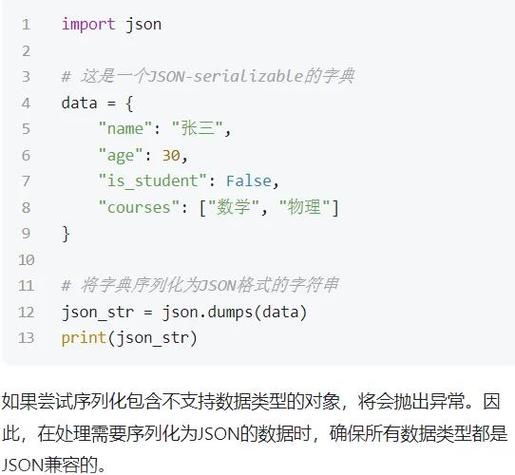
When you parse a JSON string in Python using the json library, the resulting object is a standard Python dict. A KeyError is the specific exception Python raises when you try to access a key that is not present in a dictionary.
import json
# A sample JSON string
json_string = '{"name": "Alice", "age": 30, "city": "New York"}'
# Parse the JSON string into a Python dictionary
data = json.loads(json_string)
# This works fine
print(data['name'])  # Output: Alice
# This will raise a KeyError because 'country' is not a key
try:
    print(data['country'])
except KeyError as e:
    print(f"Caught an error: {e}") # Output: Caught an error: 'country'
Common Scenarios and How to Fix Them
Here are the most common situations that cause a KeyError with JSON and the best ways to handle them.
Scenario 1: The Key is Simply Missing
This is the most straightforward case. The JSON data you received doesn't have the key you're trying to access.
Problem:
data = {"user": "bob", "id": 123}
print(data['email']) # KeyError: 'email'
Solution 1: Use the .get() method (Recommended)
The .get() method is the safest and most Pythonic way to access dictionary keys. It returns None (or a default value you specify) if the key is not found, instead of raising an error.
data = {"user": "bob", "id": 123}
# Safe access - returns None if 'email' is not found
email = data.get('email')
print(email) # Output: None
# You can also provide a default value
email = data.get('email', 'not_provided@example.com')
print(email) # Output: not_provided@example.com
Solution 2: Use a try...except Block
Use this if you need to perform a specific action when the key is missing, not just get a default value.
data = {"user": "bob", "id": 123}
try:
    email = data['email']
    print(f"User's email is: {email}")
except KeyError:
    print("Email address not found for this user.")
Scenario 2: Nested Data Structures (The Most Common Trap)
Your JSON data is often nested, like a Russian doll. A KeyError can happen at any level of nesting.
Problem:
{
  "user": {
    "id": 123,
    "profile": {
      "name": "Charlie"
    }
  }
}
If you try to access data['user']['address'], you'll get a KeyError because 'address' doesn't exist in the inner profile dictionary.
Solution: Use a Helper Function or try...except
A simple loop with .get() can elegantly handle deep nesting without a mess of try...except blocks.
import json
json_string = '''
{
  "user": {
    "id": 123,
    "profile": {
      "name": "Charlie"
    }
  }
}
'''
data = json.loads(json_string)
# --- The Problem ---
# This will raise a KeyError: 'address'
# print(data['user']['profile']['address'])
# --- The Solution: Safe Nested Access ---
def get_nested_value(data, keys, default=None):
    """Safely get a value from a nested dictionary."""
    for key in keys:
        data = data.get(key)
        if data is None:
            return default
    return data
# Usage:
# Path: 'user' -> 'profile' -> 'address'
address = get_nested_value(data, ['user', 'profile', 'address'])
print(address) # Output: None
# Path: 'user' -> 'id'
user_id = get_nested_value(data, ['user', 'id'])
print(user_id) # Output: 123
# Path: 'user' -> 'profile' -> 'name' with a default
name = get_nested_value(data, ['user', 'profile', 'name'], 'Unknown Name')
print(name) # Output: Charlie
Scenario 3: The Key is in a List of Dictionaries
You often get a list of items, and you need to find a specific one.
Problem:
users = [
    {"id": 1, "name": "Alice"},
    {"id": 2, "name": "Bob"}
]
# Trying to access users['name'] will raise a TypeError, not a KeyError,
# because you're trying to use a string key on a list.
The real KeyError happens inside the loop if you don't check correctly.
Solution: Loop and Check
users = [
    {"id": 1, "name": "Alice"},
    {"id": 2, "name": "Bob"}
]
target_id = 3
found_user = None
for user in users:
    # Safely check if 'id' key exists and matches
    if user.get('id') == target_id:
        found_user = user
        break
if found_user:
    print(f"Found user: {found_user['name']}")
else:
    print(f"User with id {target_id} not found.")
Scenario 4: The JSON Itself is Invalid
Sometimes the error isn't a missing key, but a malformed JSON string. The json.loads() function will raise a json.JSONDecodeError (which is a subclass of ValueError), not a KeyError.
Problem:
import json
# Note the trailing comma, which is invalid JSON
malformed_json = '{"name": "David", "age": 40,}'
try:
    data = json.loads(malformed_json)
except json.JSONDecodeError as e:
    print(f"Failed to decode JSON: {e}")
Best Practices Summary
- Default to
.get(): For simple, flat dictionaries, always prefermy_dict.get('key')overmy_dict['key']to avoidKeyErrorcrashes. - Validate Data: Before processing, check if the data you expect is actually there.
if 'user' in data and 'profile' in data['user']: # ... proceed safely - Use
try...exceptfor Control Flow: If the absence of a key is a critical event that requires special logic (e.g., logging an error, sending a notification), atry...except KeyErrorblock is the right tool. - Handle Deep Nesting Gracefully: For complex, nested JSON, create a helper function like the
get_nested_valueexample above. This keeps your code clean and readable. - Be Defensive: Assume that external data (like an API response) might be incomplete or malformed. Always write your code to handle these possibilities gracefully.