Of course! When you say "Java String document," it could mean a few different things. I'll cover the most common interpretations, from basic string manipulation to reading strings from a file.

Let's break it down into three main sections:
- The
StringClass in Java: The fundamental building block for text. - Common
StringOperations: How to work with and manipulate text. - Reading a String from a File: A very common real-world task where you load the content of a "document" (a text file) into a
String.
The String Class in Java
In Java, a String is an object that represents a sequence of characters. It's not a primitive type like int or boolean. Because strings are used so frequently, Java provides a special, easy-to-use syntax for creating them.
Key Characteristics:
- Immutable: This is the most important concept. Once a
Stringobject is created, its value cannot be changed. Any operation that appears to modify a string (liketoUpperCase()) actually creates and returns a new `String* object. - Literal Pooling: Java optimizes memory by storing string literals in a special area of memory called the "string pool." If you create two strings with the same literal value, they will often point to the same object in memory.
Creating Strings:
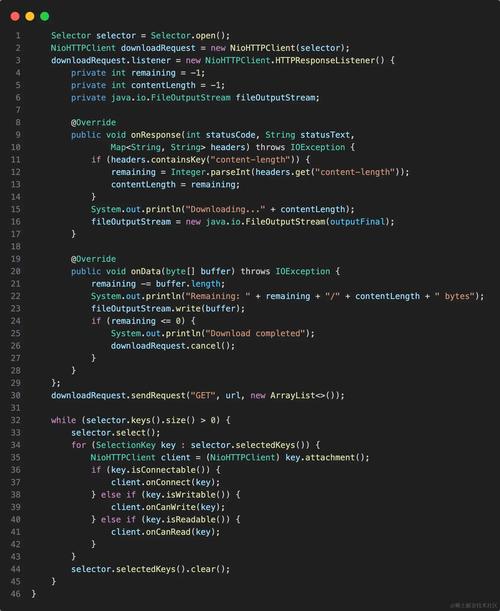
public class StringExample {
    public static void main(String[] args) {
        // 1. Using string literals (preferred for simple, static strings)
        String greeting = "Hello, World!";
        System.out.println(greeting);
        // 2. Using the 'new' keyword (creates a new object in memory, bypassing the pool)
        String anotherGreeting = new String("Hello, World!");
        System.out.println(anotherGreeting);
        // 3. Using the + operator for concatenation
        String firstName = "Jane";
        String lastName = "Doe";
        String fullName = firstName + " " + lastName; // "Jane Doe"
        System.out.println(fullName);
    }
}
Common String Operations
Here are the most frequently used methods for working with String objects.
| Operation | Method(s) | Example | Description |
|---|---|---|---|
| Length | length() |
int len = "test".length(); // len is 4 |
Returns the number of characters in the string. |
| Concatenation | or concat() |
String s1 = "a" + "b";String s2 = "a".concat("b"); |
Joins two strings together. The operator is more common. |
| Equality | equals() and equalsIgnoreCase() |
"test".equals("Test"); // false"test".equalsIgnoreCase("Test"); // true |
equals() checks for exact character match. equalsIgnoreCase() is case-insensitive. Never use to compare string content! checks if two references point to the same object in memory. |
| Substring | substring() |
String s = "Hello".substring(1, 3); // s is "el" |
Extracts a portion of the string. The first index is inclusive, the second is exclusive. |
| Character Access | charAt() |
char c = "Hello".charAt(1); // c is 'e' |
Gets the character at a specific zero-based index. |
| Search | contains(), indexOf(), startsWith(), endsWith() |
"Hello World".contains("World"); // true"Hello World".indexOf("World"); // 6"file.txt".startsWith("file"); // true"file.txt".endsWith(".txt"); // true |
Checks for the presence of a sequence of characters. |
| Case Conversion | toUpperCase(), toLowerCase() |
String upper = "hello".toUpperCase(); // "HELLO" |
Converts the entire string to upper or lower case. |
| Trimming Whitespace | trim() |
String s = " hello ".trim(); // "hello" |
Removes leading and trailing whitespace (spaces, tabs, newlines). |
| Replacement | replace() |
String s = "Hello World".replace("World", "Java"); // "Hello Java" |
Replaces all occurrences of a target sequence with another. |
| Splitting | split() |
String[] parts = "a,b,c".split(","); // parts = ["a", "b", "c"] |
Splits a string into an array of substrings based on a delimiter. |
Reading a String from a File (The "Document" Aspect)
This is a very common task where you treat a text file as a "document" and load its entire content into a single String. Modern Java (8+) provides excellent tools for this.
Method 1: Using Files.readString (Java 11+) - Recommended
This is the simplest and most modern way. It's a single line of code for most cases.
import java.io.IOException;
import java.nio.file.Files;
import java.nio.file.Paths;
public class ReadFileAsString {
    public static void main(String[] args) {
        String filePath = "my_document.txt"; // The path to your file
        try {
            // Read the entire file into a single String
            // StandardCharsets.UTF_8 specifies the character encoding
            String fileContent = Files.readString(Paths.get(filePath));
            System.out.println("--- File Content ---");
            System.out.println(fileContent);
            System.out.println("--------------------");
        } catch (IOException e) {
            System.err.println("Error reading the file: " + e.getMessage());
            e.printStackTrace();
        }
    }
}
Method 2: Using Files.readAllLines (Java 8+) and Joining
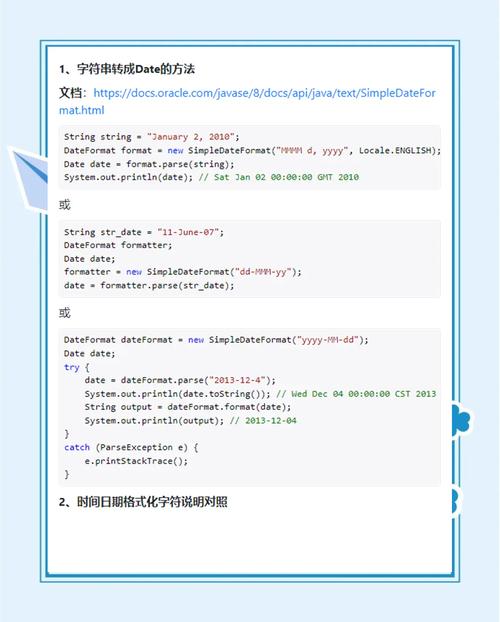
If you're on Java 8 but not 11, this is a great alternative. You read the file into a List of lines and then join them.
import java.io.IOException;
import java.nio.file.Files;
import java.nio.file.Paths;
import java.util.List;
public class ReadFileWithLines {
    public static void main(String[] args) {
        String filePath = "my_document.txt";
        try {
            // Read all lines into a List of Strings
            List<String> lines = Files.readAllLines(Paths.get(filePath));
            // Join all lines with a newline character to form one big string
            String fileContent = String.join("\n", lines);
            System.out.println("--- File Content ---");
            System.out.println(fileContent);
            System.out.println("--------------------");
        } catch (IOException e) {
            System.err.println("Error reading the file: " + e.getMessage());
            e.printStackTrace();
        }
    }
}
Handling Potential Errors
File Not Found: If the file doesn't exist, Files.readString will throw a NoSuchFileException. It's best to catch the more general IOException, which covers this and other I/O-related problems.
Encoding: Files are not just text; they are bytes interpreted with a specific character set (like UTF-8, ASCII, etc.). Always specify the encoding when reading text files to avoid garbled characters. Files.readString has an overloaded version that lets you do this.
// Example with explicit encoding
String fileContent = Files.readString(Paths.get(filePath), StandardCharsets.UTF_8);
Complete Example: Putting It All Together
Let's create a program that reads a file, processes its content, and prints the result.
Create a file named report.txt in your project's root directory:
Java is a high-level, class-based, object-oriented programming language.
It is designed to have as few implementation dependencies as possible.
It is a general-purpose programming language intended to let programmers write once, run anywhere.
Create the Java program DocumentProcessor.java:
import java.io.IOException;
import java.nio.file.Files;
import java.nio.file.Paths;
import java.util.stream.Stream;
public class DocumentProcessor {
    public static void main(String[] args) {
        String filePath = "report.txt";
        try {
            // Read the entire document into a single String
            String documentContent = Files.readString(Paths.get(filePath));
            System.out.println("Original Document Content:");
            System.out.println(documentContent);
            System.out.println("\n--- Processing Document ---\n");
            // --- Processing Examples ---
            // 1. Get the number of characters
            int charCount = documentContent.length();
            System.out.println("1. Total characters: " + charCount);
            // 2. Convert to uppercase
            String upperCaseContent = documentContent.toUpperCase();
            System.out.println("\n2. Content in UPPERCASE:");
            System.out.println(upperCaseContent);
            // 3. Count occurrences of a word
            String searchTerm = "language";
            long wordCount = Stream.of(documentContent.split("\\s+")) // Split by whitespace
                                  .filter(word -> word.equalsIgnoreCase(searchTerm))
                                  .count();
System.out.println("\n3. The word '" + searchTerm + "' appears " + wordCount + " time(s