Of course! The phrase "Python yield request" most often refers to a specific and powerful design pattern used in asynchronous programming, particularly with the asyncio library.
Let's break it down.
The Two Key Concepts: yield and async/await
First, let's quickly understand the two main players.
yield: The Generator
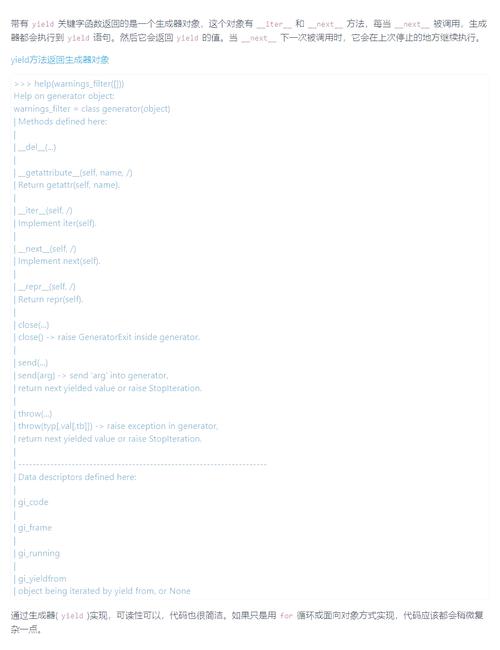
The yield keyword turns a function into a generator. Instead of running to completion and returning a single value, a generator pauses its execution each time it hits yield, "yields" a value back to the caller, and can be resumed later from where it left off.
Simple yield Example:

def count_up_to(max):
    current = 1
    while current <= max:
        yield current  # Pause here and return 'current'
        current += 1
# Using the generator
counter = count_up_to(3)
print(next(counter))  # Output: 1 (Generator runs until yield)
print(next(counter))  # Output: 2 (Generator resumes from where it left off)
print(next(counter))  # Output: 3
# print(next(counter)) # Would raise StopIteration
async/await: The Asynchronous Framework
async and await are keywords for writing asynchronous code that is easier to read and reason about than traditional callback-based code. An async function can be paused while it's waiting for a long-running operation (like a network request) to complete, without blocking the entire program.
Simple async/await Example:
import asyncio
import time
async def fetch_data():
    print("Fetching data...")
    await asyncio.sleep(2)  # Simulate a 2-second network delay
    print("Data fetched!")
    return {"data": "some important info"}
async def main():
    print("Start")
    result = await fetch_data() # Pause here until fetch_data is complete
    print(f"Got result: {result}")
    print("End")
# Run the async main function
asyncio.run(main())
The "Yield Request" Pattern in asyncio
Now, let's combine them. The "yield request" pattern is a way to write asynchronous iterators. It's particularly useful when you want to manage a stream of asynchronous tasks, like fetching multiple URLs from a list.
The core idea is to use yield from inside an async generator to "yield" a Task object. The caller of this generator is then responsible for await-ing those tasks to get the results.

Why is this useful?
Imagine you have a list of 1000 URLs to fetch. You don't want to send all 1000 requests at once, as that would overwhelm the server and your network. Instead, you want to send a few, wait for them to complete, send a few more, and so on. This pattern helps you manage that concurrency.
How it Works: A Step-by-Step Example
Let's create a simple web crawler that fetches multiple URLs concurrently, but limits the number of concurrent requests.
import asyncio
import random
# A mock async function that simulates fetching a webpage
async def fetch_url(url: str):
    print(f"[*] Starting fetch for: {url}")
    # Simulate a network delay of 1-3 seconds
    delay = random.uniform(1, 3)
    await asyncio.sleep(delay)
    print(f"[+] Finished fetch for: {url} (took {delay:.2f}s)")
    return f"<html>Content for {url}</html>"
# This is the core of the "yield request" pattern
# It's an ASYNC GENERATOR
async def fetcher(urls: list[str], max_concurrent: int = 3):
    """
    Yields fetch tasks one by one, allowing the caller to manage concurrency.
    """
    # A semaphore is a perfect tool to limit concurrency
    semaphore = asyncio.Semaphore(max_concurrent)
    # Create a coroutine for each URL fetch
    tasks = [fetch_url(url) for url in urls]
    # Yield each task wrapped in the semaphore's context manager
    for task in tasks:
        # The 'async with' ensures that only 'max_concurrent' tasks
        # can be inside this block at any given time.
        async with semaphore:
            # We yield the TASK OBJECT itself, not the result
            yield task
async def main():
    urls = [
        "http://example.com/page1",
        "http://example.com/page2",
        "http://example.com/page3",
        "http://example.com/page4",
        "http://example.com/page5",
    ]
    print("--- Starting concurrent fetcher ---")
    # We use 'async for' to iterate over the yielded tasks
    async for task in fetcher(urls, max_concurrent=2):
        # The 'await' here pauses main() until the yielded task is complete
        result = await task
        print(f"--- Processed result: {len(result)} bytes ---")
    print("--- All fetches complete ---")
# Run the main function
asyncio.run(main())
Expected Output (will vary due to random delays):
--- Starting concurrent fetcher ---
[*] Starting fetch for: http://example.com/page1
[*] Starting fetch for: http://example.com/page2
[+] Finished fetch for: http://example.com/page1 (took 1.12s)
--- Processed result: 37 bytes ---
[*] Starting fetch for: http://example.com/page3
[+] Finished fetch for: http://example.com/page2 (took 1.89s)
--- Processed result: 37 bytes ---
[*] Starting fetch for: http://example.com/page4
[+] Finished fetch for: http://example.com/page3 (took 2.45s)
--- Processed result: 37 bytes ---
[*] Starting fetch for: http://example.com/page5
[+] Finished fetch for: http://example.com/page4 (took 2.78s)
--- Processed result: 37 bytes ---
[+] Finished fetch for: http://example.com/page5 (took 2.89s)
--- Processed result: 37 bytes ---
--- All fetches complete ---
Analysis of the Pattern:
async def fetcher(...): It's an asynchronous generator because it's defined withasync defand containsyield.yield task: Inside the generator, weyieldanasyncio.Taskobject. We are not yielding the final result. This is the key. We are yielding a promise of work to be done.async for task in fetcher(...): Themainfunction consumes this async generator. The loop gets eachtaskobject that was yielded.await task: This is where the magic happens.mainpauses and waits for the specifictask(the network request) to complete. While it's waiting,asynciocan run other tasks that are ready (like the second concurrent request).- Separation of Concerns: The
fetchergenerator is responsible for producing a stream of work (tasks). Themainfunction is responsible for consuming that work and controlling the concurrency (byawait-ing them). This makes the code very modular.
Modern Alternative: asyncio.as_completed
For many common use cases like this, Python's asyncio library provides a built-in function that achieves a similar, often simpler, result: asyncio.as_completed.
This function takes a list of awaitables (like coroutines) and returns an asynchronous iterator that yields results as they become available.
Here's how you'd rewrite the main function using as_completed:
# (The fetch_url function is the same)
async def main_with_as_completed(urls: list[str], max_concurrent: int = 3):
    print("--- Starting fetcher with asyncio.as_completed ---")
    # Create all the coroutines first
    tasks = [fetch_url(url) for url in urls]
    # Use asyncio.Semaphore to limit the number of active tasks
    semaphore = asyncio.Semaphore(max_concurrent)
    # Create a wrapper for each task that respects the semaphore
    async def sem_task(task):
        async with semaphore:
            return await task
    # as_completed() yields results as they finish
    for future in asyncio.as_completed([sem_task(t) for t in tasks]):
        result = await future
        print(f"--- Processed result: {len(result)} bytes ---")
    print("--- All fetches complete ---")
asyncio.run(main_with_as_completed())
Which one to use?
yield requestPattern: Excellent for building complex, reusable asynchronous data pipelines or iterators where the logic for producing the stream of work is complex and should be separate from the logic for consuming it. It's a fundamental pattern for understanding how async generators work.asyncio.as_completed: Simpler and more direct for the common use case of "run a bunch of async things and process them as they finish." It's often the better choice for one-off tasks like the web crawler example.
Summary
| Concept