Python 中并没有一个独立的、名为 decorator 的标准库模块,当我们谈论“装饰器模块”时,通常指的是 functools 模块,它提供了许多用于创建和操作装饰器的实用工具函数。
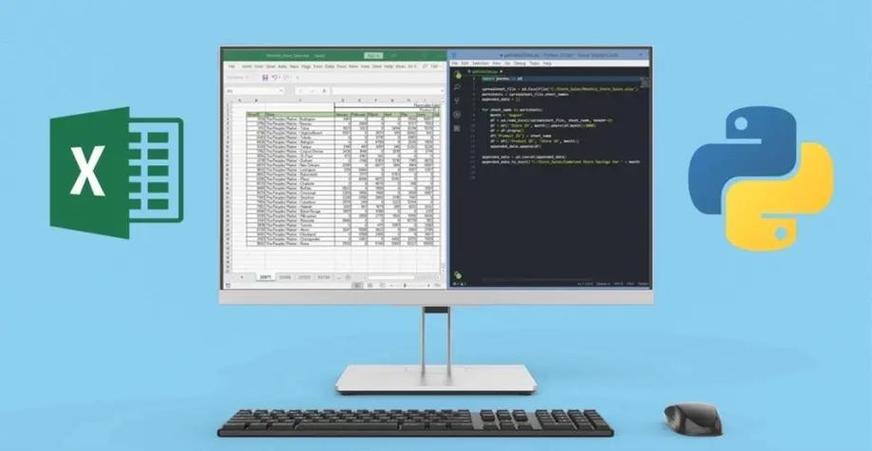
functools 模块是 Python 标准库的一部分,它提供了用于高阶函数的操作,这些函数作用于或返回其他函数(或可调用对象)。functools 中的工具对于编写更高级、更优雅的装饰器至关重要。
下面,我将从基础到高级,系统地介绍 functools 中与装饰器相关的核心功能。
functools.wraps - 装饰器的“救星”
这是 functools 模块中最著名、最重要的一个函数,如果你只记住一个,那一定是它。
问题背景
当我们编写一个简单的装饰器时,通常会这样写:
def my_decorator(func):
    def wrapper(*args, **kwargs):
        """Wrapper function's docstring."""
        print("Something is happening before the function is called.")
        result = func(*args, **kwargs)
        print("Something is happening after the function is called.")
        return result
    return wrapper
@my_decorator
def say_hello(name):
    """Greet someone."""
    print(f"Hello, {name}!")
say_hello("Alice")
这个装饰器能正常工作,但它有一个严重的问题:元信息丢失。
print(say_hello.__name__)  # 输出: wrapper
print(say_hello.__doc__)   # 输出: Wrapper function's docstring.
say_hello 函数的 __name__ 和 __doc__ 属性被 wrapper 函数的覆盖了,这在调试、文档生成(如 Sphinx)或任何依赖函数元信息的场景下会造成极大的困扰。
functools.wraps 的解决方案
functools.wraps 本身也是一个装饰器,它的作用是“复制”被装饰函数的元信息(如 __name__, __doc__, __module__ 等)到装饰器内部的 wrapper 函数上。
让我们用 wraps 来修复上面的代码:
from functools import wraps
def my_decorator(func):
    @wraps(func)  # <-- 关键在这里
    def wrapper(*args, **kwargs):
        """Wrapper function's docstring."""
        print("Something is happening before the function is called.")
        result = func(*args, **kwargs)
        print("Something is happening after the function is called.")
        return result
    return wrapper
@my_decorator
def say_hello(name):
    """Greet someone."""
    print(f"Hello, {name}!")
say_hello("Alice")
print(say_hello.__name__)  # 输出: say_hello
print(say_hello.__doc__)   # 输出: Greet someone.
say_hello 的元信息被正确地保留了。最佳实践是:在编写任何装饰器时,都在内部的 wrapper 函数上使用 @wraps(func)。
functools.partial - 创建“预填充”参数的函数
partial 用于“冻结”一个函数的部分参数,从而创建一个新的、参数更少的函数,这在某些场景下非常有用,比如创建回调函数或简化函数调用。
基本用法
functools.partial(func, *args, **keywords)
func: 要包装的函数。*args: 要固定的位置参数。**keywords: 要固定的关键字参数。
示例:
假设有一个通用的函数,用于计算两个数的乘积。
from functools import partial
def multiply(a, b):
    return a * b
# 创建一个专门用于乘以 2 的新函数
double = partial(multiply, 2)
# 创建一个专门用于乘以 10 的新函数
times_ten = partial(multiply, b=10)
print(double(5))      # 输出: 10 (相当于 multiply(2, 5))
print(times_ten(5))    # 输出: 50 (相当于 multiply(5, b=10))
partial 作为装饰器
partial 也可以用作装饰器,这相当于在函数定义时就“预填充”了部分参数。
示例:
想象一个日志记录函数,它接收一个消息和日志级别。
from functools import partial
import logging
def log(level, message):
    logging.log(level, message)
# 预填充 level=logging.INFO,创建一个 info_log 函数
info_log = partial(log, level=logging.INFO)
# 现在可以直接调用 info_log,无需再指定 level
info_log("This is an info message.")
# 使用 @ 语法糖
@partial(log, level=logging.WARNING)
def warn_user(message):
    # 这个函数在调用时,log 函数的 level 已经被固定为 WARNING
    # 只需传入 message 参数
    pass
warn_user("This is a warning message.")
实际应用场景:
在 GUI 编程中,你可能需要将一个带有多个参数的函数绑定到按钮的 command 事件上。partial 可以让你轻松地传递额外的参数。
functools.lru_cache - 缓存计算结果
lru_cache 是一个非常实用的装饰器,它可以为函数提供缓存(memoization)功能,它会记住最近调用过的函数参数及其对应的返回结果,当再次使用相同的参数调用函数时,它会直接从缓存中返回结果,而无需重新执行函数体,这对于计算成本高昂的函数尤其有用。
lru_cache 的工作原理
LRU 是 "Least Recently Used"(最近最少使用)的缩写,当缓存满了之后,它会丢弃最久未被使用的结果。
基本用法
from functools import lru_cache
import time
@lru_cache(maxsize=None) # maxsize=None 表示缓存大小没有限制
def slow_function(n):
    time.sleep(2)  # 模拟一个耗时操作
    return n * n
print("Calling slow_function(10)...")
start_time = time.time()
result1 = slow_function(10)
end_time = time.time()
print(f"Result: {result1}, Time taken: {end_time - start_time:.2f}s")
print("\nCalling slow_function(10) again (should be much faster)...")
start_time = time.time()
result2 = slow_function(10) # 这次会从缓存中获取
end_time = time.time()
print(f"Result: {result2}, Time taken: {end_time - start_time:.2f}s")
print("\nCalling slow_function(20)...")
start_time = time.time()
result3 = slow_function(20) # 新的参数,会重新计算
end_time = time.time()
print(f"Result: {result3}, Time taken: {end_time - start_time:.2f}s")
lru_cache 的参数
maxsize: 缓存中存储的最大条目数,如果设置为None,则缓存大小无限制,如果设置为 0,则禁用缓存,一个合理的值(如 128)通常是最佳实践。typed: 如果设置为True,不同类型的参数会被分别缓存。f(3)和f(3.0)会被视为两个不同的调用,默认为False。
lru_cache 的实用属性
被 lru_cache 装饰的函数会添加一些有用的属性:
cache_info(): 返回一个命名元组,显示缓存命中率等信息。cache_clear(): 清空缓存。
示例:
@lru_cache(maxsize=128)
def fibonacci(n):
    if n < 2:
        return n
    return fibonacci(n-1) + fibonacci(n-2)
print(fibonacci(10)) # 第一次计算
print(fibonacci(10)) # 第二次,从缓存获取
print(fibonacci.cache_info())
# 输出类似: CacheInfo(hits=18, misses=11, maxsize=128, currsize=11)
fibonacci.cache_clear()
print(fibonacci.cache_info())
# 输出: CacheInfo(hits=0, misses=0, maxsize=128, currsize=0)
functools.singledispatch - 为函数创建泛型函数
Python 是动态类型语言,没有函数重载(C++/Java 中同名不同参数的多个函数)。singledispatch 提供了一种机制,让你可以根据第一个参数的类型,来分发到不同的实现函数上,这被称为单分派。
基本用法
- 用
@functools.singledispatch装饰基础函数(通常只处理object类型,作为最后的后备方案)。 - 使用
@register方法(my_function.register)来为特定类型注册新的实现。
示例:
from functools import singledispatch
import html
# 1. 定义基础函数,并使用 @singledispatch 装饰
# 这个函数将作为处理未知类型的默认实现。
@singledispatch
def format_data(data):
return repr(data)
# 2. 使用 .register() 方法为特定类型注册实现
@format_data.register
def _(data: str):
# 这个函数专门处理 str 类型
return html.escape(data)
@format_data.register
def _(data: list):
# 这个函数专门处理 list 类型
return "<ul>" + "".join(f"<li>{format_data(item)}</li>" for item in data) + "</ul>"
@format_data.register
def _(data: int):
# 这个函数专门处理 int 类型
return f"<em>{data}</em>"
# --- 测试 ---
print(format_data("This is a string with <tags>.")) # 会调用 str 版本
# 输出: This is a string with <tags>.
print(format_data([1, 2, "hello", [3, 4]])) # 会递归调用 list, int, str 版本
# 输出: <ul><li><em>1</em></li><li><em>2</em></li><li>hello</li><li><ul><li><em>3</em></li><li><em>4</em></li></ul></li></ul>
print(format_data(42)) # 会调用 int 版本
# 输出: <em>42</em>
print(format_data(3.14)) # 没有注册 float 版本,会调用基础 object 版本
# 输出: 3.14
singledispatch 非常适合创建能够处理多种数据类型的工具函数,比如序列化、日志记录、数据转换等,它让你的代码更加清晰和符合 Pythonic。
| 函数/工具 | 主要用途 | 关键点 |
|---|---|---|
functools.wraps |
保留被装饰函数的元信息 | 编写装饰器的必备工具,防止 __name__、__doc__ 等丢失。 |
functools.partial |
固定函数的部分参数,创建新函数 | 用于创建回调、简化调用,也是一种装饰器。 |
functools.lru_cache |
缓存函数结果,提高性能 | 适用于纯函数且计算昂贵的场景,能极大提升速度。 |
functools.singledispatch |
根据第一个参数的类型分发函数调用 | 实现了类似函数重载的功能,使代码更灵活、更具扩展性。 |
functools 模块是 Python 高级编程的利器,掌握这些工具,特别是 wraps 和 lru_cache,能让你写出更专业、更高效、更优雅的 Python 代码。