Of course! Creating a Python server-client application is a fundamental skill in networking and software development. I'll guide you through creating a simple but robust Echo Server and a corresponding Echo Client.
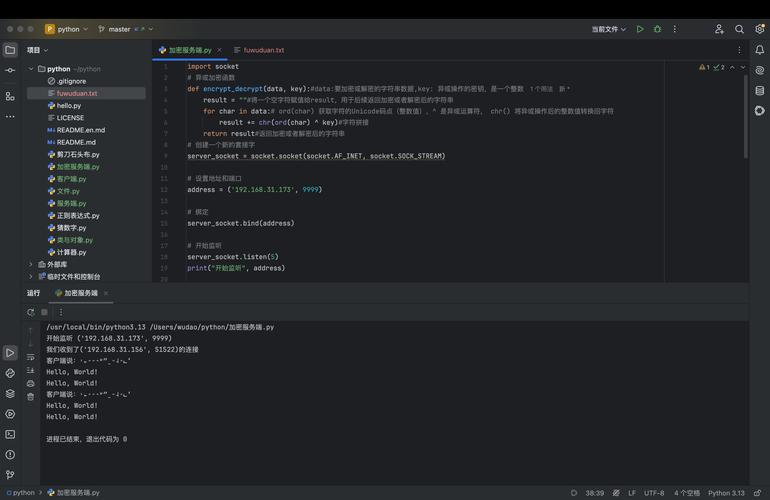
The "Echo" server's job is simple: it receives a message from the client and sends the exact same message back. This is perfect for learning the basics of sending and receiving data.
Here's a complete guide, broken down into:
- Core Concepts: How it works.
- The Server Code: The code for the server.
- The Client Code: The code for the client.
- How to Run It: Step-by-step instructions.
- Enhancements & Next Steps: Making it more advanced.
Core Concepts: The Request/Response Model
- Socket: Think of a socket as an endpoint for sending or receiving data across a computer network. It's like a phone number for your application on a specific computer.
- IP Address: The unique address of a device on a network (e.g.,
0.0.1, which is the special address for "this same computer"). - Port: A number that helps identify a specific application or service on a device. It's like an extension number on a phone system. Ports range from 0 to 65535. We'll use a high port number like
65432to avoid conflicts with standard services. - TCP (Transmission Control Protocol): A reliable, connection-oriented protocol. The client and server establish a connection before data is sent, and it ensures all data arrives in the correct order. This is what we'll use.
The Flow:
- Server: Starts up, binds to an IP and port, and listens for incoming connections.
- Client: Knows the server's IP and port, and initiates a connection.
- Server: Accepts the client's connection.
- Client: Sends a message (a string of text).
- Server: Receives the message.
- Server: Sends the same message back to the client.
- Client: Receives the echoed message.
- Connection: Closes, ending the communication.
The Server Code (server.py)
This server will listen for connections, accept one, handle the echo, and then close. We'll use Python's built-in socket module.
# server.py
import socket
# Use 'with' statements to ensure sockets are properly closed
# AF_INET is the address family for IPv4
# SOCK_STREAM is the socket type for TCP
HOST = "127.0.0.1"  # Standard loopback interface address (localhost)
PORT = 65432        # Port to listen on (non-privileged ports are > 1023)
print("--- Server Starting ---")
with socket.socket(socket.AF_INET, socket.SOCK_STREAM) as s:
    # s.bind() makes the socket listen to a specific host and port
    s.bind((HOST, PORT))
    # s.listen() enables the server to accept connections
    s.listen()
    # s.accept() blocks execution and waits for an incoming connection.
    # When a client connects, it returns a new socket object 'conn' to send and receive
    # data on the connection, and the 'addr' of the client.
    print(f"Server listening on {HOST}:{PORT}")
    conn, addr = s.accept()
    # We use a 'with' block for the connection socket as well
    with conn:
        print(f"Connected by {addr}")
        while True:
            # conn.recv() receives data from the socket. It's a blocking call.
            # 1024 is the buffer size in bytes.
            data = conn.recv(1024)
            # If recv() returns an empty object, the client has closed the connection.
            if not data:
                break
            # We decode the received bytes to a string to print it.
            print(f"Received from client: {data.decode('utf-8')}")
            # We send the exact same data back to the client.
            # The .sendall() method ensures all data is sent before continuing.
            conn.sendall(data)
            print(f"Echoed back to client: {data.decode('utf-8')}")
print("--- Server Shutting Down ---")
The Client Code (client.py)
This client will connect to the server, send a message, wait for the echo, and then close.
# client.py
import socket
HOST = "127.0.0.1"  # The server's hostname or IP address
PORT = 65432        # The port used by the server
# The message we want to send to the server
# We encode it to bytes first, as sendall() works with bytes.
message = "Hello, Server!".encode('utf-8')
print("--- Client Starting ---")
with socket.socket(socket.AF_INET, socket.SOCK_STREAM) as s:
    # s.connect() attempts to connect to the server at the specified address.
    # This is a blocking call.
    s.connect((HOST, PORT))
    print(f"Connected to server at {HOST}:{PORT}")
    # Send the message to the server
    s.sendall(message)
    print(f"Sent message to server: {message.decode('utf-8')}")
    # Wait to receive data from the server
    data = s.recv(1024)
print("--- Client Shutting Down ---")
# We decode the received bytes back to a string to print it.
print(f"Received from server: {data.decode('utf-8')}")
How to Run It
You need two separate terminal windows.
Terminal 1: Start the Server
-
Save the server code as
server.py. (图片来源网络,侵删)
 -
Open a terminal or command prompt.
-
Navigate to the directory where you saved the file.
-
Run the server:
python server.py
You will see the output:
--- Server Starting ---
Server listening on 127.0.0.1:65432
The server is now running and waiting for a connection. It will appear to be "stuck" or frozen. This is normal—it's waiting at the
s.accept()line.
Terminal 2: Start the Client
-
Save the client code as
client.pyin the same directory. -
Open a new terminal window.
-
Navigate to the same directory.
-
Run the client:
python client.py
You will see the output:
--- Client Starting ---
Connected to server at 127.0.0.1:65432
Sent message to server: Hello, Server!
--- Client Shutting Down ---
Received from server: Hello, Server!
Terminal 1: Observe the Server's Output
After the client finishes, go back to your first terminal. You will see that the server has finished its interaction and is now waiting again (or, in our simple script, it exits).
The output in the server terminal will look like this:
--- Server Starting ---
Server listening on 127.0.0.1:65432
Connected by ('127.0.0.1', 54321)  # The port number will be different
Received from client: Hello, Server!
Echoed back to client: Hello, Server!
--- Server Shutting Down ---
Congratulations! You have successfully sent a message from a client to a server and received a response.
Enhancements & Next Steps
This example is great for learning, but real-world applications are more complex. Here’s how you can improve it.
A. Handling Multiple Clients
Our server can only handle one client at a time. To handle multiple clients, you need to use multithreading. The main server thread accepts connections, and for each new connection, it spawns a new thread to handle that client's communication.
Modified Server (multi_threaded_server.py):
# multi_threaded_server.py
import socket
import threading
HOST = "127.0.0.1"
PORT = 65432
def handle_client(conn, addr):
    """Function to handle a single client connection."""
    print(f"[NEW CONNECTION] {addr} connected.")
    with conn:
        while True:
            data = conn.recv(1024)
            if not data:
                break
            print(f"[{addr}] Received: {data.decode('utf-8')}")
            conn.sendall(data)
            print(f"[{addr}] Echoed: {data.decode('utf-8')}")
    print(f"[CONNECTION CLOSED] {addr} disconnected.")
def start_server():
    """Main function to start the server."""
    with socket.socket(socket.AF_INET, socket.SOCK_STREAM) as s:
        s.bind((HOST, PORT))
        s.listen()
        print(f"[*] Server listening on {HOST}:{PORT}")
        while True:
            conn, addr = s.accept()
            # Create a new thread for each new client
            thread = threading.Thread(target=handle_client, args=(conn, addr))
thread