Of course! This is a fundamental and very important concept in Java. Here’s a detailed breakdown of the relationship between int and Integer.
The Short Answer
intis a primitive data type. It's a basic building block provided by the language, used to store a single integer value. It's not an object.Integeris a wrapper class. It's a class that "wraps" theintprimitive inside an object. This allows you to useintvalues where objects are required.
Detailed Comparison
Let's break down the differences in a table for clarity.
| Feature | int (Primitive) |
Integer (Wrapper Class) |
|---|---|---|
| Type | Primitive | Object (Reference Type) |
| Purpose | Stores a simple integer value. | Wraps an int value to be used in an object-oriented context. |
| Default Value | 0 |
null (This is a critical difference!) |
| Memory Usage | Fixed size (typically 4 bytes). | Larger overhead. Stores the int value plus metadata for the object. |
Can be null? |
No. It must hold a value. | Yes. It can be null, representing the absence of a value. |
| Methods | No methods. It's not an object. | Yes, many useful static and instance methods (e.g., parseInt(), toString(), compareTo()). |
| Example | int age = 30; |
Integer age = Integer.valueOf(30); |
| Autoboxing | N/A | Can be automatically converted from int (since Java 5). |
| Unboxing | N/A | Can be automatically converted to int (since Java 5). |
Key Concepts Explained
Primitive vs. Object
Think of it like this:
- An
intis like a simple number written on a sticky note. It's just the value itself. - An
Integeris like a box. You put the number (int) inside the box. The box itself is an object, so you can write on it, pass it around, and it can be empty (null).
Because int is a primitive, it's more memory-efficient and faster for simple arithmetic operations. Because Integer is an object, it can be used in collections (like ArrayList or HashMap) and can have methods.
The null Problem (A Very Common Bug)
This is the most important practical difference. If you try to use a primitive int when it's uninitialized, the compiler will help you. But if you use an Integer and it's null, you'll get a runtime error.
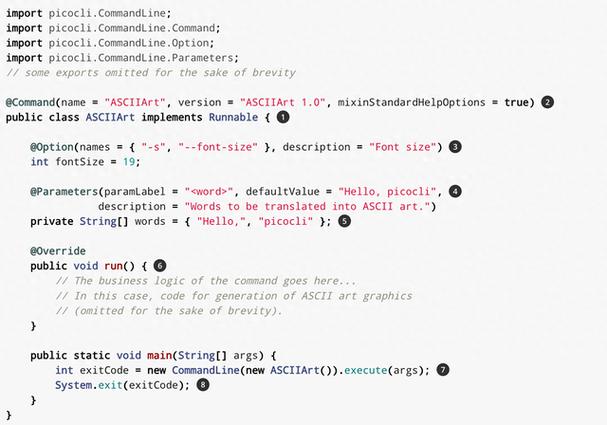
// --- int (Compiler Error) ---
// int uninitializedInt; // This line causes a COMPILE ERROR!
// System.out.println(uninitializedInt); // "variable uninitializedInt might not have been initialized"
// --- Integer (Runtime Error - NullPointerException) ---
Integer uninitializedInteger; // This is valid. The variable is null.
// System.out.println(uninitializedInteger); // This line causes a RUNTIME ERROR (NullPointerException)
This is why you might see NullPointerException when working with collections that store Integer values.
Autoboxing and Unboxing (Java 5+)
Before Java 5, converting between int and Integer was tedious and manual. You had to use methods like new Integer(10) or myInteger.intValue().
Since Java 5, the Java compiler does this automatically for you.
-
Autoboxing: Converting an
intto anInteger. (图片来源网络,侵删)
int primitiveInt = 15; Integer wrappedInt = primitiveInt; // Compiler does: Integer wrappedInt = Integer.valueOf(15);
-
Unboxing: Converting an
Integerto anint.Integer wrappedInt = 20; int primitiveInt = wrappedInt; // Compiler does: int primitiveInt = wrappedInt.intValue();
This makes the code much cleaner, but it can hide potential NullPointerException issues.
Example of a hidden bug:
Integer maybeNull = null;
int primitiveValue = maybeNull; // Compiler translates to: maybeNull.intValue()
// This line will throw a NullPointerException at runtime!
When to Use Which?
Use int when:
- You are performing mathematical calculations.
- You need speed and memory efficiency.
- You are sure the value will never be
null. - Example: Loop counters, array indices, basic arithmetic.
for (int i = 0; i < 100; i++) {
    // ... do something
}
Use Integer when:
- You need to store a value in a collection that requires objects (e.g.,
List<Integer>,Map<String, Integer>). - You need to use methods from the
Integerclass (e.g.,Integer.parseInt("123")). - You need to represent a value that can be
null(e.g., "age is unknown" or "quantity not specified"). - You are using generics.
// Collections must use objects
List<Integer> numbers = new ArrayList<>();
numbers.add(10); // Autoboxing happens here
// Using a static method
int num = Integer.parseInt("500"); // Returns a primitive int
// Representing an optional or unknown value
Integer userAge = getUserAge(); // getUserAge() might return null
if (userAge != null) {
    System.out.println("User is " + userAge + " years old.");
}
Summary
| Use Case | Choose |
|---|---|
| Basic math, performance-critical code | int |
Collections, methods like parseInt(), null values |
Integer |
| Method parameters/return types in modern Java | Integer (to allow null) or int (if null is not a valid case) |
In modern Java, you'll see Integer used more often than not, especially when dealing with APIs, collections, and database interactions, because it offers more flexibility (the ability to be null). However, for pure internal calculations, int is still the king of performance.